> ## Content Index
> Fetch the complete content index at: https://internalnote.com/llms.txt
> Use this file to discover other available public pages before exploring further.
# Custom Launcher for Zendesk Messaging and Unread Counts
- URL: https://internalnote.com/custom-launcher-for-zendesk-messaging-and-unread-counts/
- Published: 2022-07-26T14:17:00.000Z
- Updated: 2025-09-08T06:45:15.000Z
- Description: Zendesk recently added the ability to their Messaging Widget to use Custom Launchers. This article shows you how to easily implement it.
- Author: Thomas Verschoren
- Tags: Messaging
Zendesk recently added the ability to their Messaging Widget to use Custom Launchers. This article shows you how to easily implement it.
A longstanding request for both the Classic and Messaging Widget is the ability to customize the Widget completely with custom icon, color, shape or positioning.
Although Zendesk offers the option the change color and text, fully replacing the design used to require hiding the widget and managing its visibility for every scenario manually.
Recently Zendesk [added the ability](https://support.zendesk.com/hc/en-us/articles/4500747797914?ref=internalnote.com#id%5Fjnl%5Fxtm%5Fgnb) to their Messaging Widget to implement Custom Launchers with a lot more ease. By enabling the custom behaviour, Zendesk will never load its own launcher button, and will give feedback on the current Chat session via a callback function so you can create a custom launcher, and easily reflect read/unread status.
⁉️
When using the Custom Launcher for Messaging, [proactive](https://internalnote.com/proactive-ticketing-for-messaging/) messages are ****not supported!** See [this](https://support.zendesk.com/hc/en-us/articles/5381304334234/comments/5575083752986?ref=internalnote.com) comment
Parallel to this new design option, Zendesk also added a function that allows you to get the unread count of your conversation. You can use this to show the amount of unread messages to your user, or react when the unread count reaches a certain treshhold.
The Default Widget layout and examples of custom designs.
## Feature Overview
By enabling the Custom Launcher in Zendesk, you can embed the widget without the traditional launcher button floating bottom right.
You can enable the new behaviour by going to your Zendesk Admin Panel and [toggling the appearance](https://support.zendesk.com/hc/en-us/articles/4500747797914?ref=internalnote.com#id%5Fjnl%5Fxtm%5Fgnb) from square/circle to custom. This will hide the launcher button from any website the widget has been added to.
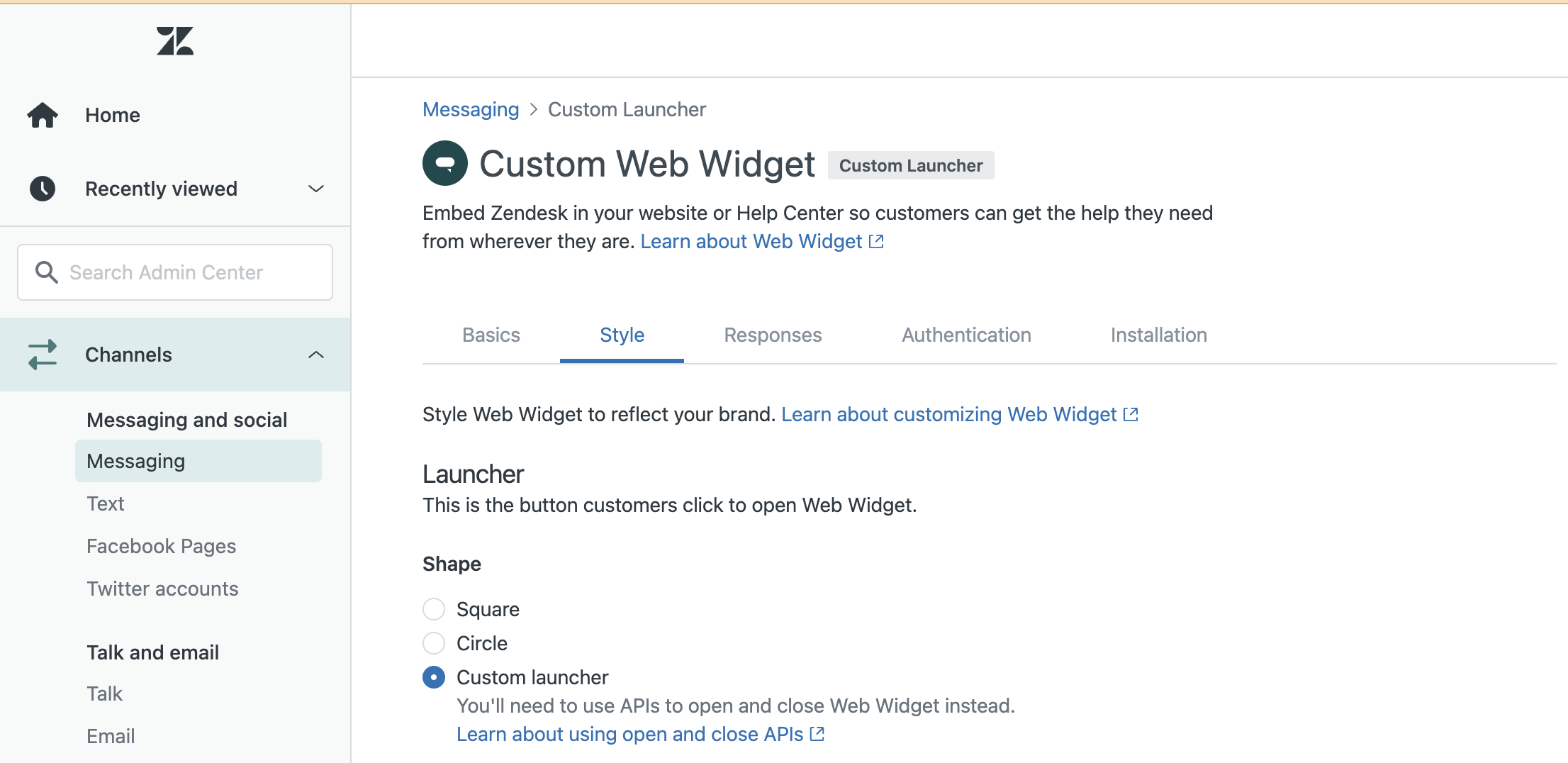
Once enabled you can:
- Add a *Contact us* link on your webpages which will open the widget if clicked.
- Design and load your own launcher button which can open the widgetto align your Support experience with your brand.
- ...
## Demo Page
I created a working demo [here](https://jwt.internalnote.com/customlauncher.html?ref=internalnote.com) to test out this new behaviour.
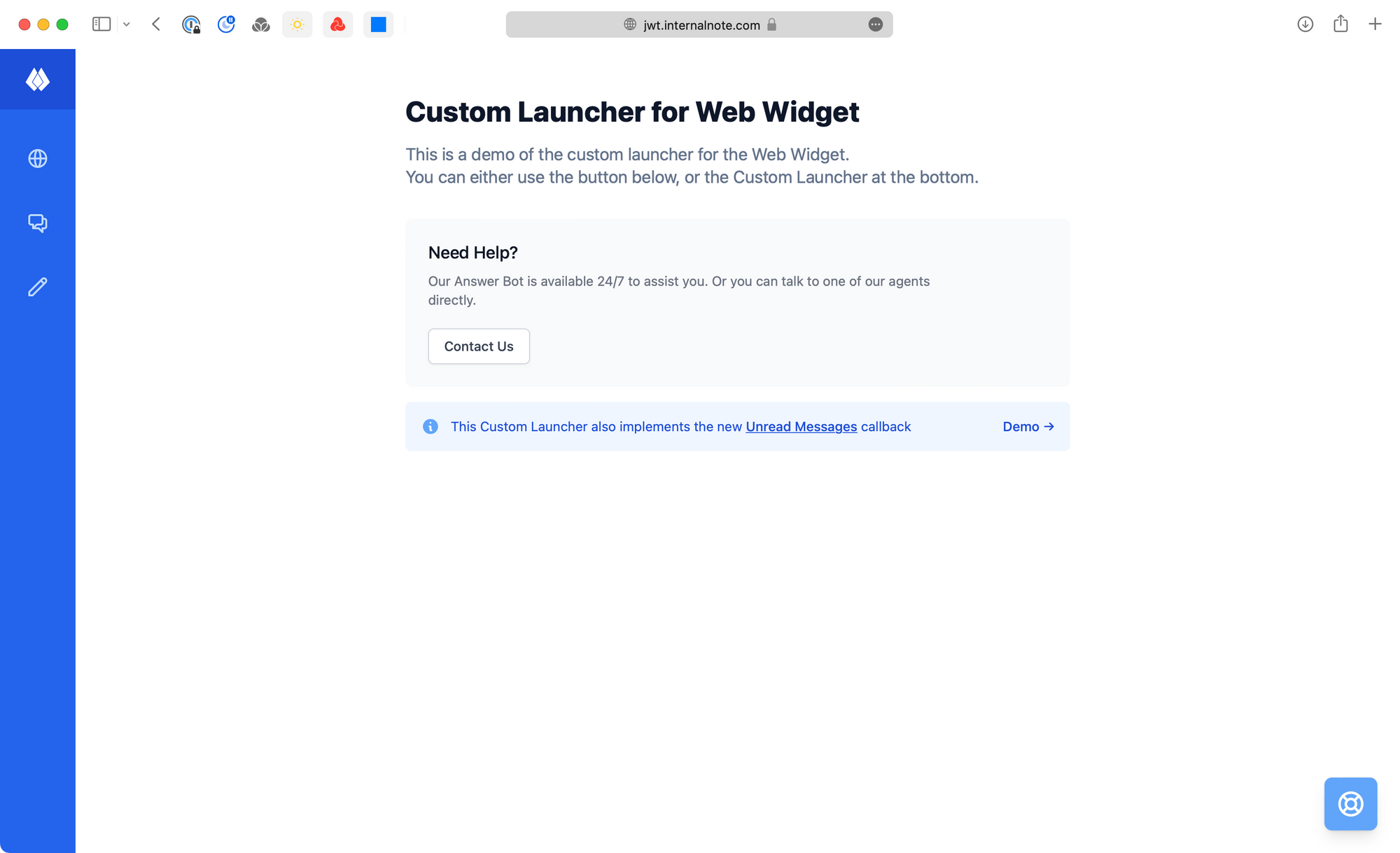
It allows you to launch the Messaging Widget via a Contact Us button on the middle of the page, or (better) use a custom designed launcher button to open the Messaging Widget.
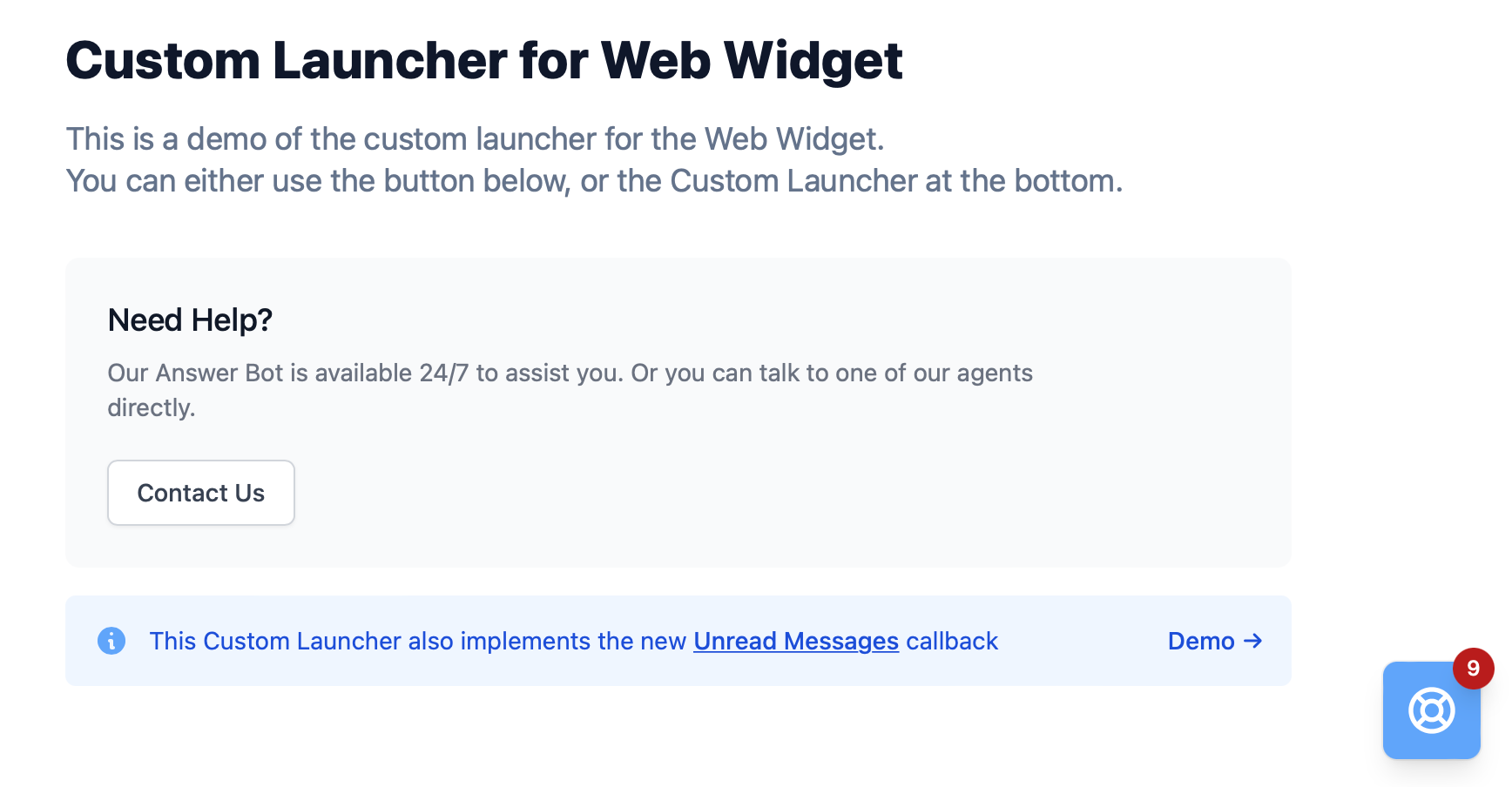
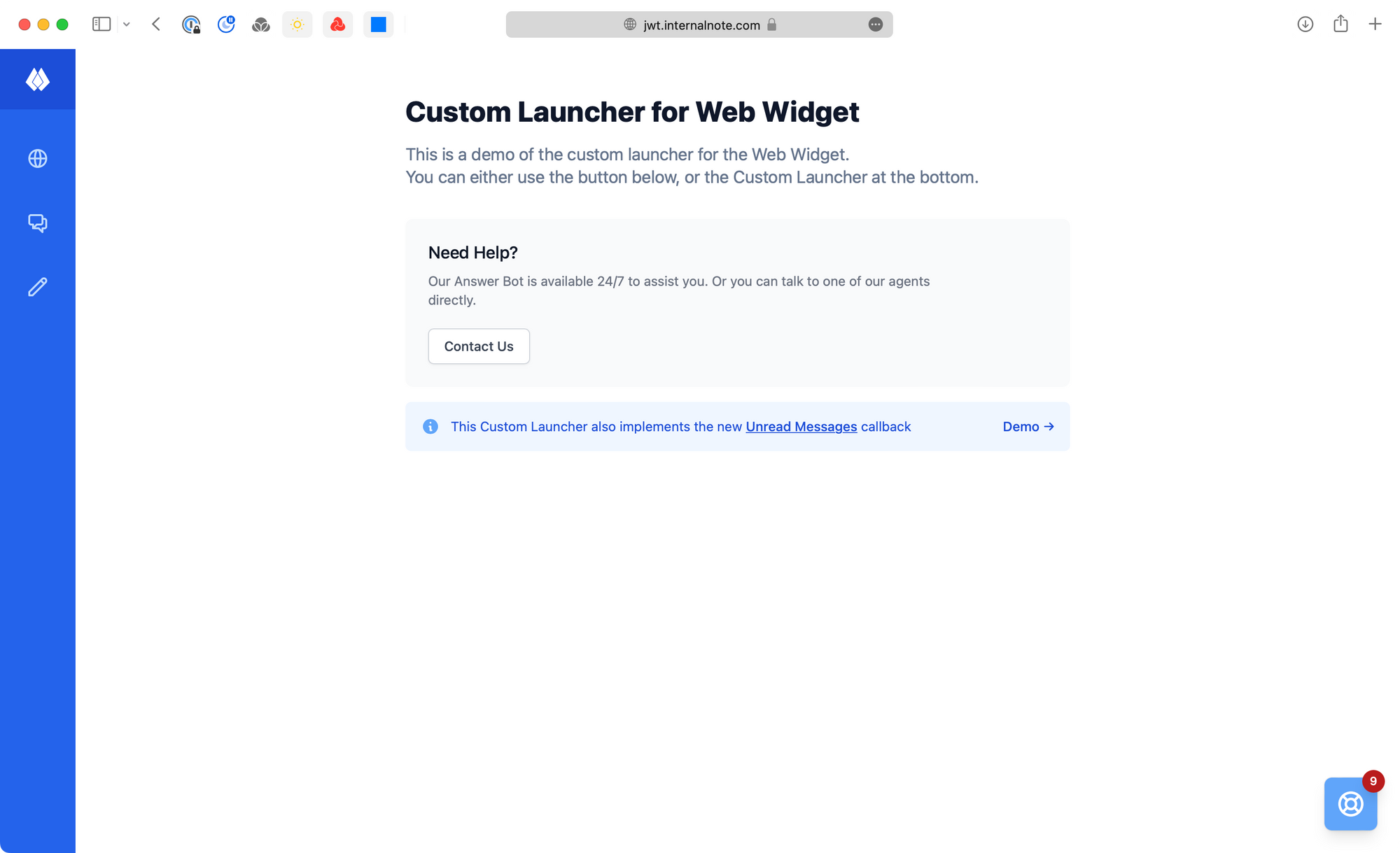
Since Zendesk also offers a function to get updates on read/unread messages, the pages also contains a demo of this feature.
When you start a conversation the Answer Bot and close the widget the notification will appear and reflect the amount of unread messages.
Alternatively, by pressing the *Demo →* button , the Launcher Button will display a hardcoded demo of 9 unread messages.
Naturally, this page is a demo page, so you can adapt the design and flow to reflect your own use case.
### **Code**
Let's dive into the code to see how this works:
[GitHub Repository](https://github.com/verschoren/zendesk%5Fwidget/blob/main/docs/customlauncher.html?ref=internalnote.com)
#### **Contact Us button**
The contact us button is pretty straightforward. Clicking the button triggers an *OpenWidget()* function that well.. opens the widget.
```html
```
#### **Custom Launcher**
The Custom Launcher works similarly, but consists of a staticly placed *div* containing the launcher bottom right, and a second *div* placed relative to that launcher to show the counter.
We hide the counter by default, and use the Unread Counter to show/update its count.
```html
9
```
#### **Unread Counter**
The Unread Counter is a live updating function that provided continuous feedback on the amount of unread messages in the widget.
By implementing a callback that updates our Launchers' Notification Badge we can choose when our Launcher should show a notification, and update the count live.
Or, if you want, you can even decide to open the widget once the amount of unread messages reaches a certain treshold:
```javascript
zE('messenger:on', 'unreadMessages', function (count) {
// if there are unread messages, show badge
if (count > 0){
$('#counter').html(count);
$('#notification').show();
}
// if there are more than 4 unread messages, show the widget
else if (count >= 4){
zE('messenger', 'open');
}
//else hide the counter
else {
$('#notification').hide();
}
})
```
