> ## Content Index
> Fetch the complete content index at: https://internalnote.com/llms.txt
> Use this file to discover other available public pages before exploring further.
# Redirect Rules for Zendesk Guide
- URL: https://internalnote.com/redirect-rules-for-zendesk-guide/
- Published: 2023-07-25T06:45:54.000Z
- Updated: 2025-09-08T06:42:26.000Z
- Description: Use the new Redirect Rules API for Zendesk Guide to redirect customers to other pages instead of finding a 404 error for non-existing urls.
- Author: Thomas Verschoren
- Tags: Knowledge
When it comes to providing efficient and good customer care the three biggest items are self service, context and omnichannel.
You have to be where your customers are (omnichannel), you have to know your customers and make it easy for agents to retrieve information (context) and you have to allow customers to find and resolve items themselves (self service) in order to provide quick and frustration less support to your customers.
Self Service starts with your Help Center content. Ideally your Help Center articles should each handle one topic and resolve one specific issue so that both search, autoreply, the agent knowledge panel and your bots can offer the right information at a glance to your customers and agents.
Using Zendesk Explore and Content Cues allows you to get insight in your articles and find the articles that should be optimised. But what happens is that you archive old or redundant articles, you split long articles into multiple short ones, or merge related topics to avoid query confusion.
Sadly, whenever you delete or replace an article with a new one, anyone visiting the old url would get a 404 page with no reference to the original article.
# Classic solution
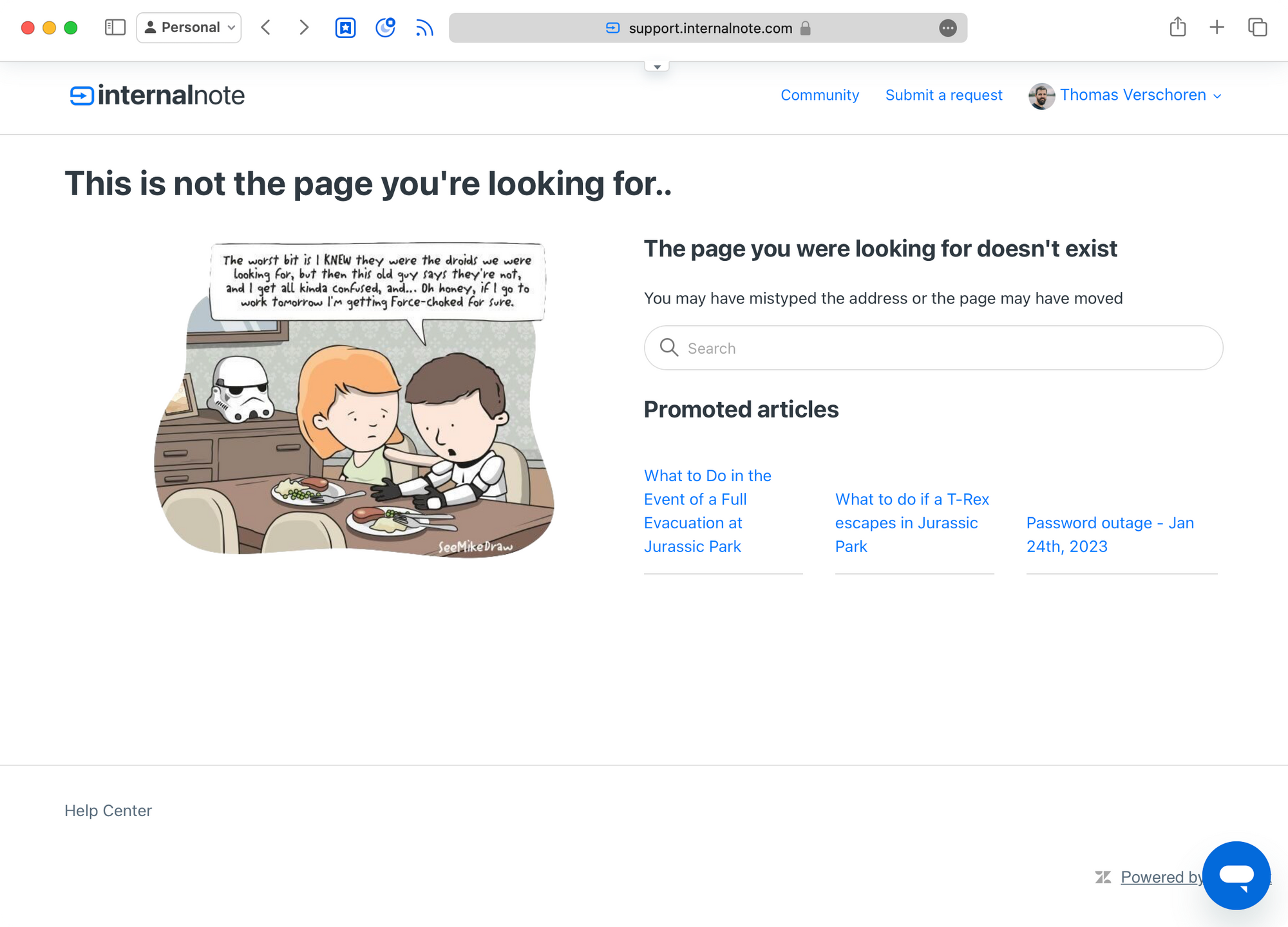
I used to solve the above scenario in a couple of ways:
- I'd add a `search` object to the 404 page so there is an easy way to find what they're looking for
- I add a `{{promoted_articles}}` block so we can offer popular articles immediately.
```html
```
This does however not resolve the main issue: if a user clicks on a link for article X, and article X got deleted or replace with article Y, they still reach dead end without context or an easy way to find the actual content.
# Redirect Rules
Luckily, this issue is now resolved 🥳.
Zendesk Guide now has an API endpoint for redirect rules. In short this allows you to send people who open article X to article Y automatically.
When is this useful?
- You have an existing popular article that got replace by a newer article.
- You have deprecated or replaced a service and want to redirect visitors of those articles to the page explaining the removal of the service
- You have released a brand new version and want to send all visitors of the old product to the new product documentation instead
- You merged to articles and want visitors of one article to be send to another
## How does it work?
Currently the API endpoint is fairly limited, but does offer the basics we need. We can redirect articles, sections and community topics to any other resource.
Examples of help center URLs that can be redirected:
```
/hc/en-us/articles/1138
/hc/en-us/community/topics/1977
/hc/en-us/sections/1984
```
But you can also redirect — so called — vanity urls. This is useful if you want to prevent dead links after a migration to Zendesk, and replicate your legacy faq paths, or want nice urls to redirect to a specific article.
```
/faq/how-to-update
/help/1138
/announcements
```
You can find the full documentation in [this Help Center article](https://developer.zendesk.com/api-reference/help%5Fcenter/help-center-api/redirect%5Frules/?ref=internalnote.com) but in essence you can set a `from`, `to` and `status` value for each redirect you configure, and optionally a `brand` value for environments with multiple brands configured.
The API supports the following HTTP Statuses, from which 301 and 302 will probably be the most used ones.
| HTTP Status | Meaning |
| ----------- | ----------------------------------------------------------------------------------------------- |
| 301 | Moved Permanently - The requested resource has been permanently moved to a new location. |
| 302 | Found - The requested resource has been temporarily moved to a different location. |
| 303 | See Other - The response to the request can be found under a different URL. |
| 307 | Temporary Redirect - The requested resource has been temporarily moved to a different location. |
| 308 | Permanent Redirect - The requested resource has been permanently moved to a different location. |
## Creating or Updating a Redirect Rule
To create a Redirect Rule you need to `POST` to `/api/v2/guide/redirect_rules`.
```json
{
"redirect_rule": {
"redirect_from": "/hc/en-us/articles/123",
"redirect_status": 301,
"redirect_to": "https://support.example.com/hc/en-us/456"
}
}
```
The `redirect_from` is the URL your customers are visiting. It can be either an article `/hc/en-us/articles/1138`, community topic `/hc/en-us/community/topics/1977` or help center section `/hc/en-us/sections/1984`.
💡
Note that the URL only accepts the ID of an article. If the URL contains a slug (e.g (1234-article-title) you should only use 1234.
The `redirect_to` can be any URL as long as it is a HTTP(s) url or starts with a `/` . The latter will use the Help Center base URL as a prefix.
Note that if there already is a rule with the same `redirect_from` URL that the existing one will be overwritten and your `POST` will act similar as an update.
Similarly, to remove a rule, you should first list all rules via a `GET` command, then retrieve the `ID` of the rule you want to delete, and then to a `DELETE /api/v2/guide/redirect_rules/{redirect_rule_id}`. (Remember that deleting a 301 permanent redirect can do weird things with Google indexing)
## Example
I've use to have an article that explained how to subscribe to this blog at an path [https://support.internalnote.com/hc/en-us/articles/12677034076434](https://support.internalnote.com/hc/en-us/articles/12677034076434?ref=internalnote.com)
That article has since been migrated to a native page on the blog, but I reference that article in multiple places. So by adding a redirect rule with the following payload, I can make sure people end up on the right page.
```json
{
"redirect_rule": {
"redirect_from": "/hc/en-us/articles/12677034076434",
"redirect_status": 301,
"redirect_to": "https://internalnote.com/#/portal/signup/63f0d0f4034c3d004d5ef75a/yearly"
}
}
```
Which means that, whenever someone visits [the article](https://support.internalnote.com/hc/en-us/articles/12677034076434?ref=internalnote.com), they will get redirected to the [signup page]({ "redirect%5Frule": { "redirect%5Ffrom": "/hc/en-us/articles/12677034076434", "redirect%5Fstatus": 301, "redirect%5Fto": "https://internalnote.com/#/portal/signup/63ff05d99deb9e003d619e70/yearly" } }) for my blog.
> Which reminds me: did you subscribe yet? It's free, or optionally paid, and really helps this website to grow!
# Advanced Redirects and wish list
Another fun setup is something like the following
```json
{
"redirect_rule": {
"redirect_from": "/jurassicpark",
"redirect_status": 302,
"redirect_to": "https://support.internalnote.com/hc/en-us/search?utf8=✓&query=jurassic+park"
}
}
```
This rule gives you a shorthand for searching the Help Center for specific articles.
But what I'd really love to see is a way to have regex support for the redirect rules like e.g. [Next.js has](https://nextjs.org/docs/pages/api-reference/next-config-js/redirects?ref=internalnote.com#regex-path-matching) so we can use one rule to redirect a bunch of matching articles.
But for now, if you've recently migrated from a competitor and you want to bulk redirect all old Freshdesk URLs like `https://support.domain.com/en/support/solutions/folders/7000008400` to matching articles on Zendesk, this API certainly comes in handy, even though it’s going to require a lot of API calls to setup each redirect one by one.
As a last feature request, it would be nice to have some reporting on this so we know which redirects are (un)used for SEO optimization.
## Conclusion
I love how Zendesk keeps improving the Help Center website experience even though the focus of most customercare is moving to chatbots and conversational design.
But (seemingly) simple things like adding redirects makes Guide so much more powerful.
What will you use it for?
## Sign up for Internal Note
Turning Zendesk into practice. – A newsletter about Zendesk written by Thomas Verschoren.
Subscribe
Email sent! Check your inbox to complete your signup.
No spam. Unsubscribe anytime.