

Multiple intent handling for AI Agents Advanced
Zendesk AI Agents now handle multiple intents in a single customer message, resolving each question one by one across both messaging and email. This upgrade reduces failures, avoids unnecessary escalations, and delivers clearer, more complete responses with no setup required.

Multiple intent handling for AI Agents Advanced
Zendesk AI Agents now handle multiple intents in a single customer message, resolving each question one by one across both messaging and email. This upgrade reduces failures, avoids unnecessary escalations, and delivers clearer, more complete responses with no setup required.

On this page
Thanks everyone for reading the blog, and have a great holiday season!
When it comes to providing customer support, customers reach out to your teams for a myriad of reasons. Sometimes they want an answer to a simple question. Or sometimes they expect your team to take action. Or they just want to provide feedback.
Regardless of the type of question asked, Zendesk AI Agents always follow a similar logic, which in a simplified flow, goes as follows.
Zendesk AI Agents follow a consistent resolution flow. First, the Agent attempts to match the customer’s question to a defined use case. If nothing relevant appears, it falls back to generating a response from your knowledge sources.
If it does find a matching use case, it executes the linked procedure, which may rely on procedural logic, custom actions or knowledge to produce a complete reply. Ideally this resolves the inquiry; if not, the Agent escalates to a human.
This is a simplified model, but it represents the core path from question to resolution.
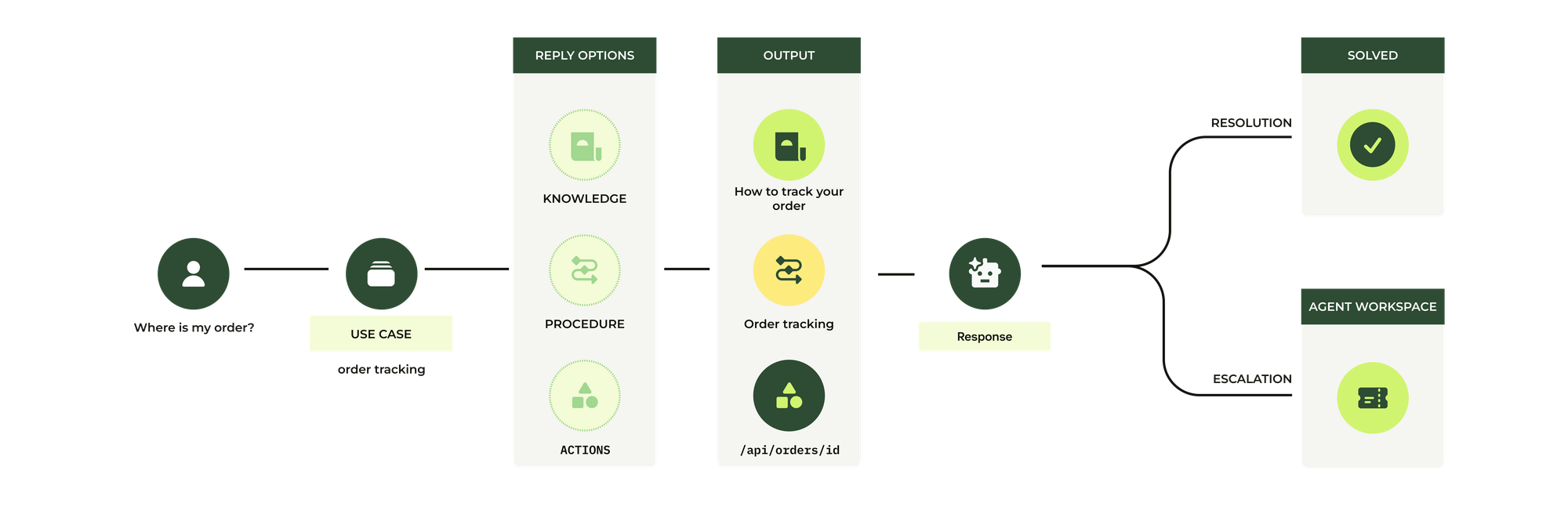
Intent mapping
Each customer question should map to a single use case. If it maps to more than one, the Agent risks confusion. This is why AI Agents Advanced includes automatic checks to highlight overlapping use cases.
The result is predictable behaviour: for any customer input, the Agent triggers only one response path—either a procedure or a knowledge answer.
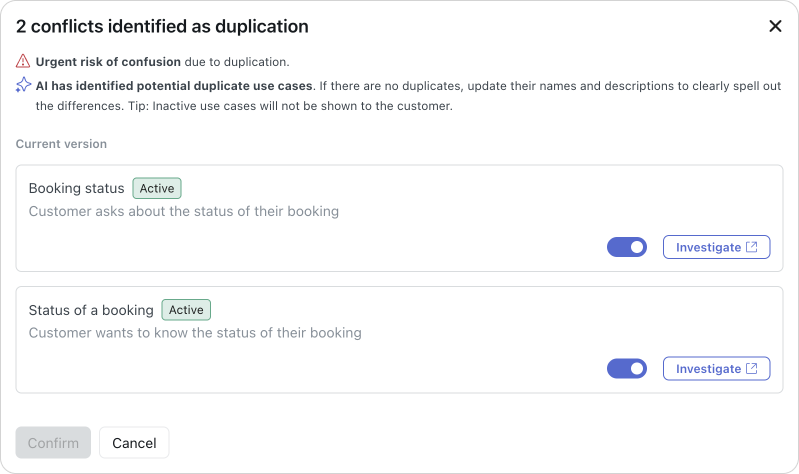
But what happens if the customer asks two questions at once.
What's the status of my order and also, how can I track it?
Earlier versions of the AI Agent struggled with this. Some would return a default reply because they couldn’t map the text to a single intent; later versions improved the experience by acknowledging multiple intents but answering only the first one. Customers had to ask again to get the remaining answers, which never felt natural.
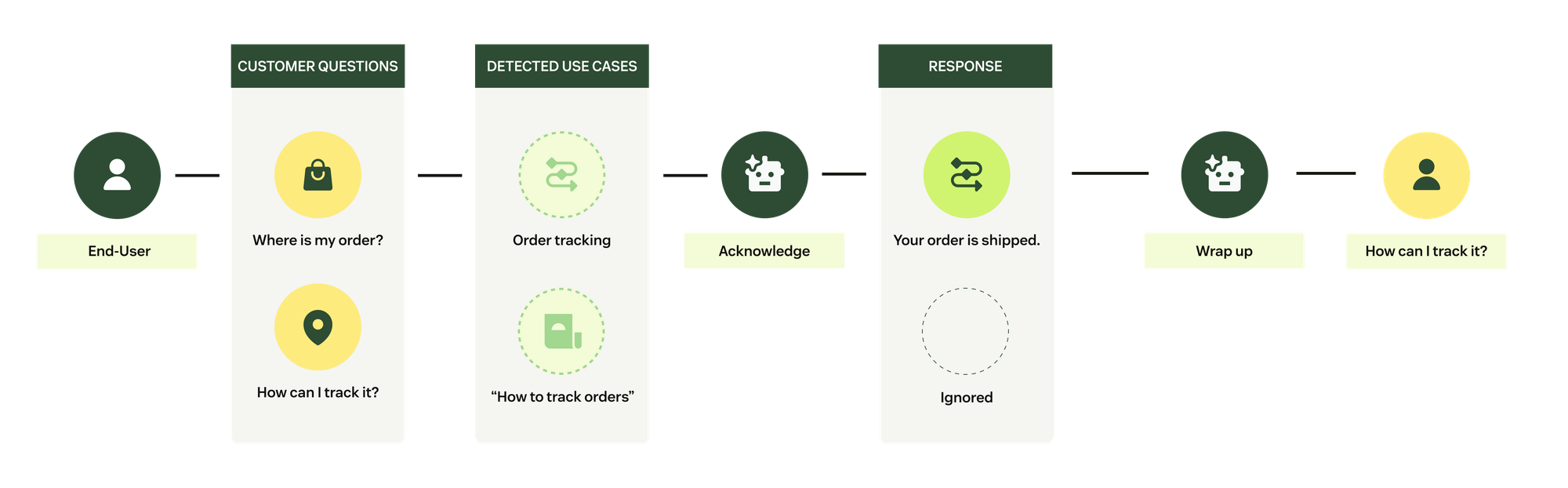
A smarter way to handle multiple questions
The new multi-intent capability in AI Agents Advanced solves this. The Agent now recognises multiple intents, acknowledges them, and then works through each one in sequence until all are resolved.
This creates a smoother, more natural experience and reduces unnecessary customer reminders. It works across both email and messaging and requires no configuration at all. AI Agent Advanced already supports it today.
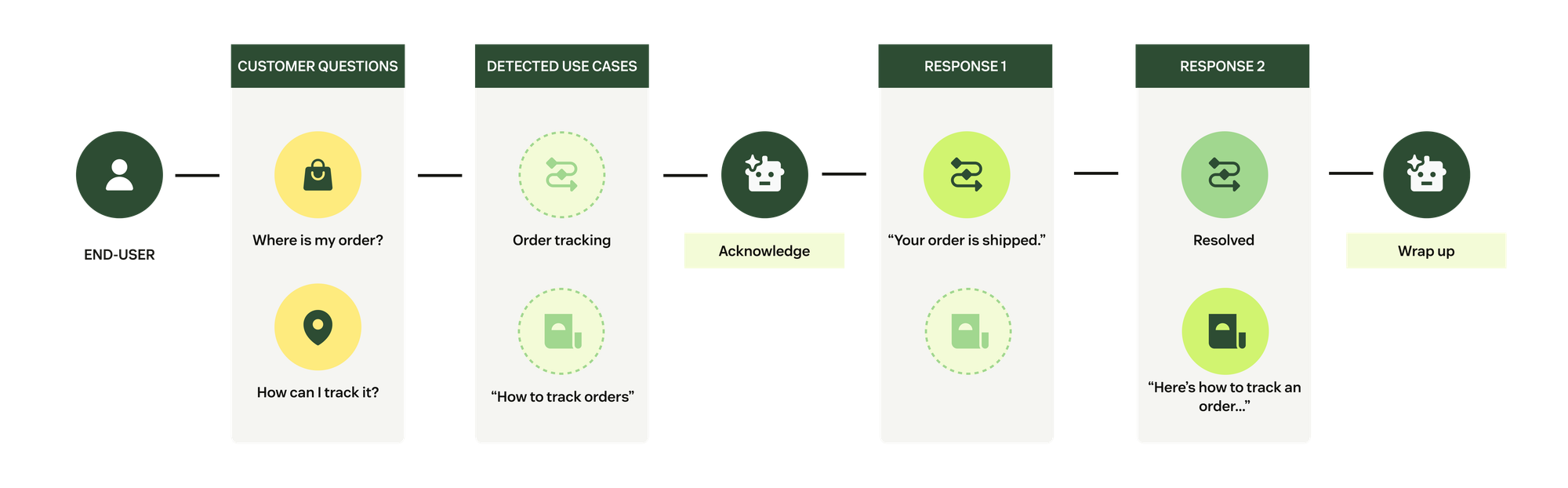
Multi-intent messaging experience
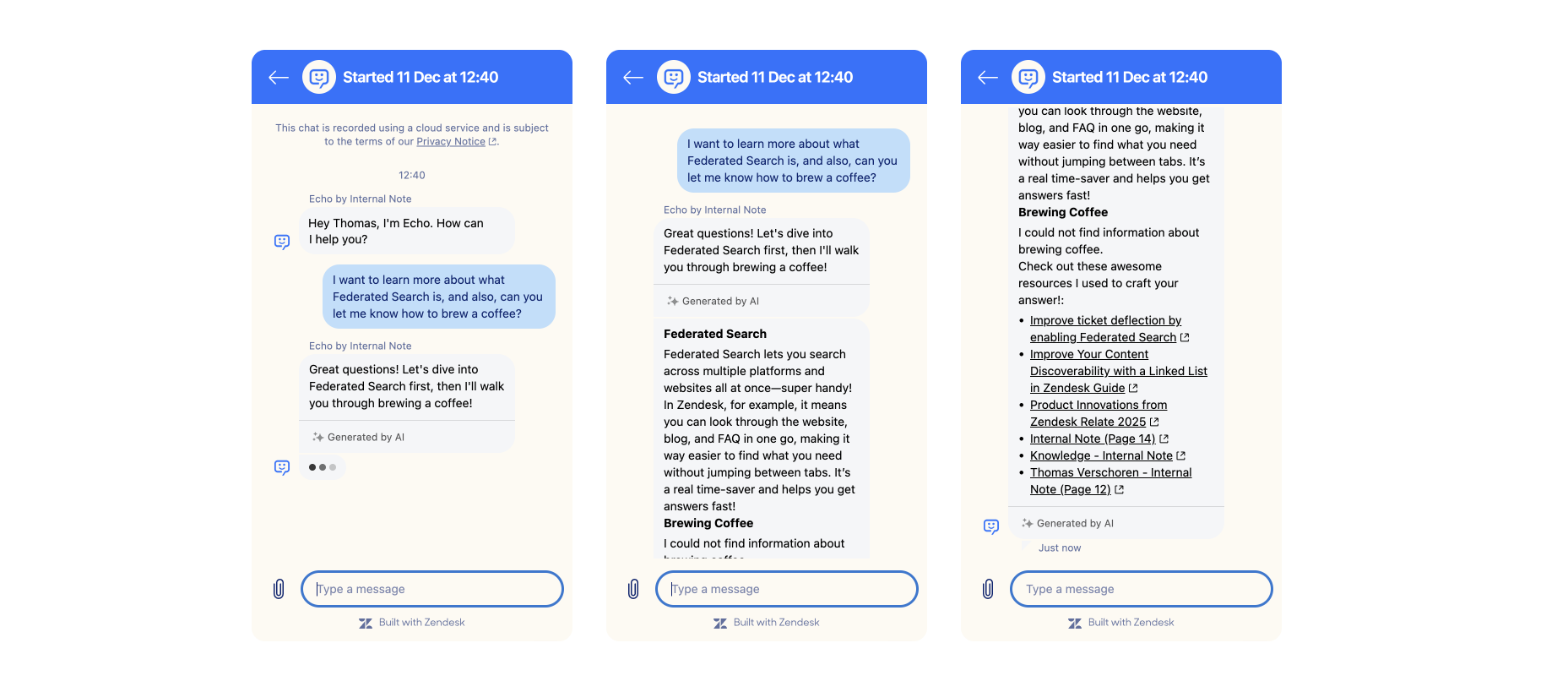
Two knowledge answers
If both questions can be resolved with knowledge, the Agent acknowledges them, generates separate answers for each, and lists the relevant articles at the end.
The current approach answers first, and provides sources later. I can see the argument for a flow where the sources are bundled per answer, but the current approach reads a bit smoother.
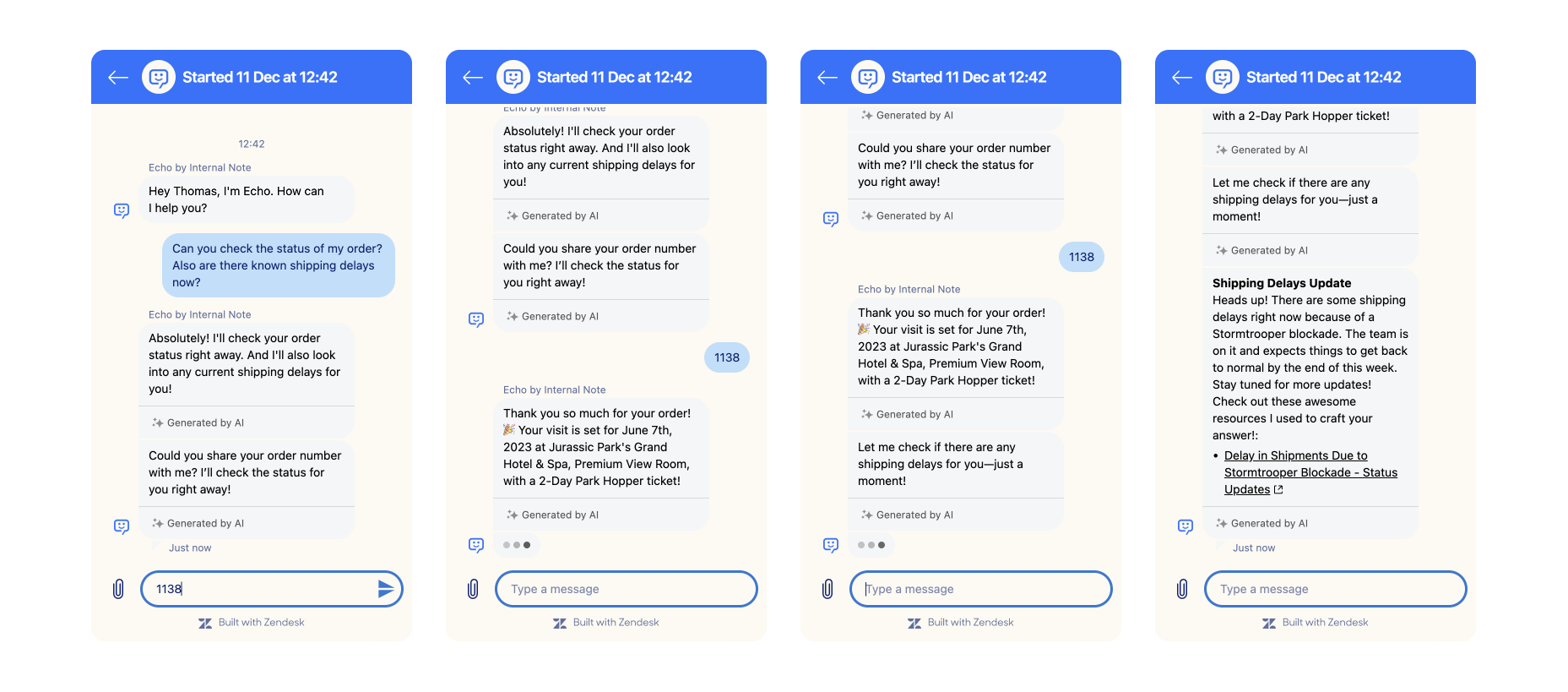
Procedure and knowledge answers
If one question triggers a procedure and the other relies on knowledge, the Agent always completes the procedural ones first and then follows up with the knowledge-based reply.
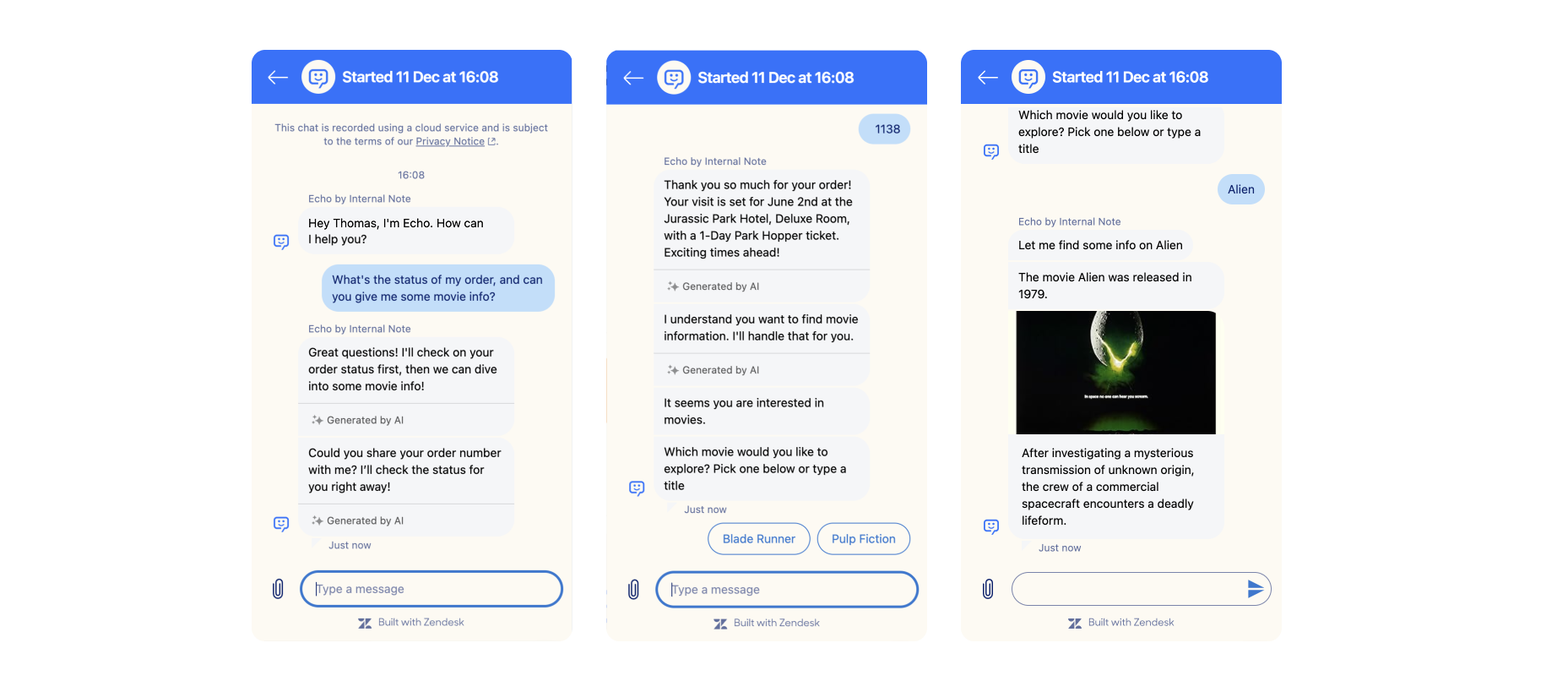
Multiple procedures
If both questions correspond to procedures, the Agent detects both intents and executes the procedures one after the other.
Limitations and edge cases
There are scenarios where the experience may feel imperfect.
The Agent acknowledges all detected intents upfront, but only runs each use case’s logic when it reaches that step. If an intent fails later in the conversation, the experience may feel inconsistent with the earlier acknowledgement.
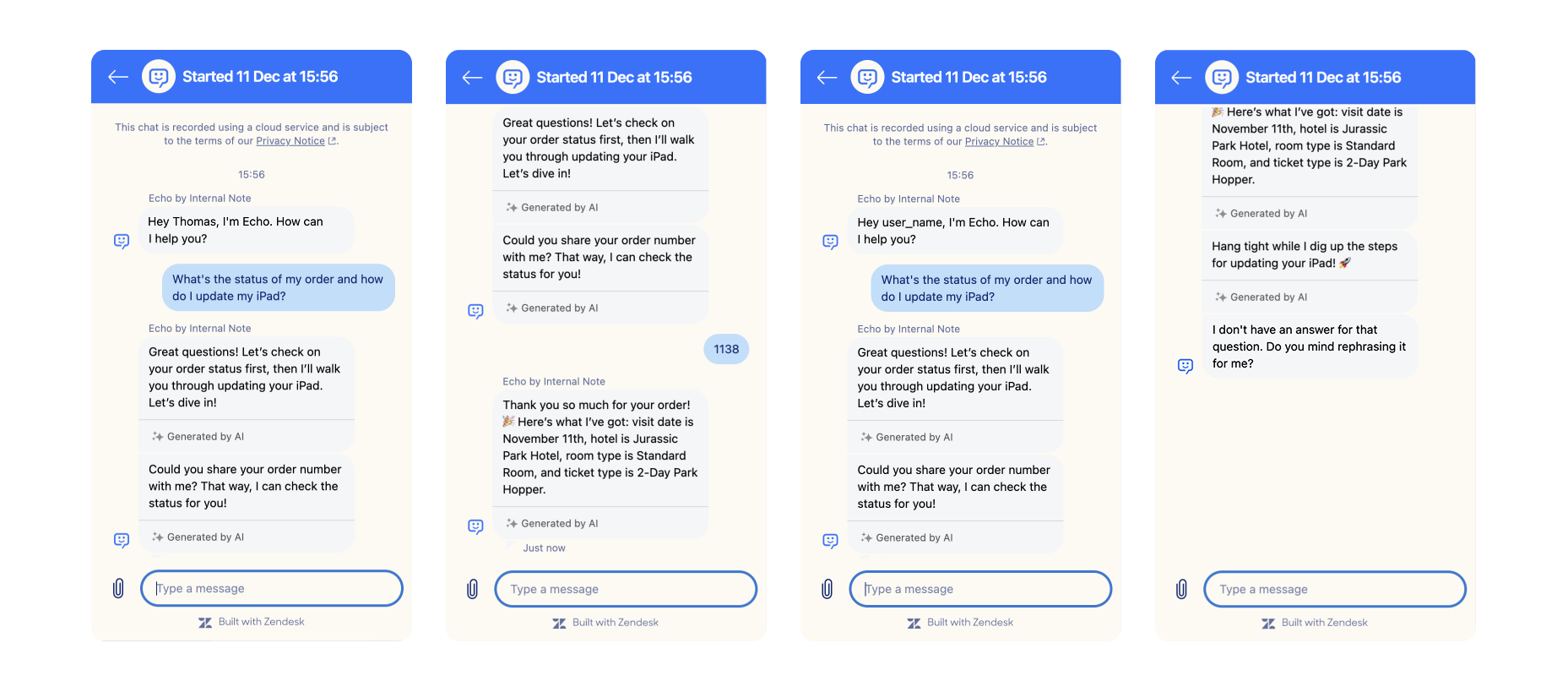
Another scenario involves escalations. If the first use case requires escalation, the AI Agent hands the conversation to a human before resolving the second question. This leaves the human agent with more than one question to address, even if only one required escalation.
Multi-touch email experience
The multi-intent behaviour for email is slightly different than that for email.
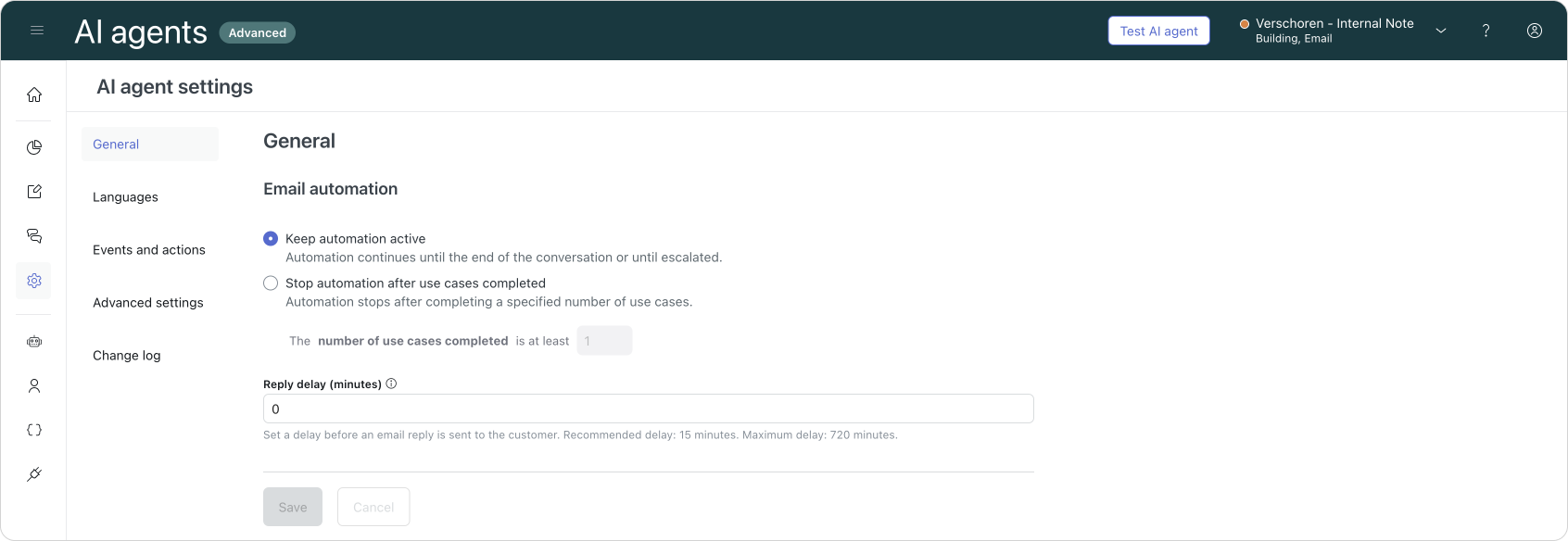
Within the AI Agents settings' for email we can allow the platform to keep the conversation active once the first intent has been resolved. Or, you can opt to keep the conversation active for up to (x) intents, after which we'll always escalate to your agents. Upon escalation we keep the ticket open in Agent Workspace, and the AI Agent won't react anymore.


And while this is not the same multi-intent behaviour we got in Messaging, it does allow customers to keep interacting with the AI Agent over email until their issue is resolved.
What's missing, for now, is an initial acknowledgement of the AI Agent of the multiple intents, and an automatic handling of the next intent in the queue. It'll only start the next use case if the customer asks for it, similar to how Messaging used to handle this use case previously. But since we keep the automation active, once the customer reminds our AI Agent, the process resumes.
Multi touch email handling
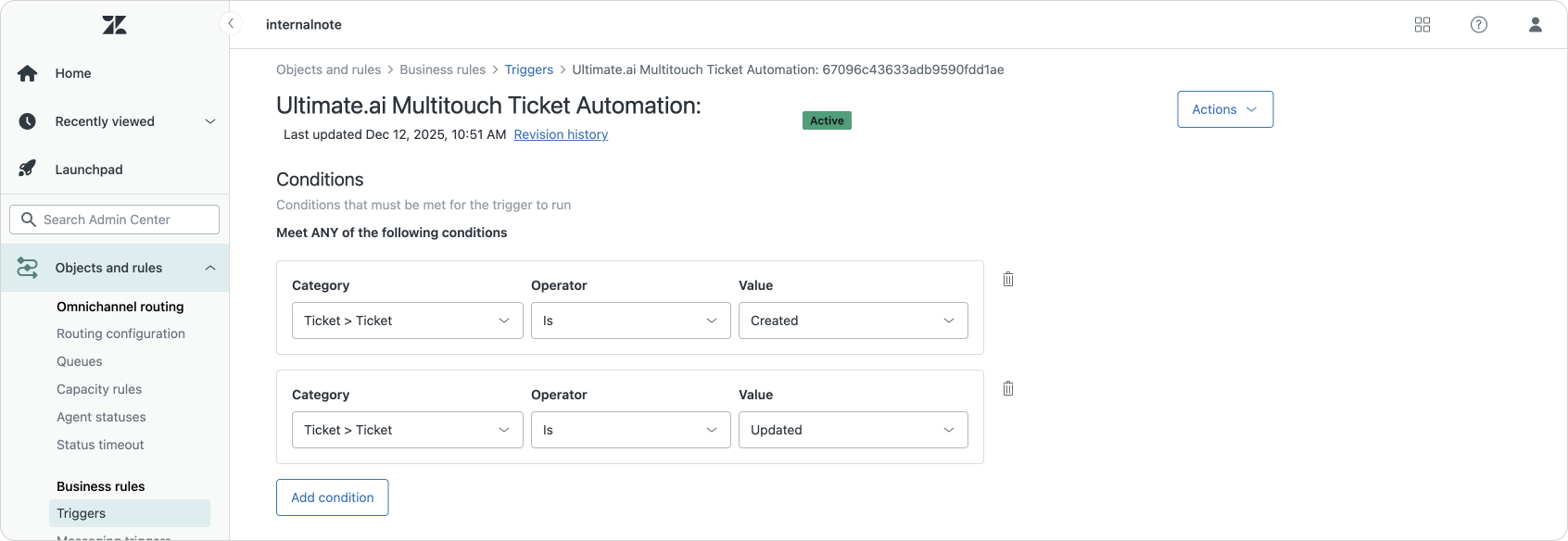
This setting goes hand-in-hand with an updated automation trigger that gets configured when you link an AI Agent to Zendesk Support.
For a while now customers who integrate their AI Agent with Zendesk Support will get a trigger that reacts to both created and updated tickets. It's this new trigger setup that allows for what we call multi-touch, or a way for the AI Agent to interact with customers in multiple emails back and forth until a specific use cases' dialog is resolved.
Two knowledge answers
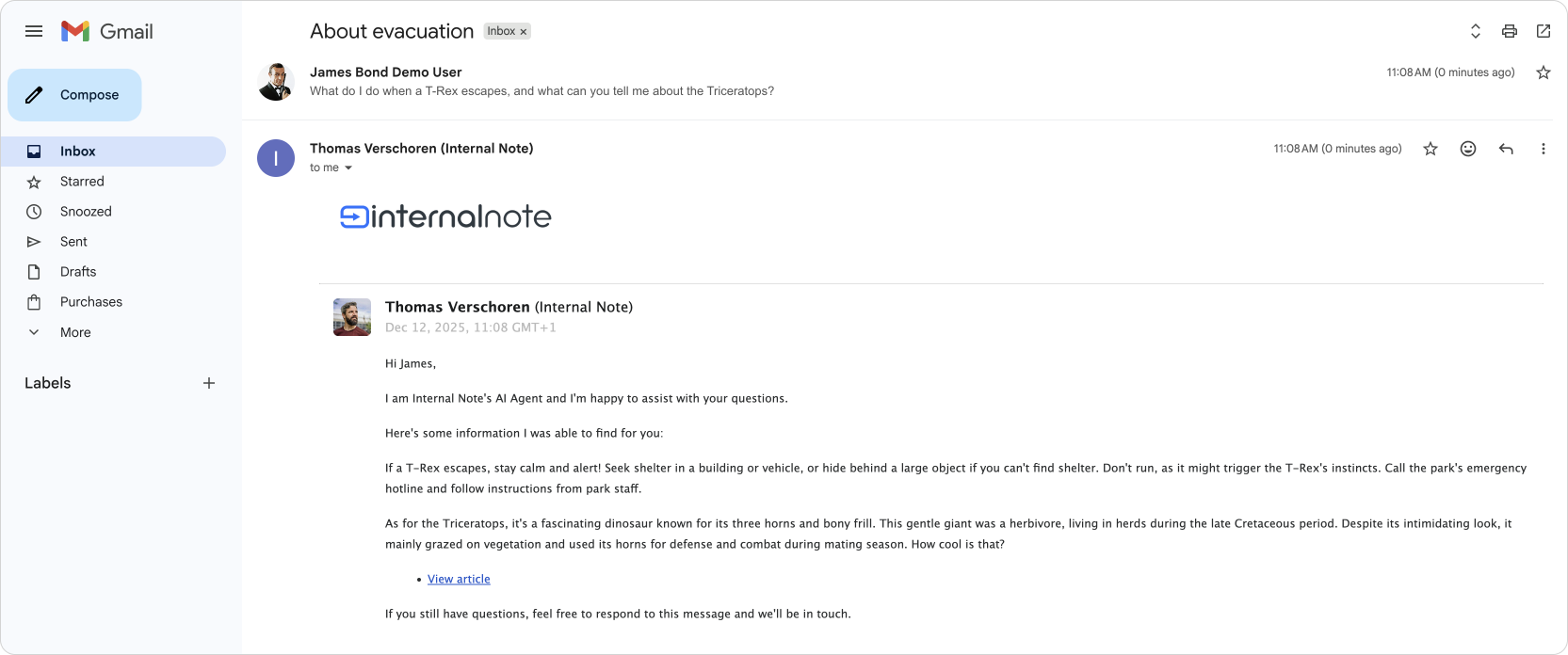
The same multi-intent approach used in messaging for knowledge answers also applies to email conversations.
Procedure and knowledge answers
In scenarios where the customers ask for two use cases, where only one of them can be answered with knowledge, the AI Agent will only answer the knowledge questions initially.
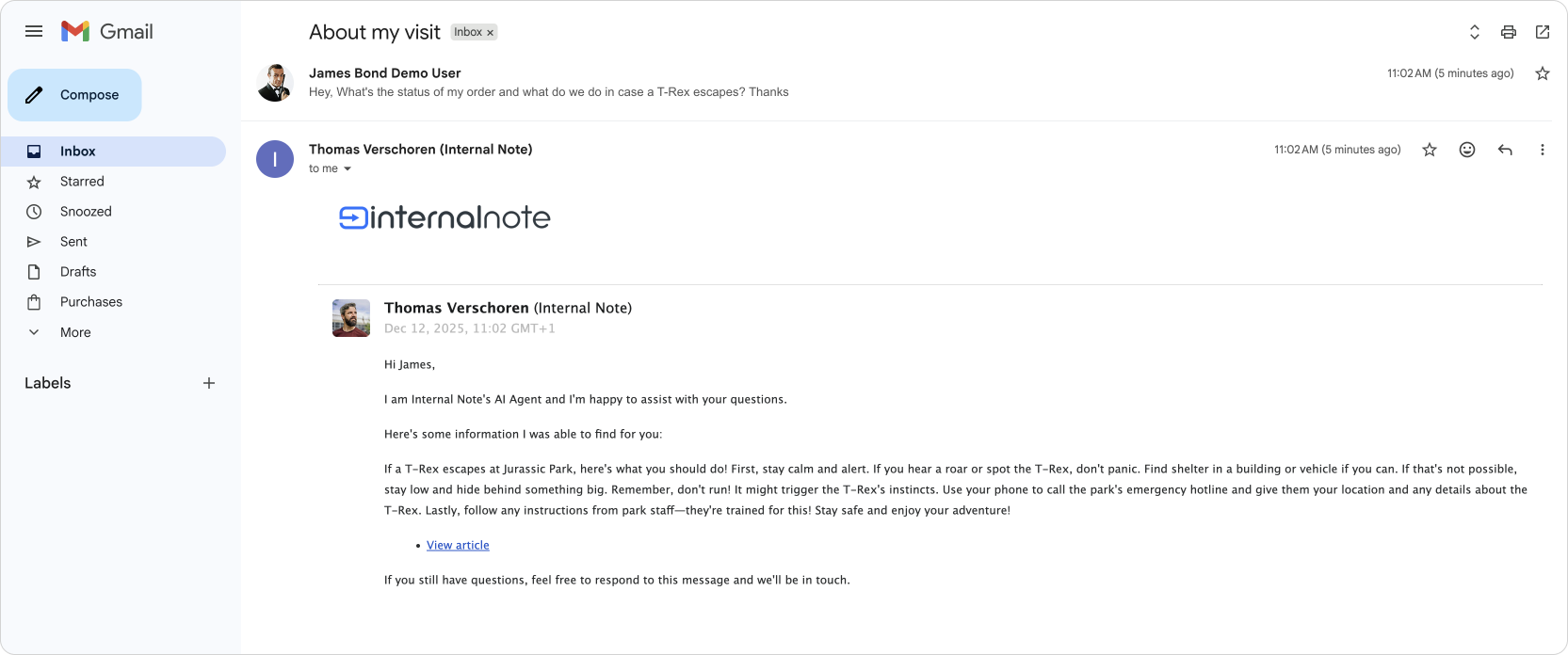
It's only after the customer reminds the AI Agent about the other question, that that use case and linked dialogue flow takes over.
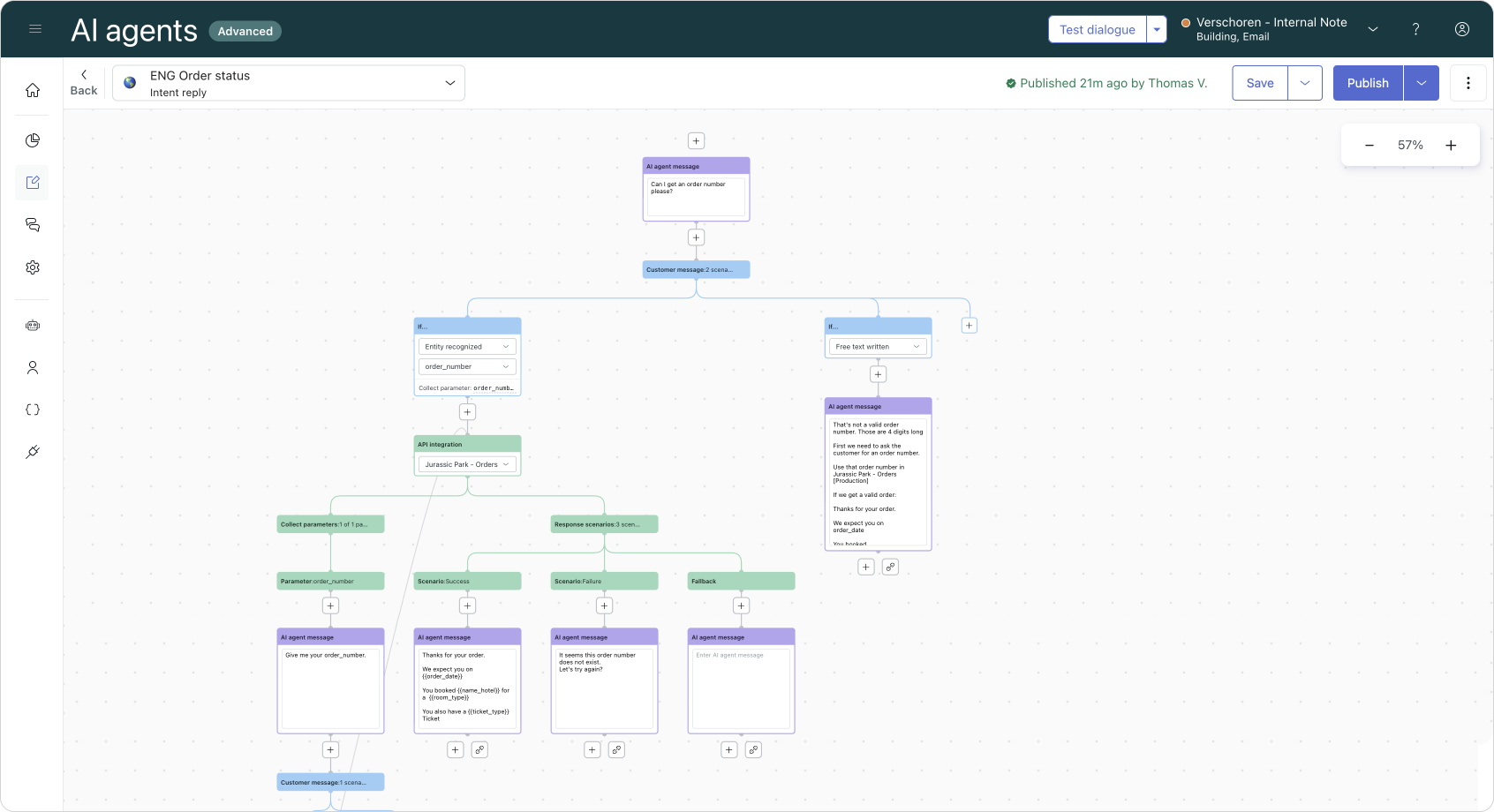
And after a few emails back and forth to get the customers' order number, we can wrap up the conversation.
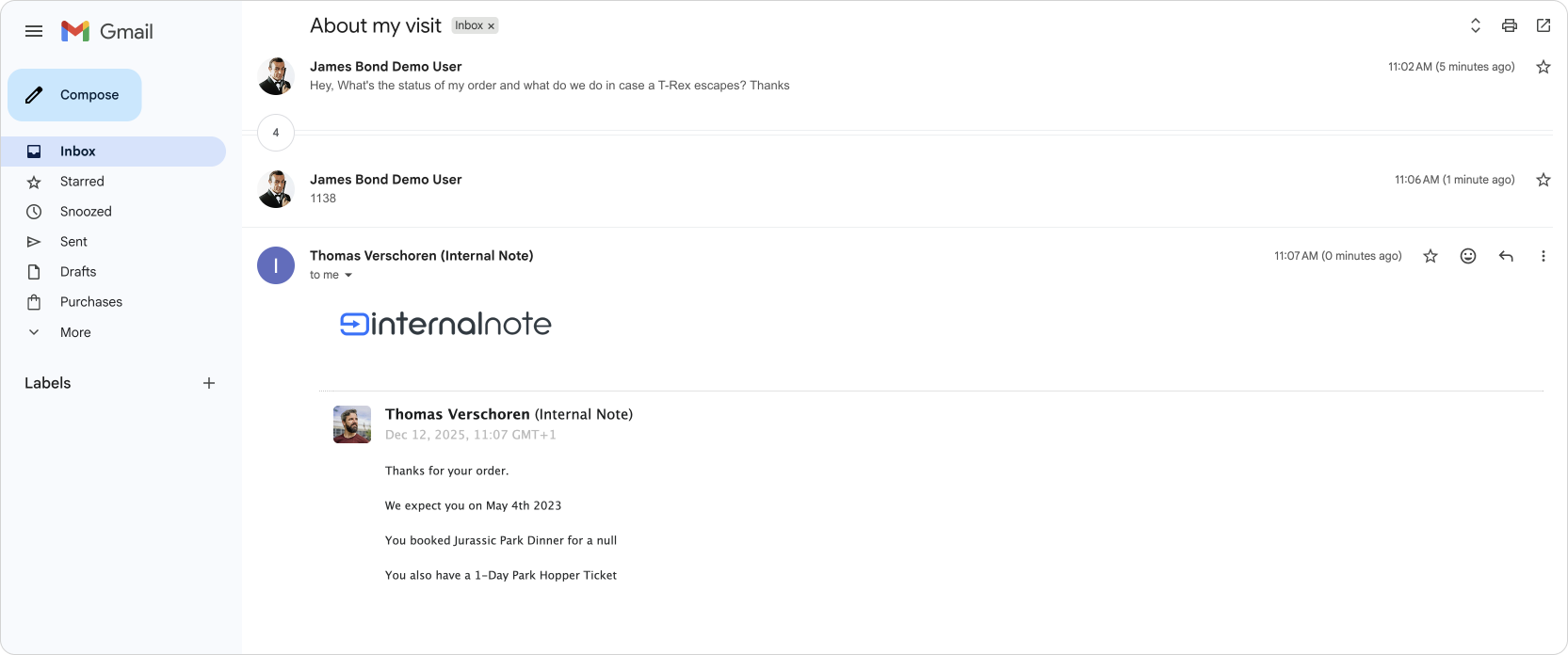
Multiple procedures
A customer emailing about multiple use cases that result in multiple use-cases gets a similar experience. The AI Agent will resolve the first one, and depending on the customers next question will jump into the next procedure the customer asks' about.
So while, for now, we don't get the same automatic handover from intent to intent as we got with messaging, we can handle multiple intents once the customer reminds our AI Agent about them.
How multi-intent appears in the admin dashboard
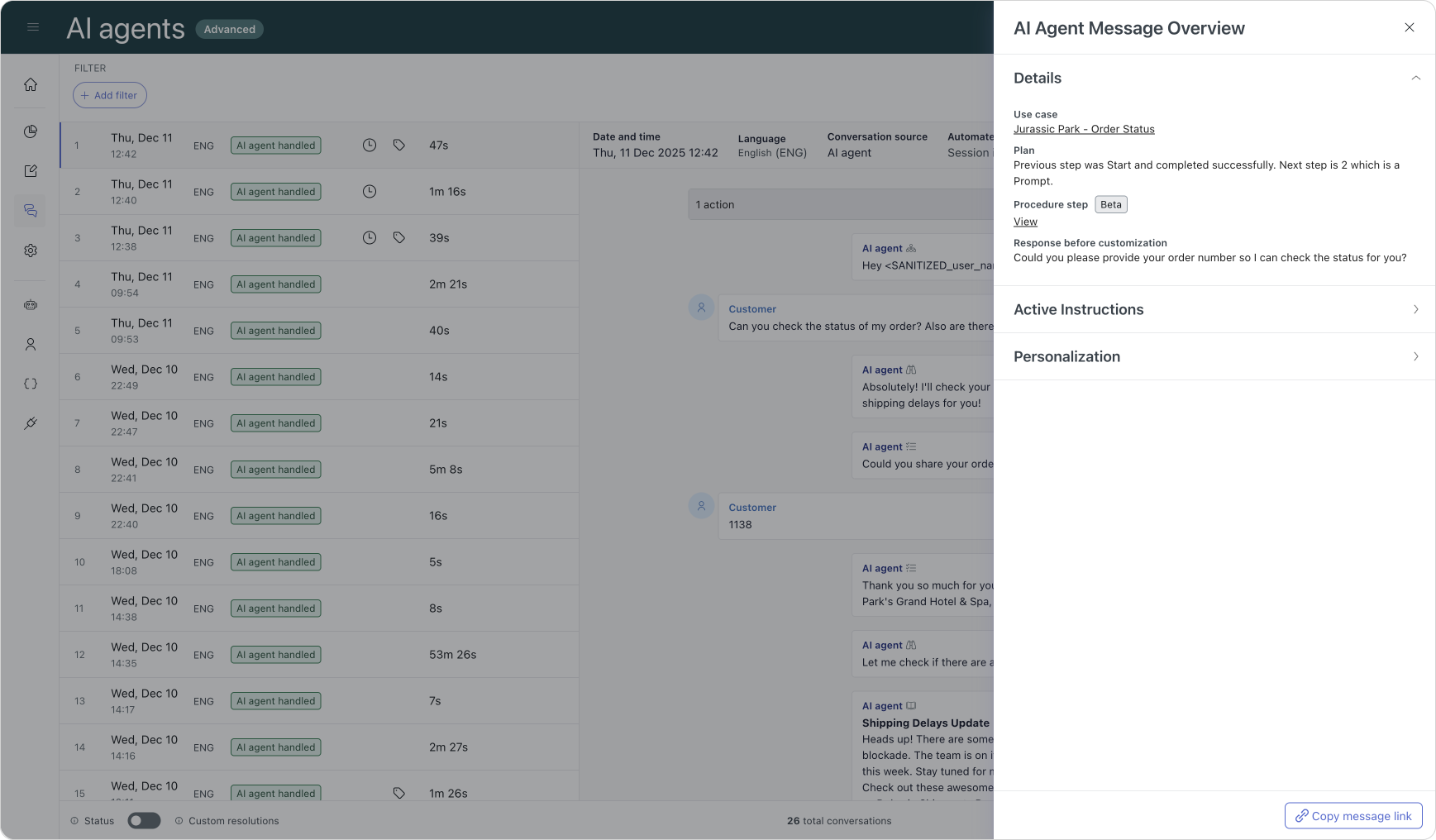
Multi-intent conversations appear just like any other in the Conversation Log. There is no special marker indicating multiple intents; they behave the same as conversations where questions arrive one after another.
The inspector shows the reasoning and instructions for each individual response. The acknowledgement step is part of a small-talk step and does not display detailed reasoning.
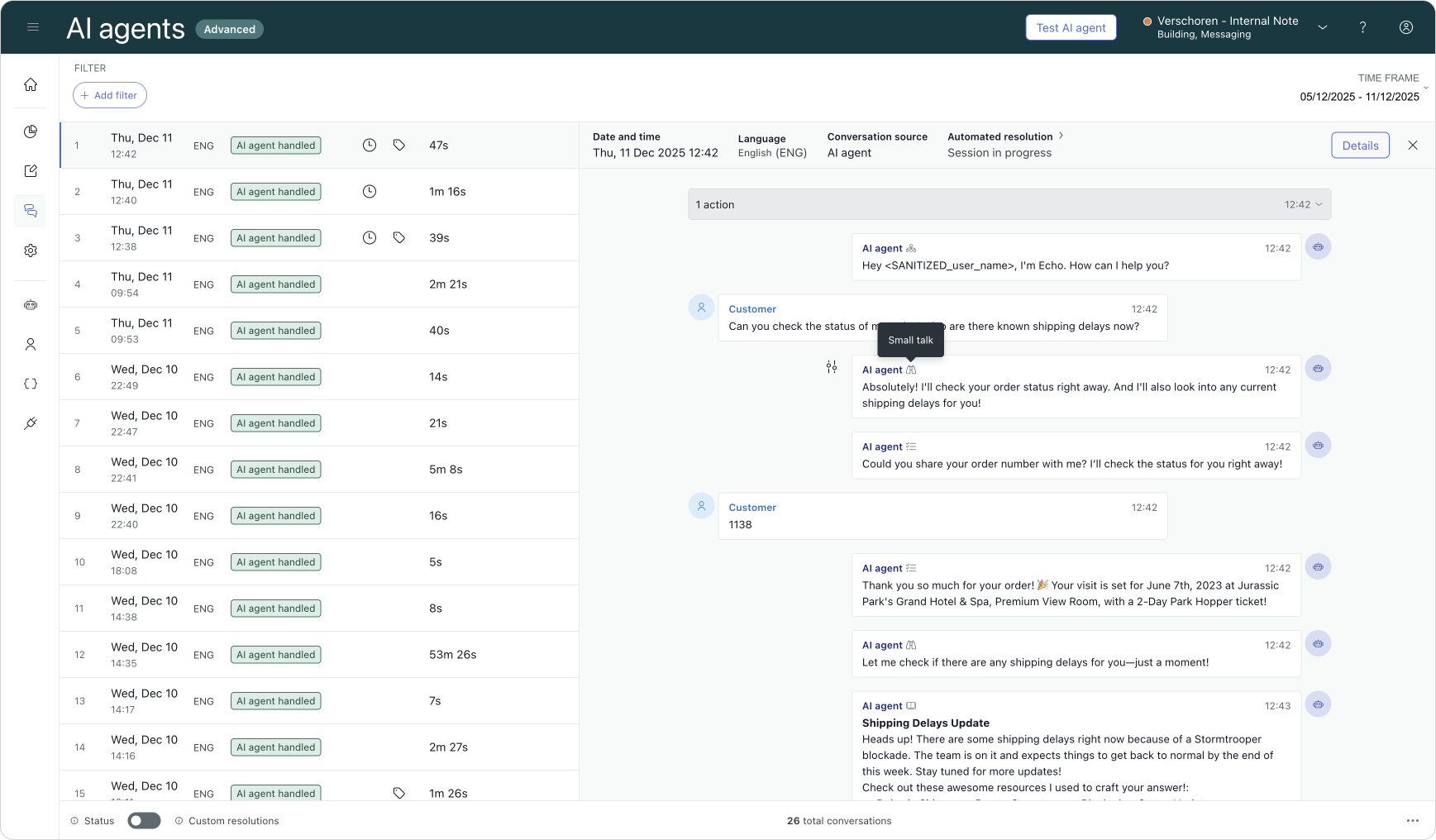
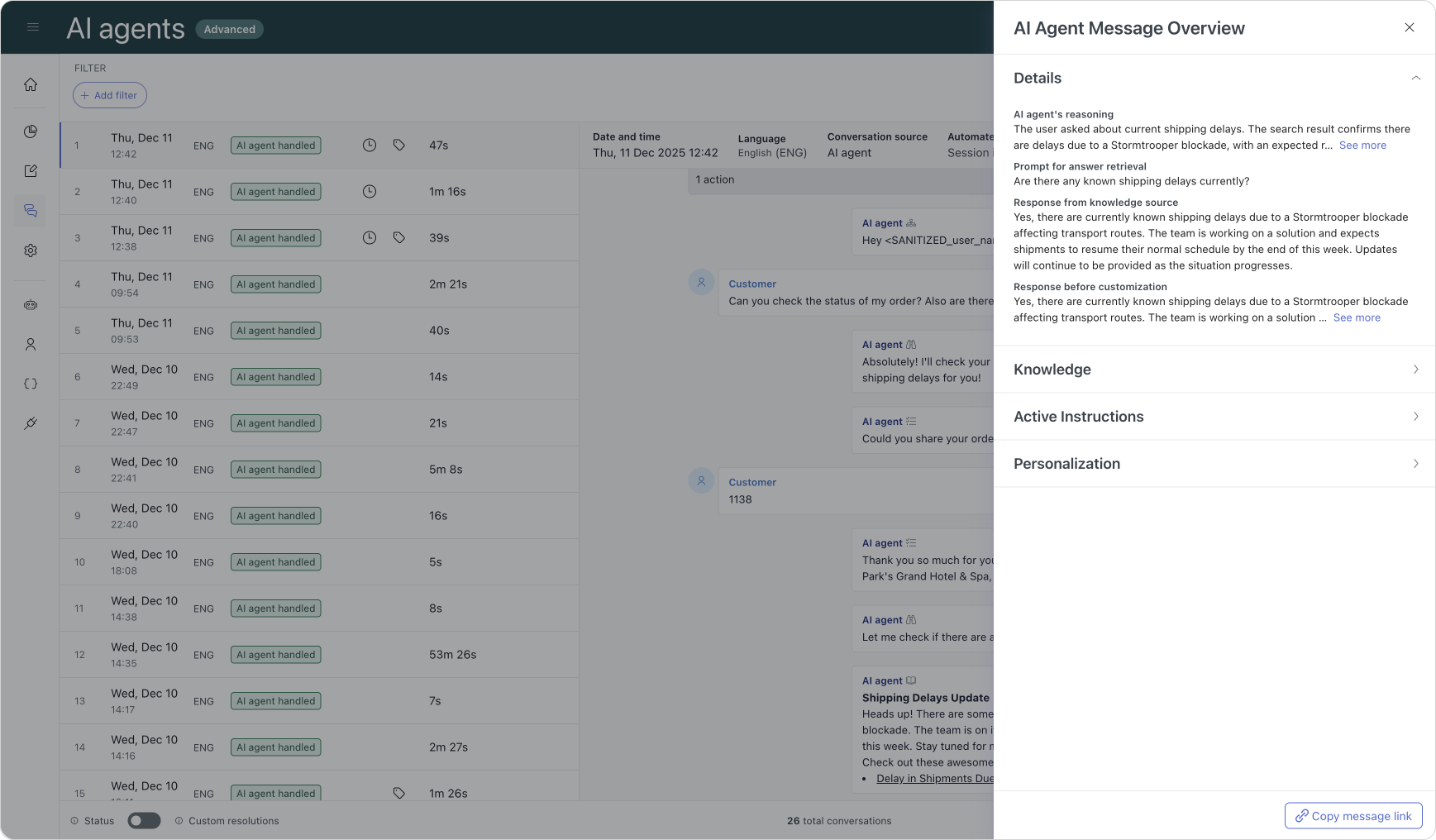
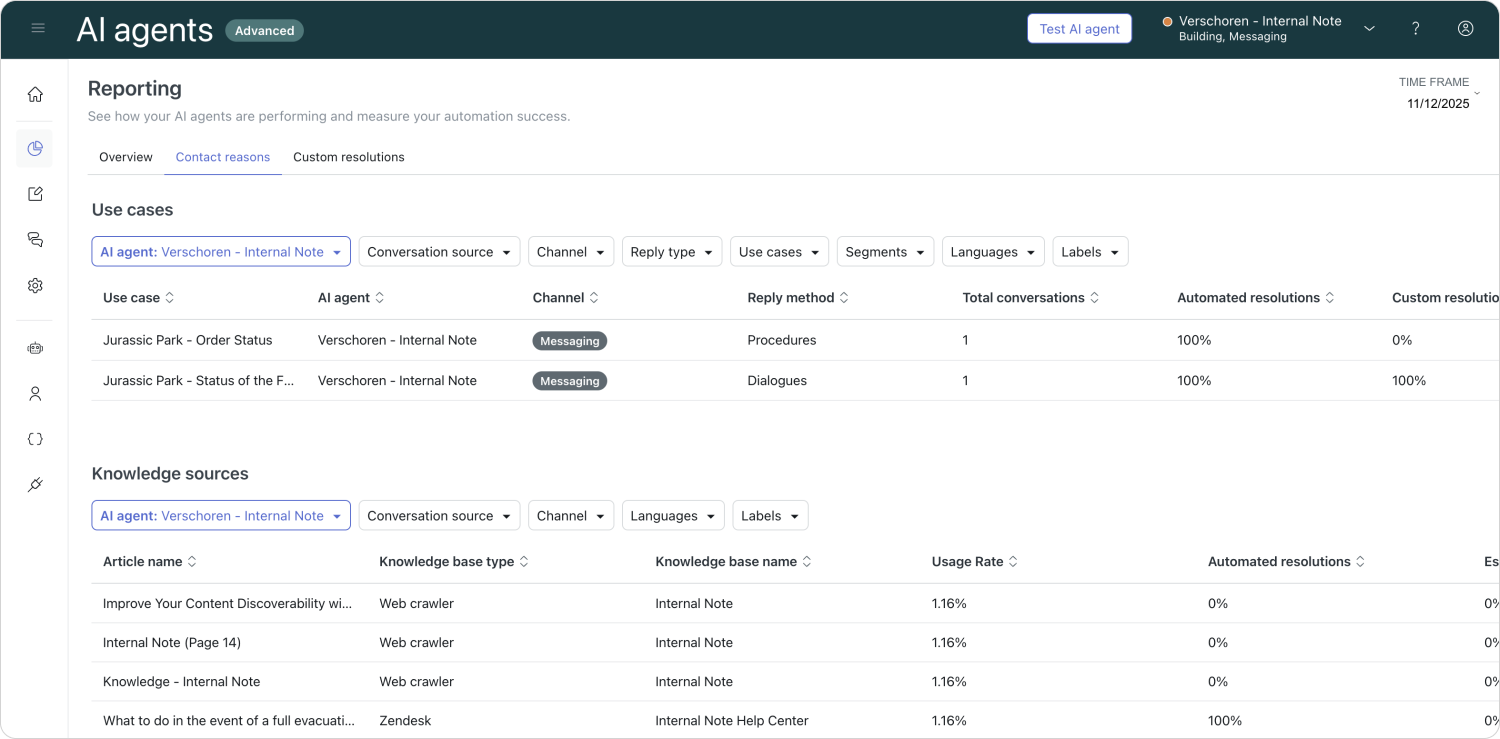
For reporting, each resolved intent is counted separately. A single conversation that addresses three questions contributes three sets of metrics across use cases and knowledge usage.
Conclusion
Multi-intent handling may seem like a small quality-of-life upgrade, but its impact on customer experience is significant. Just as you wouldn’t want to repeat half your order in a restaurant, customers expect an AI Agent to understand the full message and respond completely. Partial answers undermine confidence.
There are still a few rough edges—especially when a question cannot be resolved—but these should improve over time. Multi-intent support already brings the AI Agent much closer to the fluid, natural conversation customers expect.