
Towards automated resolutions: Designing automated resolution paths in Zendesk
Customer care is shifting from ticket handling to resolution design. This article explains how Zendesk’s Resolution Platform—combining Agent Copilot, AI Agents, knowledge and context—helps teams build clearer, use-case-driven paths. Part one covers intent classification.
Towards automated resolutions: Designing automated resolution paths in Zendesk

On this page
Customer service used to be defined by channels and staffed by people. A customer sent an email, opened a chat, or picked up the phone, and an agent responded. Resolution depended on how quickly that message reached the right person, how well that person understood the problem, and whether they had access to the right knowledge, steps or systems to resolve it. Support teams were built around that idea: knowledge in the Help Center, procedures in SOP handbooks, and data locked away and accessed manually in tools and back-office systems.
In a previous article I showed how not all interactions carry the same business value, and how Zendesk AI helps match automation effort to impact by automating the repetitive, streamlining the guided, and protecting the uniquely human. This article goes a step deeper.
 Thomas Verschoren
With AI entering the picture, resolution no longer has to start or end with a human agent. Knowledge can be conversational, procedures can be executed, and data can be retrieved automatically and in real time. We are shifting from handling tickets to designing resolution paths. And the question is no longer “who should reply?” but “what is the best way to resolve this?”
We are shifting from handling tickets to designing resolution paths.
That shift requires a different way of looking at customer questions. Not just by channel or urgency, but by what kind of interaction it is, what value it holds, and how much human attention it really needs. Only then can we decide which inquiries should be handled by AI Agents, which should be routed to Agent Copilot, and which demand a human conversation.
This article explores how to do exactly that. We will look at:
- The three fundamental types of customer interactions and how they map to different levels of attention and impact.
- How to identify intent and use it to design scalable, repeatable resolution paths
- How knowledge, procedures, data and insights form the foundation of every AI-powered resolution
- How AI Agents and Agent Copilot each play a distinct role along that resolution journey
Shifting focus from handling tickets towards resolutions isn’t about just making support faster or cheaper. It’s about resolving interactions in the most effective way: by understanding what kind of interaction it is, what outcome it requires, and which level of automation or human attention is appropriate.
And that begins with recognising that not all customer questions are the same.
Some are informational, some signal failure, and some create value.
Let’s start there.
Three types of customer interactions
The questions those customers ask can be classified in three broad categories: failures, low value and high value interactions.
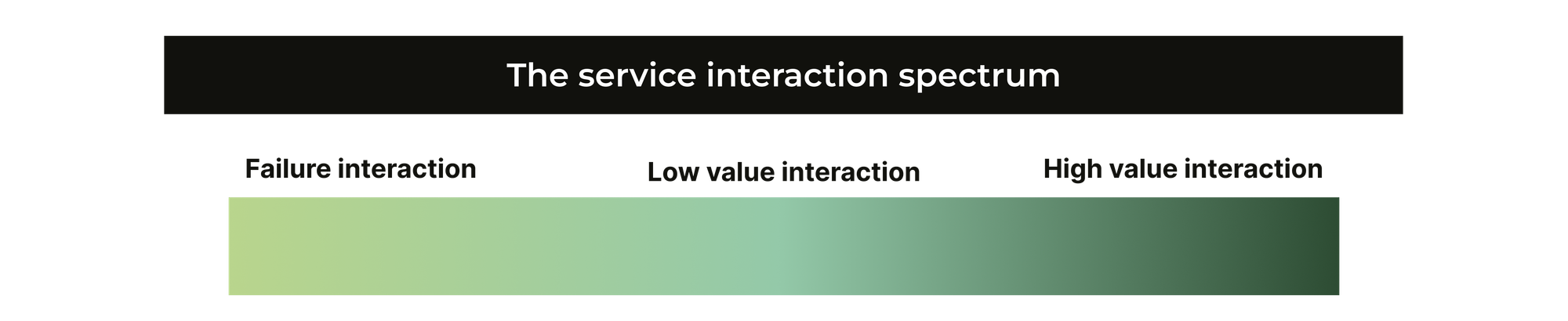
Failures are things that should work but don't. Those expectations can break due do damage or age, like an old laptop. Or they can break because of a process that failed. A lost package, a wrong product being delivered or a bug in the software. They cause frustration and are almost always on the opposite of the customers' expectation and sentiment.
Low value interactions however are generally a need for information. A question about opening hours. Usage instructions. Information about policies. On the customer side they often cause a blocker to accomplish what they want. And on the agent side they tend to come in a high volume but are very repetitive in nature.
The final kind of interactions are high value interactions. They're customers who are at the cusp of purchasing something but want help. It's a customer who needs help booking a trip. A company that wants to upgrade their license type but has questions. They are complex and unique in nature. But they are at the core of what your company does. Your business is not here to answer questions about business hours. It's there to sell products or deliver services. So these types of questions are often what make your company tick.
Resolving for specific interaction types
These three unique types of interactions require three distinct ways of handling. A few years ago we'd resolve these by assigning them to different teams or tiers of agents. The low value tickets would go to tier 1, and the high value or failure tickets would get escalated to tier 2 or a specific specialised team like logistics or IT.
But since we can now automate big parts of interactions with AI Agents, the approach to resolving these inquiries has shifted.
A failure should be fixed at both the customer and the company level. If a customer encounters a bug in your software, we should both offer them a workaround today, while also promising them to address the bug in a future release. Someone should take up that bug and then actually fix it.
Similarly, if a customer received a wrong product, we should ship the customer the right item asap. But you should also look into the underlying reasons why this happened, so the one time error doesn't become a recurring problem.
Low value interactions and failure interactions can be resolved with AI Agents and autonomous processes though. Our AI Agent can leverage knowledge source to answers questions about opening hours autonomously with generative replies. And a question about a lost package can be resolved with a few verification questions, an API call into the shipping platform and an automatic reordering of the product for the customer. (But don't forget the structural fix!).
What's left are high level interactions. Here we can still use AI to identify the use case, gather contextual data like customer info, selected product, visited webpages,... and user that to route the ticket to the right agent via Omnichannel Routing and Intelligent Triage.
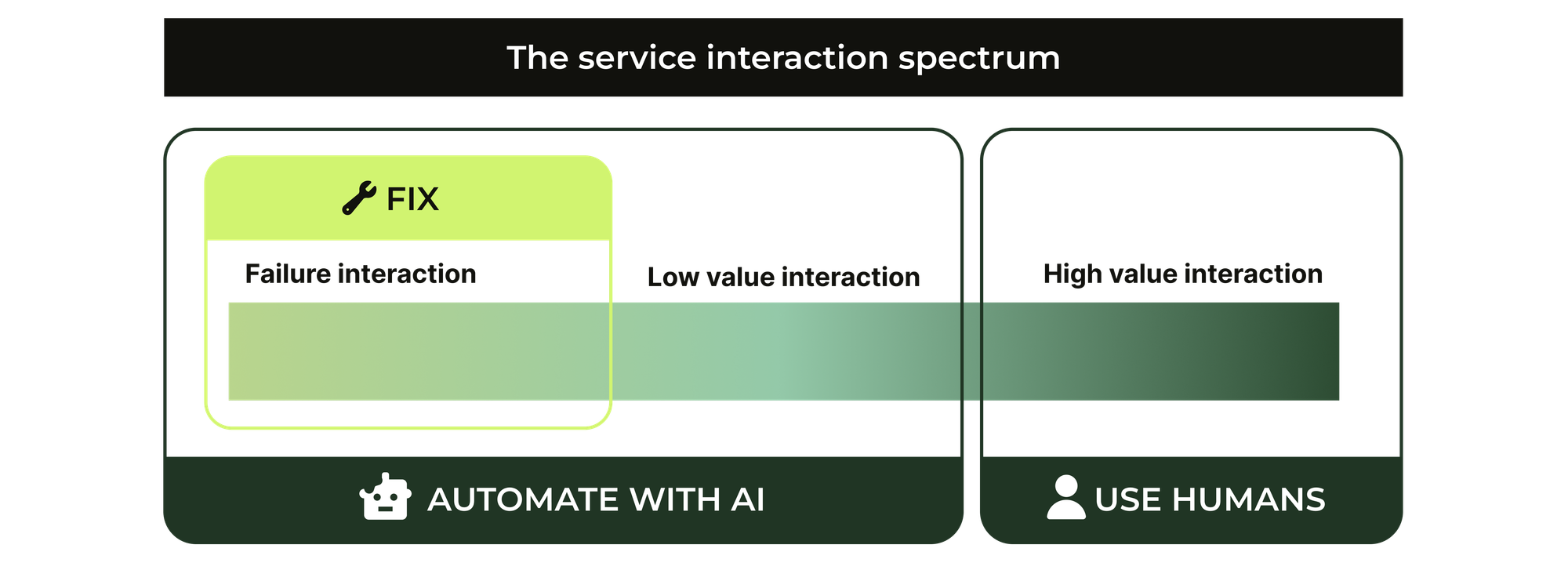
These three approaches combined are the basis for any good automation strategy across the types of questions your customers send to you. Automate low-value and failures with AI Agents. Identify unique and high-value use cases and route them to the right team with context. And make sure to not only resolve inquiries, but also fix underlying processes and fill knowledge gaps.
In traditional operations thinking, we’ve often used the fast–good–cheap triangle to describe trade-offs in service delivery. It assumes that speed, quality and cost are competing forces, and that you can only optimise for two at a time. But customer experience doesn't behave like that.
It isn’t just about cost and efficiency. It’s about volume versus attention, and efficiency versus impact. And those aren’t trade-offs. They’re decisions about how each interaction should be handled.
The classic triangle falls short because it ignores the nature of the interaction itself. A lost package requires empathy and recovery. A password reset should take seconds. A sales enquiry needs guidance and persuasion. These aren’t different levels of quality. They are different kinds of work, requiring different levels of attention and creating different levels of value.
AI-powered resolution doesn’t simply automate the low-value side. It moves fluidly between these levels. It resolves at scale when possible, escalates with full context when needed, and turning signals from failure into improvements in processes, systems and knowledge.
Identifying intent
At the heart of moving from agent-led to AI-assisted or AI-automated support lies one essential capability: understanding why customers contact you. Not just by channel or volume, but by mapping each interaction to its nature—low-value, failure, or high-value—and recognising where it sits on the attention–impact spectrum. The types of interactions are universal, but their value is not. What is low-value for one organisation may be commercially critical for another.
To make that distinction, you need insight into two things: intent (what customers are trying to achieve) and gaps (where your content, systems or processes fall short). Once you understand the question behind the question, you can decide:
- Can this be resolved with documentation?
- Does it follow a procedure that we can automate?
- Or does resolving it create value best delivered by a person?
And that’s where the unique nature of your business comes in. A “Which coffee machine should I choose?” question might be perfectly resolved through a comparison article for a retail store. But for a speciality roaster or an office supplier, that same question may indicate a purchase opportunity and should go straight to a human, with context, not automation.
So it’s not about finding the “right” resolution model. It’s about defining your resolution model. One that reflects your values, your customers, and what creates impact. AI helps you build that model, but only if you understand the questions first.
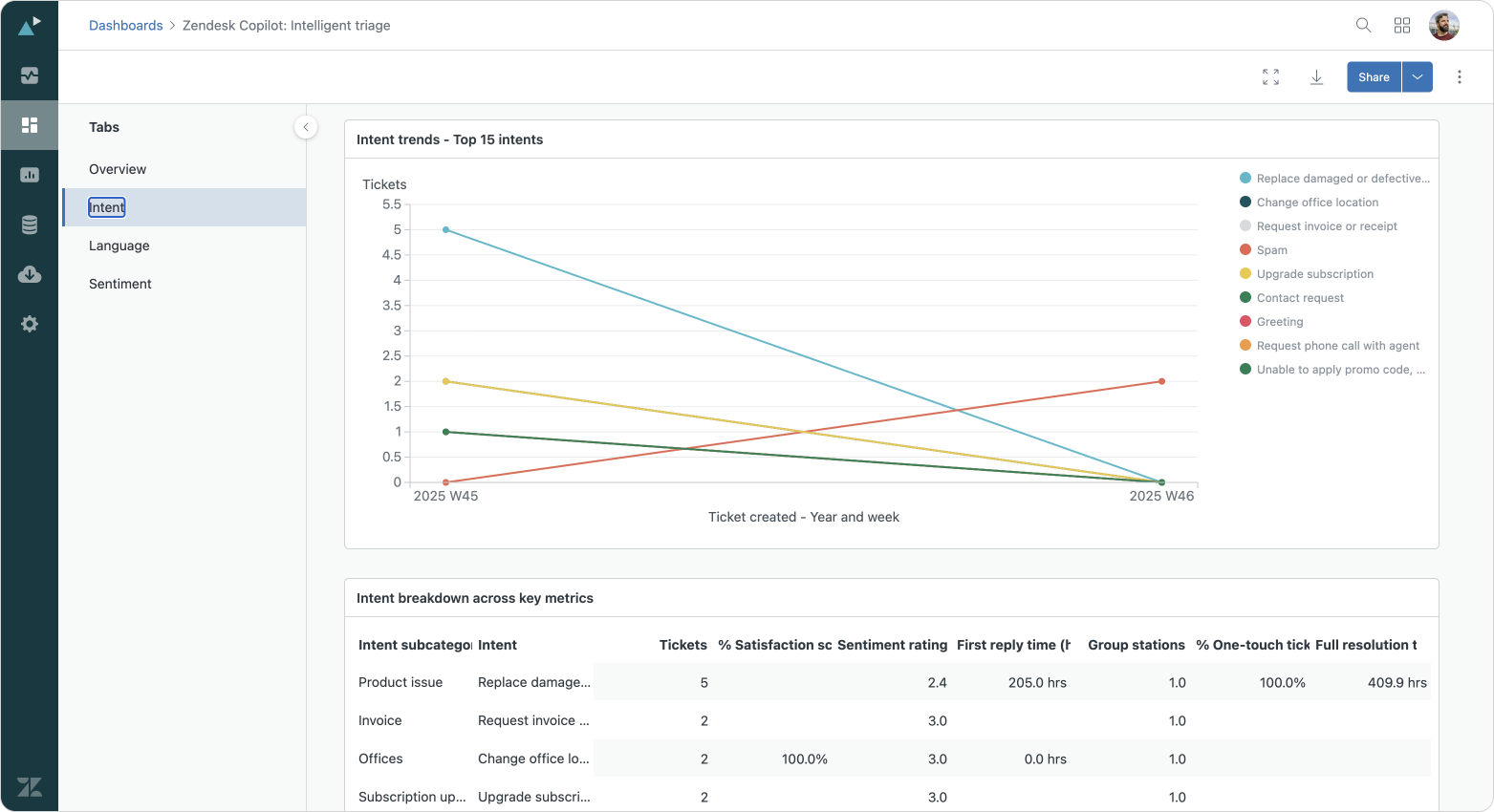
Zendesk's platform can help with identifying intent with its AI powered reporting. We can use the Intelligent Triage dashboard in Analytics to see which intents are detected the most, and decide based on those how we handle them. Combining this metric with a report that links them to average handling time, comments per ticket or similar metrics will help you identify what are the most "costly" interactions, or which interactions require only a single response to resolve. Where those one-touch-tickets are prime candidates for support articles, those more complex interactions can be turned into procedures where some of the steps are automated for the agent (Agent Copilot), or even the entire process is moved away from them (AI Agent).
The four pillars that support AI-powered resolutions
Identifying the intent of a customer and decide where it lives on the interaction spectrum is the basis for a good AI automation strategy. But once you decide where an intent lives, we need to look into how we are going to actually handle that intent.
That's where use cases come into play. For each intent we need to decide how we are going to resolve that question. As we noted earlier, that can be done by any combination of four elements: knowledge, procedures, data, and insights.
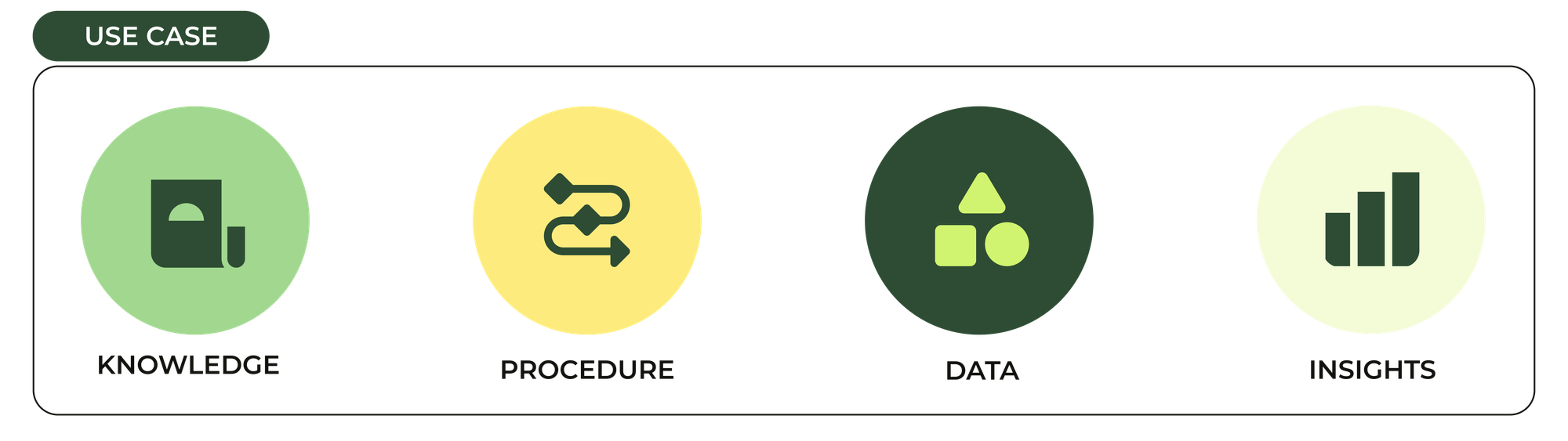
A question about opening hours can be answered with pure knowledge. It's the easiest method to deploy and it'll scale the easiest. One article with hours for all your stores can serve all your customers inquiring about opening hours.
Customer: What are your opening hours?
AI Agent: Most of our stores are opened 9AM to 5PM. Our most popular store in Antwerp is open till 6PM.
Customer: I need the one in Paris.
AI Agent: Our Paris store one is open 10AM - 6PM.
As you see, we can pull the answer from a support article and offer an answer. With instructions we can even add some flair like adding the hours for a specific store in the answer. But as you can see we actually gave a useless answer to the customer. It's only after they specify the city that we actually answer their question.
Sometimes we need additional context, or data, to answer the question more efficiently. If we ask the customer which store they want opening hours for before we answer, the interaction feels a lot more natural and is a lot more effective
Customer: What are your opening hours?
AI Agent: What store are you looking to visit?
Customer: Paris.
AI Agent: Our Paris store is open 10AM - 6PM.
This one runs a lot smoother. It's powered by a procedure that first checks for the name of a city. If there's none specified it asks the customer for one, and then looks up the opening hours.
But imagine we have multiple stores in Paris. That again causes friction. So we can improve this flow once again by leveraging external data:
Customer: What are your opening hours?
AI Agent: What store are you looking to visit?
Customer: Paris.
AI Agent:[After gathering the stores in Paris via API from the central database]We have two stores in Paris: Sacre Coeur and Louvre. Which one are you looking to visit?
Customer: Louvre
AI Agent: Our Louvre store in Paris is open 10AM - 6PM.
By pulling the available locations from an API we remove the need for the customer to know the actual name and location of a store, once again making it a lot easier for the customer, and the AI Agent, to answer the question.
We can do a similar exercise for customers inquiring about the status of their order. The first version might just pull from an article that explains the customer where to look for the status.
AI Agent: To check your order status go to our website > account > order history.
A second procedure driven version can ask the customer for their order number and then direct them to https://website.com/orders/1234 , a deeplink to the right page.
AI Agent: Can I get an order number please?
Customer: 42
AI Agent: You can use [this] page to track your order. You might need to authenticate first.
And the final iteration will use an API call to get the actual status and tell the customer outright what the status is.
AI Agent: Can I get an order number please?
Customer: 42
AI Agent:[After pulling the status from the order management system]You're order 1234 has been shipped and should be delivered tomorrow. Here's a tracking link.
The examples above show two things. On one side we show how we can iterate on use cases and optimise them over time. Which ones to optimise is decided on by insights: looking at satisfaction scores, escalation rates and overall both effectiveness.
The examples also show that good use cases leverage a combination of those four essential elements:
- Knowledge, everything your organisation knows.
- Procedures, how things are supposed to get done.
- Data, context that shapes every interaction
- Insights, the fourth element providing you with metrics that show you where to go next.
Starting the "Road to automation"
Each intent can be resolved with a use case that we define for our AI Agents and Agent Copilot. That use case can resolve that inquiry in a variety of methods. But building out those use cases isn't done quickly. It requires a methodical approach that cycles through a process that goes from identifying use cases towards optimising your processes.
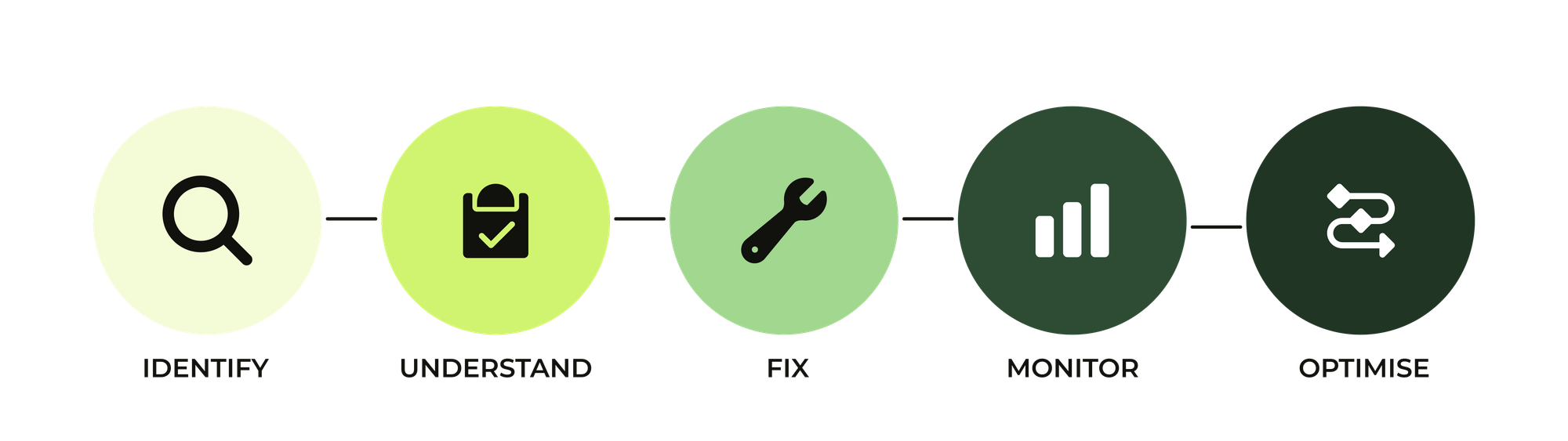
When deciding to start automating our use cases, we can decide to work customer-centric or agent-centric. With the customer-centric approach we start by putting up defences via Knowledge sources first, and gradually start identifying use cases that don't work with pure knowledge, and turn them into procedures.
With the agent-centric approach we start from what our agents are doing today and convert them into AI powered processes or knowledge articles, pushing work away from your team towards AI Agents and customers.
Customer-centric approach
The opening hours example we showed earlier is a clear example of a customer-centric approach. We started with a simple Knowledge answer and gradually shifting it towards procedures that leverage more and more internal data to optimise that use case, to make the interaction as smooth as possible for the customer.
But while doing so, we also kept improving our automation rates, which means we'll also lower our escalation rate to agents.
Agent-centric approach
If we take an agent-centric approach it'll work something like this: We look at what our agents are doing today for a given use case, and convert those steps into a procedure for Agent Copilot, or if it's a simple answer, convert it into a new Help Center article.
Each Agent Copilot procedure answers to a specific use case or intent. Initially you'll retain all manual steps by adding them as instructions. This will give you an initial automation gain since elements like gathering context are now turned into suggested comments.
For each procedure we can then use Analytics to measure effectiveness. And we can start using the combination of "cost per ticket/time spend working" and "amount of interactions" to start identifying procedures where it's worthwhile converting manual instructions into custom actions that do those steps automatically in external platforms. Or we can convert manual steps into system actions like updating ticket fields or calling flows in Action Builder. Rinse and repeat for each use case until our agents work as efficient as possible.
If we retain these use cases solely with human agents however, we won't fully leverage the automation potential of Zendesk. So it's key to identify procedures, or parts of procedures that are prime candidates for full automation. Those procedures should be copied over to an AI Agents use case together with their API actions.
AI Agents vs Agent Copilot
Zendesk has two approaches when it comes to ticket automation. On one side we have AI Agents that promise to full automate interactions. On the other side we have Agent Copilot that assists agents in resolving inquiries by suggestion replies and automating steps.
Each solution lives on a different side of the escalation wall. AI Agents are successful when they handle a conversation from start to finish. These automated resolutions are at the core of Zendesk's new approach to AI-powered customer service. It's only when automation fails, or in clearly identified use cases, that the AI Agent passes control to your human support team in Agent Workspace.
Agent Copilot however doesn't own the ticket lifecycle but makes itself useful by making agents more efficient. It suggests replies to customers based on knowledge or a procedure (to gather context or transfer information). It turns actions in external systems or Zendesk into "just a click of a button". Its effectiveness can be measured in reporting by comparing your AHT and accepted/declined suggestions.
For some use cases you might write and contain the entire resolution in AI Agents as part of a procedure, as a knowledge source or as an action that grabs data as part of a procedure. It's ideal for use cases which we know can be fully automated, and we trust and allow the system to do so.
Others might live entirely in Agent Copilot as part of a procedure. These use cases are the consequence of a deliberate escalation as part of an AI Agent procedure, an unmapped or new intent we didn't account for, or a failure on the AI Agent side.
Combining AI Agents and Agent Copilot
Let's take a look at our order status example we had earlier. Most customers will start their interaction via a channel that's powered by an AI Agent. That agent will detect the use case "Where is my order" and the AI Agent will starts its resolution process with a procedure. As noted we can use knowledge, procedures or API integrations to get the customer their answer, while gathering context like an order number or customer name to get to a solution quicker.
That's the top part of our flow. At the end of this attempt to answer the customers' question we might end up with a resolution, or an escalation to our human agents.
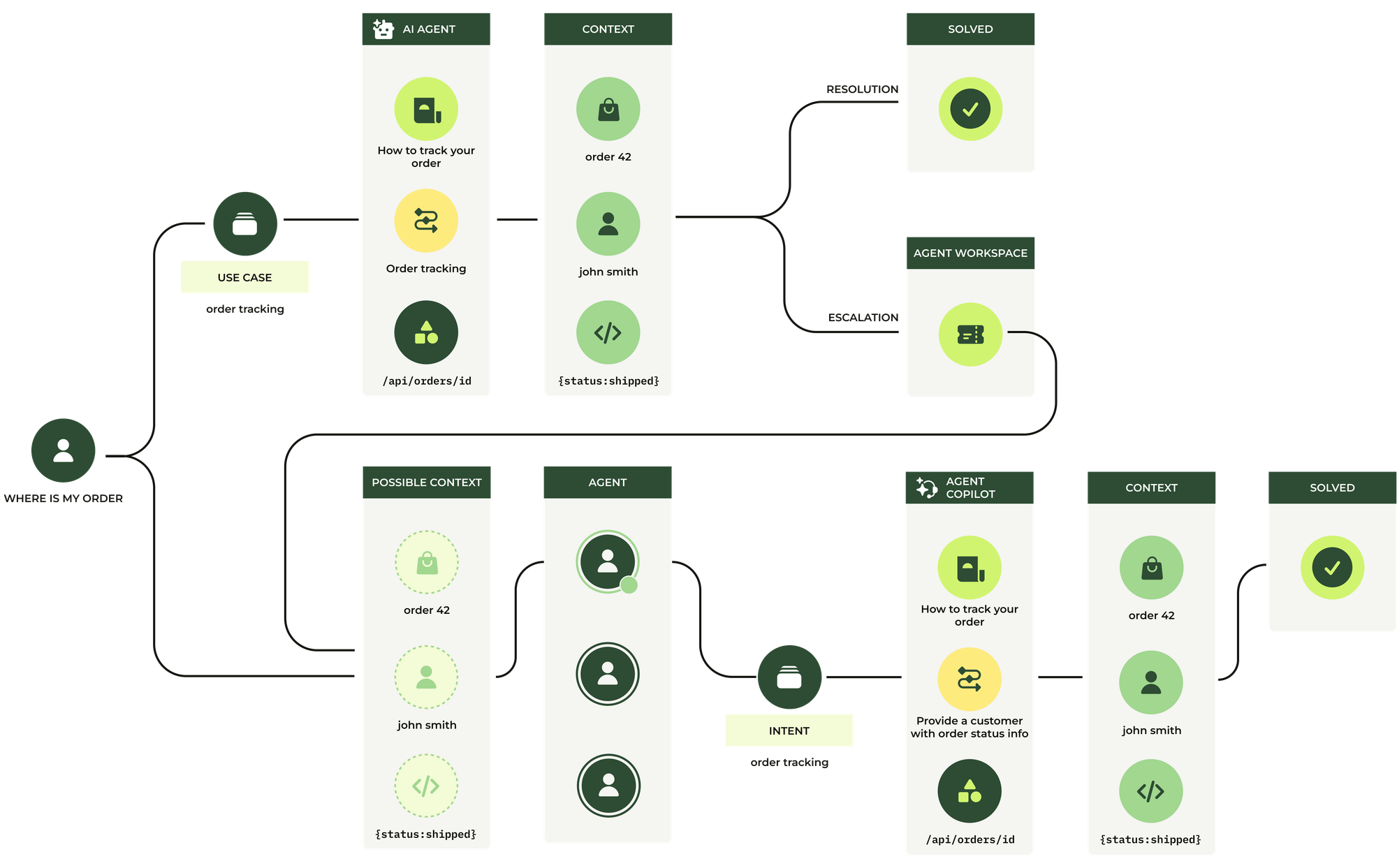
Agents get "Order tracking" tickets assigned to them that are escalated from an AI Agent, or it could be they're having a conversation with the customer which at a certain moment shifts towards questions about order tracking.
In either case, that conversation already might already have some context associated with it. When the ticket is escalated via an AI Agent, it's probably already enriched with the order number or customer name or even the order status. So when Agent Copilot detects the "order tracking" use case, it will identify context that's already passed. It will then offer suggested replies to ask for some or all of the required context, before providing next steps to agents to drive towards an answered ticket.
What’s true today is that these hybrid use cases, where part of the flow lives with AI Agents and part with Agent Copilot, are still quite complex to configure in Zendesk today. At this moment all use cases, procedures and actions in Agent Copilot and AI Agents are separate. If a use case spans both, you need to write two procedures, each covering only part of the process, and sometimes these parts overlap. You also end up duplicating API actions across both dashboards.
I can imagine a future where both pull from the same procedures and we can just turn a "how automated do you want this?" dial for each of them to decide if the conversation resides on the AI Agent or human side of the escalation wall.
Shifting from answers to resolution intelligence
AI-powered resolution is not about replacing agents, nor is it just another layer of automation. It is about structuring how your organisation understands, routes and resolves interactions based on their nature, their value, and the level of attention they deserve. It forces us to stop treating all questions the same, and instead design resolution paths that combine knowledge, procedure and data in the right way for each use case. When done well, it doesn’t just help customers find answers. It improves products, fixes processes, and makes the whole organisation smarter.
And that’s where the real shift happens: from answering questions to constantly improving how those questions are resolved.
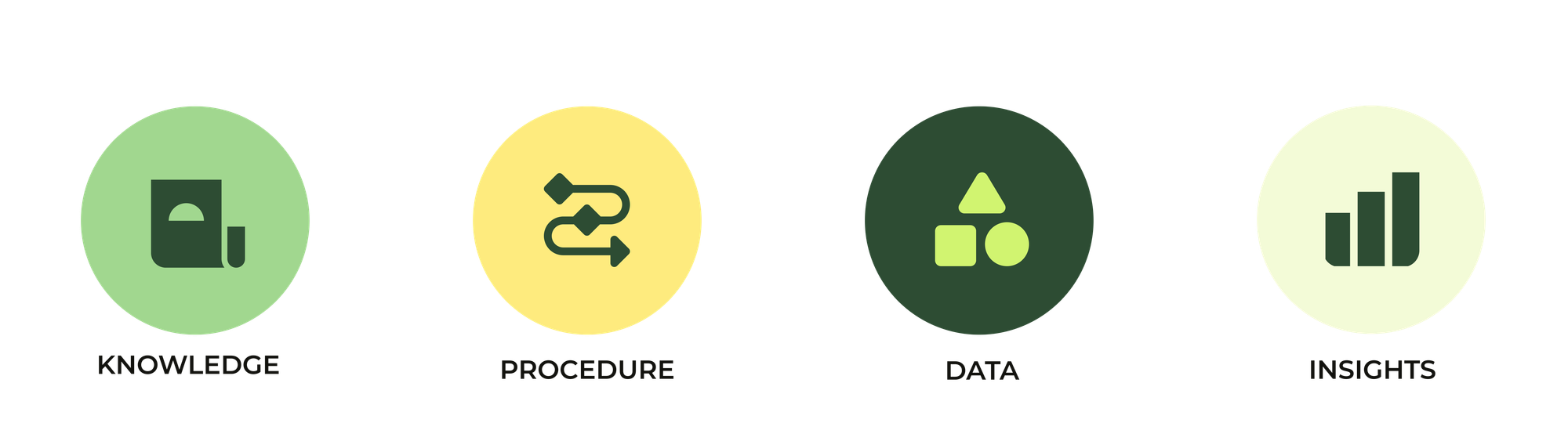
This article set the foundation. We explored how to look at customer interactions through the lens of value, attention and automation potential and how to start thinking in terms of intents, use cases and resolution paths instead of tickets and replies.
In the next weeks I’ll dive deeper into the building blocks that make these resolution paths possible:
- Knowledge: how knowledge is leveraged across the Zendesk platform to drive self-service and resolutions.
- Procedures: how Agent Copilot and AI Agents use step-by-step logic to resolve intent, gather context and take action.
- Data: how Action Builder, custom actions and context help us automate the entire process.
- Insights: How to measure your resolutions and know what to improve next.