
Beyond build vs buy: Leveraging native AI and automation in Zendesk
Teams customizing Zendesk face a choice: build custom tools with full control but high maintenance, or use native features offering security, stability, and integrated AI automation. Learn how leveraging Zendesk’s built-in extensibility often leads to better scalability, security, and insights.

Beyond build vs buy: Leveraging native AI and automation in Zendesk
Teams customizing Zendesk face a choice: build custom tools with full control but high maintenance, or use native features offering security, stability, and integrated AI automation. Learn how leveraging Zendesk’s built-in extensibility often leads to better scalability, security, and insights.

On this page
When it comes to customising software like Zendesk, teams face a familiar dilemma: build your own solution, or rely on native tools provided by the platform? Building your own gives you full control, letting you tailor tools exactly to your needs. But with that comes responsibility: maintenance, security, and ongoing development fall squarely on your shoulders.
On the other hand, buying into a platform like Zendesk means leveraging robust, continuously improved features maintained by dedicated teams. You gain the benefits of shared security, stability, and feature updates without extra overhead. However, you might feel constrained by what the platform natively offers.
Now, with AI coding tools such as Claude Code and OpenAI Codex making it easier than ever to build custom automations and agents, the temptation to “build” resurfaces anew. But before diving into external solutions, it’s worth considering the powerful native extensibility Zendesk already provides: solutions that are deeply integrated, measurable, and inherently secure.
In this article, we’ll explore why embracing platform-native options often makes the most sense, especially as automation and AI reshape how we extend Zendesk, and where building your own still fits in.
Integrating and extending the platform
Zendesk was designed from day one as a cloud-native SaaS platform. This means customers always run the latest stable version, benefit from guaranteed uptime, and can focus on using the tools rather than maintaining infrastructure.
Even with a solid core platform, no customer service operation exists in isolation. Customer data resides in CRMs, orders live elsewhere, and refunds are handled by finance teams. To bridge these gaps, Zendesk offers a rich ecosystem of native connectors and a vibrant Marketplace.
Whether it’s syncing with your web shop, importing user data, or collaborating across departments, chances are there’s a native integration ready to extend Zendesk, removing the need to start from scratch.
But now we have AI…
We’re used to services defined by humans: predefined, stable, and reliable. But as AI proliferates, services are increasingly generated, agentic, and ad-hoc.
Thanks to AI-powered tools like Claude Code, OpenAI Codex, and Cursor, building your own software solutions is easier than ever. And with AI platforms such as ChatGPT Apps or Claude’s Agents, you can run intelligent decision-making engines tailored to your company’s processes.
These AI-powered capabilities shorten the time from idea to working solution and arguably reduce the risk of knowledge loss when your original developer moves on. AI coding assistants can understand and generate code, doing much of the heavy lifting.
However, while these tools might tempt a shift back from “buy” to “build,” there’s more to consider than meets the eye.
Integrating with Zendesk
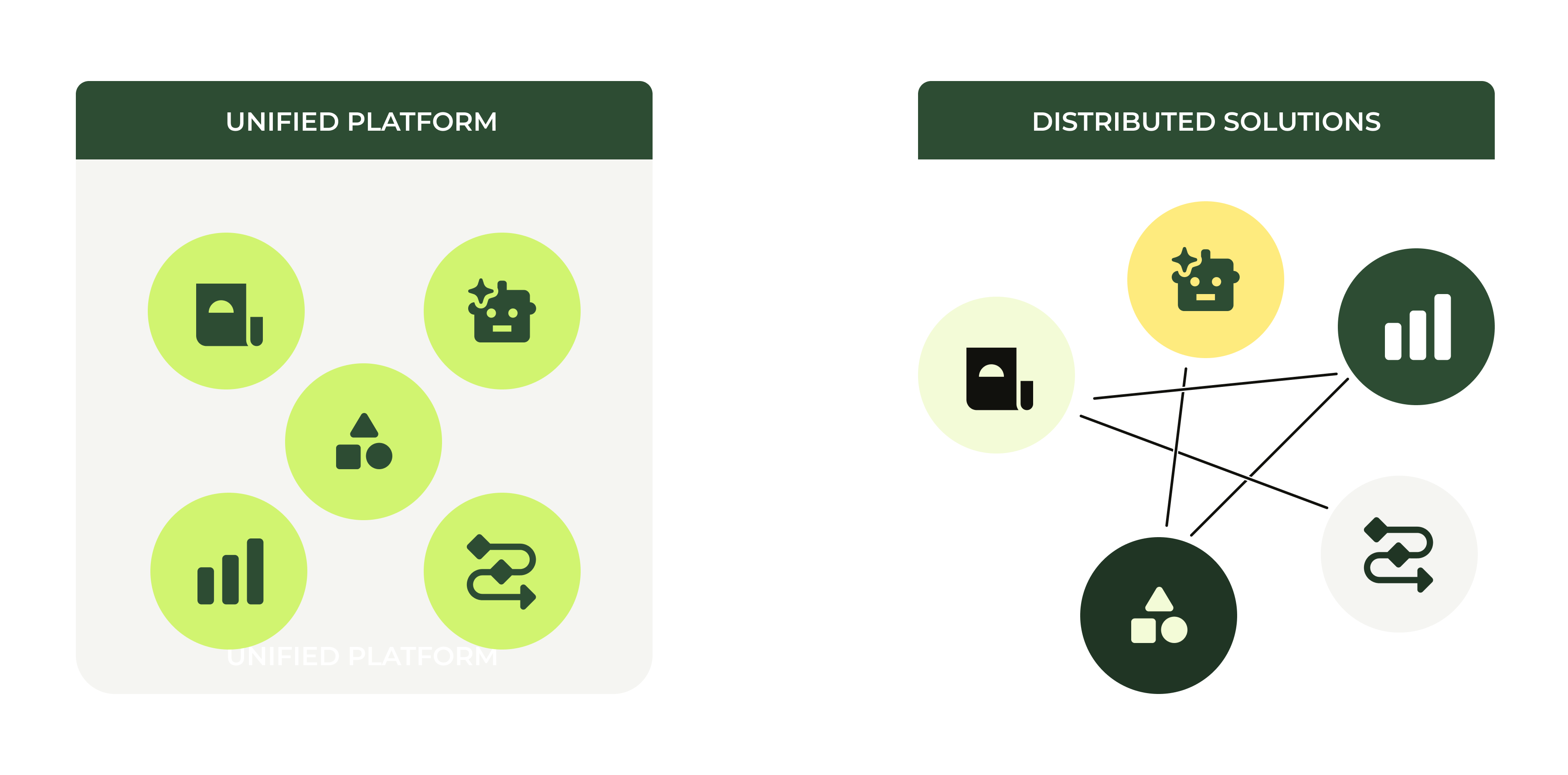
Traditionally, there are two main approaches to extend and integrate Zendesk: the inside-out approach and the outside-in approach. These two closely mirror the classic build vs buy paradigm.
Inside-out means leveraging Zendesk’s native features to customise, automate, and connect to your other systems. Because you’re building on platform-native tools, compatibility and stability are guaranteed. Zendesk inherently knows when a ticket is updated, understands customer intents, and consolidates your data into powerful, queryable reporting.Using platform-native solutions like Action Builder workflows, App Builder, the Zendesk Marketplace, and agentic procedures, you are essentially adding the custom “flavour” your company needs, adapting processes, plugging in data and systems, and automating workflows, all within a managed, secure, and monitored environment.
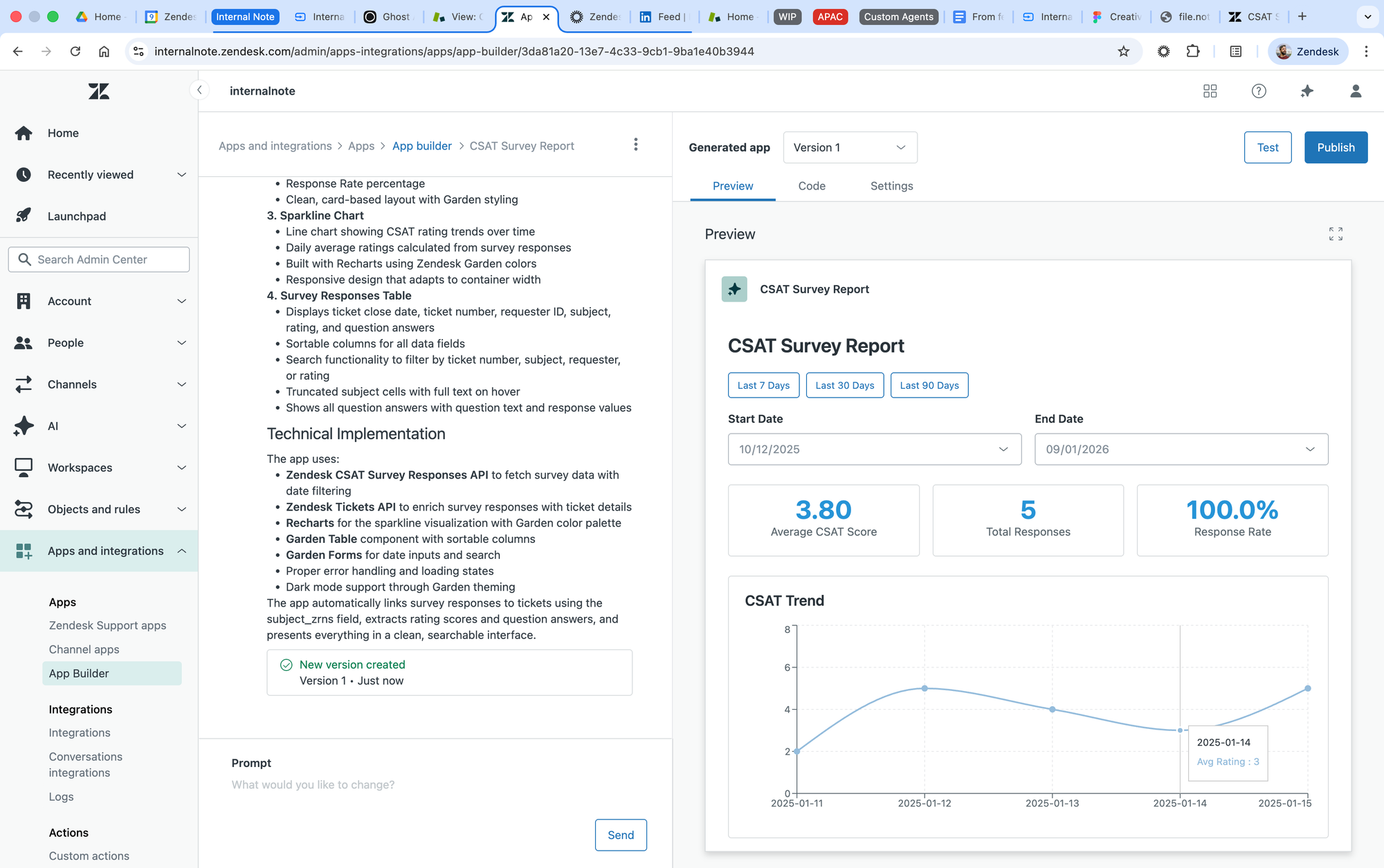
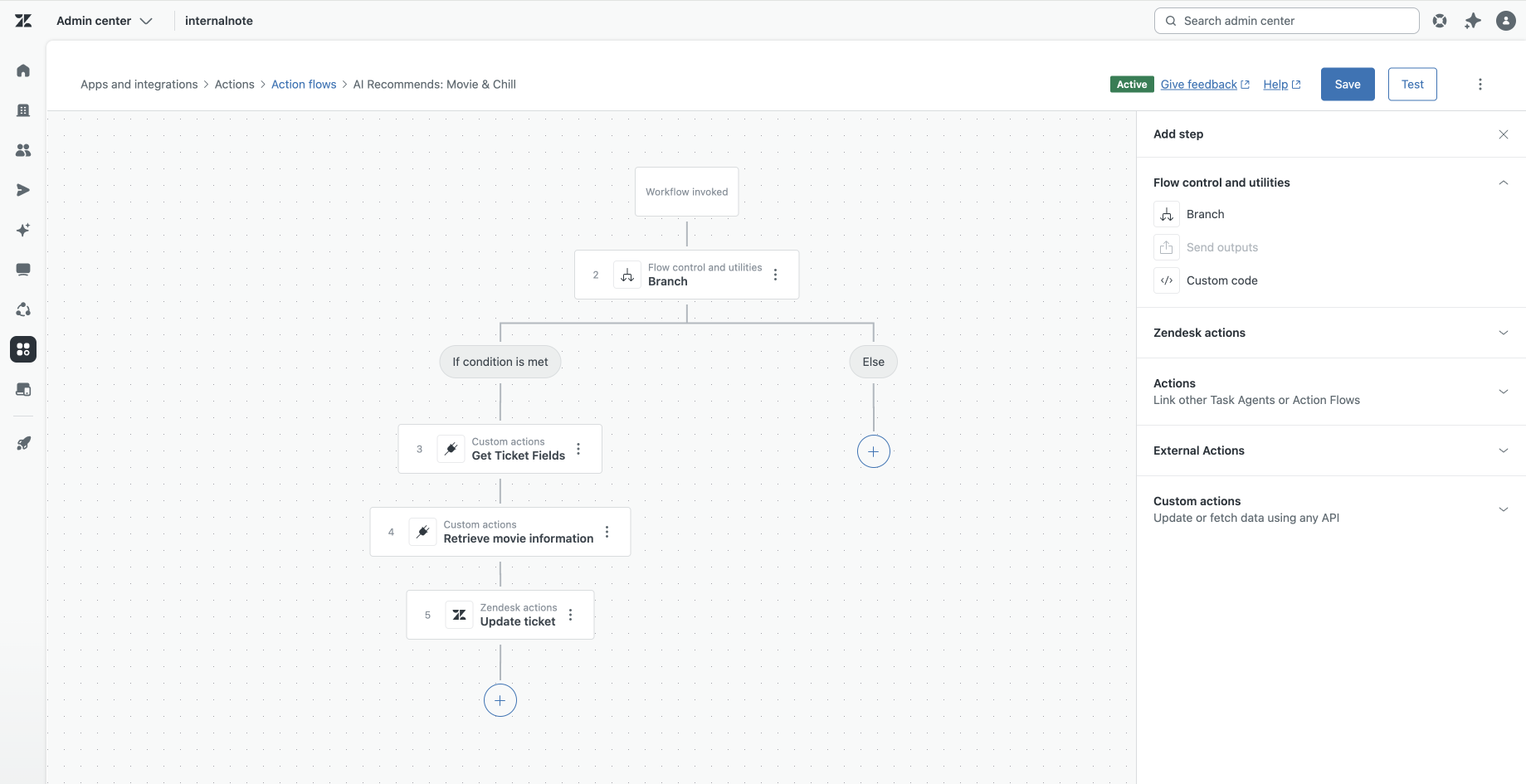
Zendesk's App Builder and Action Builder allow you to extend the platform and build additional business logic on top of your ticket workflows
Crucially, Zendesk’s newer AI Agents and agentic automation provide powerful new native options to automate key steps in customer interactions. Whether guiding customers through complex procedures or assisting human agents in real time with AI insights, these capabilities represent a native approach to automation within the platform, avoiding external dependencies while enhancing efficiency.
The outside-in approach, on the other hand, means extending Zendesk through external services, custom scripts, or AI agents running outside the platform. You might write custom workflows on Amazon Llama, run custom Agents on OpenAI’s Frontier, orchestrate deterministic logic through Zapier, or create intelligent agents powered by Claude that make autonomous decisions atop Zendesk tickets.
This approach offers the freedom to build virtually anything, pushing the boundaries of what Zendesk currently offers natively. You’re not limited by the platform’s current feature set and can experiment with cutting-edge AI models or external systems.
However, this freedom comes with tradeoffs: the cost and complexity of maintaining separate systems, fragmented data flows, security risks from expanding your attack surface, and challenges in measuring and optimizing your entire CX stack holistically.
Why this distinction matters
Leveraging native AI Agents to automate steps inside Zendesk isn’t just about convenience. It means your automation is deeply integrated with ticket lifecycle events, customer data, and platform reporting. It also ensures your AI-enhanced workflows can evolve seamlessly along with the platform’s continuous improvements and security updates.
Conversely, building external AI-powered workflows or agents risks creating isolated, brittle solutions. You might lose visibility on why a particular AI decision was made or miss out on consolidating critical metrics in Zendesk analytics.
Let’s make this concrete with an example:
You decide you want to leverage an AI Agent as a way to resolve questions before they reach your team. You’ve got the choice between Zendesk’s AI Agent, and a third-party solution. Both will do their job. They can pull from knowledge sources, understand intent, and generate responses.
For the third-party solution, its built-in analytics can highlight knowledge gaps, it can highlight how many conversations it successfully replied to, and maybe you can also measure satisfaction for that conversation. But once a conversation with that third party AI Agent stops, due to missing knowledge, missing intents or escalation as part of your process, you need to pass control to a human agent in Agent Workspace. And once you pass control, the reporting within that third-party stops.
To trace the rest of the conversation you need to dive into Zendesk’s analytics. That reporting can tell you what your agents did, but is blind for the actual escalation reason.
Compare this to a native AI Agent. Knowledge gaps can be reported across AI Agent and human agent usage. You can detect steps your team handles that can be prime candidates for your AI Agent to handle. And since you can measure why an escalation happened, you can look at what your agents are doing for those tickets, and push those steps towards your AI Agents.
Integration allows you to measure the entire lifecycle of a ticket in one place.
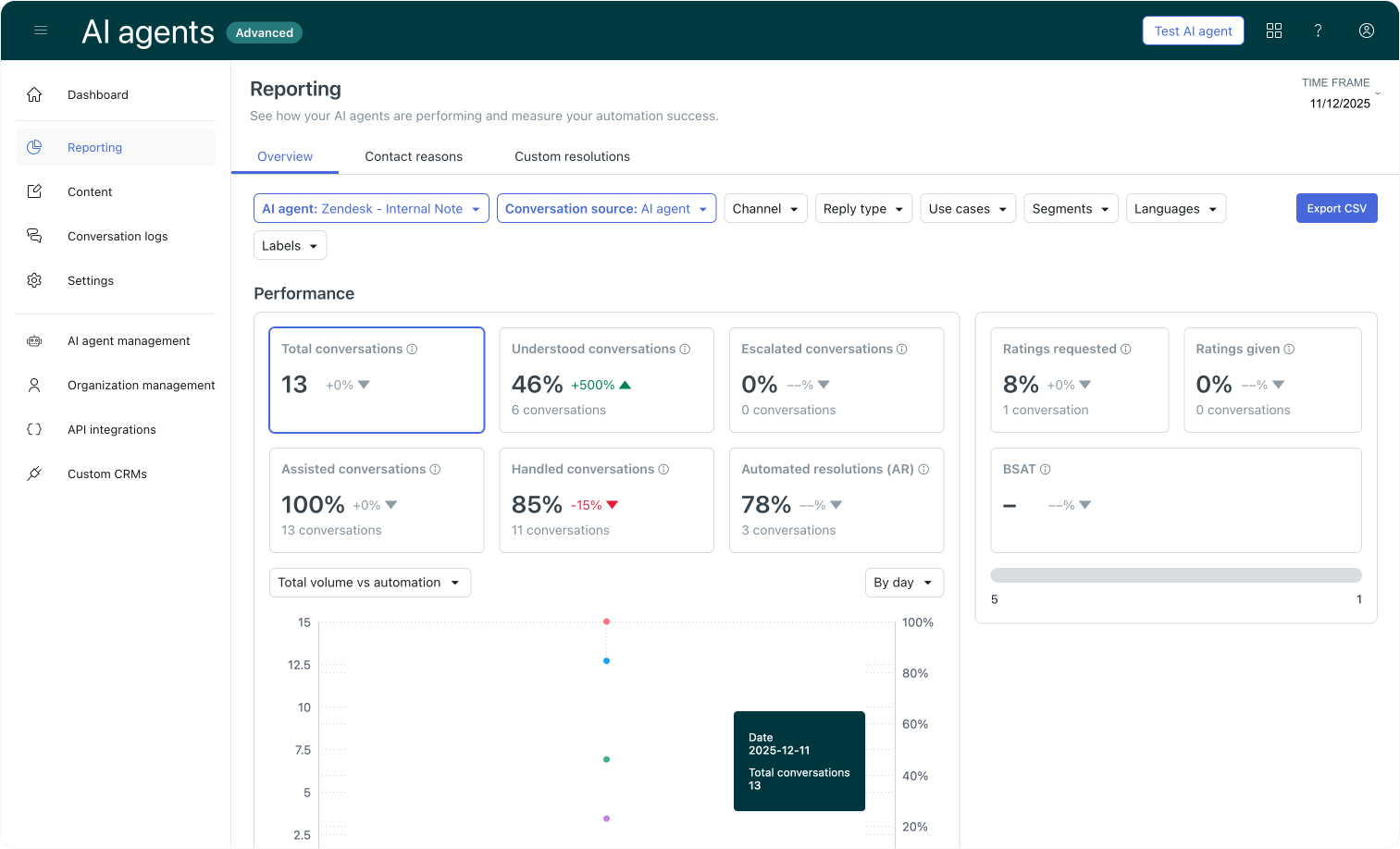
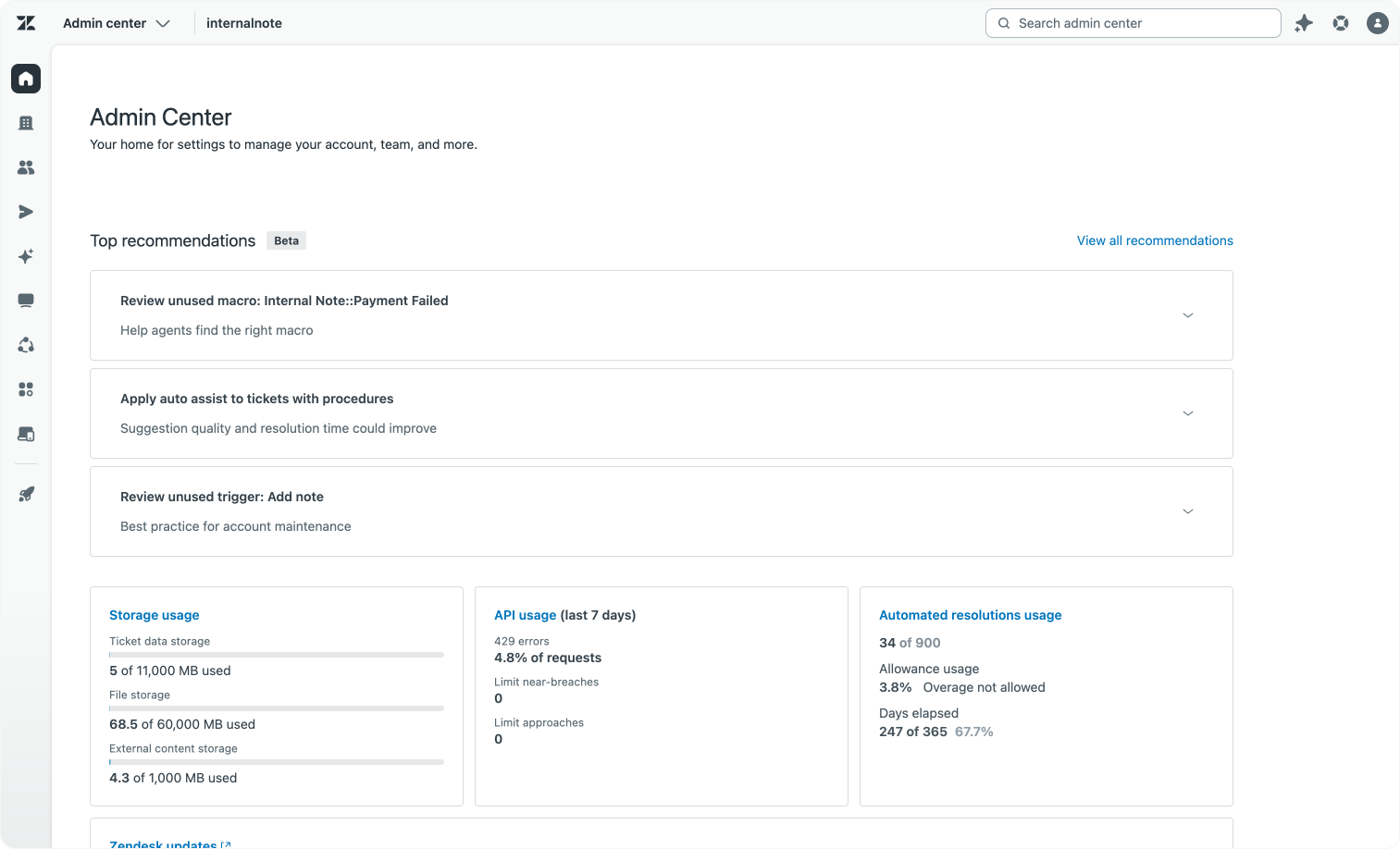
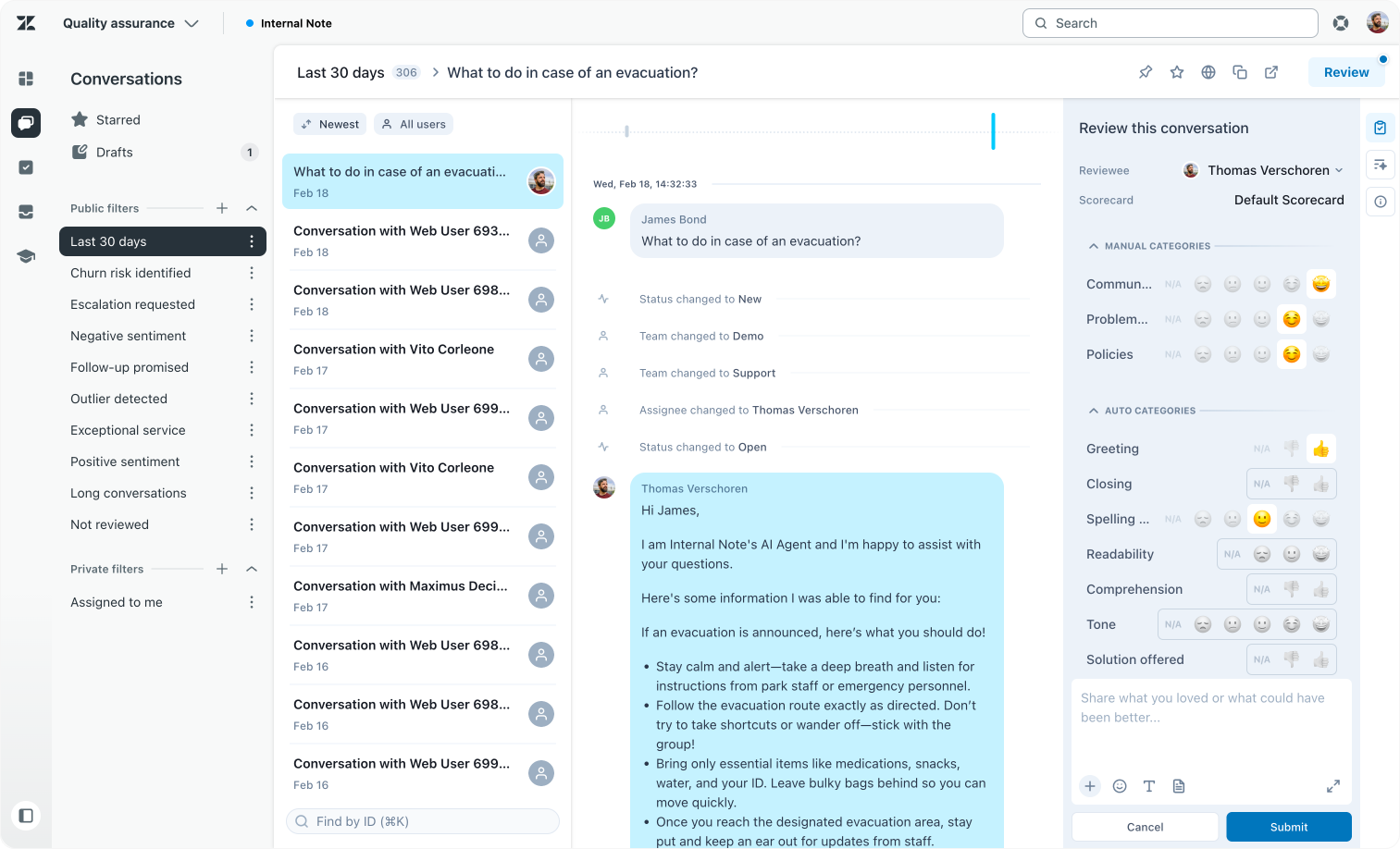
Ticket insights across AI Agent, Agent Copilot and QA
Ultimately, the choice isn’t binary, there are valid cases for both inside-out native automation with AI Agents and carefully designed outside-in extensions. But understanding this distinction helps teams make informed decisions aligned with long-term stability, security, and measurability goals.
Impact of home-brew extensions
When considering whether to build custom, home-brew tools outside Zendesk or to leverage the platform’s native capabilities, several factors come into play.
First, there’s the economic side. Time spent building and maintaining your own tools isn't just development time. It’s time taken from focusing on what those tools actually do once they’re live. What would you rather do: spend a day building an automation that alerts finance when a refund is needed, or spend that same day analysing and optimising how your refund process can improve?
With Zendesk, you only pay for what your team resolves, and the cost of running AI models, workflows, and servers is built into that single, predictable price. But running AI-powered services on top of raw providers, whether through custom API bridges like Cloudflare or external AI platforms, introduces less predictable usage patterns and costs, which can quickly add up.
Second, consider scalability. Zendesk’s native features are designed to be reusable and integrated. For example, a knowledge source connected natively is immediately accessible across the Help Center, AI Agents, and Agent Copilot. If you build a custom knowledge base outside the platform, you’ll need separate integrations for each point, increasing maintenance and potential for errors.
Similarly, every Action Builder workflow runs on a stable, maintained platform that gets regular updates and scales effortlessly with your usage. Rebuilding that platform yourself means diverting resources from building real workflows to just keeping the foundation robust. And if you use external workflow builders, you add additional costs and must ensure data flows remain consistent across systems.
Security is another critical consideration. Platform-native solutions run within Zendesk’s secure, tested, and monitored environment. Building outside the platform expands your attack surface, more systems to secure and monitor, more places things can break, and more compliance headaches.
When you extend Zendesk externally, you multiply those complexities.
Analytics and insights matter too. Not all custom-built solutions run on the same platform, so gathering insights means relying on multiple tools with varying metrics and formulas. Cross-tool reporting quickly becomes difficult, if not impossible.
In contrast, native solutions feed their usage data back into Zendesk’s holistic reporting tools. For example, you can measure a Quality Score end-to-end, evaluating both AI Agent and human agent contributions within the same conversation lifecycle.
By having insight in the entire conversation lifecycle in one tool, this makes things like debugging integrations and tracing decisions or sources the AI Agent uses a lot easier.
Lastly, there’s the time-to-market advantage. When a feature is available natively, you simply enable it and add your data and processes, no development or build time required. But if the platform hasn’t yet released the capability you need, building outside the platform can get your solutions running sooner.
Technologies like OCR, voice-to-text, or third-party fraud detection agents running on AI platforms like Claude might be reasons to go outside in the short term. Still, to reduce dependencies, lower security risks, and avoid technical debt, it’s best to migrate to the native platform once the feature becomes available and fits your needs.
Platform native extensibility
For readers familiar with our platform, the following framework may feel familiar. To resolve a use case, or answer a customer question, you combine four key elements:
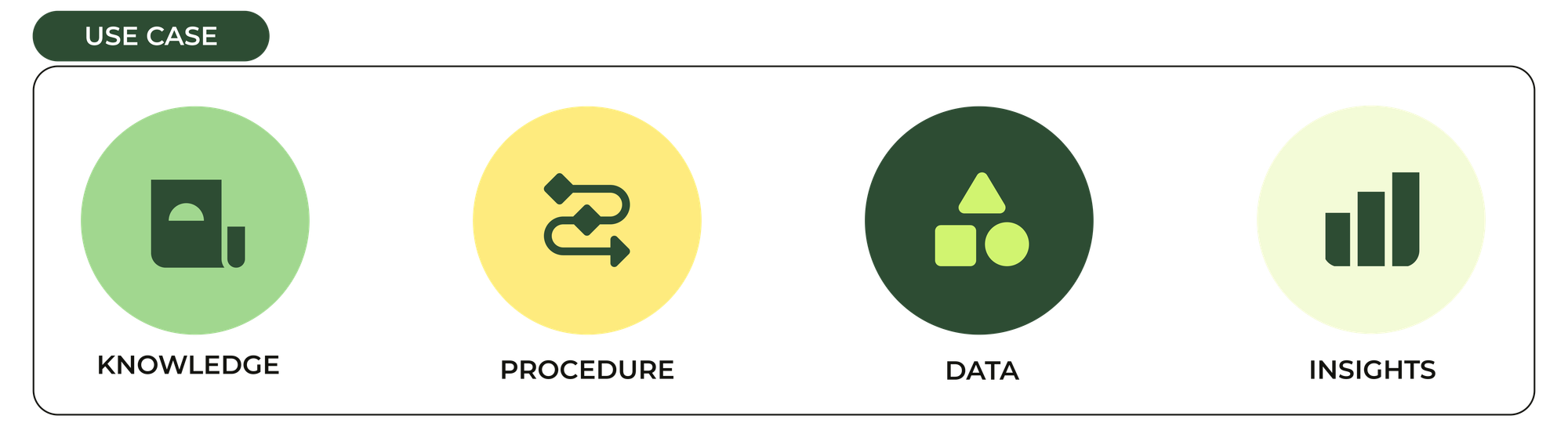
If you want to resolve a use case (or customer question), you use a combination of four elements.
- Knowledge: What you know. Your information, documentation and other knowledge sources.
- Procedures and workflow: The steps you take, the logic within to make conclusions and resolve complex questions.
- Data and actions: The contextual details of a conversation or data stored in other systems, plus ways to interact with those systems.
- Insights: The ability to measure how effective your knowledge, procedures and actions are, with the goal of continuously improving them.
We can map these elements directly to Zendesk platform extensibility options, showing how you can scale from built-in features toward integrating with broader company systems.
Knowledge
Your AI Agents and human agents are only as smart as the knowledge sources you make available to them.
Zendesk provides a native Knowledge product out of the box. It lets you write, host, and maintain support articles that are available on the Help Center, used as generative content by AI Agents, and used by suggested replies by Agent Copilot to your human team.
But knowledge isn’t limited to the Help Center. It can live on your website, blog, or tools like Confluence, SharePoint, or Notion. That’s why we offer Knowledge Connectors and Web Crawlers to index these additional sources and make them available throughout the platform.
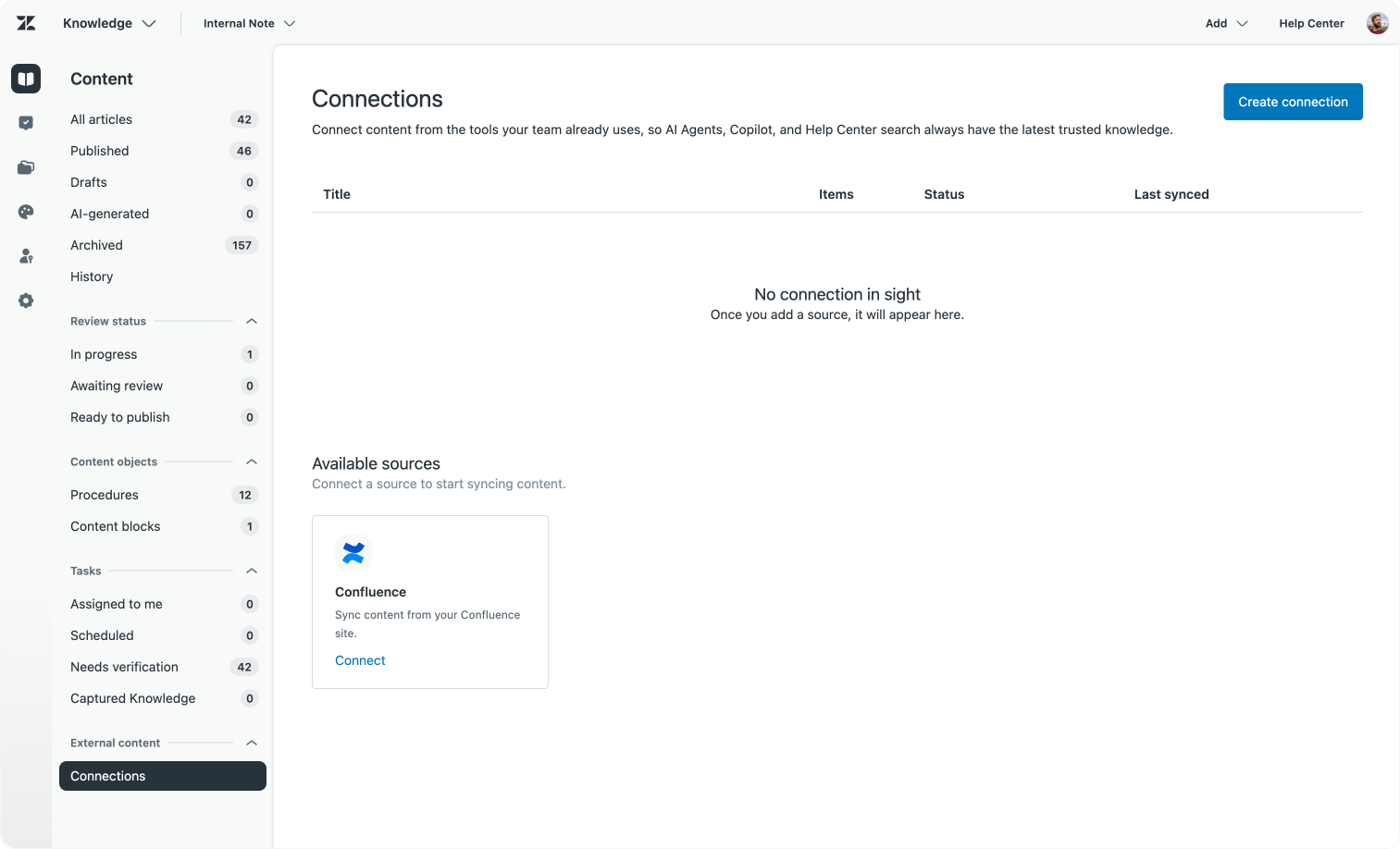
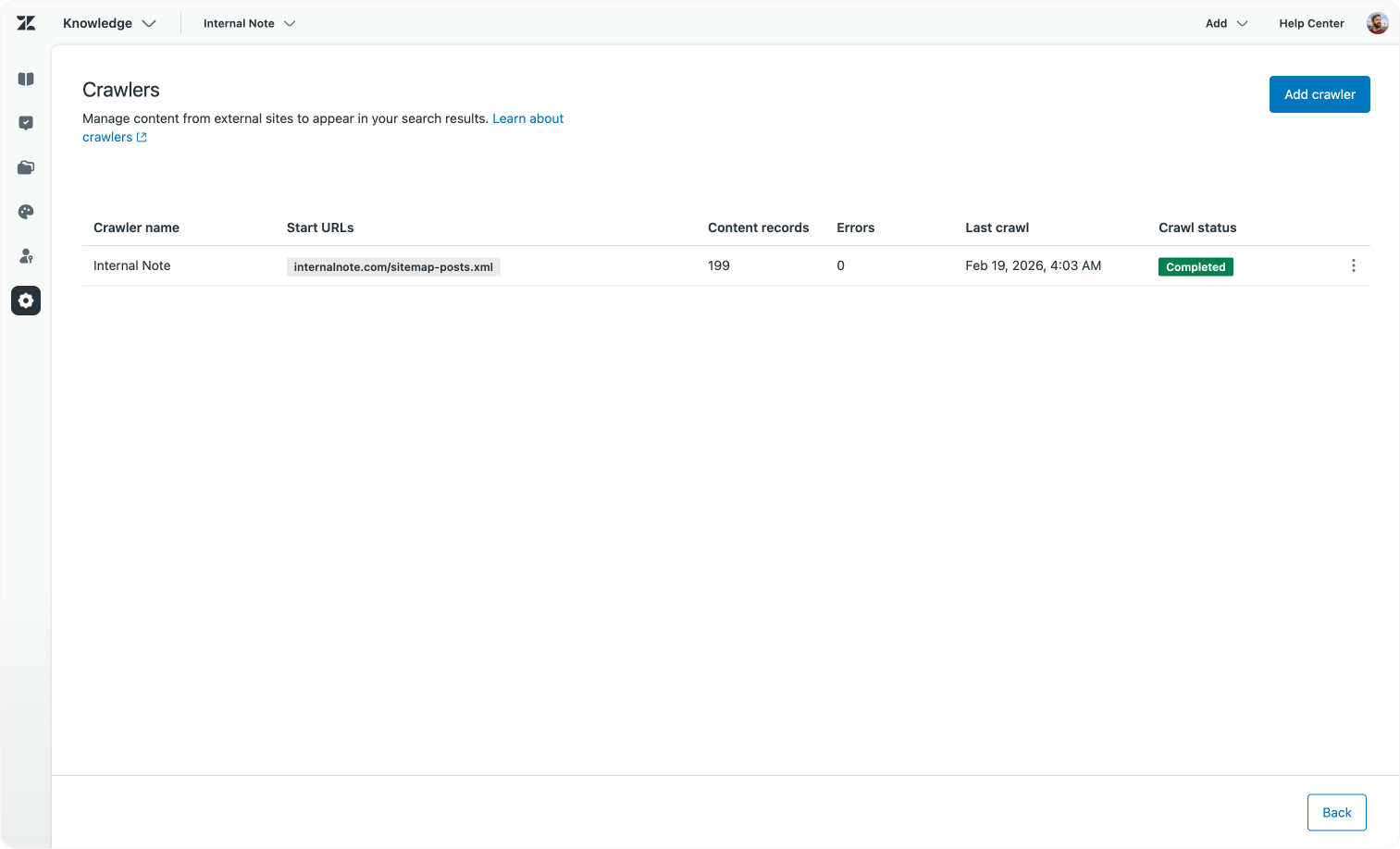
Knowledge Connectors and Web crawlers allow you to index external sources directly into Zendesk
While it’s possible to build custom solutions to index knowledge sources and expose them via APIs or sidebar apps, native Knowledge Connectors offer a vital advantage: they integrate seamlessly with Zendesk’s interface and UX. Once you connect Confluence to Zendesk, or index your website, the content appears natively within the agent workspace, no different in experience from the Help Center articles.
Another key benefit of native connectors is that content usage automatically becomes part of Zendesk’s reporting. Knowledge gaps or improvement suggestions propagate across all imported content, enabling consolidated insights and continuous optimisation.
There remains a place to build your own retrieval-augmented generation (RAG) or custom knowledge indexes. Particularly when we don’t yet offer a native connector for a given platform. In those cases, our Federated Search API can serve as an intermediate solution.
 Thomas Verschoren
Procedures and workflows
Procedures, or business logic, are the workflows that run on top of conversations and guide customers towards a solution if knowledge alone doesn’t suffice.
Zendesk provides multiple native ways to automate that logic.
- Triggers: The simplest tool for static logic on tickets. They can post comments, update ticket fields, reassign or escalate issues. Paired with webhooks and Action Builder, triggers can integrate with external tools or execute simple single step workflows.
- Action Builder: Takes triggers to the next level by running conditional workflows based on ticket events, Agent Copilot prompts, or soon AI Agents Advanced. You can define multi-step logic that triggers actions inside Zendesk or across external platforms via native connectors or custom API integrations. Action Builder is ideal for automating processes like refunds, escalations, or adjusting priority based on external customer data. It also supports enriching ticket context by adding fields or internal comments.They’re perfect for wrapping up specific logic into a singular workflow which can be called from, or executed based on, specific ticket actions.
- Agentic Procedures: While Action Builder workflows excel at deterministic steps, Agentic Procedures are more conversational and flexible. They guide customers through processes like refunds or troubleshooting in a natural dialogue flow, gathering all necessary context without forcing a rigid path.
As these capabilities evolve, we expect a shift toward conversations and process guidance happening via Agentic Procedures, supplemented by Action Builder workflows for specific decisions and actions.
 Thomas Verschoren
Build your own
Action Builder already supports many popular tools natively, Slack, Teams, Jira, Salesforce, and Custom Actions mean you can build almost any integration within Zendesk. Most business logic can run natively atop Action Builder, Procedures, or a combination.
You could also build similar logic outside Zendesk. Platforms like Zapier or Make offer vast integrations, enabling rich automations bridging Zendesk and other tools. They offer broad connectivity and a similar easy of building out your steps. But they also bring additional integration complexity, additional cost, and often less access to rich ticket context than native workflows.
Some use cases justify these external workflows. especially if the platform you want to integrate with lacks a suitable API or for low-code scenarios. But as Action Builder’s capabilities continue to expand, the case for relying on external platforms diminishes.
Custom AI Agents in the wild
Custom-built AI agents promise huge gains. They will offer the same agentic freedom our conversational procedures offer, but will run similar to Action Builder as reusable goal-driven pieces of logic you can reuse across procedures and flows.
A recent example from Craft built a custom agent that takes ticket context, integrates with a bug tracking tool (Linear), and drives an agentic procedure that matches tickets to bugs, generates troubleshooting steps for customers, and summarises tickets for developers.
This cut their work time per ticket by a factor of ten, showing how AI can empower CX teams and make processes more efficient.
 Gergely Orosz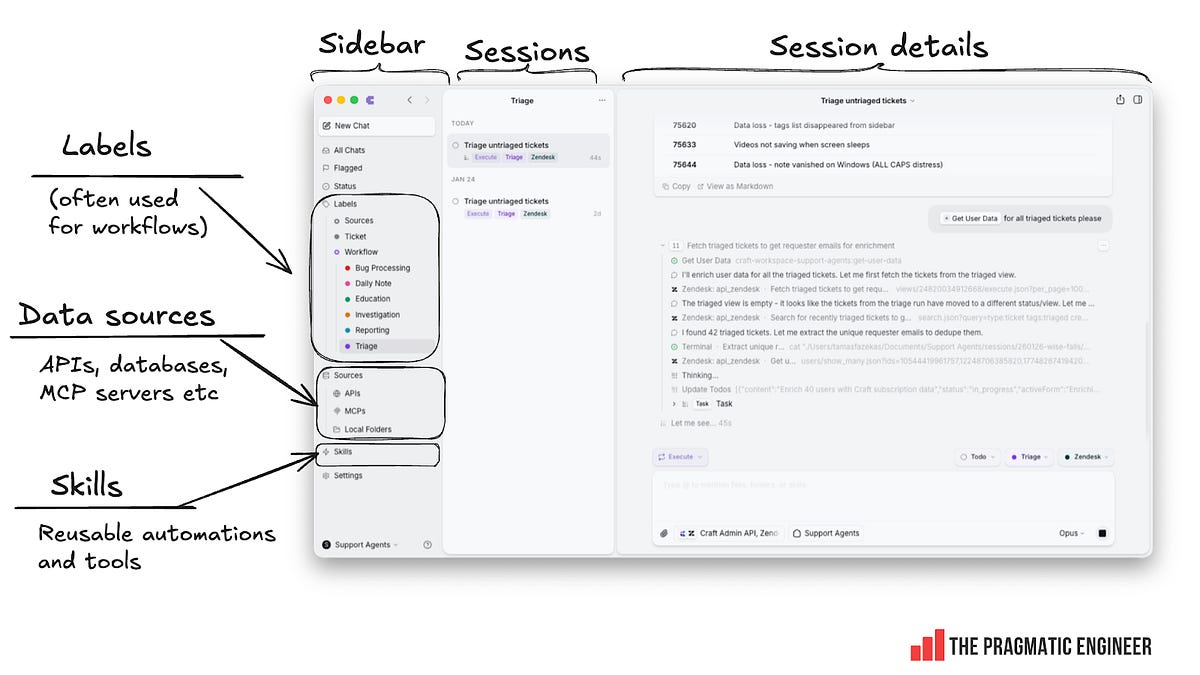
Not all capabilities of this custom agent can be replicated efficiently in Zendesk today. However, as our Multi-Channel Platform (MCP) support evolves and Action Builder gains agentic logic capabilities, we expect these types of extensions to become fully native.
Meanwhile, thanks to Zendesk’s extensive APIs, external solutions like Claude agents can still interact smoothly with tickets, making hybrid approaches both possible and powerful.
Data
CRM systems and customer support tools like Zendesk have always served primarily as Systems of Record. Zendesk stores all customer interactions, maintains rich user profiles, and extends data with custom objects. It provides robust insights into your CX operations with an auditable history of every interaction.
As automation becomes central and resolution rates the primary success metric, the platform’s role is evolving from a system of record toward a System of Action. A platform where how you handle the ticket matters most.
And any action, whether replying with knowledge, guiding customers through procedures, or performing actual updates in external systems, relies on having the right context and data in place.
Within Zendesk, you have multiple ways to bring data into conversations:
User imports, custom objects, and other structured data records provide static or semi-static context. It’s important not just to do an initial import but to keep these updated regularly via the Data Importer or API.
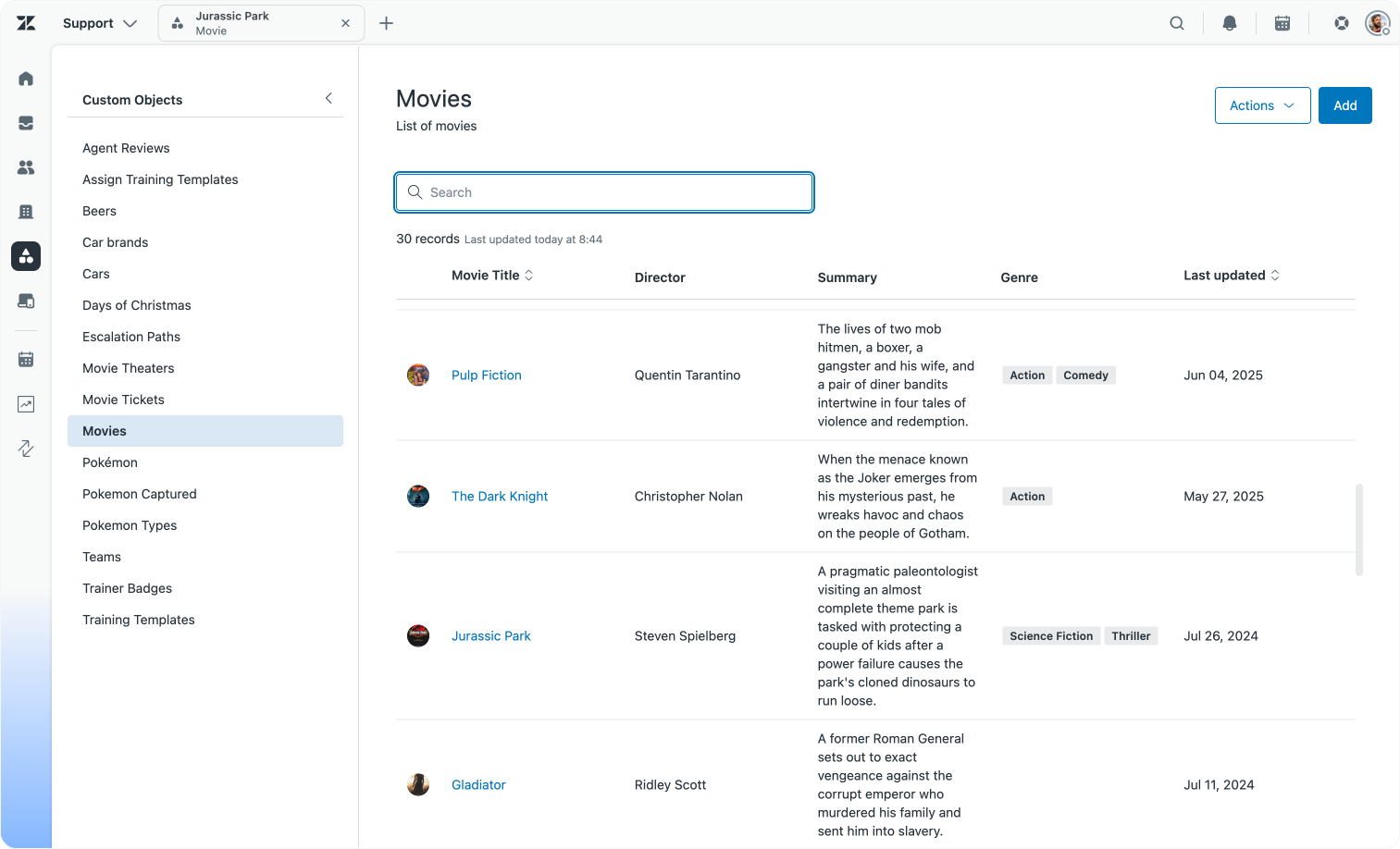
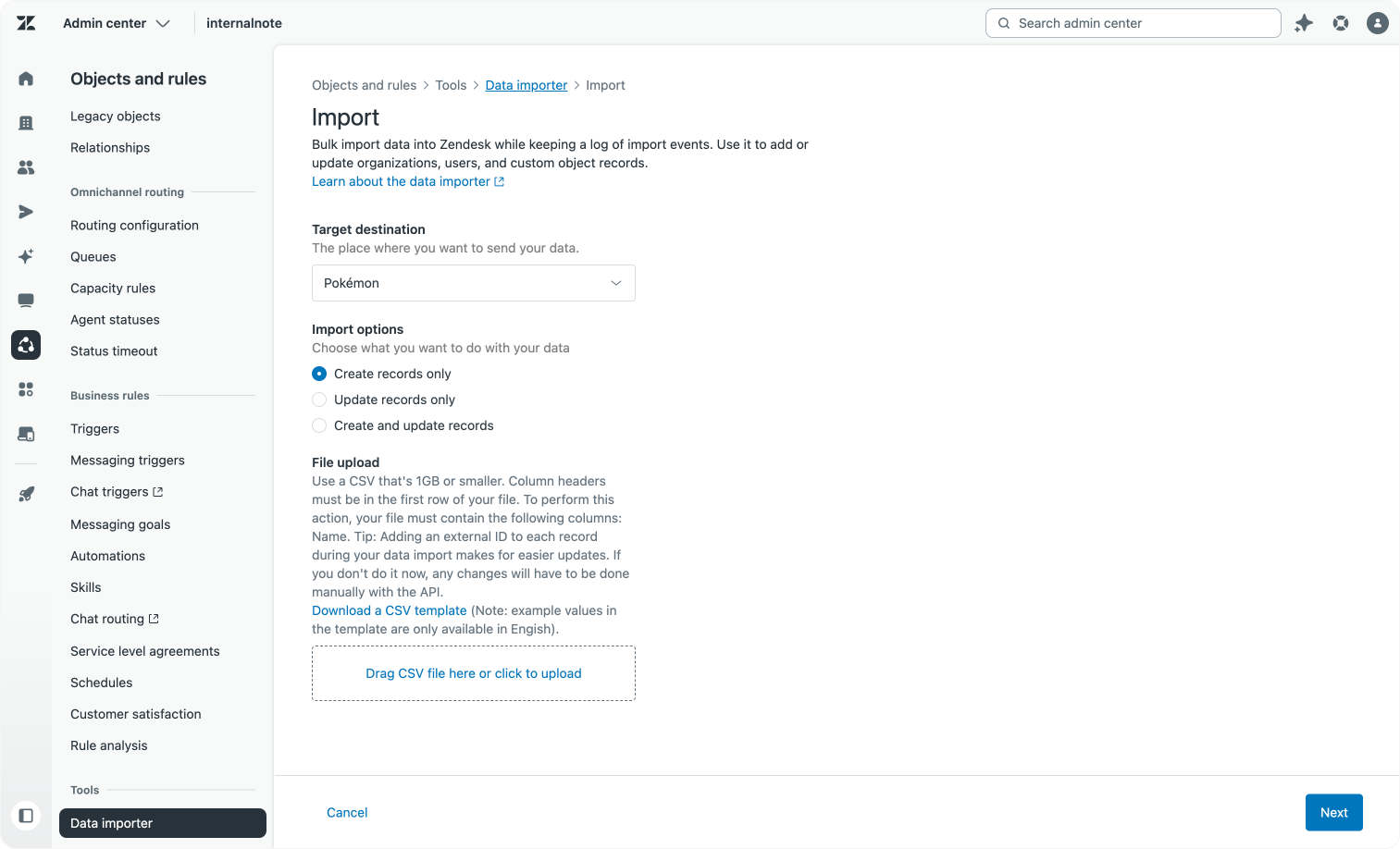
Custom Objects and the Data Importer allow you to store business data within Zendesk
Even more critical is the ad-hoc data that reflects the current customer situation: order status, bookings, subscriptions, recent payments, and more.
or AI Agents, Agent Copilot procedures, and Action Builder workflows, this current context can be retrieved dynamically through native or custom actions connecting to external platforms. This data informs decisions and can be stored directly on the ticket for downstream use. For example, retrieving a customer’s booking and storing reference, date, and type on the ticket; or tagging a customer as “Premier” based on subscription type.
On the agent side, the Zendesk Marketplace and App Builder enable installation or creation of contextual apps that display relevant data next to the ticket. These apps can push updates back into Zendesk, enriching tickets for reporting or workflow purposes, perfect for showing recent orders or modifying booked flight itineraries.
 Thomas Verschoren
Build your own
However, some customers opt not to use these native capabilities, instead relying on external scripts and services that tap into Zendesk’s API combined with webhooks and custom code. While functional (and something I’ve deployed many times), these approaches have two main drawbacks:
- Updating or enhancing the setup requires changes in two places: Zendesk itself (custom fields, triggers) and the external code. This doubles the maintenance effort.
- To get a unified view of workflow performance, you must aggregate data from two disparate sources: the Zendesk platform and the external tool. This ads complexity for reporting and analysis.
The advantage of using native platform data tools and integrations is clear: they reduce complexity and create a single source of truth, enabling richer automation and analytics.
Insights
Which brings us naturally to analytics and insights. Zendesk comes equipped with a powerful suite of analytics tools designed specifically for customer service performance and continuous improvement.
Dashboards within AI Agent Advanced and Zendesk Analytics provide vital metrics: volume of conversations, resolution rates, average resolution time, CSAT/BSAT scores, and more. They also reveal why customers are reaching out through use cases and intents, filtering by channel, language, or procedure used.
Quality Assurance dashboards evaluate the quality of responses, correctness, customer reactions, and agent knowledge. Our AI Assist tools provide insights into knowledge gaps, suggest procedure optimisations, and highlight new intents to add, thus closing the continuous improvement loop.
By building all your integrations, extensions, and automations directly on Zendesk’s platform capabilities, you gain the considerable advantage of combining all these metrics into a cohesive, centralised reporting platform.
This unified view enables you to improve CX operations based on combined data from AI Agents, human teams, and automated processes, all within one trusted system.
Build your own
Some customers choose to report outside Zendesk. Tools like the PowerBI extension offer integration with datasets from other teams. While this approach allows broader company data collaboration, you must rebuild much of the ticketing logic and analytics dashboards yourself.
Likewise, if you bypass Zendesk’s AI Agents, knowledge connectors, or procedures, and instead run your own automations externally, you lose visibility into the why behind your customer interactions. Zendesk’s native reporting can still show you the result, such as CSAT scores, but not the reasoning or workflow steps that led there, if much of your automation runs outside the platform.
Use cases and Intents: Why context matters
Beyond pure analytics, understanding why a customer contacts you is fundamental to intelligent automation.
Zendesk comes with predefined and customisable lists of intents out of the box. These intents allow you to tag questions, route conversations omnichannel, and drive learning loops that spot knowledge gaps or guide automation improvements.
It is possible to create your own external service to tag tickets by intent or sentiment, but these home-grown solutions often don’t integrate natively into the Zendesk interface. That means intents won’t appear in Agent Workspace queues, triggers, or procedures. Nor will they power AI suggestions in Admin Copilot.
Once again, this is where fully platform-native objects and features win over custom implementations.
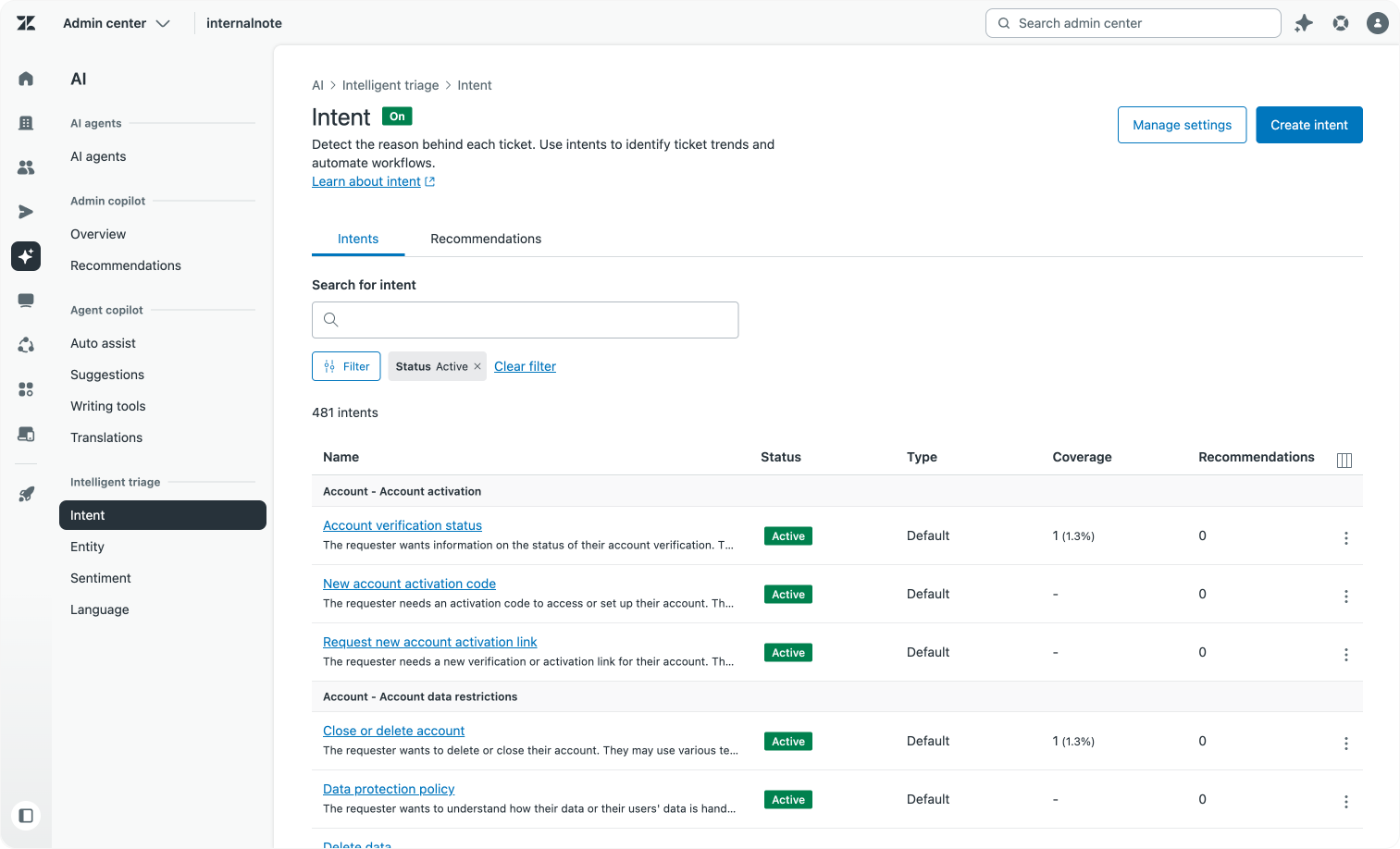
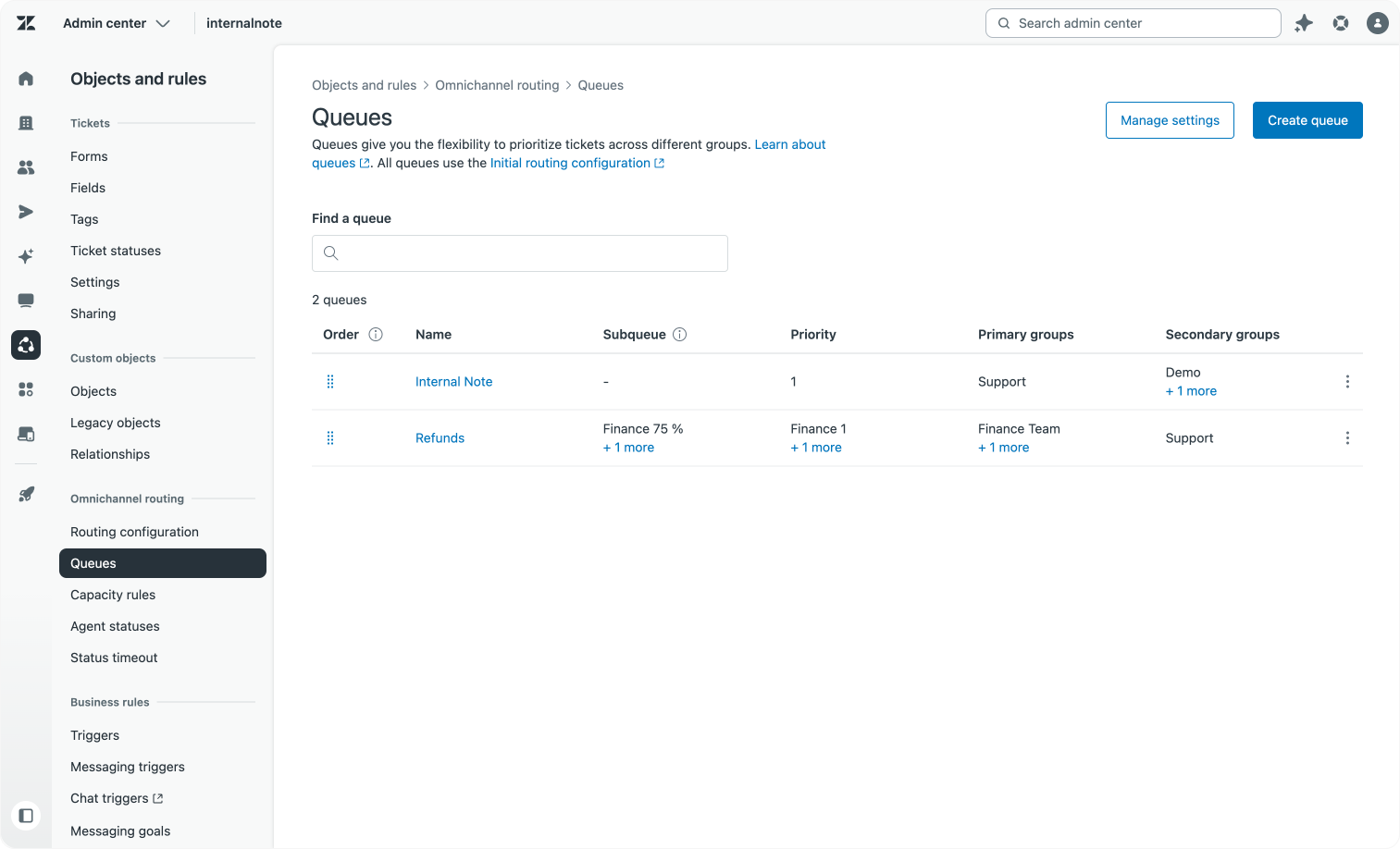
Intelligent Triage combined with Queues allow for automatic routing based on Intent
A unified approach
The goal of any customer care team is simple: resolve customer questions efficiently while preserving quality.
Traditionally, this was done using self-service, detailed Help Centers, and knowledgeable human agents armed with full context. The arrival of AI Agents and agentic automation shifts this balance, placing automation at the center of customer service.
Because AI coding tools now allow quick prototyping and bespoke agents, it’s tempting to bolt on AI-powered automation externally, augmenting or bypassing your existing platform.Initially, that can deliver quick wins. Bottlenecks like validation or context gathering can be automated fast. AI Agents indexing knowledge sources may reduce escalations. And agents categorising tickets can surface popular intents promptly.
But while these approaches work short term, they lack the structural depth and integration needed to deliver lasting, measurable results. To achieve high automation rates without compromising quality or CSAT, you must build, use, and measure your platform as a whole. Knowledge gaps and procedure optimisations only emerge when you can analyse conversations end-to-end.
Shifting workload from humans to AI Agents without rebuilding your stack is far easier when data, workflows, automation, and analytics live on a single unified platform.
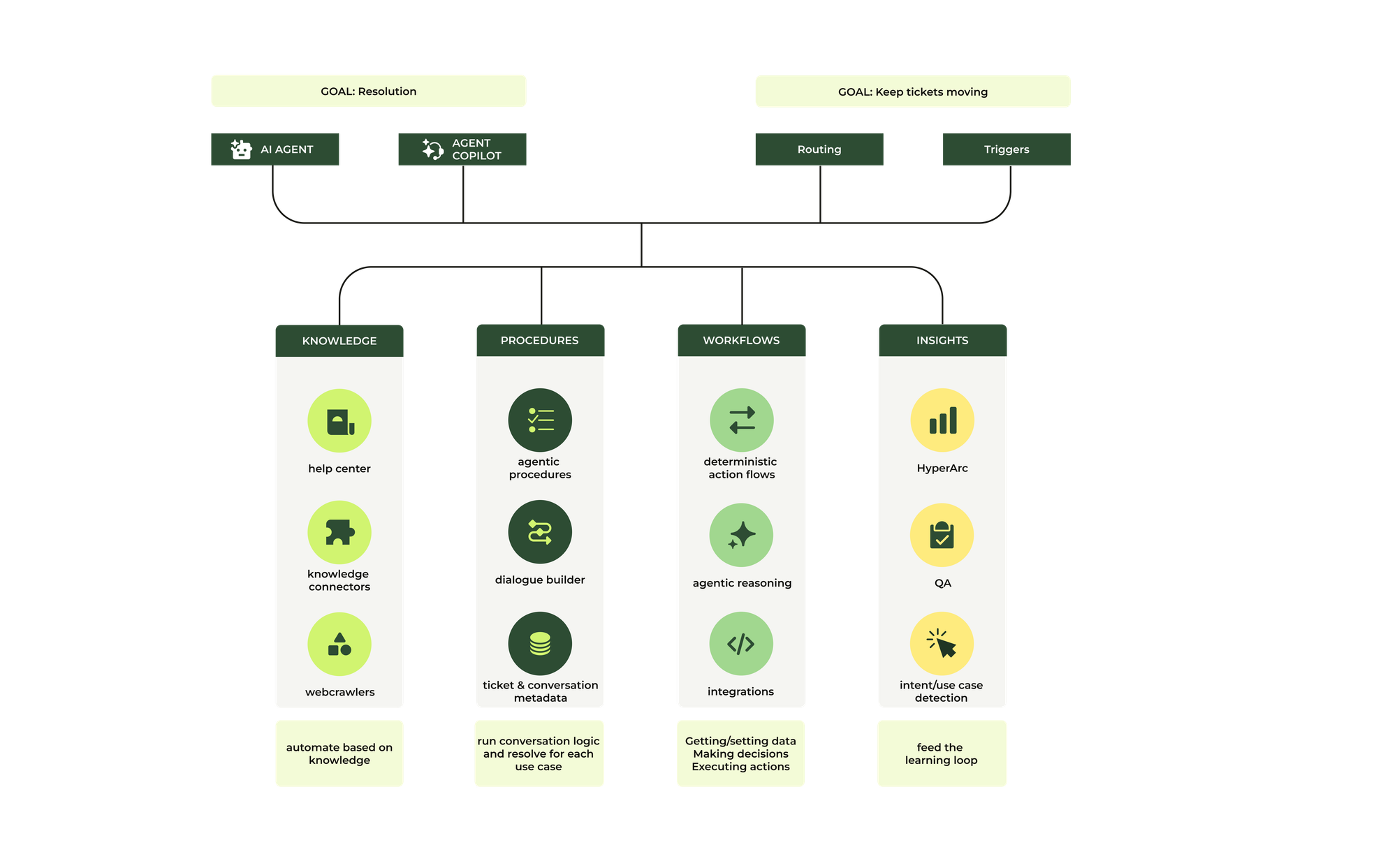
Performance alone isn’t the only driver: compliance and observability matter too. You want to know why any specific AI-generated response occurred. You want to trace data, reasoning, intent, and model behaviour, then use that transparency to monitor, fix, and improve continuously.
As AI proliferates and CX budgets shift from agent seats toward automated resolutions, building your services atop measurable, customisable, and accountable platform capabilities is more important than ever.
By leveraging platform-native features, you ensure your CX automation is stable, secure, integrated, and can evolve with your business.