
Towards automated resolutions #2: Knowledge as a resolution engine
Zendesk is evolving from a Help Centre model to a full knowledge platform. It shows how knowledge powers AI Agents, Agent Copilot and omnichannel experiences, how content adapts per channel, and how tools like Knowledge Builder and Connectors turn knowledge into resolution intelligence.

Towards automated resolutions #2: Knowledge as a resolution engine
Zendesk is evolving from a Help Centre model to a full knowledge platform. It shows how knowledge powers AI Agents, Agent Copilot and omnichannel experiences, how content adapts per channel, and how tools like Knowledge Builder and Connectors turn knowledge into resolution intelligence.

On this page
Knowledge is the starting point of every resolution. It explains how things work, why they work that way, and what should happen next. In part one of this series, I introduced the shift from solving tickets to designing resolution paths — and showed how failures, low-value and high-value interactions each require a different approach.
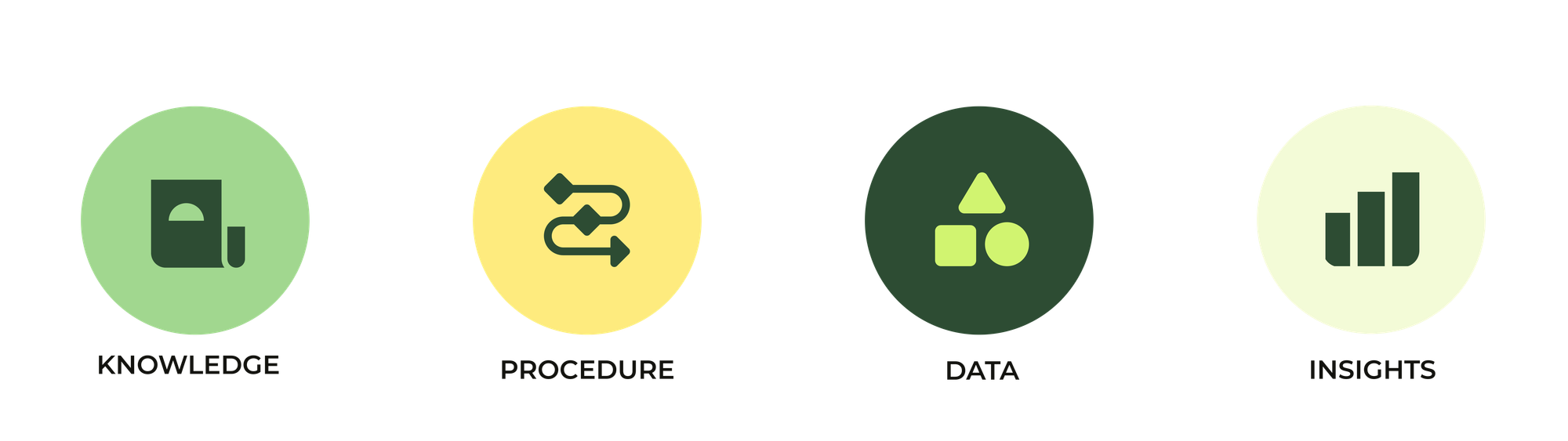
But designing those resolution paths requires more than choosing between human and AI. It relies on understanding the four building blocks that power every resolution: knowledge, procedures, data and insights. Knowledge explains the how and why. Procedures define what to do next. Data provides the who, what and when.
This article dives into the first of those building blocks: knowledge. Not just Help Center articles, but the broader knowledge system that fuels AI Agents, guides Agent Copilot, drives insights, and powers every channel. The shift from Help Center to knowledge platform is where automated resolution truly begins.
What’s New at @Zendesk
Our webinar series that gives you a curated look at the most meaningful Zendesk product updates. This month's main topic will be a discussion about Knowledge by Jeremy Korman, group manager product marketing and me, Thomas Verschoren.
From Help Center to knowledge platform
Until recently, knowledge in customer service meant one thing: articles in a Help Center.
A customer had a question, visited your Help Center, searched for a keyword, and got a list of possible results. They read an article and either found an answer, or they didn’t. If not, they escalated via email, chat or phone. Variations of this model existed: Answer Bot could suggest articles, and agents could share links or use macros. But it was always the same pattern: customers consumed static content and had to read and hunt for a buried answer.
This worked because for a long time, knowledge was designed to be read rather than used. Articles were written manually, usually by specialists, and maintained on a schedule. They weren’t designed to adapt to different questions, fit different channels, or respond in different formats. They were fixed, linear and often general, even when the question was specific.
On the agent side, that same rigidity showed up in canned replies, macros and templates. Because channels varied in tone, length, and format, copies of those canned answers had to be rewritten for each channel. The answer was the same, but how it had to be delivered was not.
These approaches worked well enough. Zendesk wouldn’t be where it is today if the Help Center and Support tickets weren’t a solid way to provide service. But the limitations were clear: the model was built for publishing knowledge and consuming it on websites. Not for using it in an omnichannel environment.
Now we expect knowledge to do more than just sit on a page. It needs to respond, translate, adapt and power resolutions across every channel. And that is where the true evolution begins, from a static Help Center towards a knowledge platform.
The omnichannel shift
As customer service moved from single-channel to omnichannel, knowledge had to move with it. The Help Center was no longer the only place customers looked for answers. They messaged on WhatsApp, chatted in widgets, emailed long explanations, posted on social channels, and still called when they needed a human voice.
Each of those channels behaves differently.
- Messaging is conversational and fast, one question, one answer, back and forth.
- Email is more detailed, multiple questions, context, and a single reply that covers it all.
- Voice requires instant clarity, an agent can’t be expected to read an entire article aloud.
- Agent Workspace demands contextual knowledge that speeds up an agents' actions.
When knowledge is locked in article form, it simply can’t serve all those formats effectively. The answer is somewhere in there, but it needs to be extracted, reshaped, shortened, expanded, reformatted, translated, or adapted to context.
The result? Knowledge stopped being something customers “went to”. It started being something that needed to show up in the right channel, in the right format, at the right moment.
That shift turns knowledge from a destination into a component of resolution. And that’s where the Help Center model reaches its limit and where AI-powered, channel-aware knowledge begins.
Adapting knowledge to fit the channel
Once knowledge begins flowing across channels, it couldn’t stay in a single fixed format. Article-style answers don’t work in a messaging conversation. Voice support can’t wait while an agent scrolls. Email replies need context, tone and completeness.
Modern LLM-powered AI Agents make that possible. They can pull the relevant parts of a knowledge source, rewrite them, adapt tone, fit channel constraints and blend in context. This without creating multiple versions of the same content.
Answering a question is no longer about sending the whole article, it’s about extracting the relevant insight, shaping it for the channel, and adapting it to the user. That could mean:
- Condensing an article into a single, conversational reply in messaging
- Crafting a detailed email-style explanation that incorporates procedures and data (more on that later)
- Transforming written text into voice-responses via Voice AI
- Automatically translating content while preserving tone and terminology.
And because it all comes from a single, indexed knowledge base, the effort happens once. When content changes, every channel, and every answer, automatically improves. Knowledge stops being something we just publish and starts being something the system uses.
Knowledge powering every interaction
Once knowledge can be transformed to fit the channel, it stops being something we look up and becomes something systems use. It begins to show up everywhere — not as a full article, but as a tailored answer, delivered in the right moment and in the right format.
On the customer side, Zendesk now surfaces knowledge in conversational ways. In the Help Center, Quick Answers sit above traditional search results and immediately address the customer's query without requiring them to read an entire article. AI Agents Essentials and Advanced draw from the same indexed content to generate replies over messaging and email shaping the tone, structure and context to match each interaction.
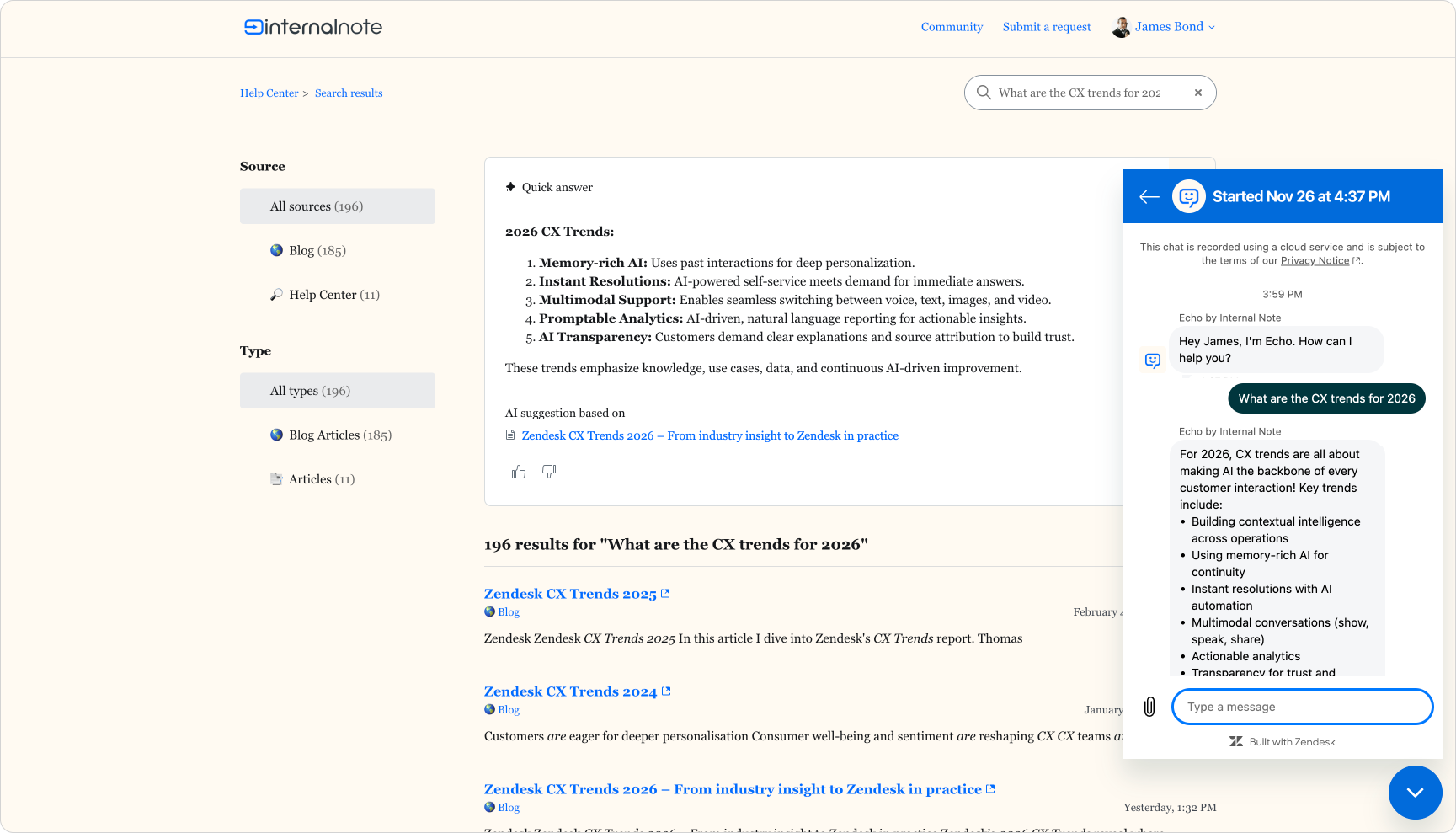
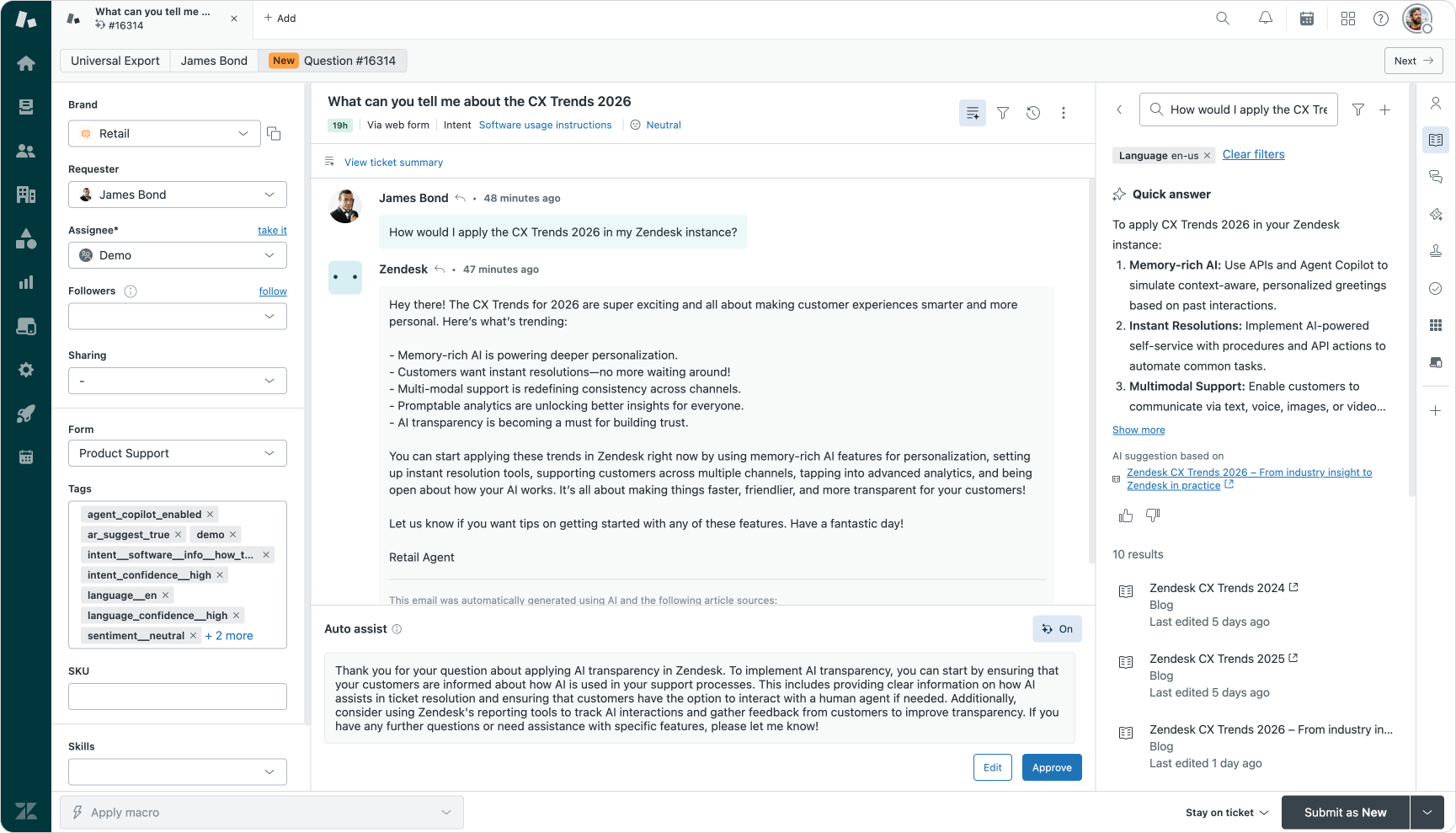
Knowledge in action across both customer and agent sides of the conversation
On the agent side, knowledge shifts from being something you copy and paste to something that actively supports resolution. The Knowledge Panel lives directly beside the ticket, surfacing relevant articles and Quick Answers based on context. Auto-assist can propose answers crafted from both knowledge sources and ticket history, ready for agents to review and send. During phone calls agents can quickly surface precise knowledge to guide real-time explanations, without scanning through lengthy documentation.
At this point, knowledge is no longer a static resource. It becomes an ingredient. It is transformed, adapted and delivered as part of the resolution process, whether by AI Agents, Agent Copilot or a human.
But knowledge alone can’t always resolve a question. Some situations need context, logic or action. That is where procedures and data come in.
Zendesk’s Knowledge Graph
As expectations shifted, both customers and employees stopped accepting being sent elsewhere to get an answer. They no longer tolerate being told, “This channel is only for product support, please contact billing via this form”, or “HR queries cannot be handled here, this AI Agent only handles IT questions”. Whether it’s payroll, IT access, insurance, product information or refund policy, people expect all answers to live where the conversation happens.
That means knowledge will no longer live only in a Zendesk Help Center. In employee service, it rarely lives there at all. It sits in Confluence, SharePoint, Notion, HR handbooks, policy portals, internal wikis and slide decks. To resolve real questions, the system needs to access all these sources and treat them as one index, not as separate departmental silos.
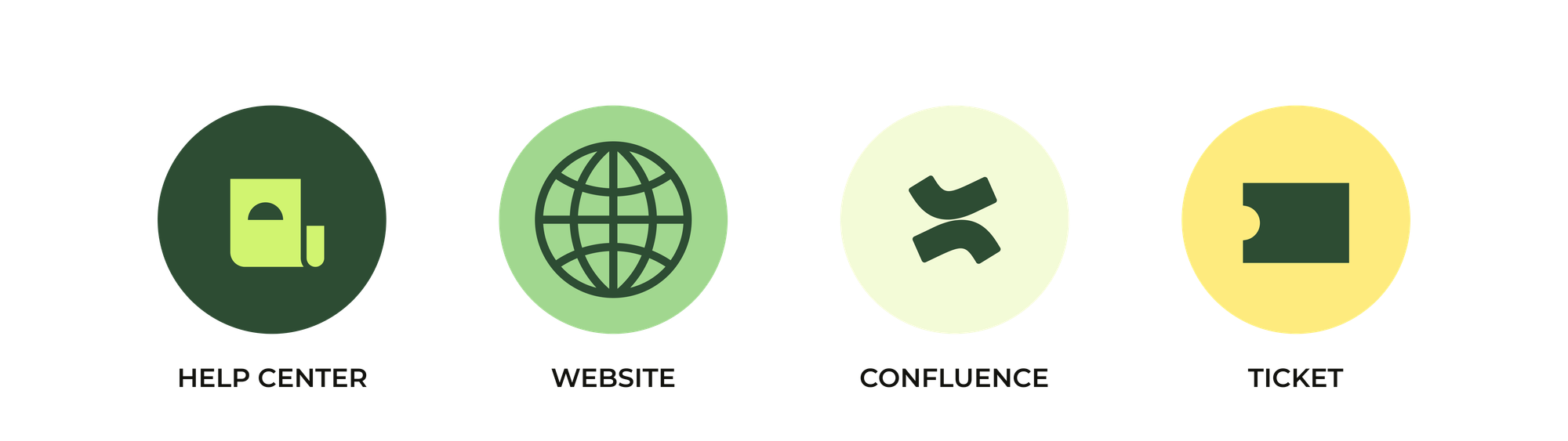
Zendesk has evolved to reflect that reality. It is no longer just a Help Center tool, but a knowledge platform. Instead of indexing only support articles, it now builds a knowledge graph: a structured, connected system of sources that can be used by AI Agents, Agent Copilot, Quick Answers, Knowledge Panel and search.
The platform is now capable of indexing public websites via Federated Search or Web Crawlers. We can sync or index Confluence, and soon will be able to import data from Sharepoint, Notion, Asana, Google Drive and tons of other sources via Knowledge Connectors. And AI Agents Advanced can import raw CSV files.
By turning Zendesk into a knowledge platform that indexes a variety of sources, the focus shifts from "we just write articles" towards "we manage knowledge". And each of these indexes sources can be used to generate responses to customers, while gaps in your content can be surfaced and addressed across all indexed data.
Public websites via Federated Search and Web Crawler
For many organisations, the main website already contains the best explanations of products, services and policies. Historically, that content sat apart from support, forcing customers to bounce between marketing pages, documentation and help articles.
With Federated Zendesk, those sites can now be indexed directly. It allows you to add public websites as additional knowledge sources for your Help Center, AI Agents Essentials and the Knowledge Panel in Agent Workspace. Zendesk indexes pages based on the sitemap and makes them available alongside traditional Help Center articles. Recent platform changes even removed the need to add verification snippets to prove ownership, which simplifies setup considerably.
For AI Agents Advanced, a dedicated web crawler goes further. You provide one or more root URLs, and the crawler discovers and indexes linked pages. You can define which paths to include or exclude and choose how aggressively the crawler should traverse the site. The result is an index of the most relevant parts of your website, ready for generative answers.
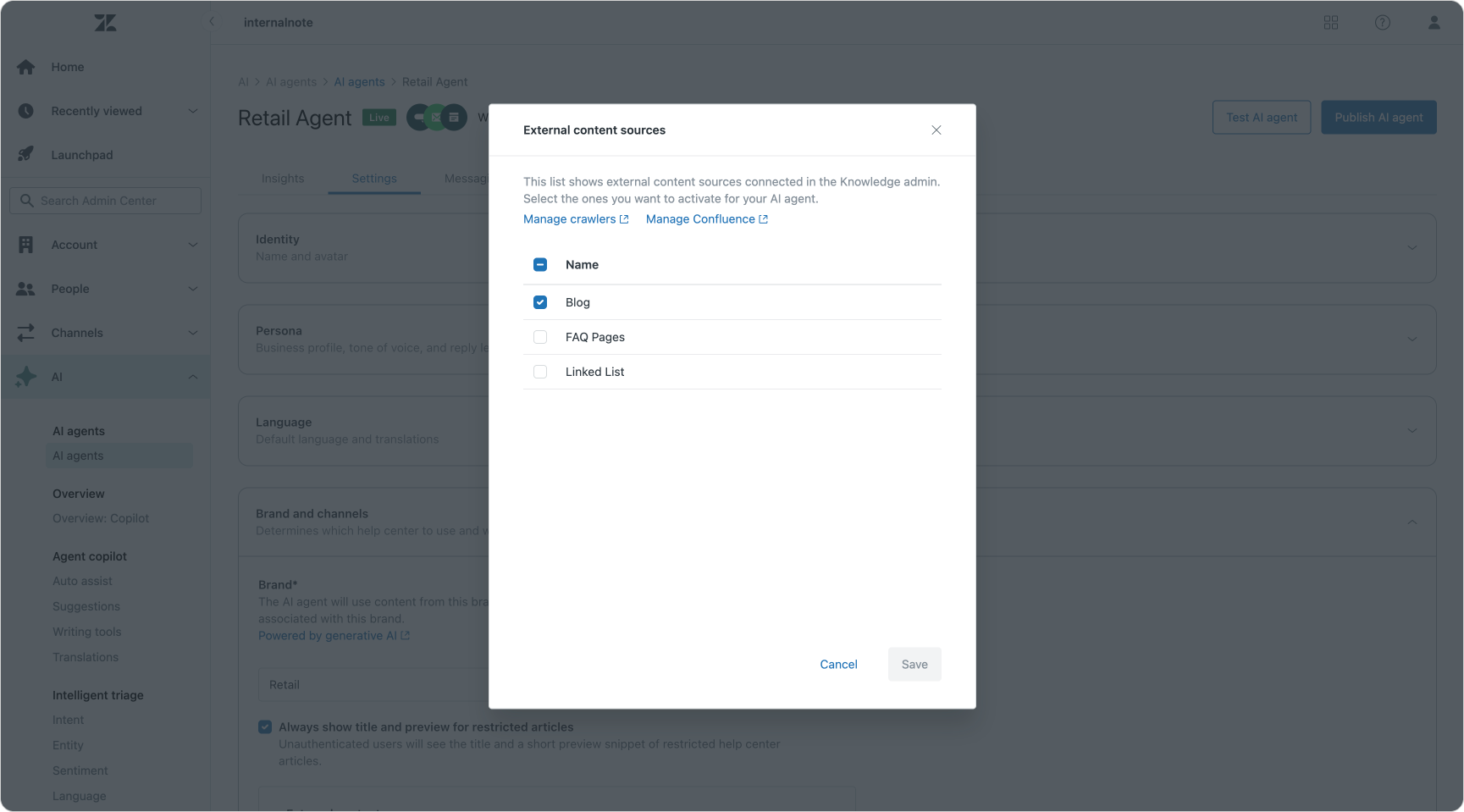
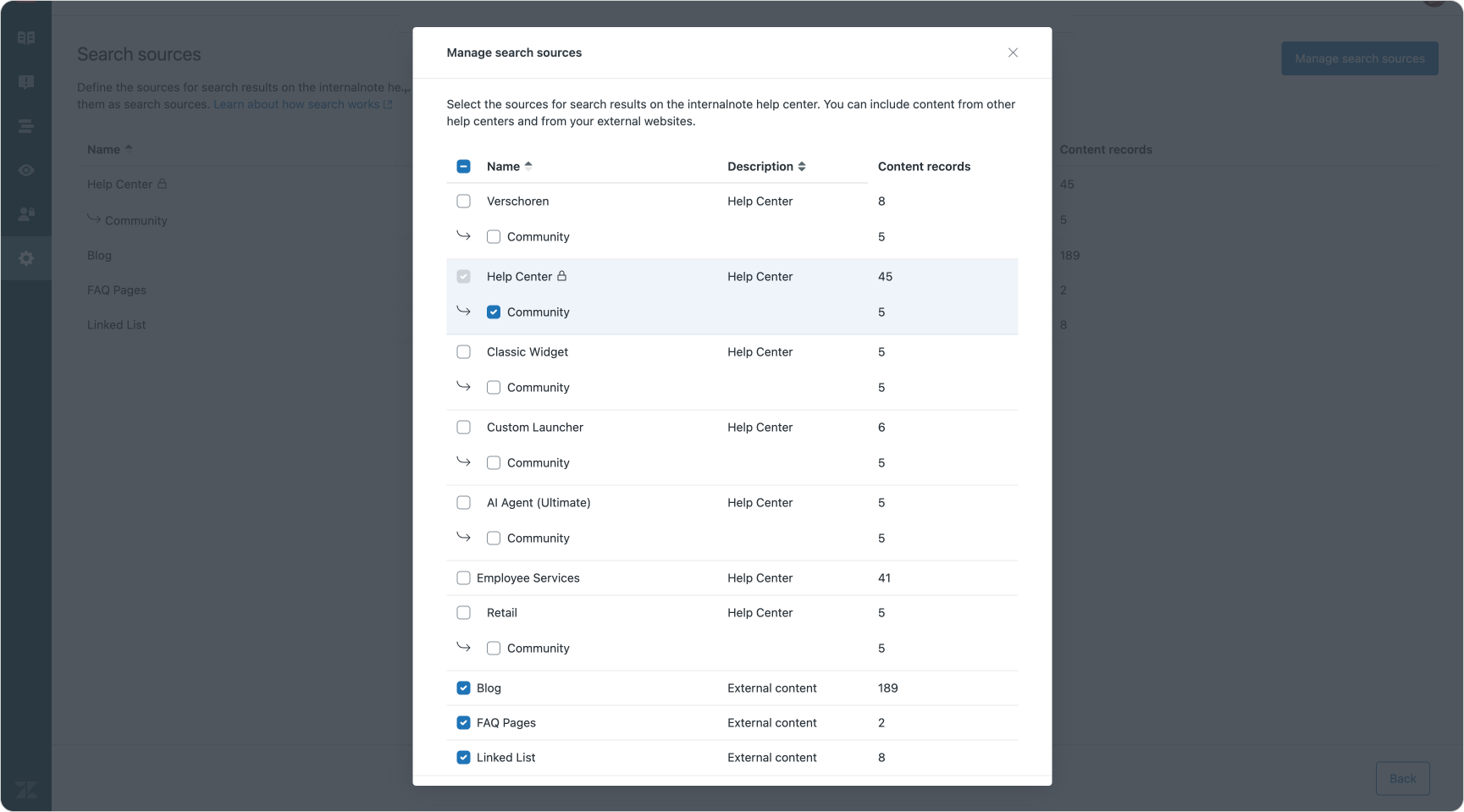
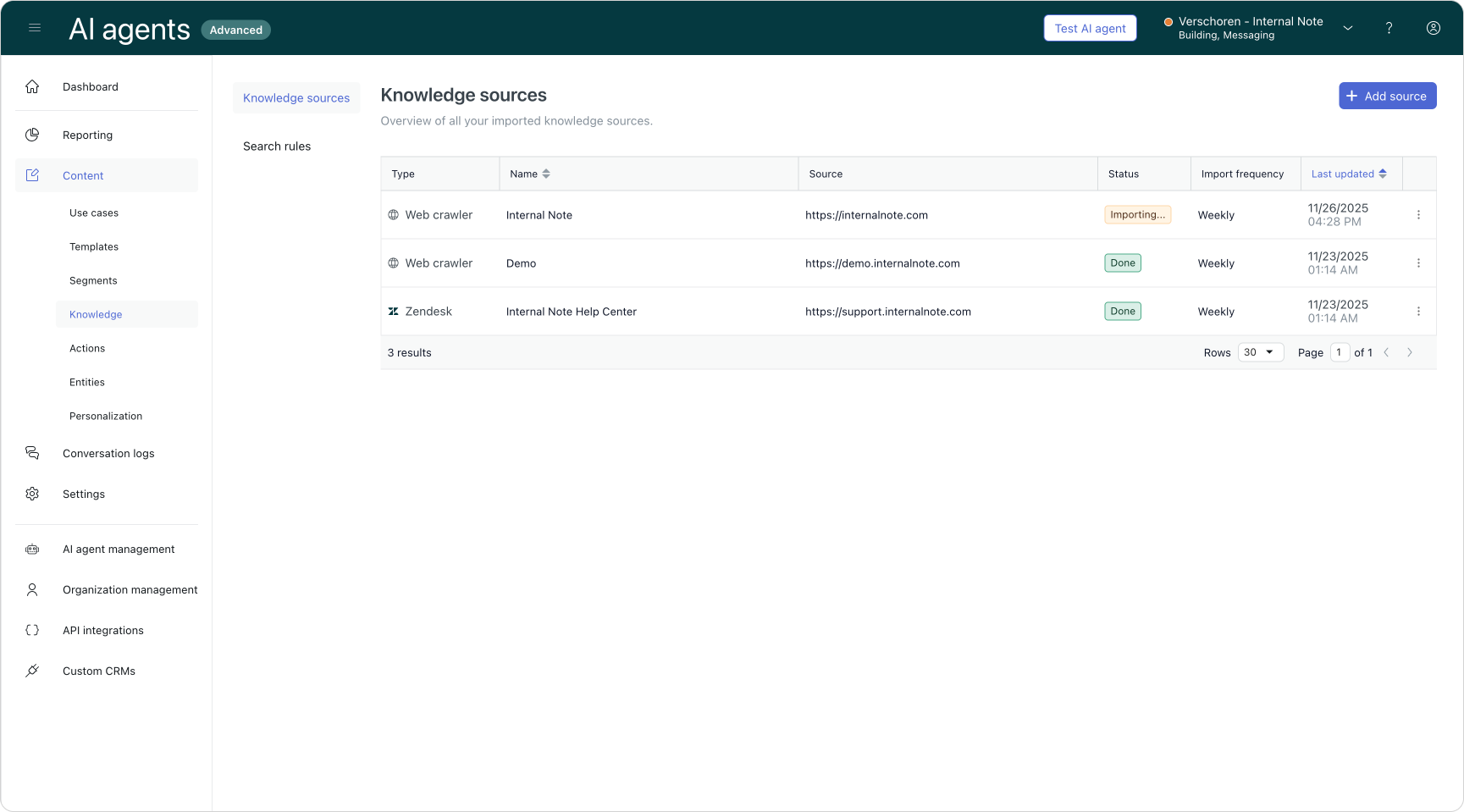
AI Agent Essentials, Help Center search and AI Agents Advanced
There are two important considerations:
- Generative models in Zendesk are optimised for FAQ-style and support questions. Highly transactional topics such as pricing, product specifications or comparisons are usually better handled via procedures and API integrations, where you can guarantee exactness.
- Less is more. A curated set of purposeful, well-written pages performs better than indexing everything. Focus on content with a clear goal, a single topic per page, and text that is easy to parse. Watch out for duplicates or contradictions — documentation that describes real limitations is often a better source than high-level marketing copy that glosses over edge cases.
Done well, this turns your website from a separate destination into a first-class part of your knowledge graph.
Knowledge Connectors
Your Help Center and website are only part of the story — especially for employee service. The real operational knowledge of a company often lives in tools like Confluence, SharePoint, Google Drive, Notion or Asana: project docs, HR policies, onboarding guides, IT runbooks, security procedures and meeting notes.
Zendesk’s Knowledge connectors are designed to bring that content into the knowledge graph without forcing teams to move it. Content remains in the original system, but is indexed and made searchable and available to AI Agents, Agent Copilot and Knowledge experiences. Permissions can still be managed using the same segment controls you know from the Help Center, so the right people see the right content.
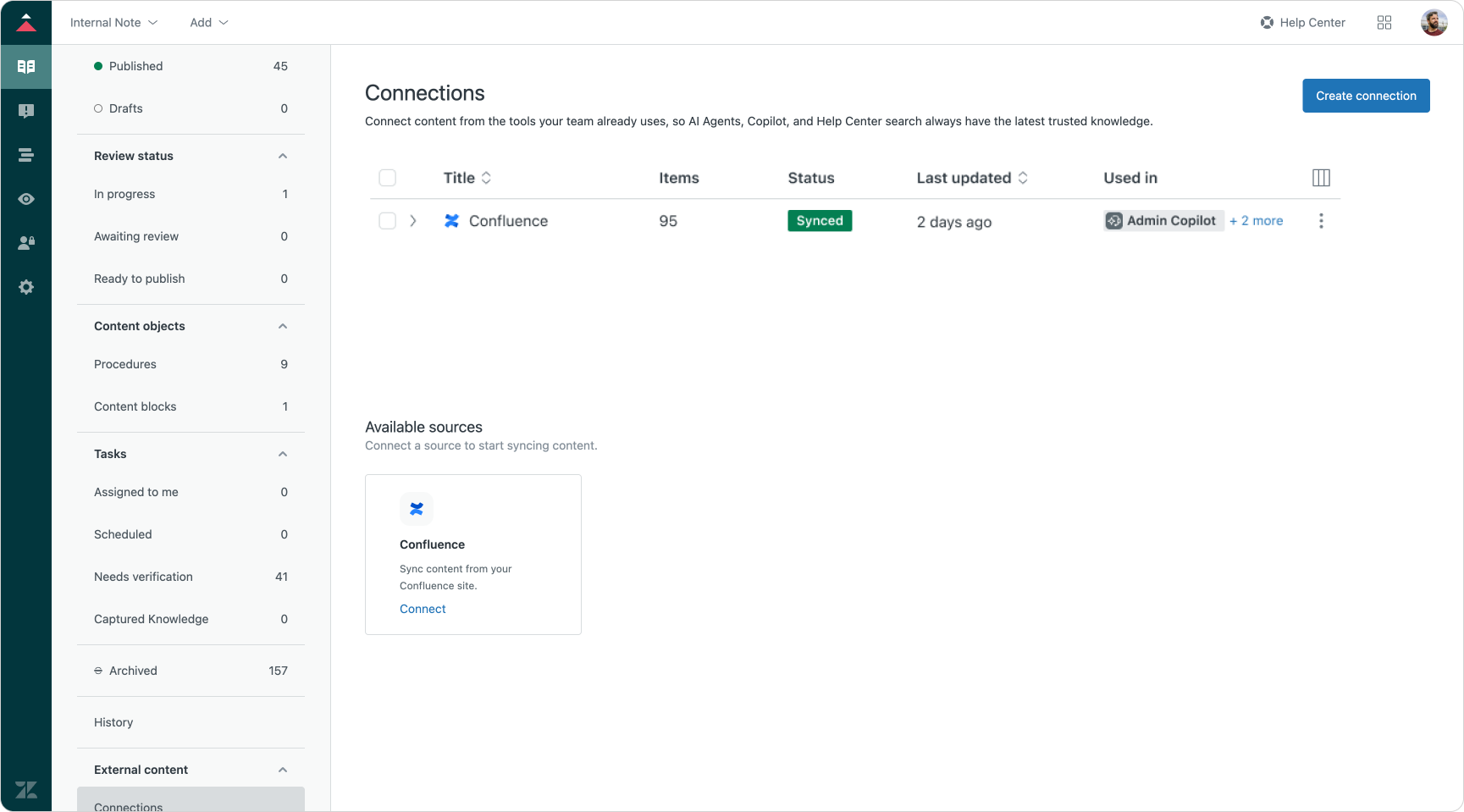
Today, Confluence is already supported, with other platforms such as SharePoint, Notion, Asana and Google Drive on the roadmap. As each connector is added, another silo becomes part of a unified knowledge layer that can serve both customer and employee use cases.
Creating knowledge content
So far we've focussed on leveraging existing content to improve your AI Agents' capability to answer questions. But what if you're starting from scratch. You've got no Help Center, your website is only focused on marketing and your entire CX strategy until now was "let our agents handle it".
Until recently, the only way to tackle that problem was to open Zendesk's article editor and start writing. But that's slow and to be honest, most of the content you'll be writing is probably already available inside the existing tickets your team has been handling.
Knowledge Builder
This is where Zendesk's new Knowledge Builder comes into play. This new tool takes both your company and your ticket history into account, and generates a Help Center for you. It creates a category and section structure and fills it with with a few dozen articles.
The content for these articles it takes from analysing tickets from the last thirty days to find both the issues customers are raising, as well as the solutions your agents are giving. To make sure it's relevant content for your business it also uses a description of your business that you provide into account, as well as a description of what you think customers need help with.
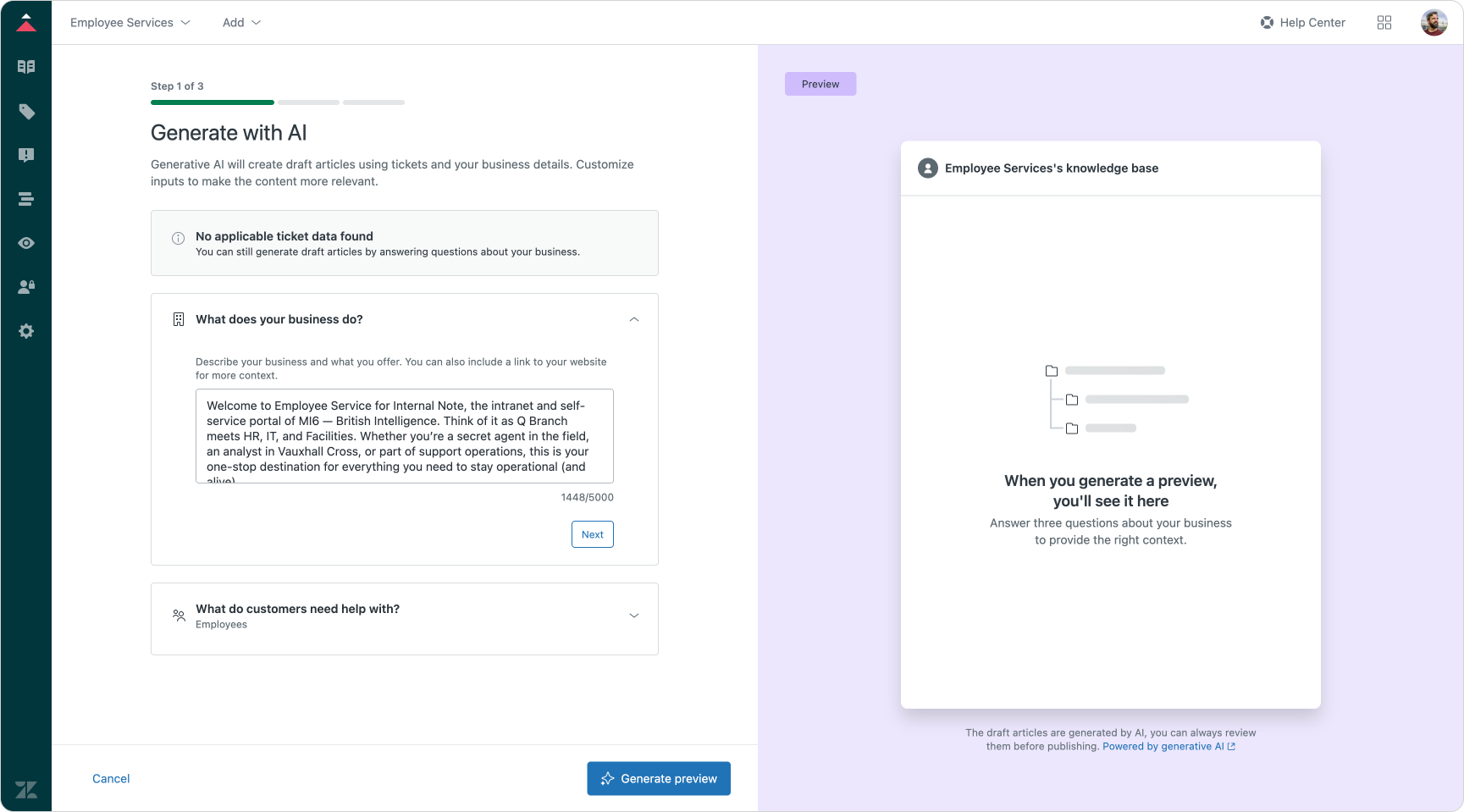
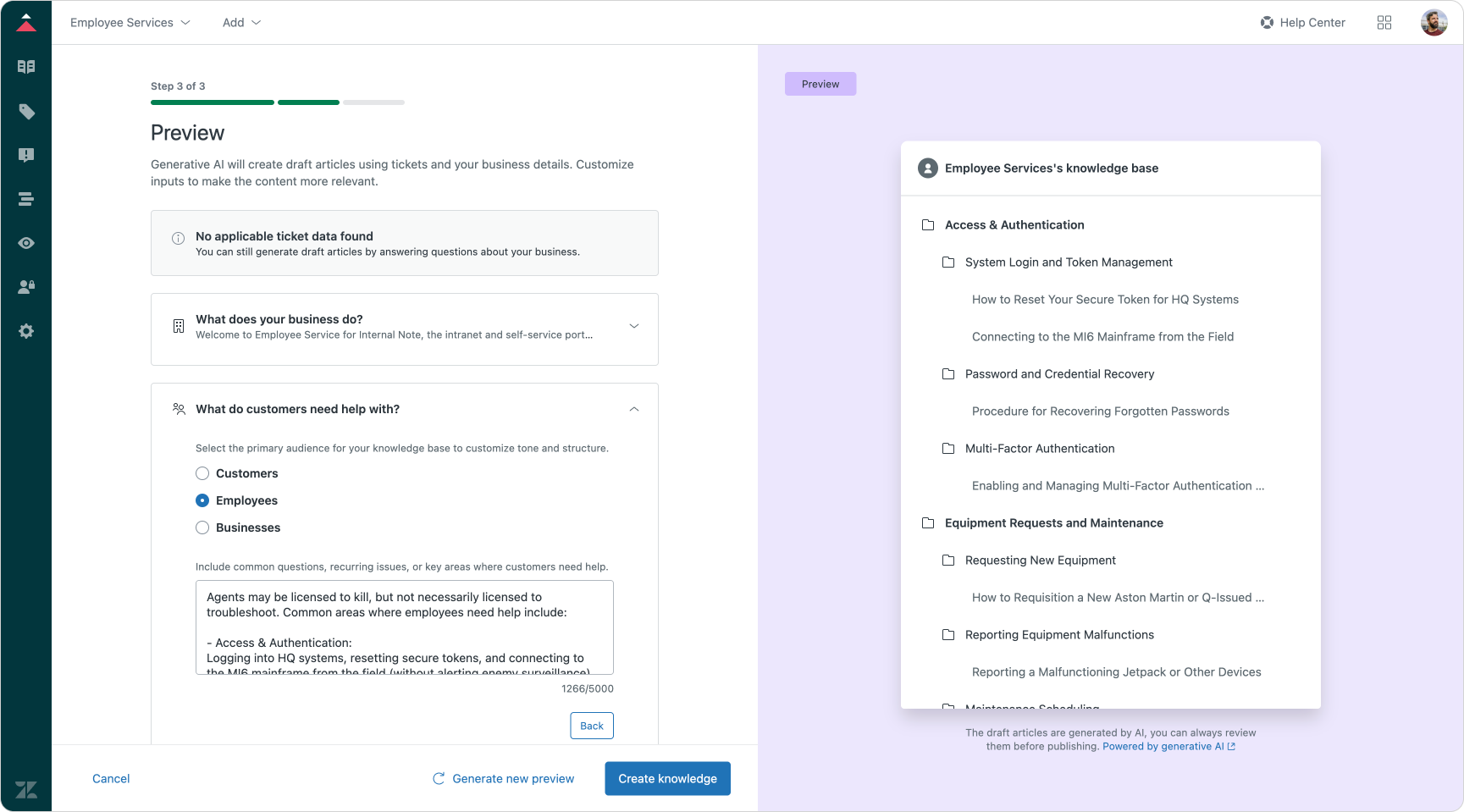
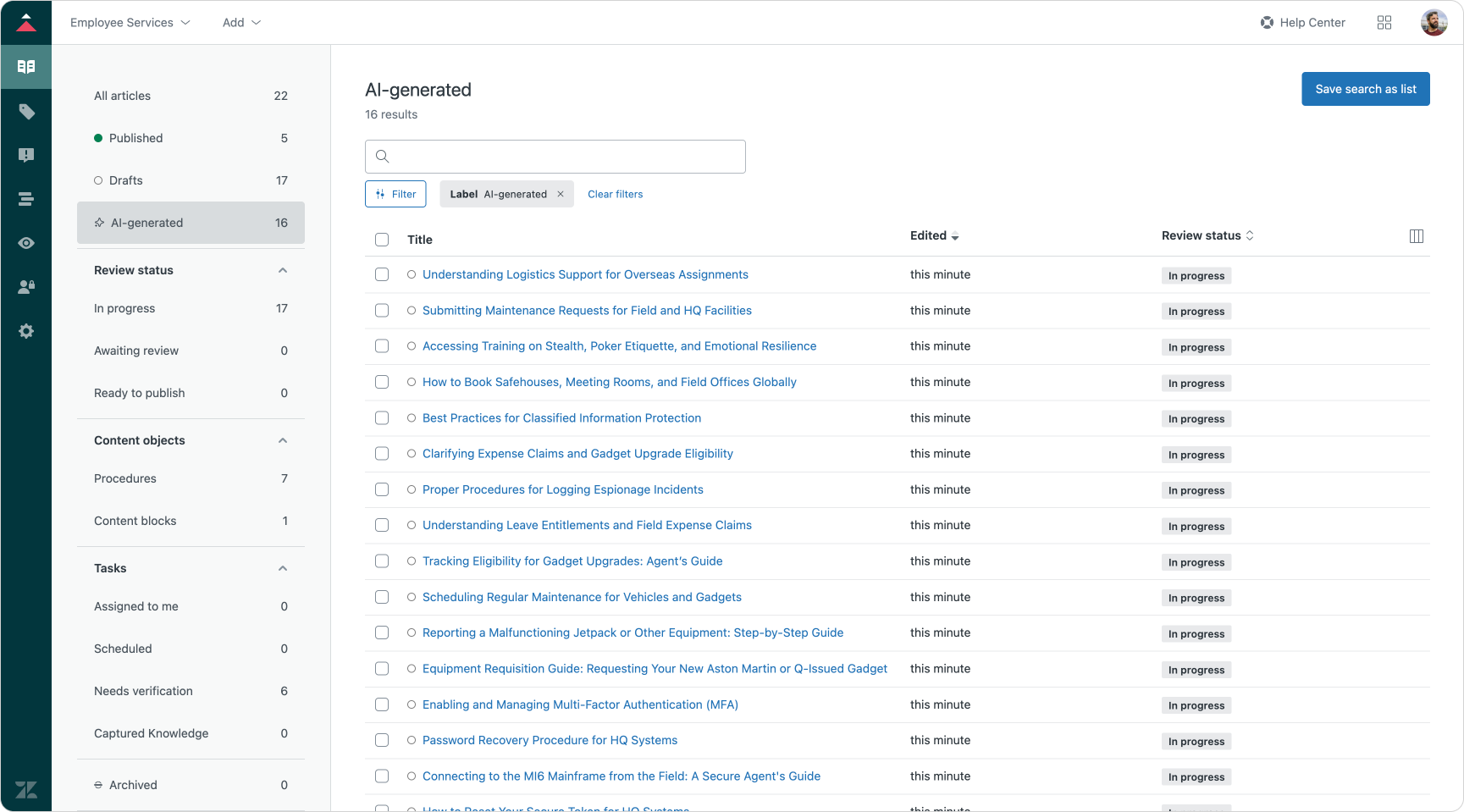
Knowledge Builder in action
The output is a set of fully written articles based on your agents' output. And while the articles are generated in long form text and structured as a proper support article should, these articles are not ready for immediate publishing though. Before you set them live, you should read, validate and edit them to make sure they are correct and fit your business.
But as a way to go from zero to a way to add some initial deflection to your setup, this is a great tool. It gives you just enough content to be able to be useful for your customers. And once you've got a working Help Center and AI Agent with generative responses, your analytics takes over. It provides you insight in your knowledge gaps and shows you what the next articles you should write are.
Knowledge editing in Help Center
If you want to start editing the content generated by Knowledge Builder, or if you want to start creating your own content, you'll need to dive into the Article Editor as part of Zendesk's Knowledge product.
And while the editor has always been a great way to write content with its build in WYSIWIG editor and support for images, video and other embeds, it's new AI capabilities take it up a notch.
There's AI-powered writing tools similar to the ones we have in Agent Workspace that allow you to turn bullet points into long form text, or take a complex articles and simplify its structure and language. You can also use the shift tone option to make an article more formal or friendly.
And while it's best practice to keep support articles short and focused on a single topic, some content (like this article) can run pretty long. The new summary block can be used to generate a summary and add it to the top of your article.
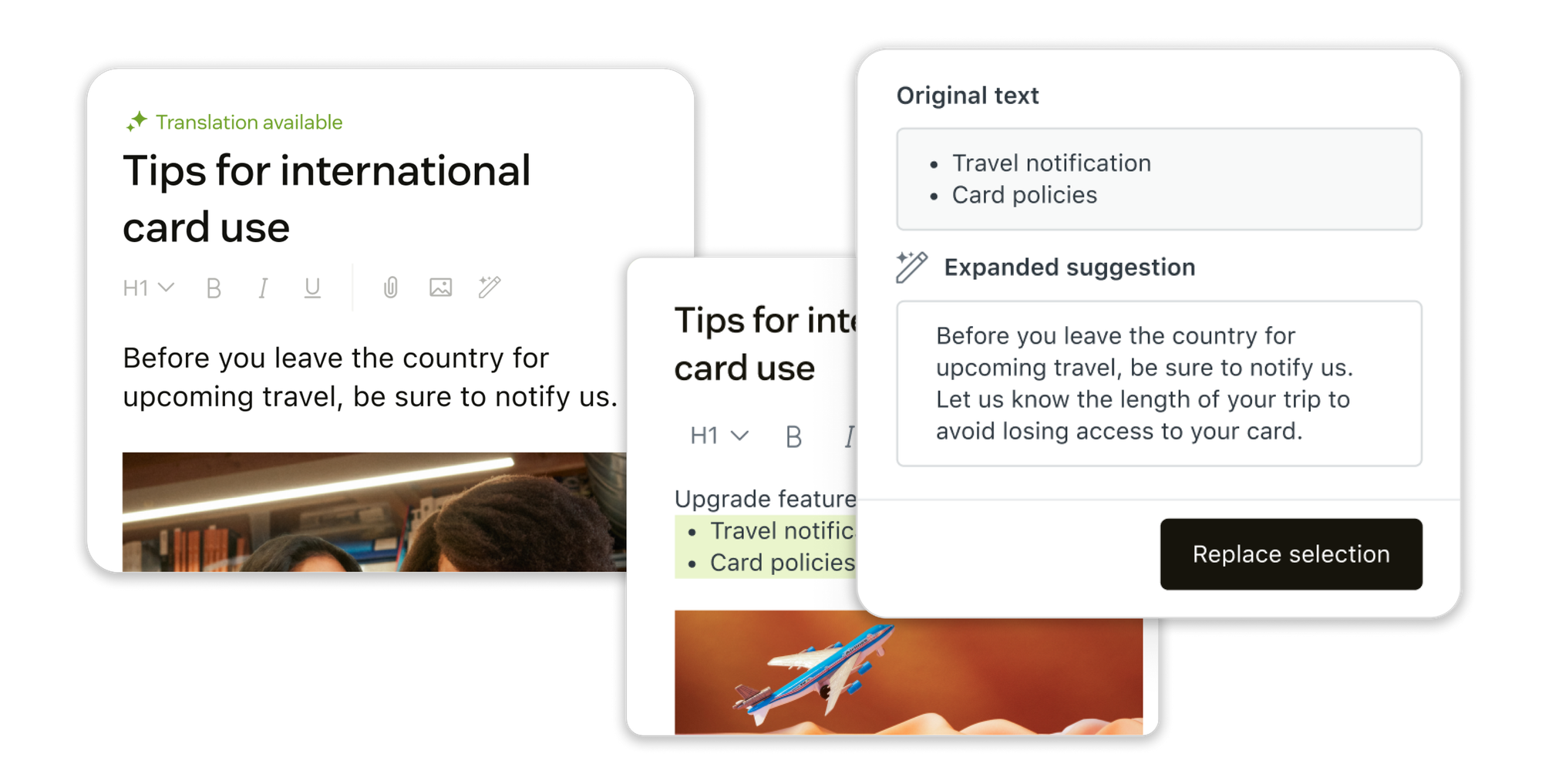
Aside from tools that help you write articles, there's also a built-in AI translation option. It takes an article and creates translations of the content taken your entire Help Center into account. This will make sure translations match your tone of voice, and things like product names and industry terms used in your content are translated correctly.
Knowledge lifecycle
Knowledge is not something you publish once. It grows, improves and becomes more valuable over time — if you design the right lifecycle around it.
Every new use case begins at the same point: when a customer or employee asks something your system cannot yet answer using existing knowledge. At that point, everything is escalated to the human team. Agents reply manually, but those replies aren't just resolutions, they are potential future knowledge.

Over time, patterns emerge. Analytics and intent detection begin to reveal which topics are being asked repeatedly, and which of those could be answered without an agent, if the right knowledge existed. These patterns are called knowledge gaps — and they signal what to write next.
As new articles are created, either manually or initially using Knowledge Builder, those gaps begin to close. Some of these questions, which previously always reached an agent, now get resolved automatically through generative answers.
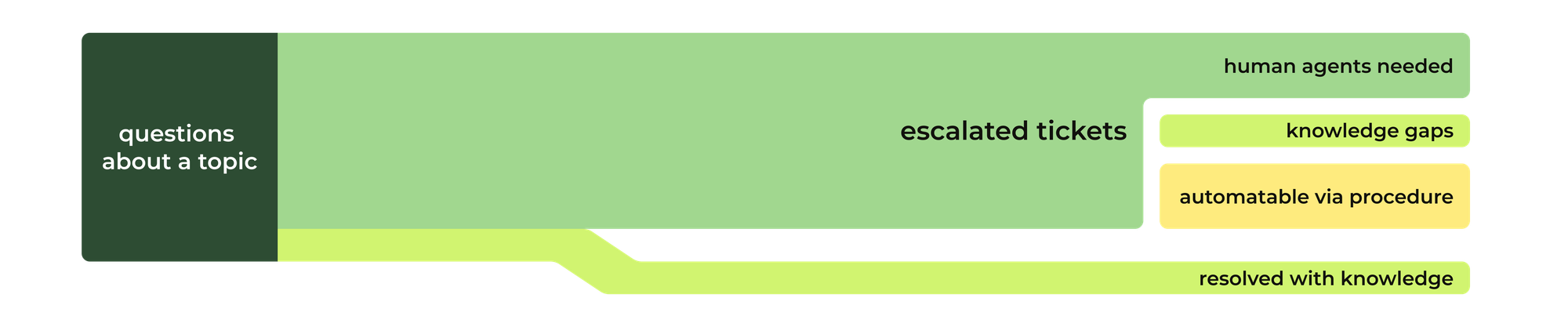
Eventually, most repeatable questions find their answer in knowledge.
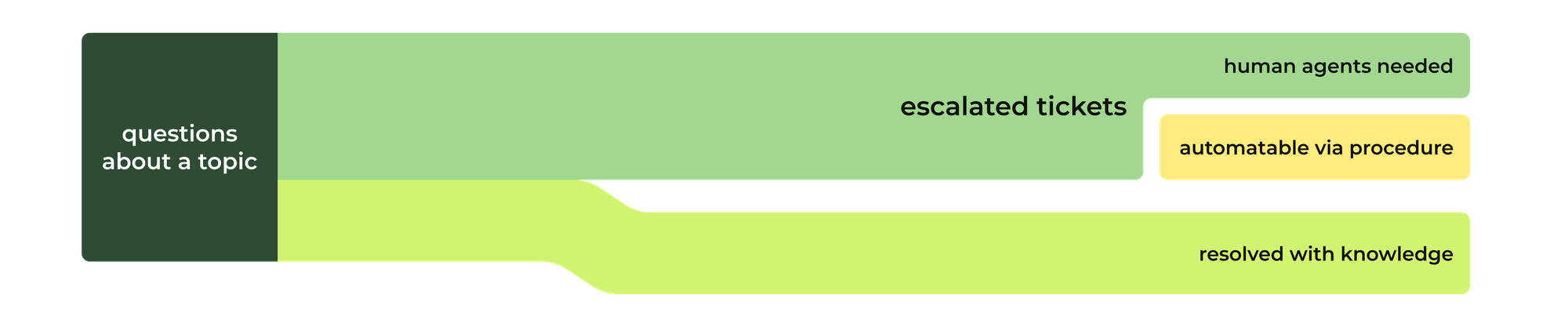
What still escalates falls into two categories:
- Questions that still require agent judgement, empathy or nuance . High-value, high-sensitivity work.
- Questions that can’t be solved by knowledge alone, because they require data (order numbers, bookings, account details) or need to trigger an action (change a plan, update a policy, schedule a service).
The latter of these remaining tickets should be addresses via AI Agent procedures, which full further shift work away from agents and towards automation.
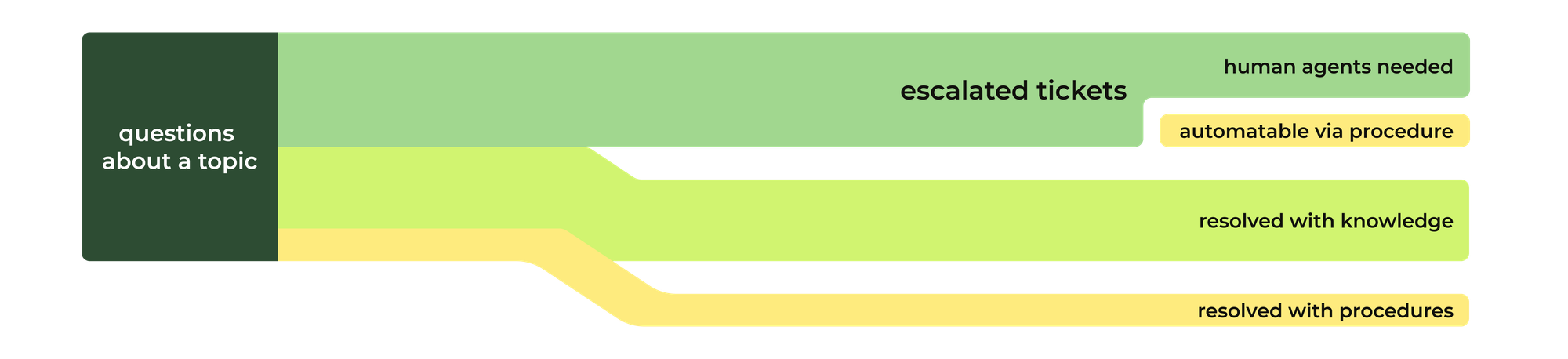
From static knowledge to resolution intelligence
Knowledge is no longer something we simply write, store, and search. It has become the foundation on which every resolution is built — whether automated, assisted, or human-led. What began as articles in a Help Center has now evolved into a connected knowledge system: one that fuels AI Agents, guides Agent Copilot, powers voice, messaging and email, and adapts itself to the context, channel and intent of each interaction.
As we’ve seen throughout this article, the shift from Help Center to knowledge platform is not just a technology upgrade — it marks a fundamental change in how we think about resolution. Knowledge is no longer a fixed document. It is a dynamic, structured and intelligent asset that enables every part of the resolution journey. It fits the interaction. It adapts to the channel. It evolves over time. And when properly managed, it improves not just deflection, but the quality of answers, the speed of resolution, and the intelligence of the entire organisation.
But knowledge on its own is not enough. Some questions require context. Some need logic. Some trigger actions. That is where procedures and data join the equation — the other two building blocks of automated resolution. Procedures tell the system how to solve something. Data provides the who, what and when. When combined with knowledge, they unlock something far more powerful than answers — they unlock resolution intelligence.
In the next article, we move from knowing to doing. We explore how procedures bring resolution paths to life: how they structure logic, gather context, enrich conversations and trigger actions. Where knowledge explains the “how” and “why”, procedures define “what happens next”.
That is where automation truly begins.