
Combining agentic procedures with embedded templates in AI Agents
Combining agentic procedures with embedded templates in AI Agents

On this page
Conversational AI Agents are designed to handle customer conversations from question to resolution autonomously. They can do this by generating answers based on knowledge sources, or they can follow instructions and handle specific, more complex, use cases with logical flows.
A customer might ask "What's your return window", and the AI Agent can use a knowledge article to generate an answer: "You can return unopened items within 14 days".

But when it comes to resolving complex questions, we need to give the AI Agent instructions on the steps it should follow, and give it the ability to execute actions across systems. It should be able to ask input from the customer, run different logic based on that input, and get or set data in external platforms.
In general there are two ways to approach these instructions. On one side we've got deterministic flows. Hardcoded decision trees that branch based on conditions. The AI Agent follows these to the letter and all outcomes have to be defined in the flow. Any unaccounted option, or unexpected API return can result in a failure. But on the positive side, every outcome is predefined and you can write responses which are presented to the end-user verbatim.
These kinds of dialogue flows used to be the default before powerful Agentic AI models became available. Nowadays, AI Agents in Zendesk have shifted towards agentic procedures. Instead of building logic step by step, you describe what the AI Agent should do, and the agent uses that to drive the conversation forward. One of the benefits with agentic procedures is that it understands the logic behind your instructions.
If you tell it to ask for a six-digit order number, it automatically handles failures like customers providing 5-digit numbers, or it can inject a knowledge answer if the customer asks where it can find such number.
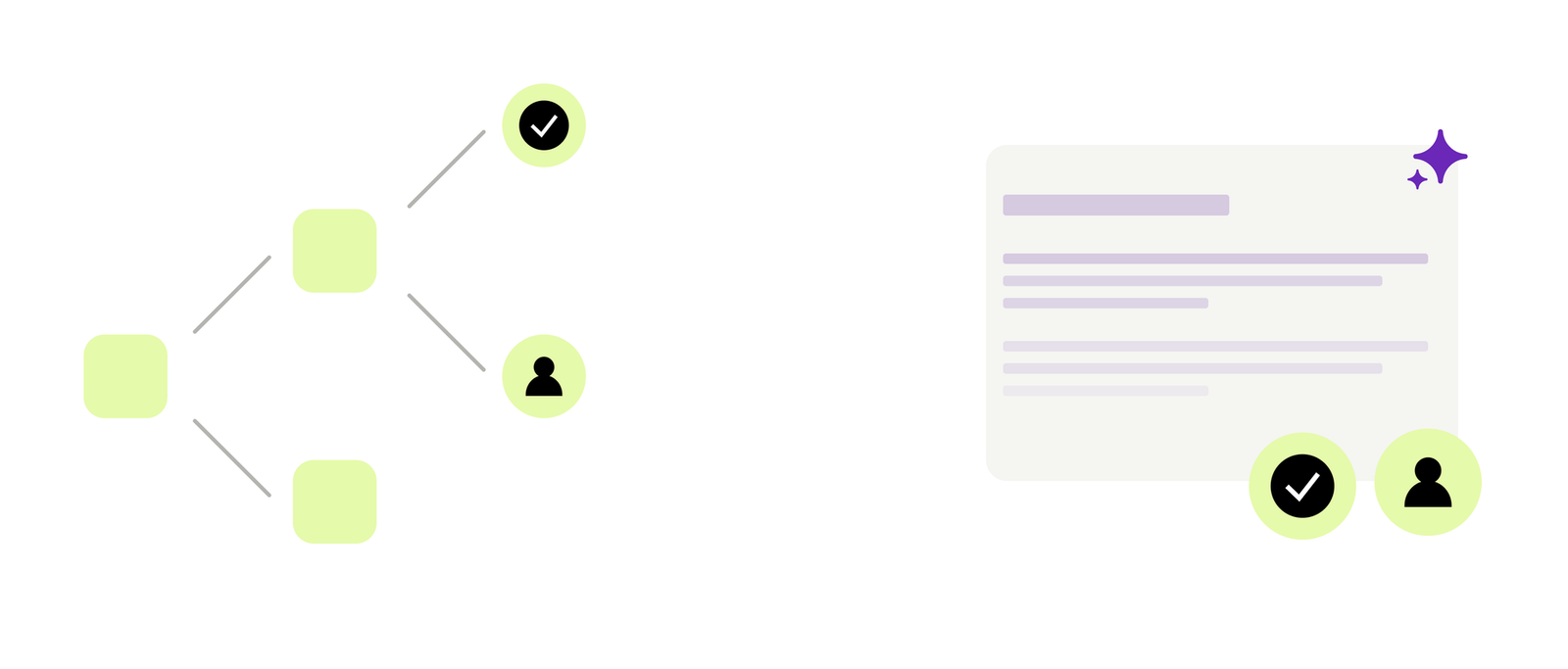
Since agentic procedures can also adapt to conversations more easily by rerunning previous steps, or skipping steps when the customer already gave that context, they are a better and faster way to deploy your business logic in AI Agents.
But just like most things in life, reality is never black and white. If you're building a dialogue flow you might want to make it a bit more dynamic by leveraging Generative Reply blocks that pull from Knowledge Sources or generate a specific reply based on your prompt.
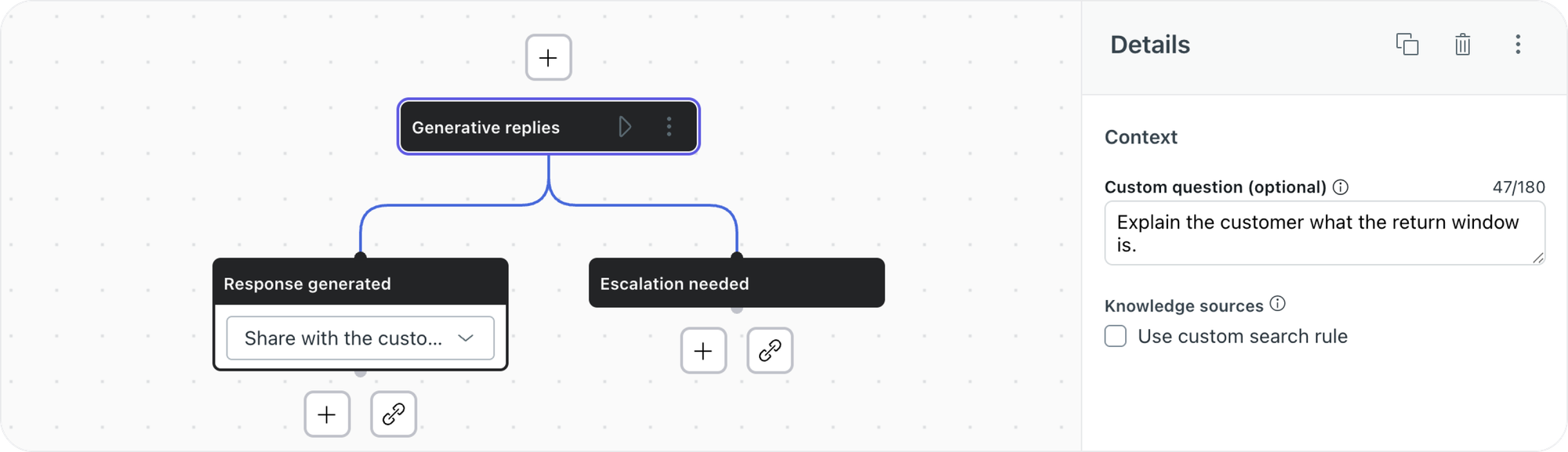
And similarly there are scenarios where you want your Agentic Procedure to answer with exact strings of text, instead of generating the answer based on its instructions. Any response that contains a policy, rule ,or other legal text, for example. Or when you want to respond with the exact terms and conditions of a promotion. Specifications for a product or device.
Until now, Agentic Procedures in AI Agents could only react with generative responses. But a recent update allows you to combine agentic logic with predefined logic and text in one procedure. This way you can have a dynamic conversation driven by agentic procedures, while still retaining control with exact prebuilt dialogue logic where you need it.
Coincidentally, that's the exact opposite motion as Zendesk's been enabling in Action Flows. Here you can have a deterministic action flow with hardcoded steps and conditionals, that hands off control to a Custom Agent to runs it logic in an agentic manner.

Embedded templates for AI Agents
AI Agents can react to specific use cases with either a dialogue or a procedure. But before procedures were a thing and AI Agents were still known as Ultimate, there was this concept of templates. These were reusable dialogue flows that could be invoked by other dialogues, but since they weren't linked to use cases, customers couldn't invoke them directly. Useful if you wanted rich escalation flows, or whenever you had reusable logic that a few dialogues needed to call.
When you link a template, dialogue flow, or procedure from within a procedure, these would take over control and continue the conversation. But they could not pass back control when their job was done. You could have a use case that handles broken devices, and pass off to a template or other use case that handles refunds.
With the release of embedded templates this behaviour changes. Embedded templates can be invoked from a procedure and they return control back to the procedure once they've run their logic.
This means we can now build an agentic procedure that invokes a template in the middle of its logic, and then resume its logic once the template did its thing.
That thing can be everything a dialogue flow can do: render a carousel, have a response rendered as rich text, or reply with a canned response that will be shown to the customer verbatim.
 Zendesk
Demo Flow: Magic Spells
If the above sounded a bit too abstract and high level, don't worry. In this section I'm going to dive into the product and build a procedure that combines agentic logic with a dialogue flow.
As noted, you'll mostly use this either to unlock capabilities that procedures don't have yet, or to make sure you can react in the exact same way to your customer each time.
In this demo flow we'll build a flow where we're going to help students at a magic school with their spells and incantations. The goal is to get the student to select a spell, and we'll give them instructions on how to perform the spell.
Doing an incantation well means we need to give them exact instructions. Even the smallest change in wording or order can have disastrous effects. So creating a dialogue flow with the exact steps to follow is the right choice here.
Additionally, there are dozens of spells to choose from. So just listing them in text is not ideal, and showing the available spells to choose from is better done in a nice carousel where we can show an image, title, and description of each spell.
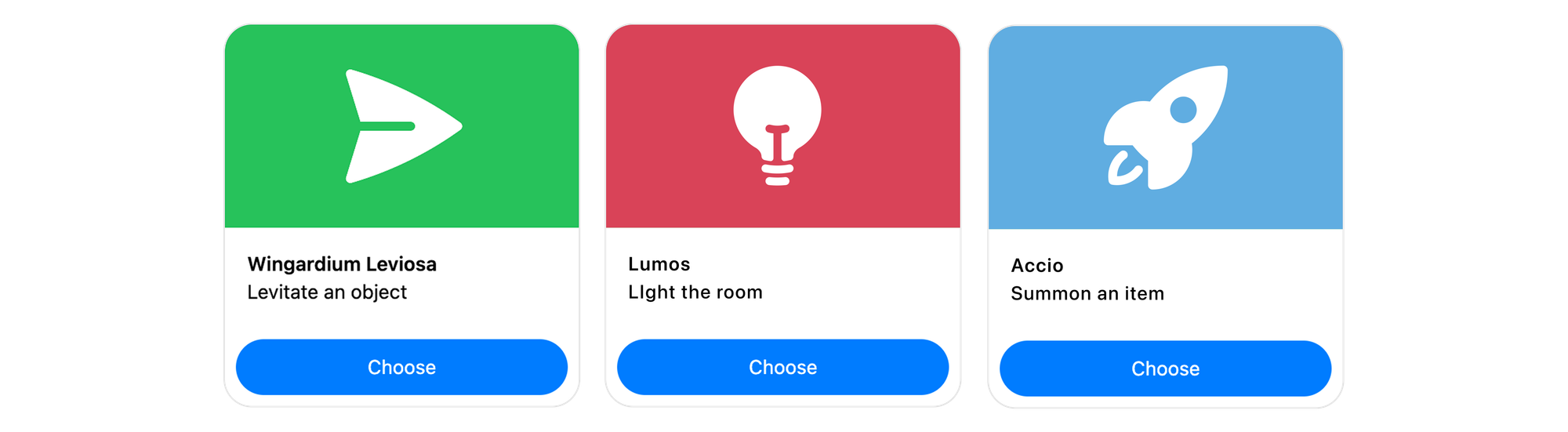
But sometimes a student might already know the spell they want to perform. "I want to make leaf fly". So while showing all options in a carousel is nice, getting the AI Agent to understand the question and immediately select the right spell is a better experience for the student.
And that's where an agentic procedure fits right in. It can grasp the meaning of a conversation, and select the right spell based on the conversation, without the need to manually select the right option.
If we combine the requirements and insights above, we've got the perfect use case for embedded templates:
- We'll build a procedure that asks the customer which spell they want to perform
- We try to match it to an available spell.
- If that fails, we show a carousel of available options to choose from.
- And once we know which spell they need, we use an embedded template to respond with exact instructions.
Building this procedure requires us to build the logic from the inside out. We'll start with building our embedded templates, and then write a procedure that invokes both.
Embedded Template: Carousel
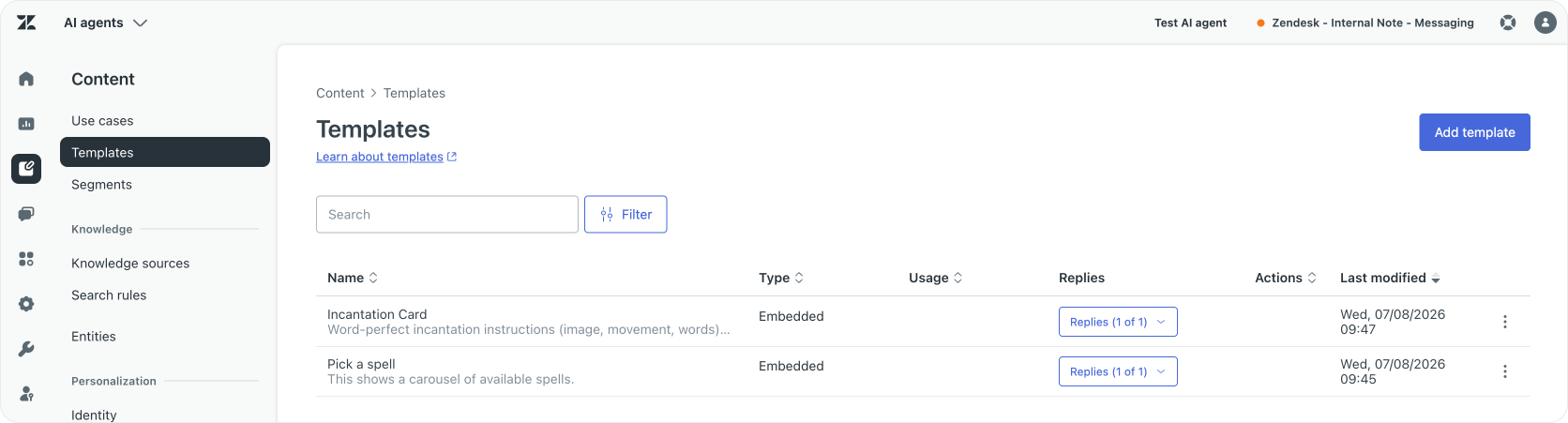
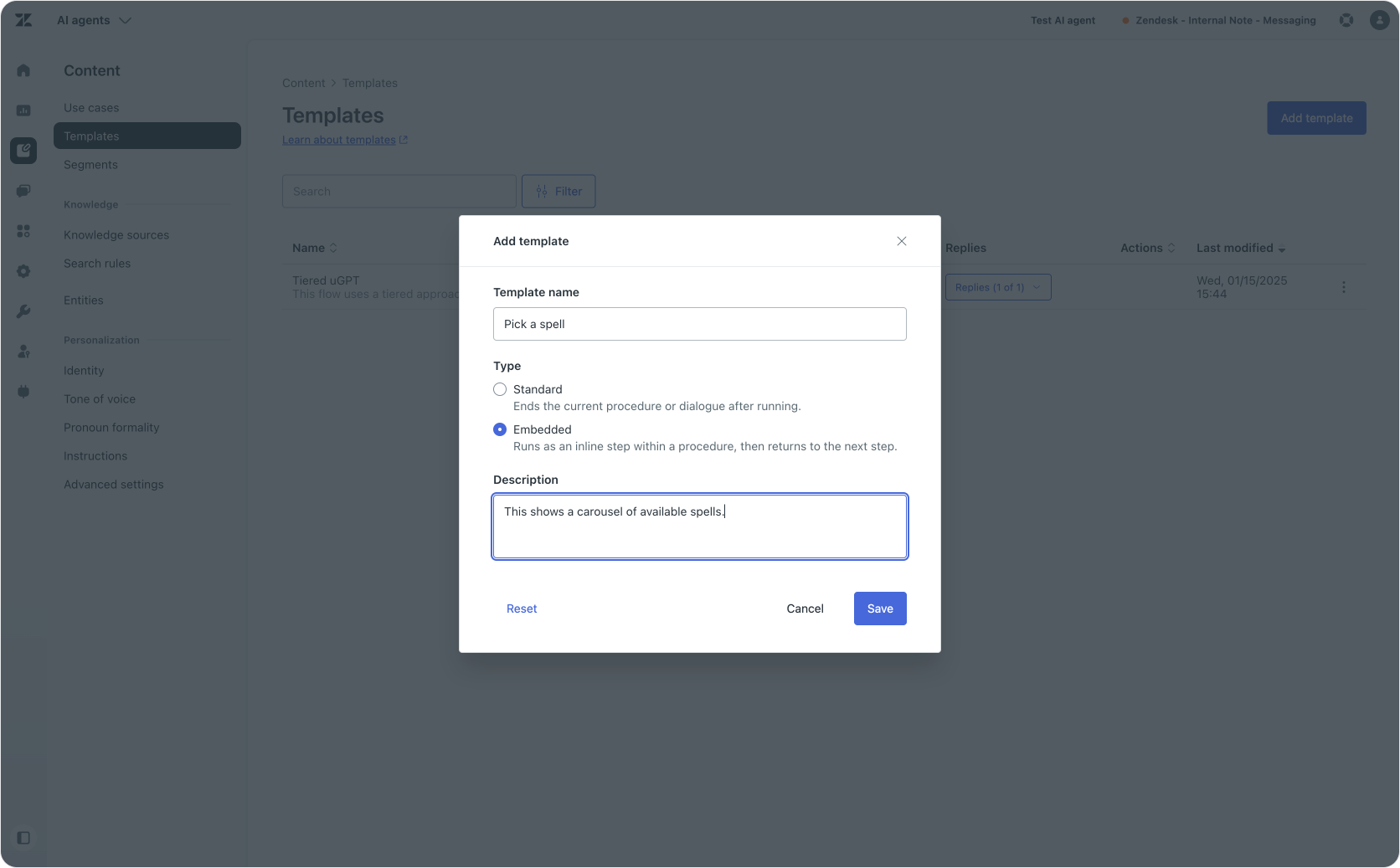
The first template renders a carousel of available incantations. This is done by selecting templates > add template > embedded template.
We first need give it a logic name (Pick a spell) and description (This shows a carousel of available spells).
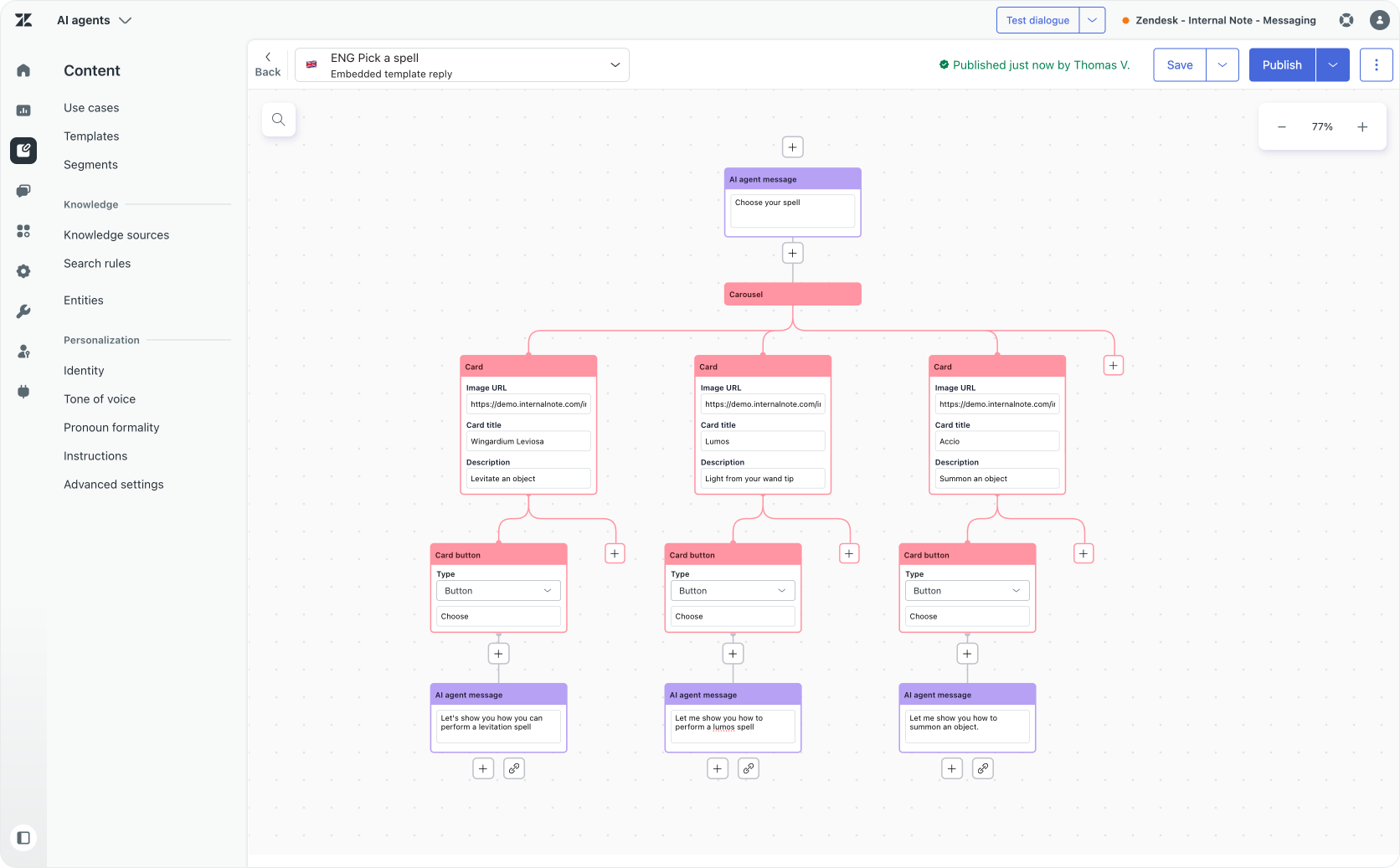
Within the template we can add a carousel with available spells. Each carousel item has an image, a title, and a description. In order to be able to select the spell we also need to add a button, and then add a final AI Agent message to confirm their choice.
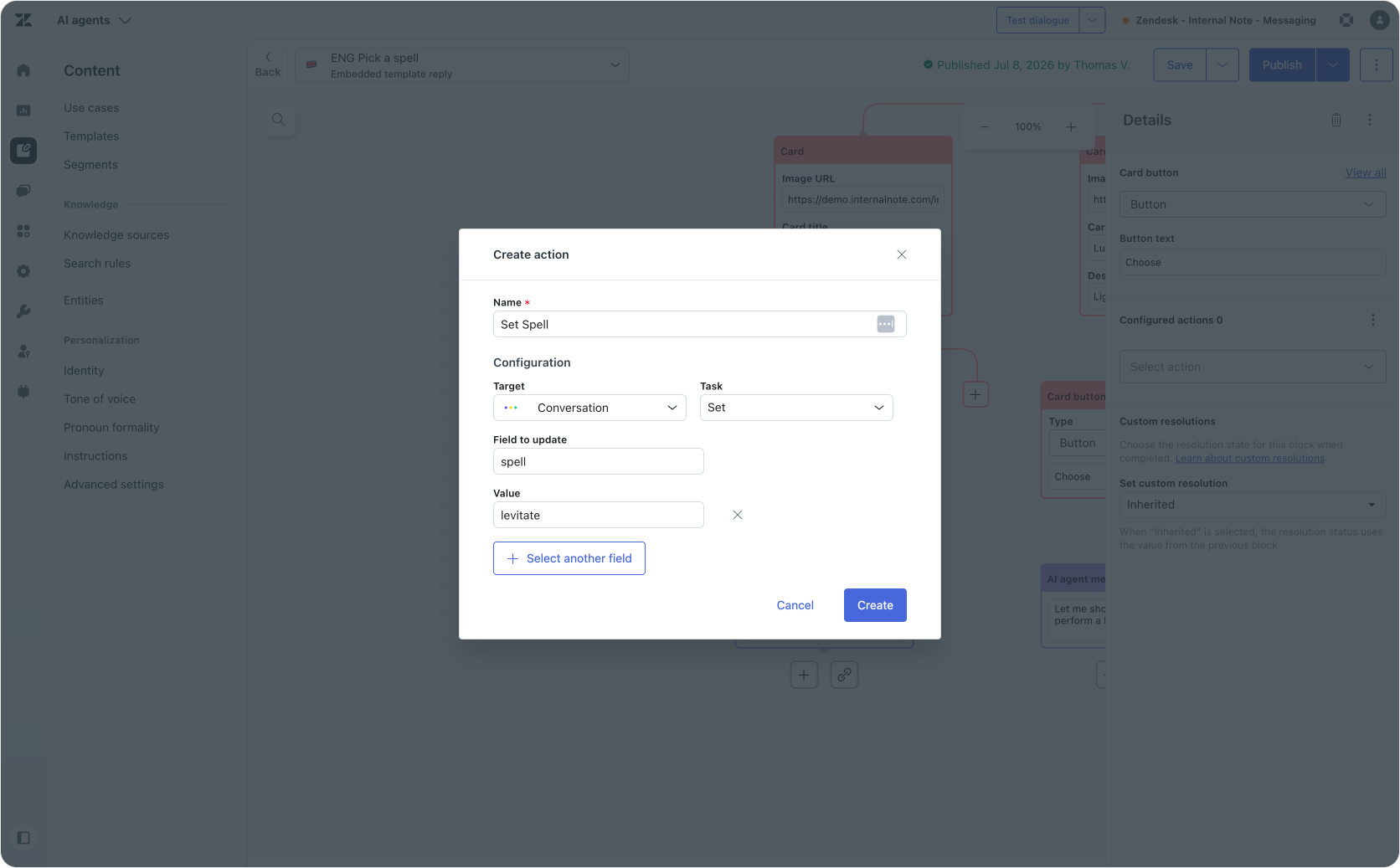
There is two ways we can retrieve the selection a student made. One way would be adding an action to the Button step which sets a spell parameters' value to the selected choice. The other option would be to mention a students' choice in a message, and let the procedure retrieve the choice that way. Either one works, but the latter requires less setup.
Embedded Template: Spell Casting
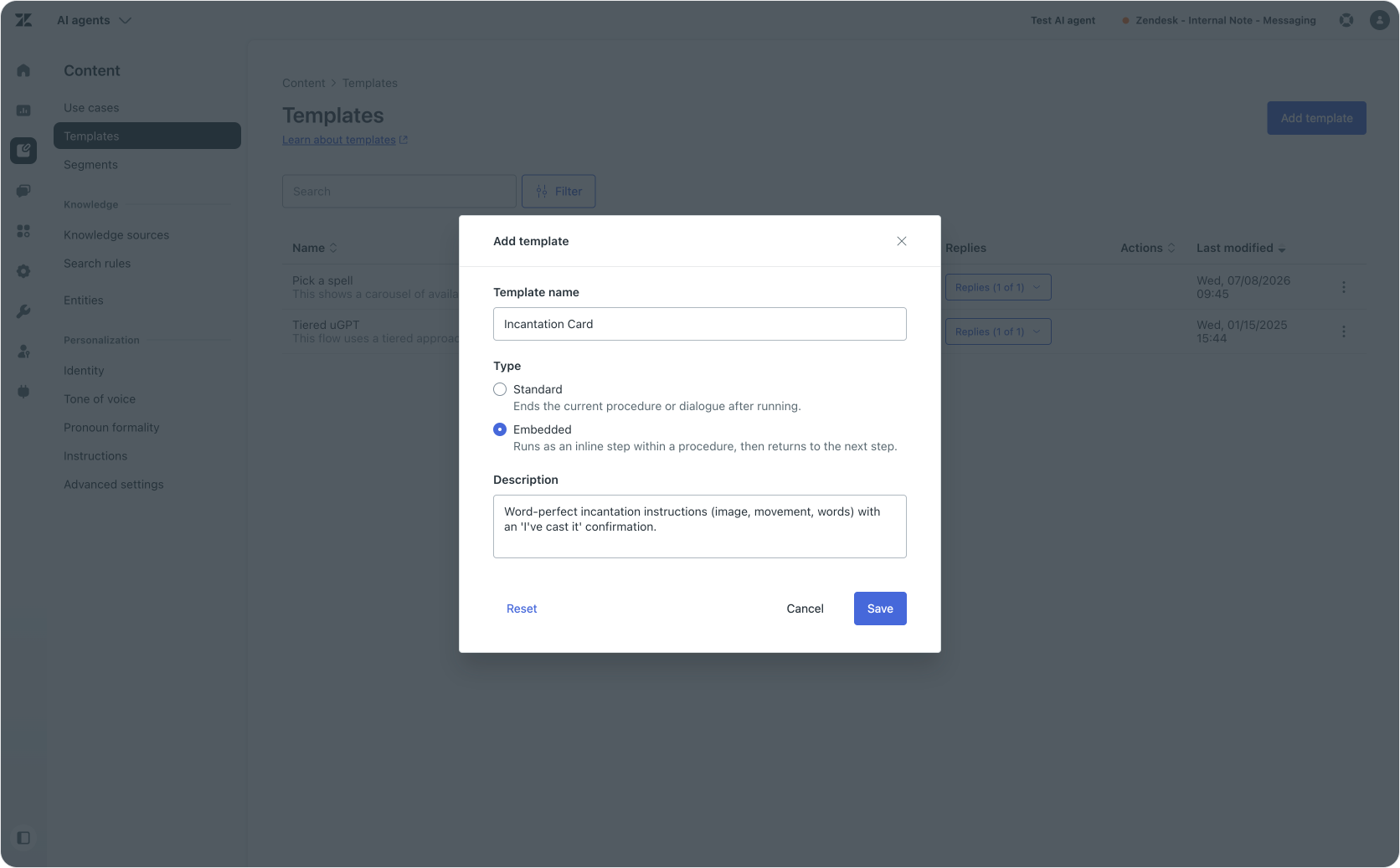
The second template shows the incantation steps. Here too we create an embedded template with a logical name and description.
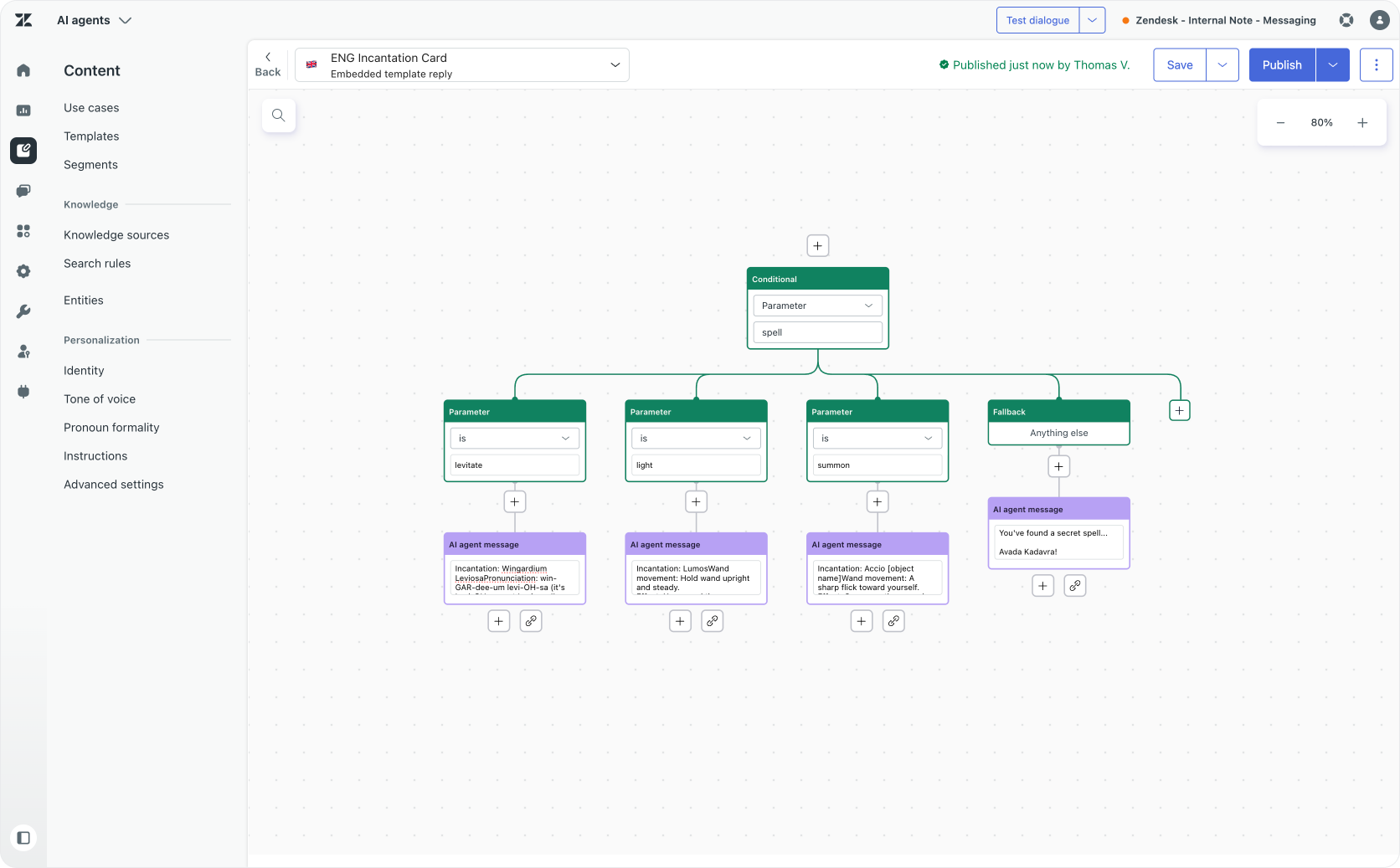
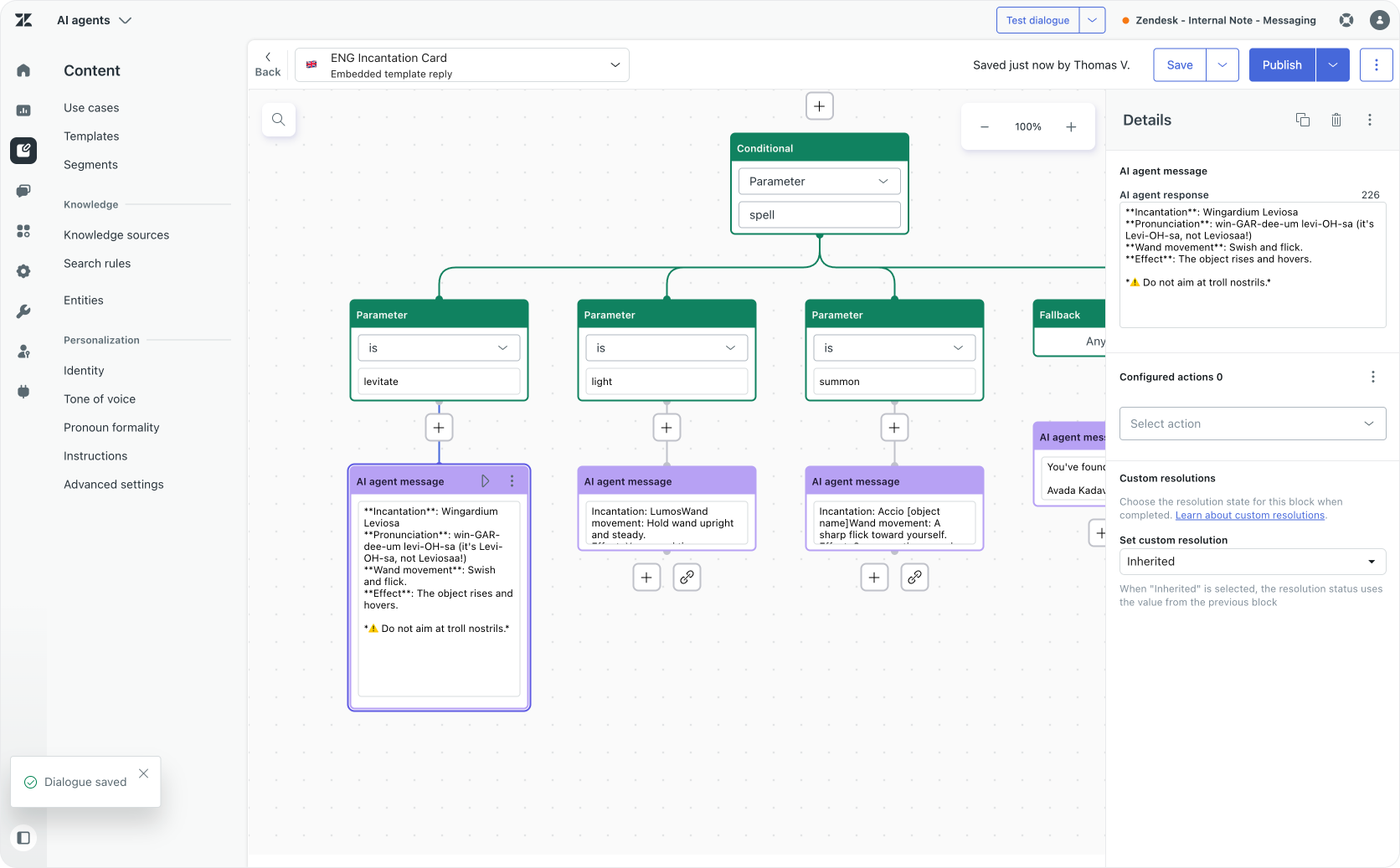
This flow starts with a conditional step that reacts to the spell parameter. For each option we then use an AI Agent message to react with exact steps to perform the spell.
We can use rich text formatting in our message so that the returned message reads better and looks nicer than just plain text.
Agentic Procedure
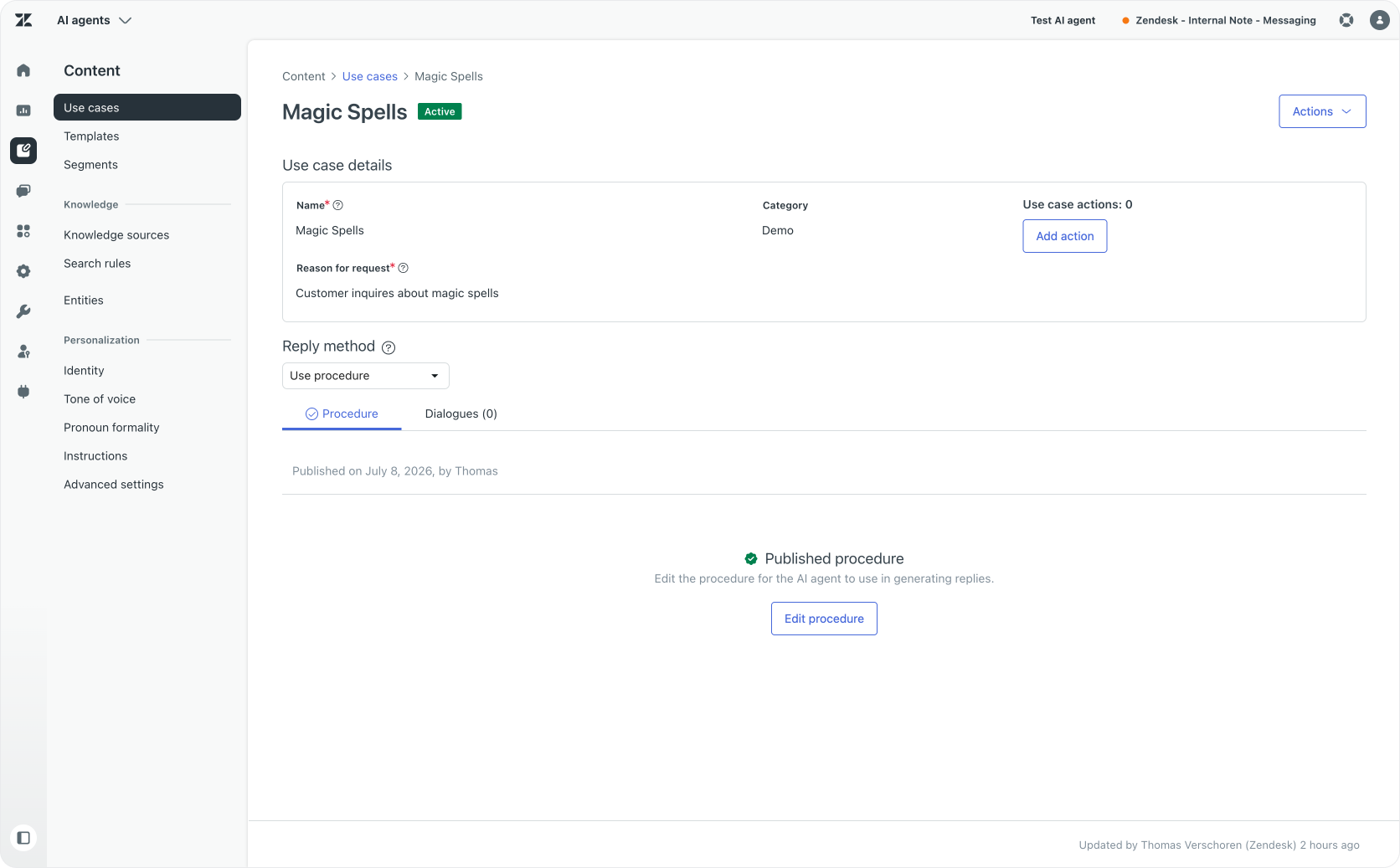
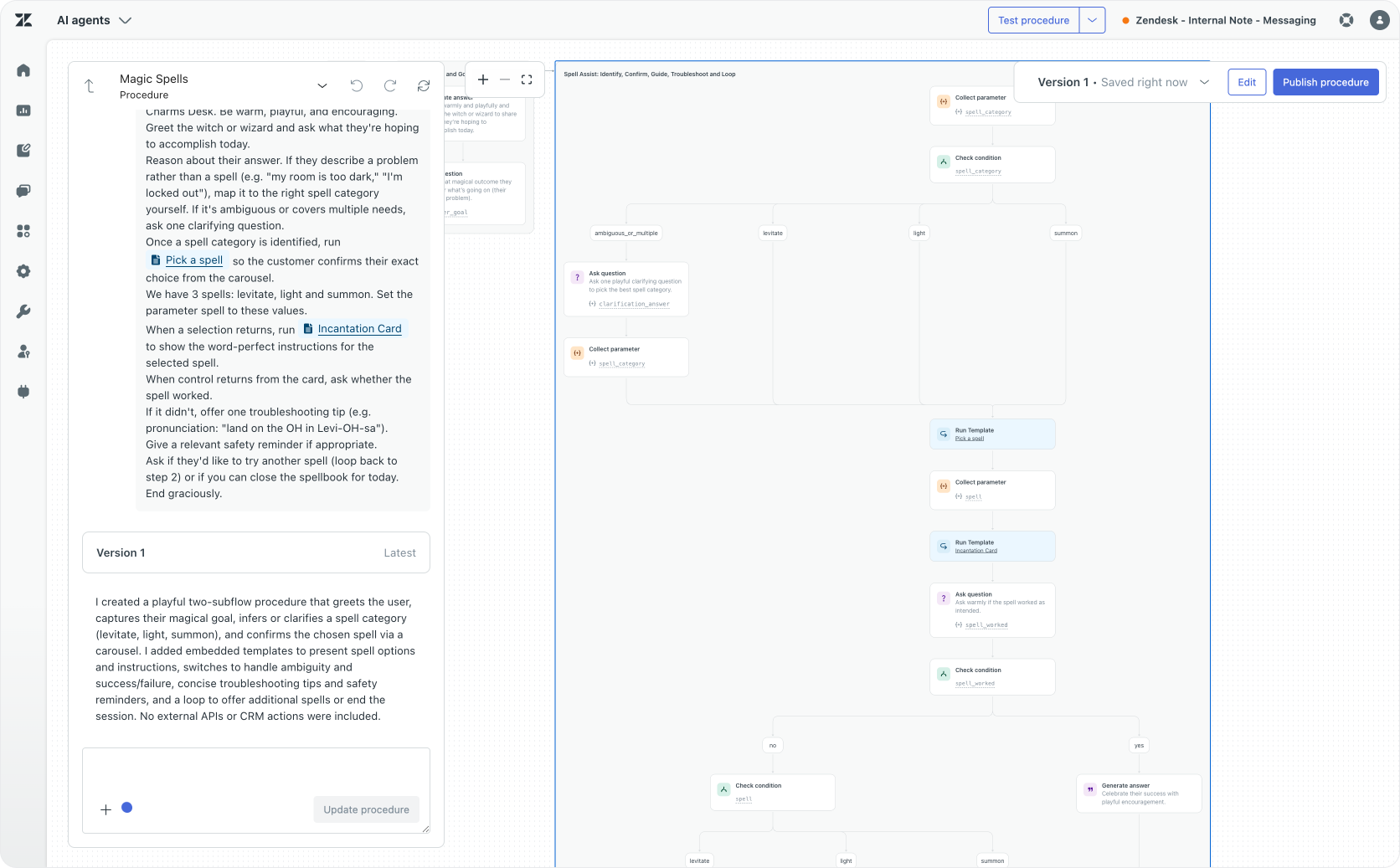
Now that we've got our two embedded templates, we can use them in an Agentic Procedure. To start, we need to create a Use Case that handles the "Student asks about magic spells" questions.
Within the use case we can add a procedure. This procedure will contain the logic that drives the entire conversation.
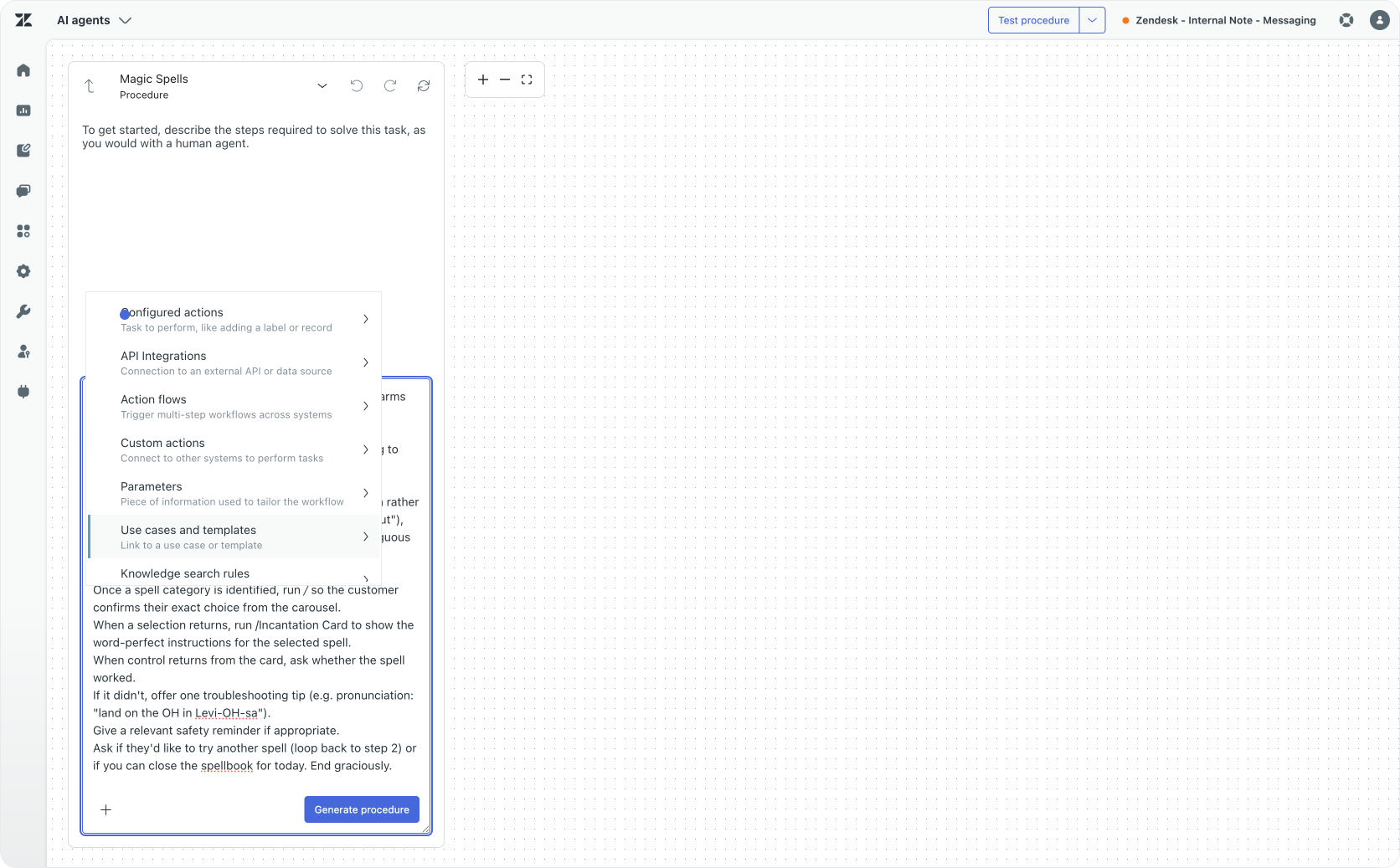
Procedure
Greet the witch or wizard and ask what they're hoping to accomplish today.
Reason about their answer. If they describe a problem rather than a spell (e.g. "my room is too dark," "I'm locked out"), map it to the right spell category yourself. If it's ambiguous or covers multiple needs, ask one clarifying question.
Available spells are levitate (let things fly), light (remove darkness and turn on light) and summon (make things move).
If you can't identify the spell, run Pick a spell so the customer can choose their exact choice from the carousel.
When a selection returns, store it as a spell parameter run Incantation Card to show the word-perfect instructions for the selected spell.
When control returns from the card, ask whether the spell worked.
If it didn't, offer one troubleshooting tip.
Ask if they'd like to try another spell (loop back to step 2) or if you can close the spellbook for today (which would resolve the conversation)
Within the procedure we need to add to Actions by either clicking the + button or typing / while writing the procedure. Navigate to Use cases and Templates and select either of the two embedded templates we built earlier.
End User Experience
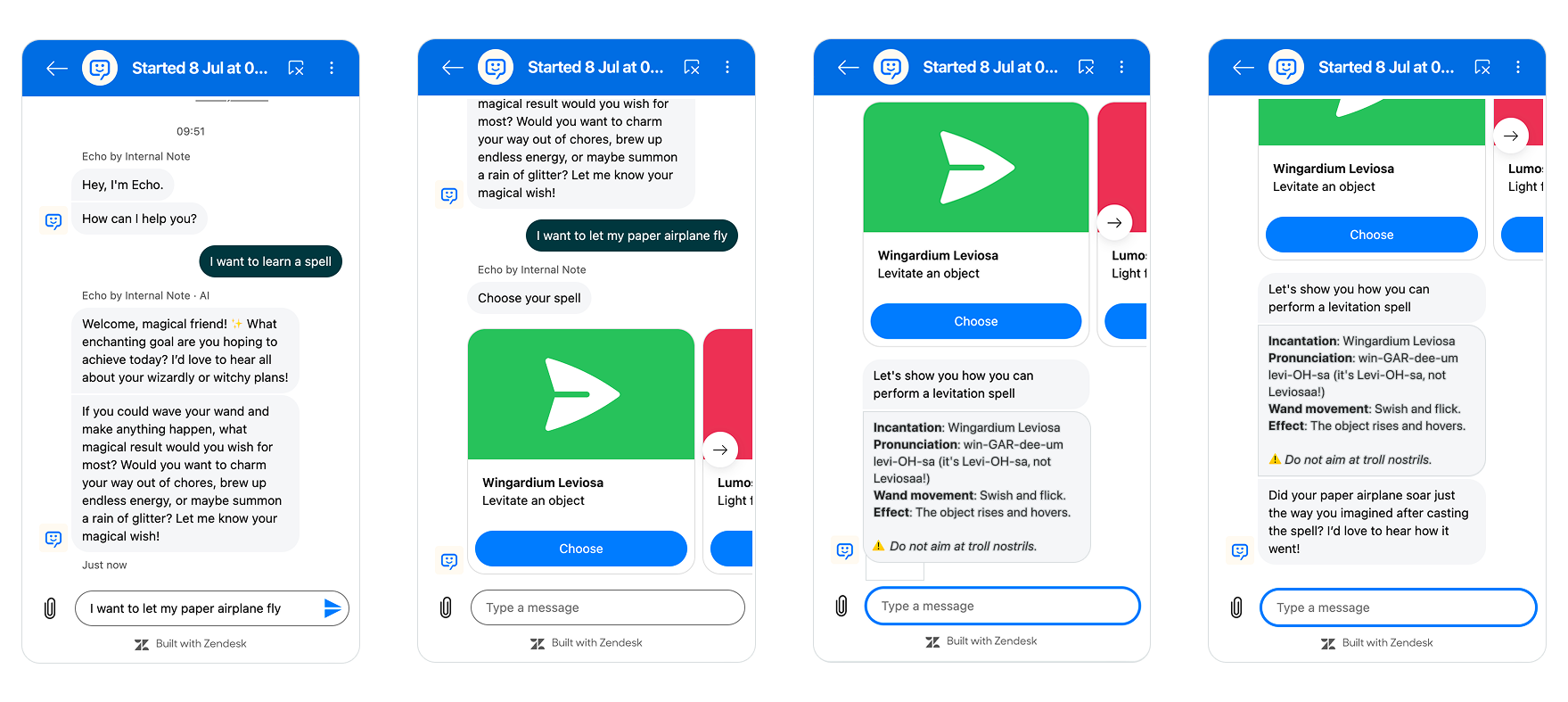
Now that we've got our template in place, we can run our logic:
A student asks about "letting their paper plane fly". The AI Agent shows a carousel with available spells (or selects the Levitate spell if it can match the question). We then hand off to our other template that shows the exact instructions in rich text.
What's next?
The ability to combine agentic procedures and deterministic logic in a single use case unlocks a few powerful capabilities.
For one, there are the use cases where you want to have some responses to be exactly as written. Useful for scenarios where you need to pass legal information, or other terms and conditions.
Secondly, there are scenarios where you need features not (yet) available in procedures: carousels, buttons, rich text formatting or images embedded in responses. Here you can write the entire agentic procedure, and fall back to an embedded template for just these features.
And thirdly there's an opportunity. You might have already built powerful and complex dialogue flows for your AI Agent. With this new embedded mode, you can copy over your dialogue flow into a template, and call it from a procedure.
You can then gradually migrate over logic from that dialogue flow towards a real agentic procedure. Context gathering for example is way more powerful and easy within a procedure. Or you can replace a complex API flow with a procedure, but keep the rest in your dialogue flow. This way you can gradually replace old dialogue flows with more modern agentic AI Agent procedures.
Regardless of the adoption path you choose, it's clear that for both AI Agents and the Action Platform the future is neither fully agentic nor deterministic. A hybrid approach where we combine both approaches where each applies best seems to be where the platform is heading.