
Introducing Lisbon. A Conversational Experience for the Zendesk Help Center
Introducing Lisbon. A Conversational Experience for the Zendesk Help Center

On this page
Let's rewind the clock a decade or two. Customer Care at that moment was fairly simple. Customers reached out over email, and an agent replied back to them with an answer. This meant that your customer support workload was equal to the amount of incoming emails.
Deflection, or self-service was the strategy applied by most companies to reduce that inflow of emails. The Help Center was created as a centralised place to find answers to most common questions. And web forms enabled to turn those incoming questions in a more structured format, capturing context before the question reached an agent.
Both solutions were a sign of their times. The Help Center mirrored the search paradigm popularised by Google. You search, and the result was a list of relevant links. Each link then opened an article that, hopefully contained an answer to the customer's question.
Forms were basically a more structured entry point on top of the email channel. It offered companies a way to ask for the information they needed, preventing those first back-and-forth emails to get the context. Which hopefully meant they could reach that magical goal of a one touch ticket, answered with a single reply.
This setup of a Help Center, search and web forms was the standard for up to around 2020, and the main focus of Zendesk's Self Service strategy at the time.
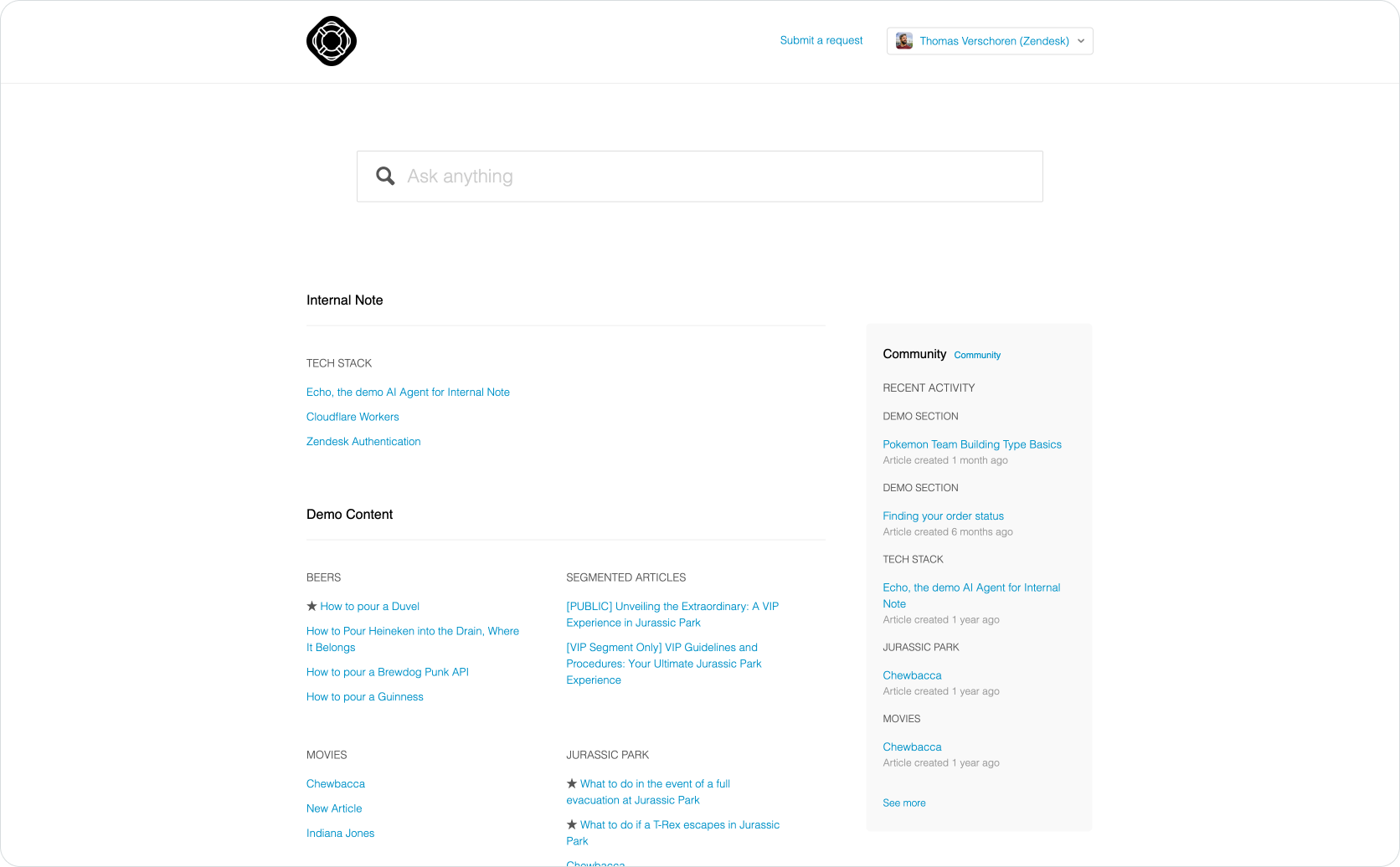
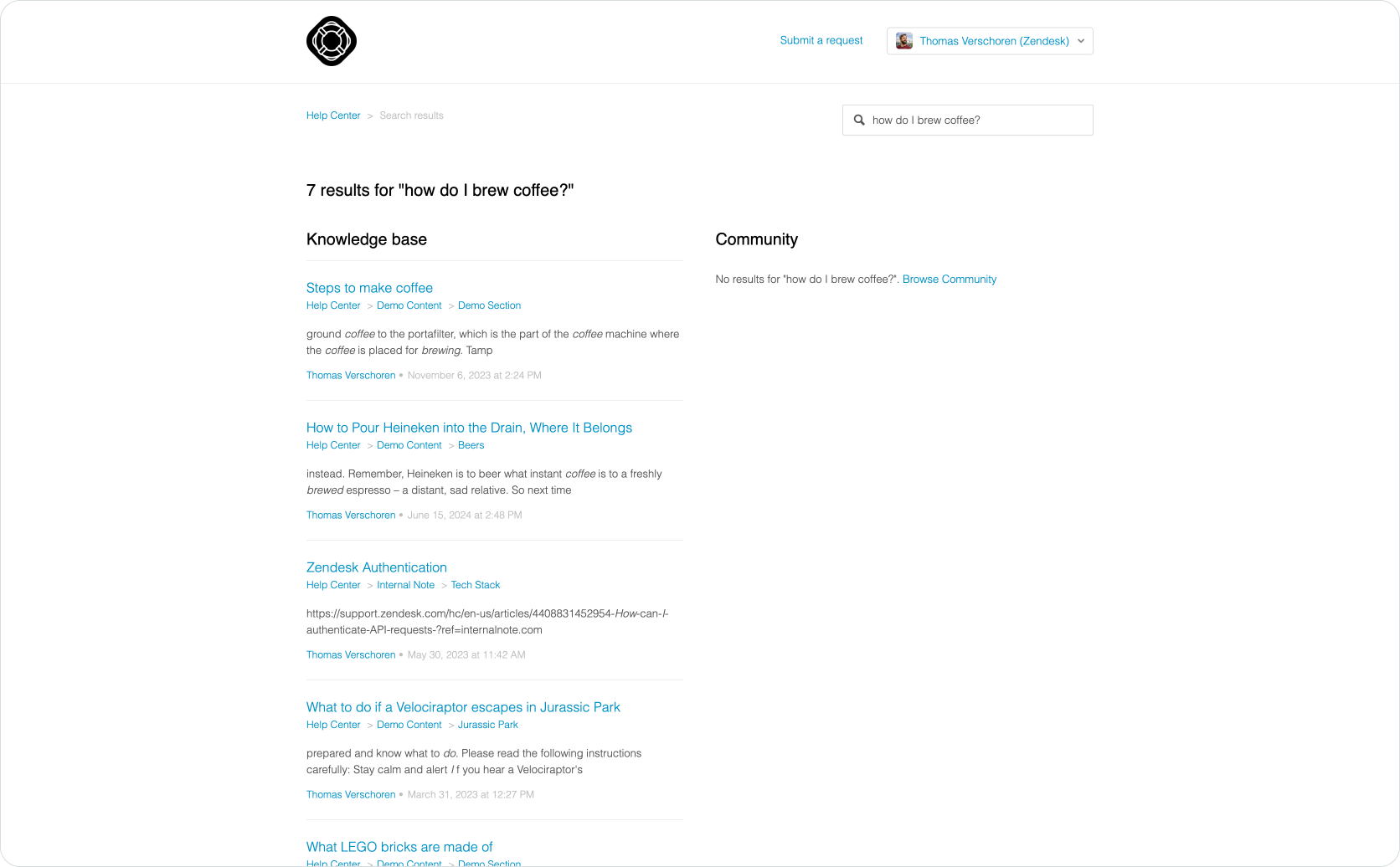
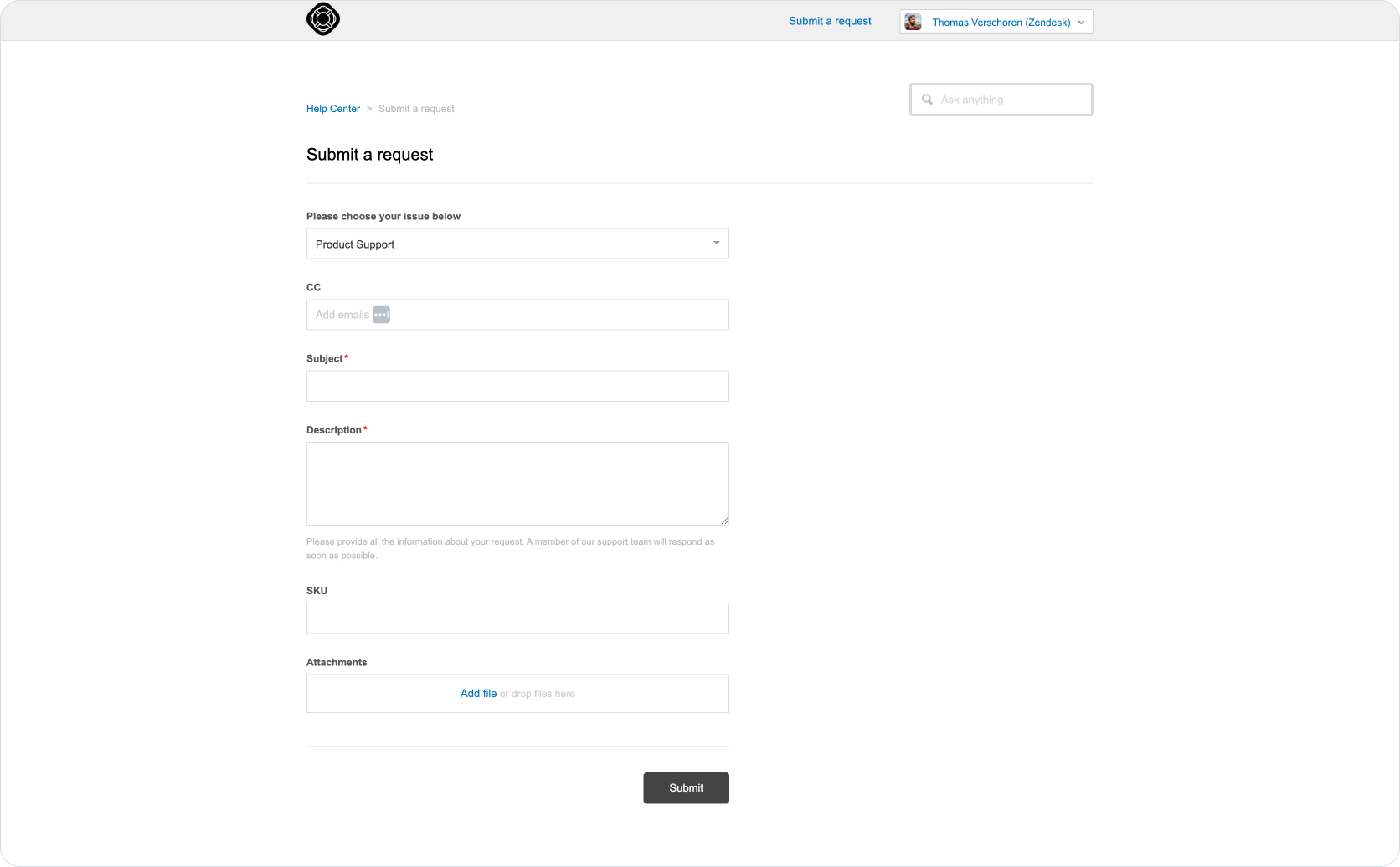
The support experience in most companies up to 2020
And while this strategy was successful, there are two big shifts that happened in the last few years that made this classic approach less impactful than it used to be.
Rethinking the Help Center Experience.
If we look at how support is evolving we see three big trends.
For one, customers are getting used to conversations instead of email. They chat with AI tools, and messaging channels are quickly becoming more popular than classic email.
Secondly, customers are getting used to specific and personalised answers generated for them, instead of a general answer that applies to everyone, hidden somewhere in support articles.
And thirdly, when machines take over from humans, knowing who and what to trust becomes even more important.
Shift 1: Conversations instead of tickets.
Around the 2010s social channels were at the top of their game. Plenty of companies started leveraging Facebook Messenger, WhatsApp, WeChat as potential support channels, building on top of the success they saw with offering live chat on their website.
These kinds of conversational support channels offered benefits that email couldn't offer. Since the conversation was live, customers could get help here and now. Getting context, working around misunderstandings and guiding the customer towards a resolution became easier than ever.
However, these channels had a downside. If customers went to Facebook Messenger for support, they did not go to the Help Center or Google. So in order to keep that deflection rate up and offer proper self-service, chatbots and AI Agents were needed. They took the same knowledge the Help Center offered, but turned it into generative replies.
This meant that the central role of the Help Center as the hub were support happened, diminished. The content of that Help Center however was more important than ever, and allows for automated support at scale.
Shift 2: Personalised, instead of generic support
The second shift happened thanks to those AI capabilities. Instead of offering customers generic answers in the form of long articles to read, AI offers them personalised answers specifically generated for their question and context.
And as customers became familiar with this new experience across Google search, ChatGPT, the experience of the Help Center with its list of links all of the sudden felt very old. Why would a customer read the entire contents of an article, if an AI Agent or LLM-based search offered the answer quicker?
That's where Zendesk's Quick Answer offered a solution. When a customer searches your Help Center they no longer see just the list of articles, but get a generated answer specific for their question instead, followed by the familiar list of articles.
On top of that, if they need further clarification, that answer and their next question can get passed to an AI Agent who takes over and handles the question.
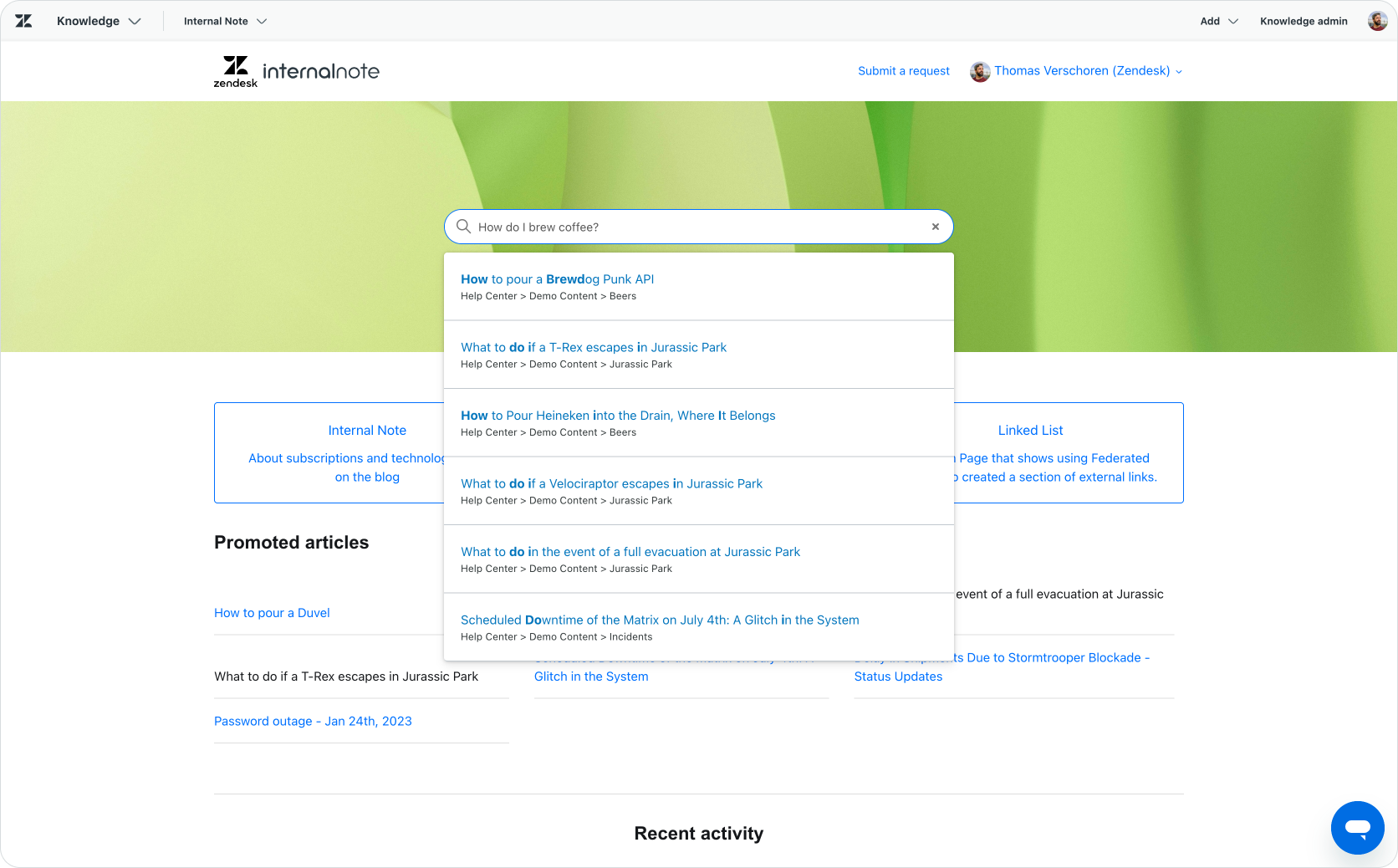
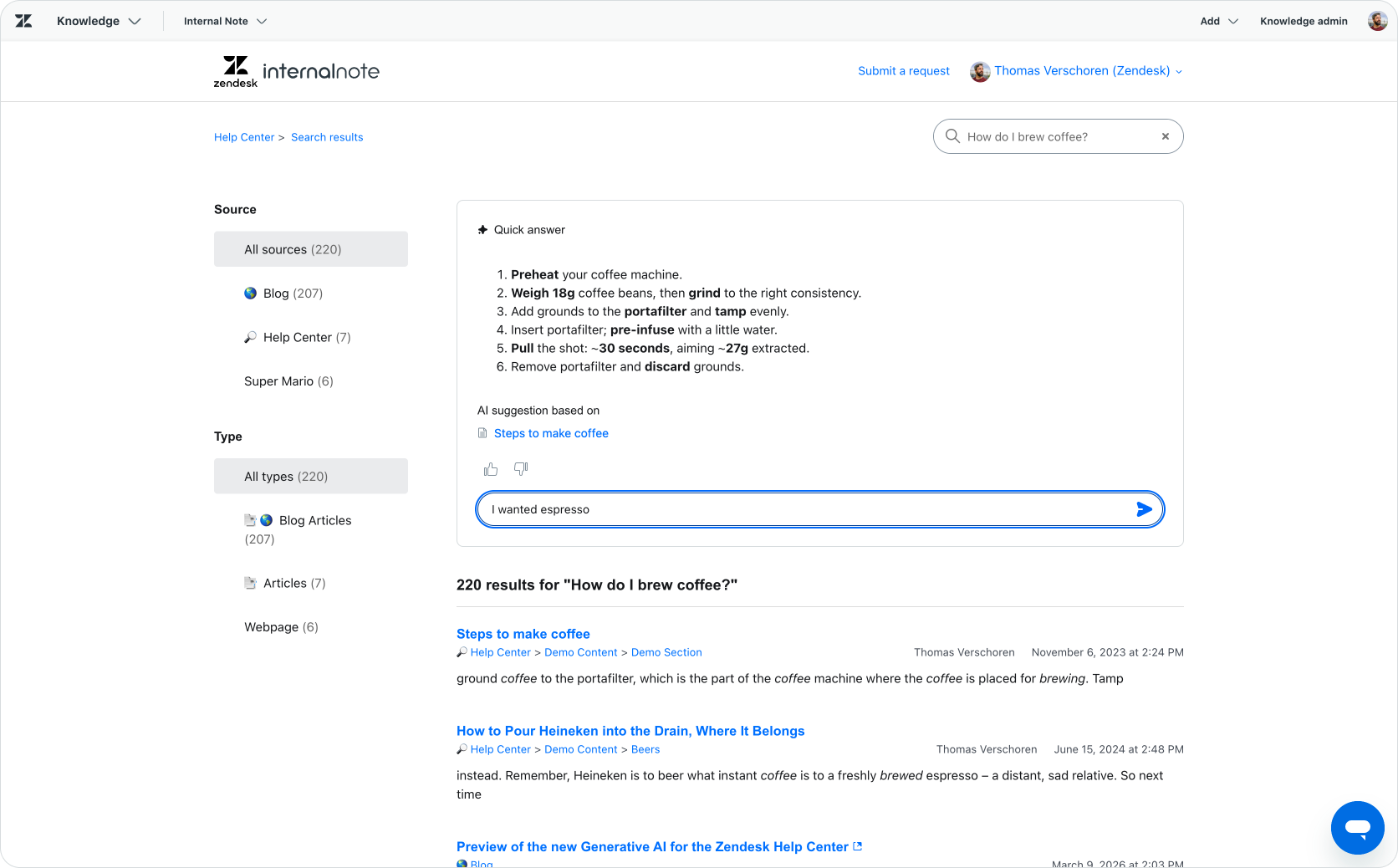
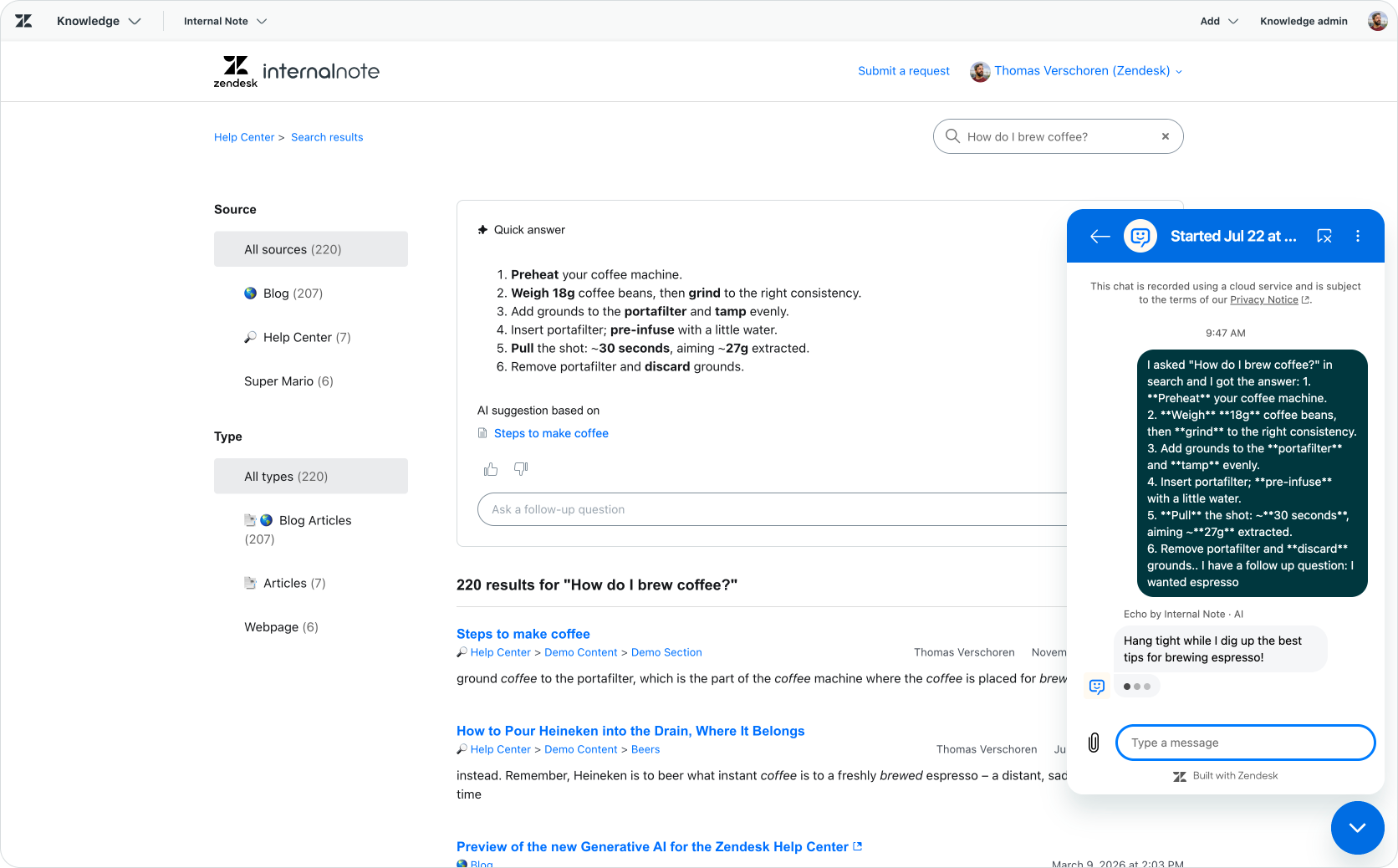
A modern Zendesk Help Center powered by AI
And while this experience turns a classic Help Center into an AI-powered experience, it still has some friction. For example, once the customer needs more help, the entire conversation is pushed into a tiny web widget window, ignoring the rest of the space the website offers.
Secondly, their previous support interactions are all hidden in that widget, which makes them tricky to discover.
Shift 3: Trust
And thirdly, in a world of AI and hallucinations, trust is important. If you want to be sure the answer you get is correct, getting it from the actual company you need an answer from is the best way. So while a generated answer on Google Search is nice, a generated answer on your company's support page is still more trustworthy for your customer.
Lisbon
Combining these three trends of conversations, generative answers and trust, and we get a whole new support experience that's not based on tickets, articles and forms, but rather on generative answers provided by AI Agents within conversations.
Over the last year, Zendesk has been thinking about those exact same lines. And this month we got the outcome of that process: Lisbon.
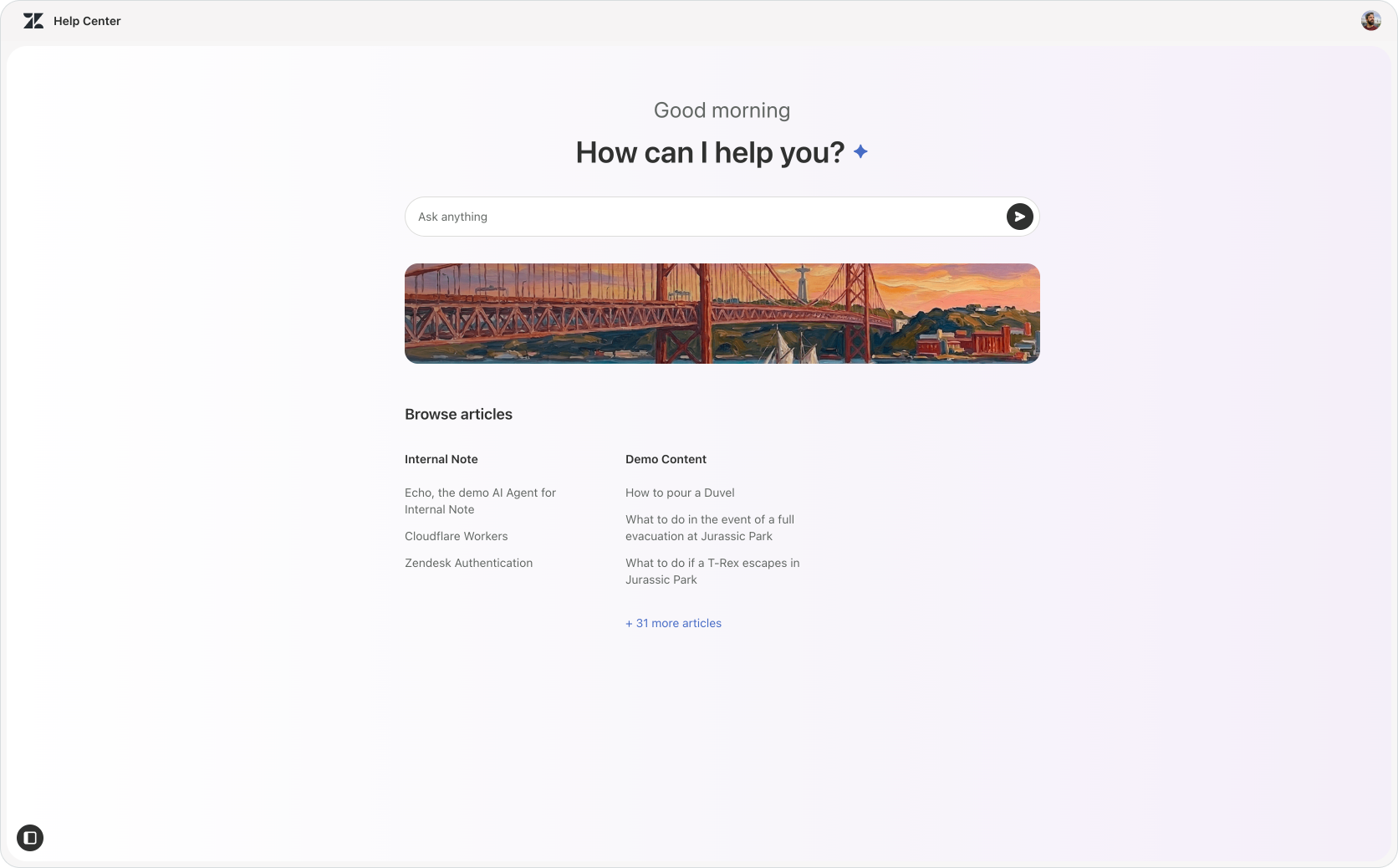
Lisbon is a completely rethought experience for the Zendesk Help Center based on those exact criteria. It's a Zendesk Help Center that focused on conversational experience first, where AI agents provide answers for customers right within your Help Center. It's currently in EAP, freely available for every customer to test.


So what's new in Lisbon? Let's dive in.
Search Experience
The first change lies in the way Search is handled. It no longer shows you the classic list of articles and Quick Answer on top. Instead the entire UI is replaced with a conversational experience similar to what you'd get when using ChatGPT or Claude.
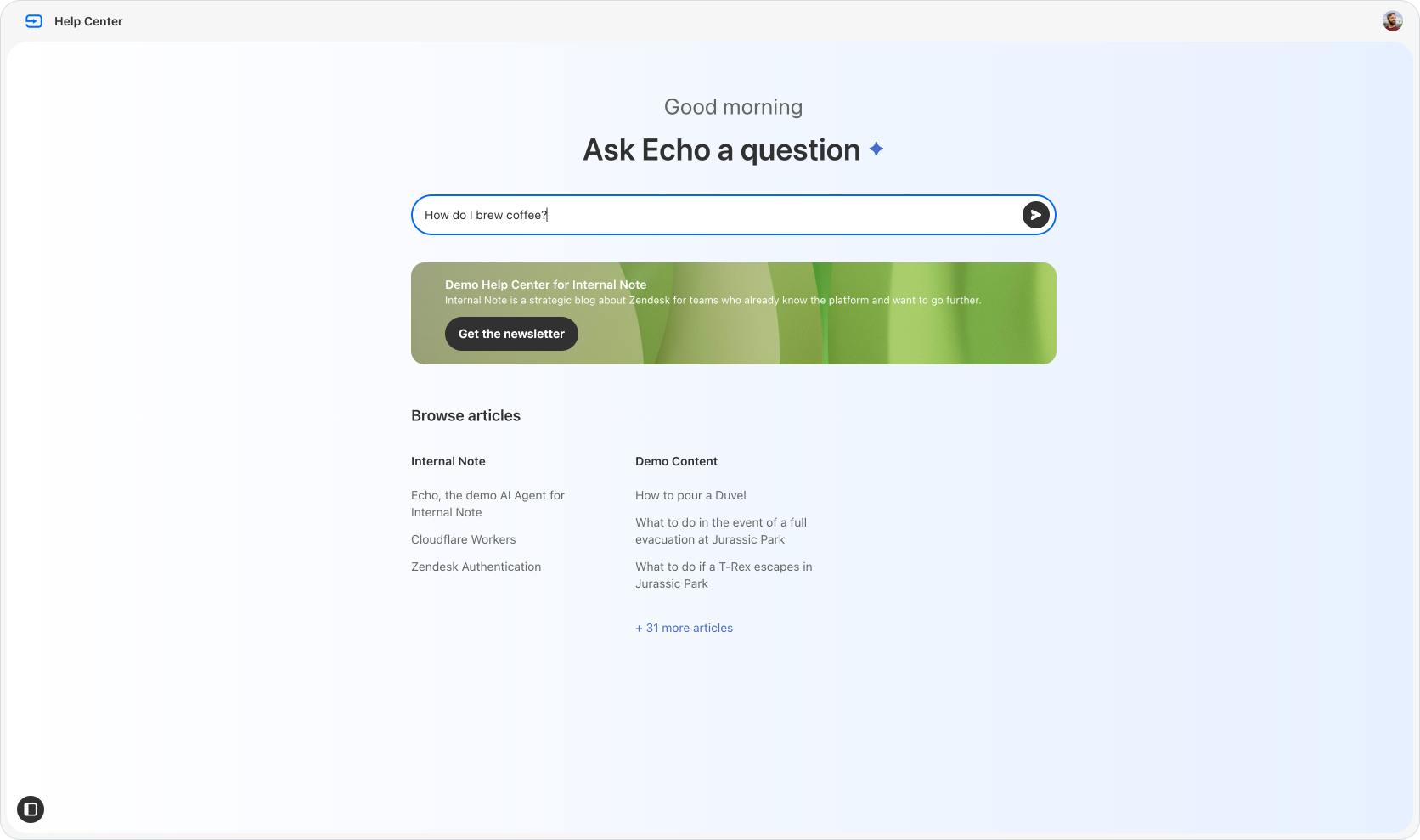
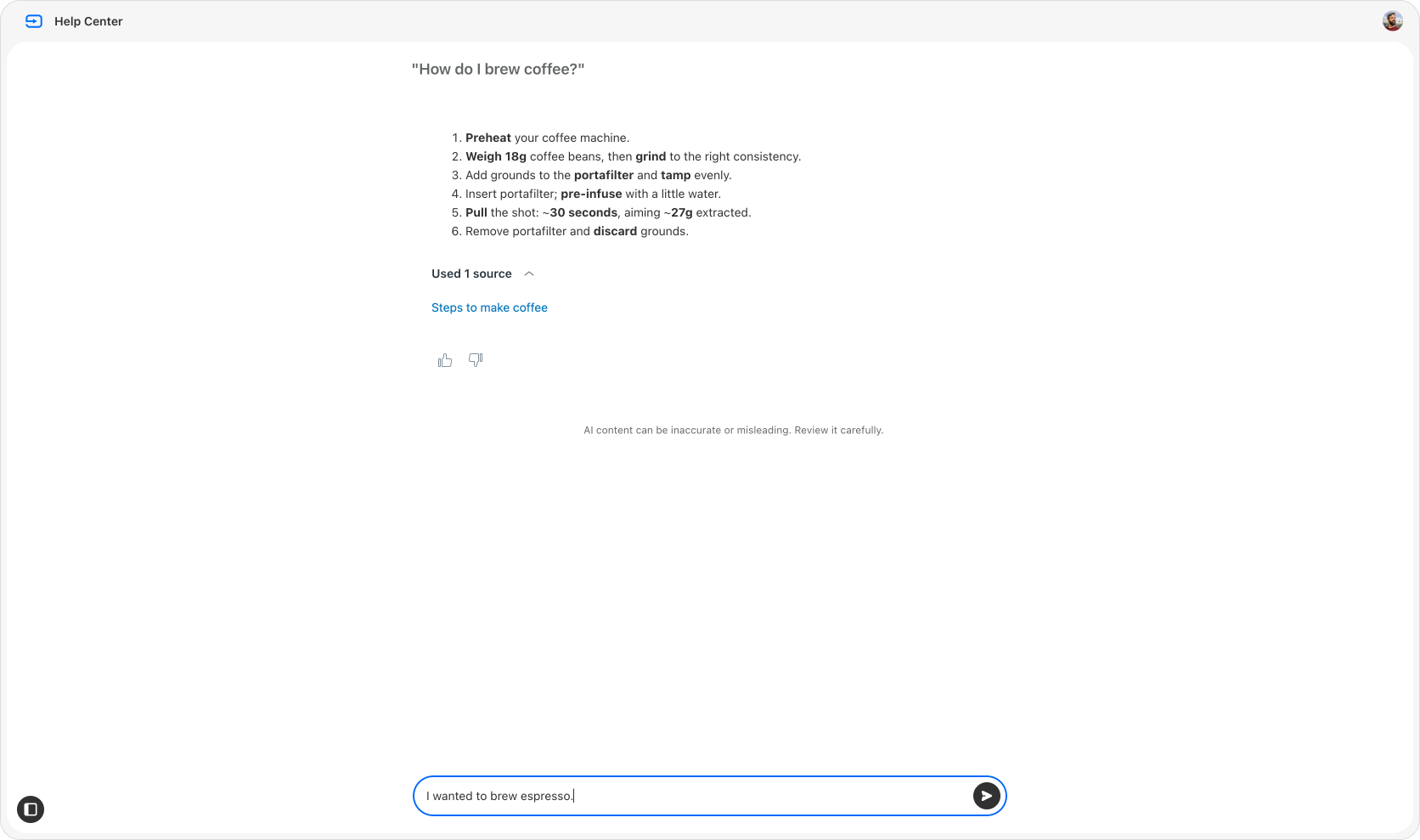
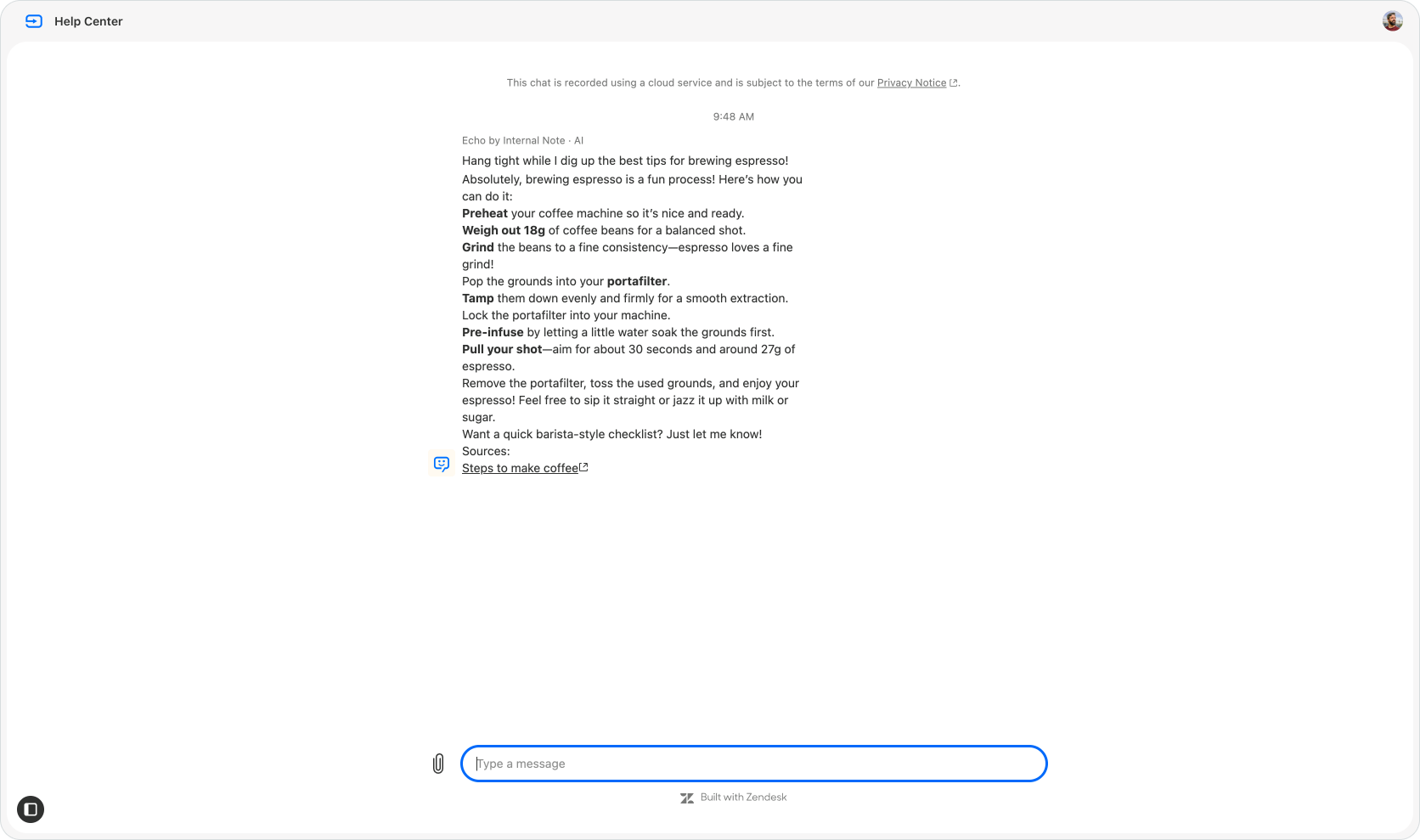
The first answer is provided by Zendesk's generative search feature. If the customer asks a follow up question the entire conversation is passed to your AI Agent. It will then take that input, together with the already provided first answer, and take over the conversation up to resolution.
This AI Agent can leverage its knowledge sources, use cases with procedures and if needed escalate in order to resolve the conversation.

What's important to note is that these are Messaging conversations, and behave exactly as they used to. Guest users are created as new users in Zendesk, and logged in users get their conversations assigned to their history.
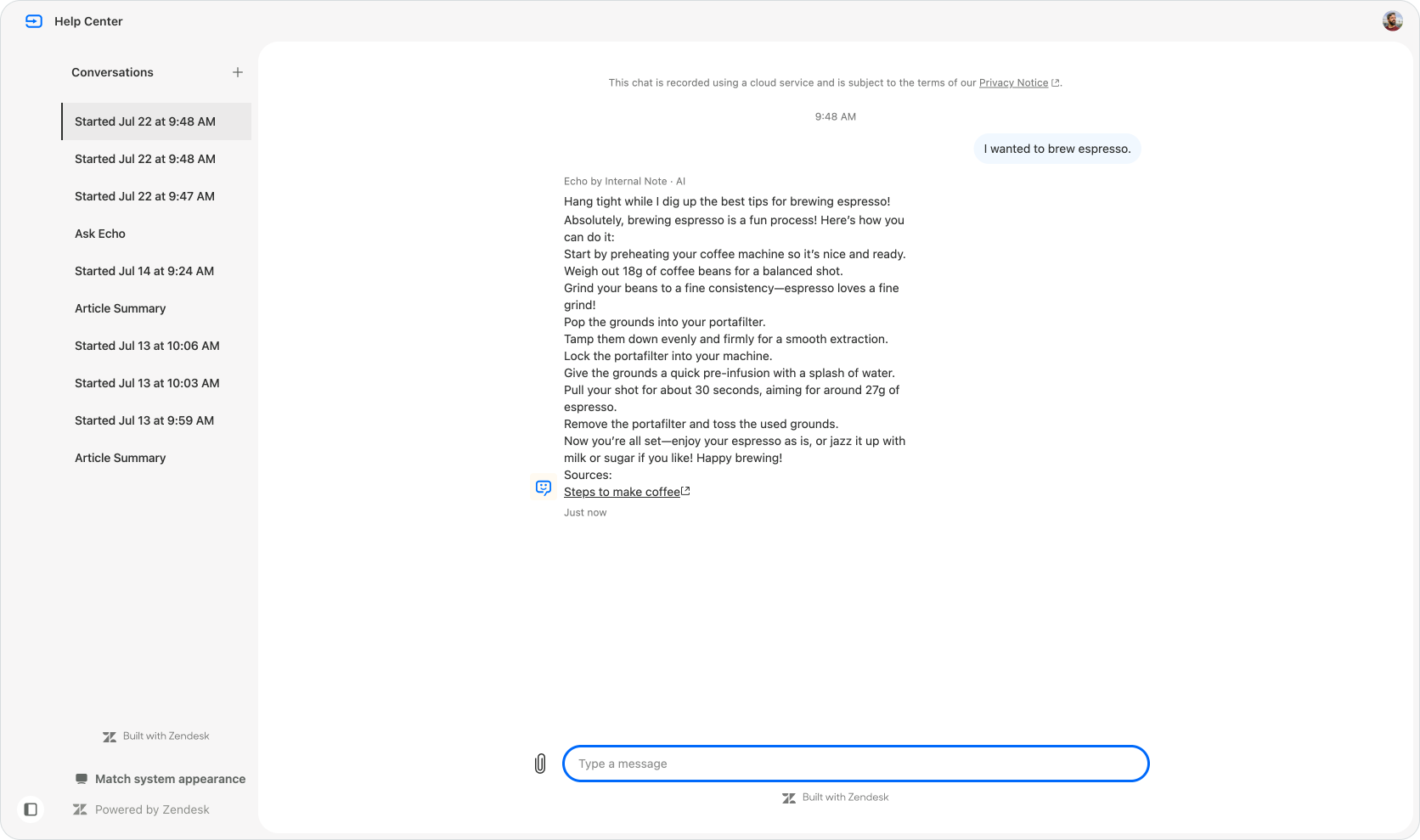
That history is reachable via the new sidebar, showing the list of conversations just like the web widget would.
And speaking of the web widget, that widget is nowhere to be seen on the new Lisbon theme. What's actually happening is that this entire experience is powered by the widget in the new embedded mode!
 Thomas Verschoren
So all these releases of the last few months, Generative Search, the more powerful web widget customisations, the automatic sign-in of Help Center users into the web widget all combine into a brand new support experience on the Help Center.
Theming and branding
The new Lisbon theme offers a list of customisation options that will allow it to nicely fit into your branding.
You can add your logo, set the background gradient to match your brands' colors, and add an banner image below the search bar.
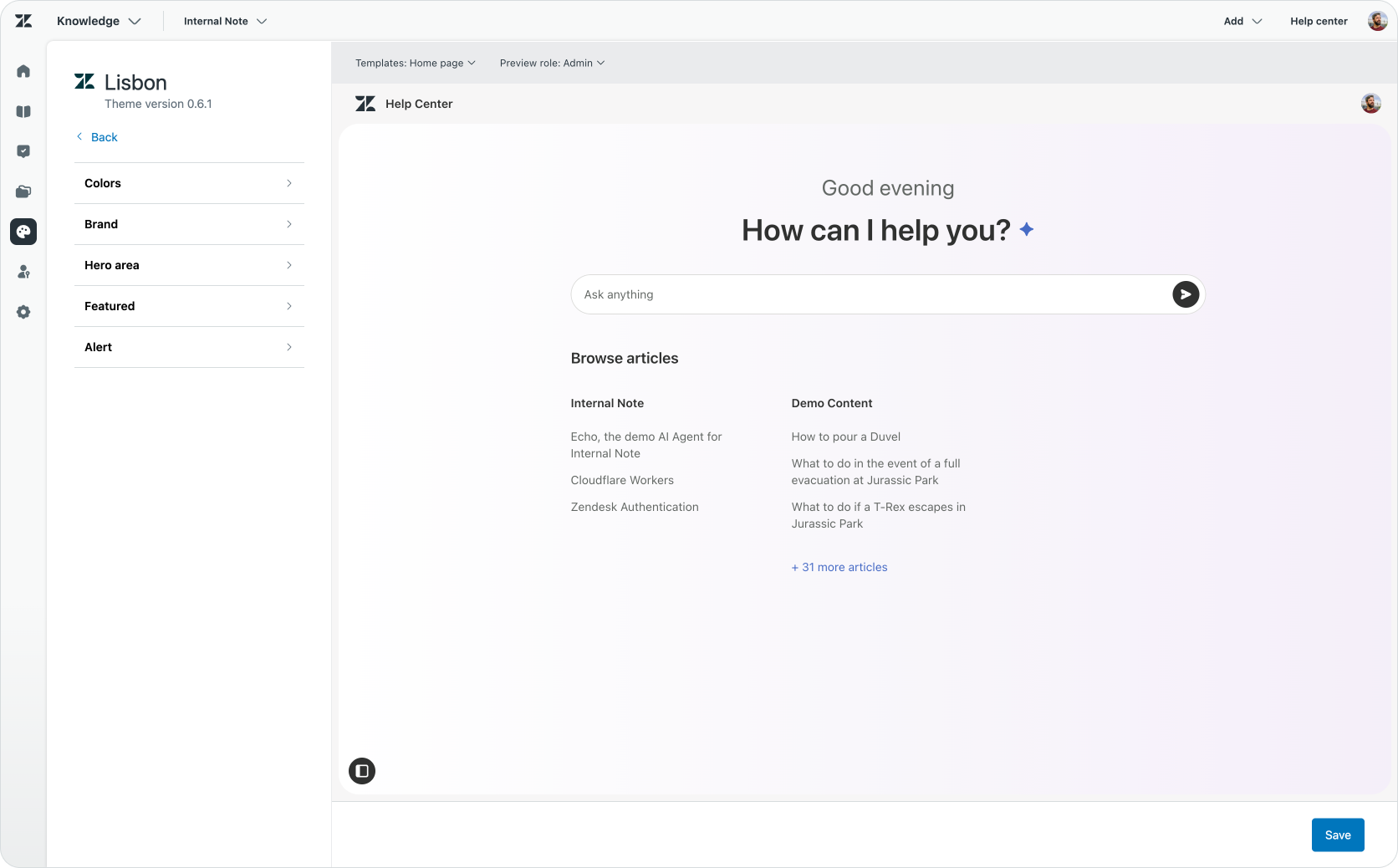
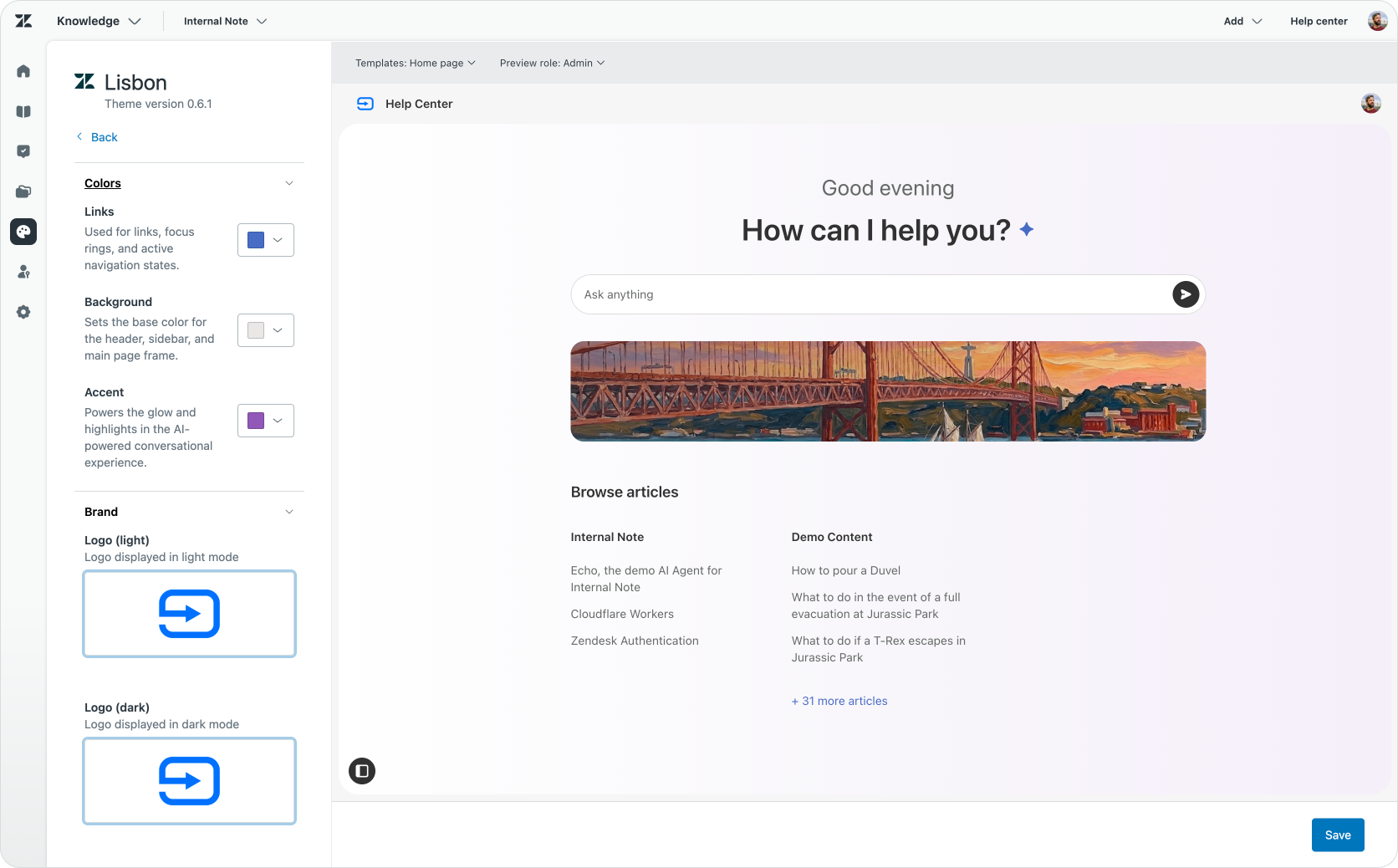
Additionally you can change the placeholder text for search and enable/disable the new dynamic welcome message, which moves from good morning to good evening and good night!
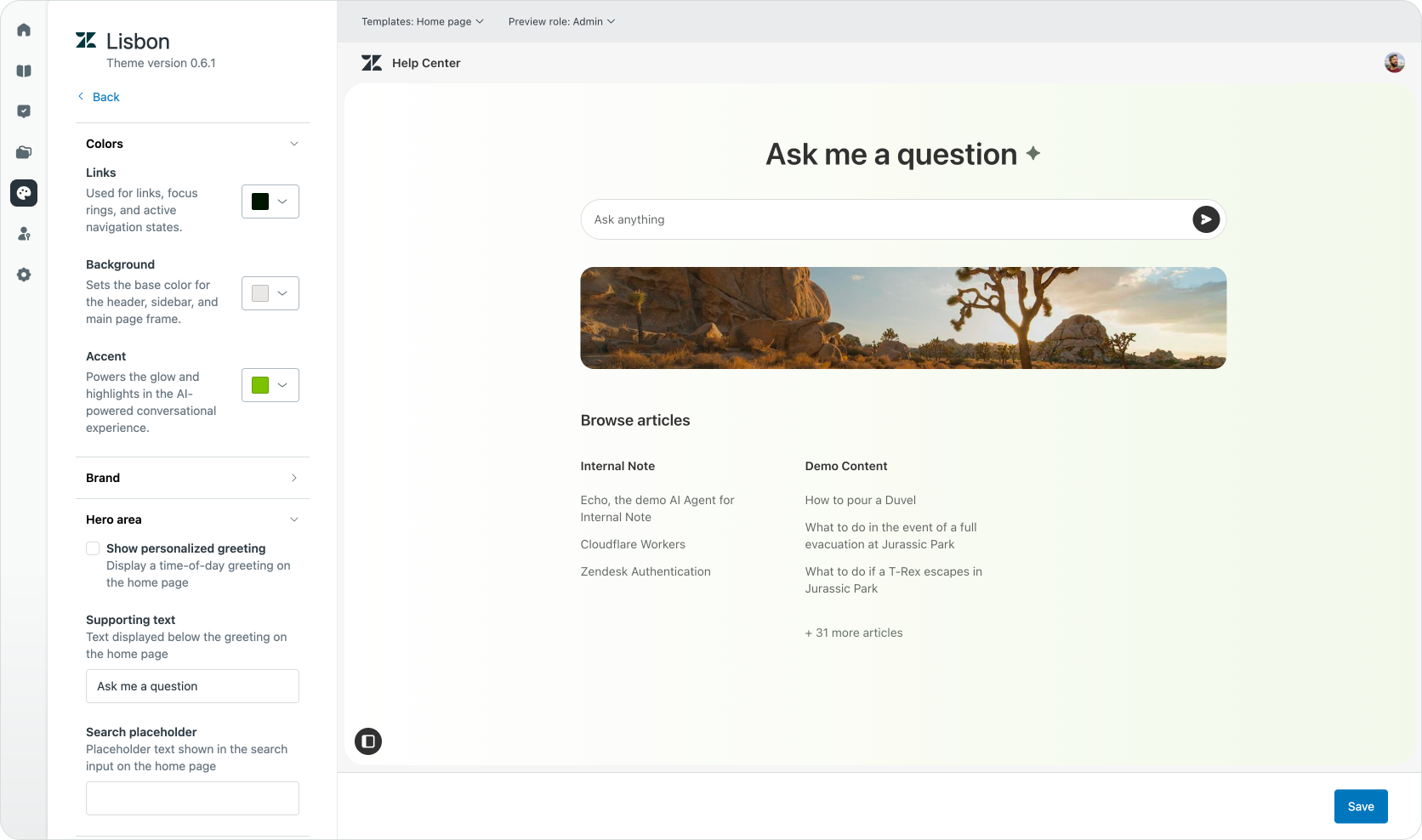
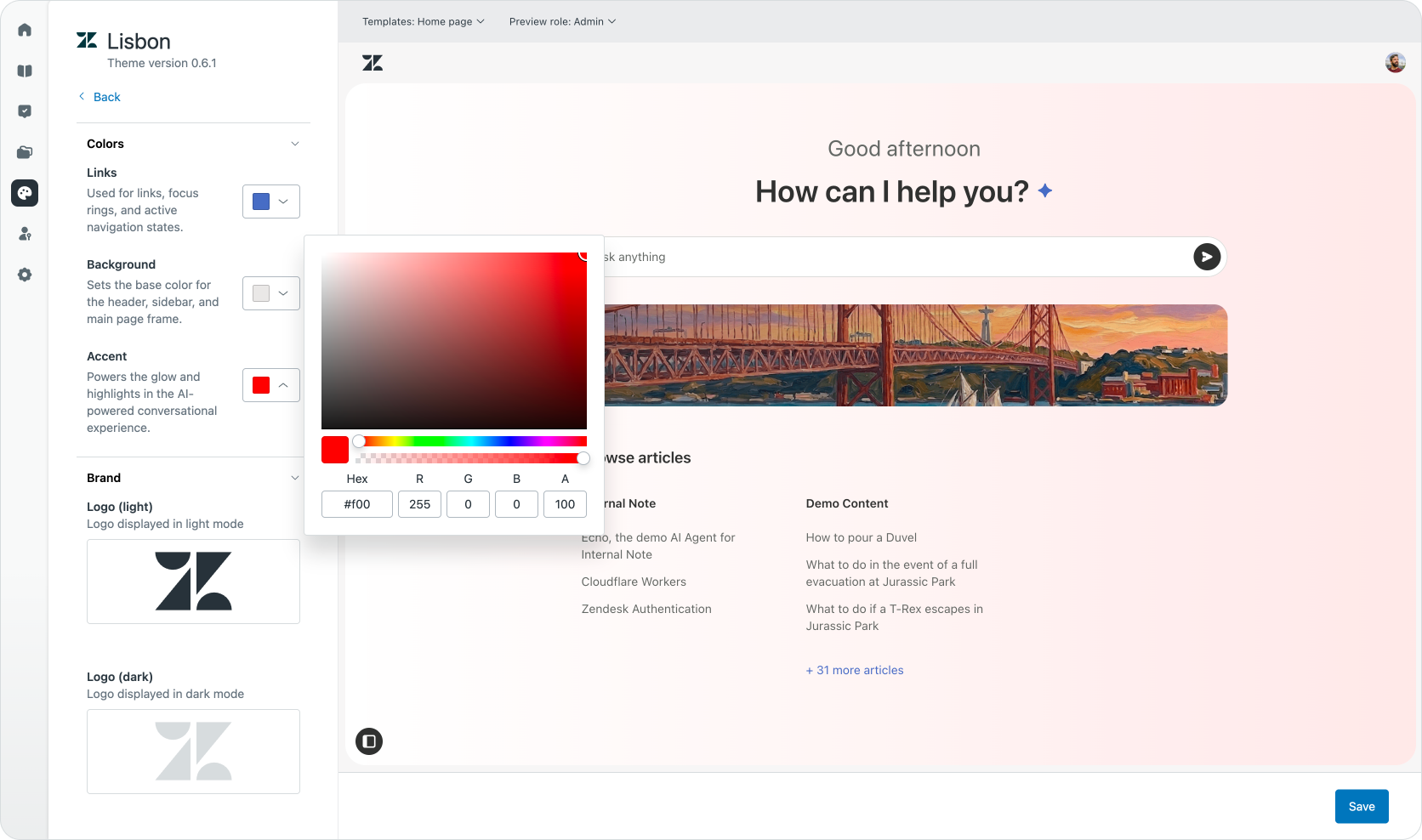
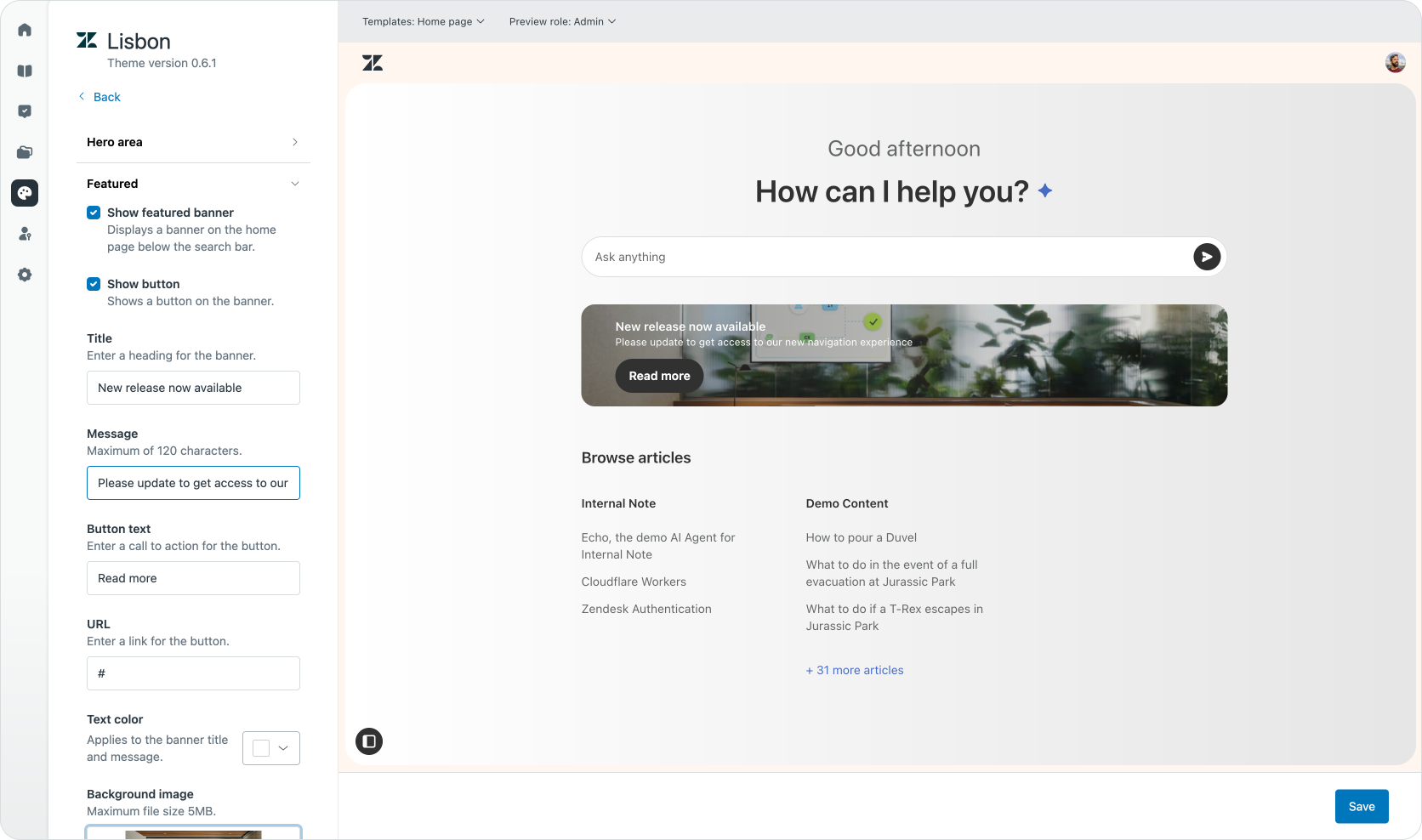
There's also a new Featured banner which allows you to add text and an action button to your banner image.
Alert banner
At the top of the Help Center you can add a Alert banner. This is a customisation feature that many customers build via custom coding in their themes, so it's nice to see this is now natively available. These banners are useful to alert customers of issues, or inform them about new capabilities, or announce scheduled downtime. And the more you inform customers proactively this way, the less support requests you'll get for those topics!
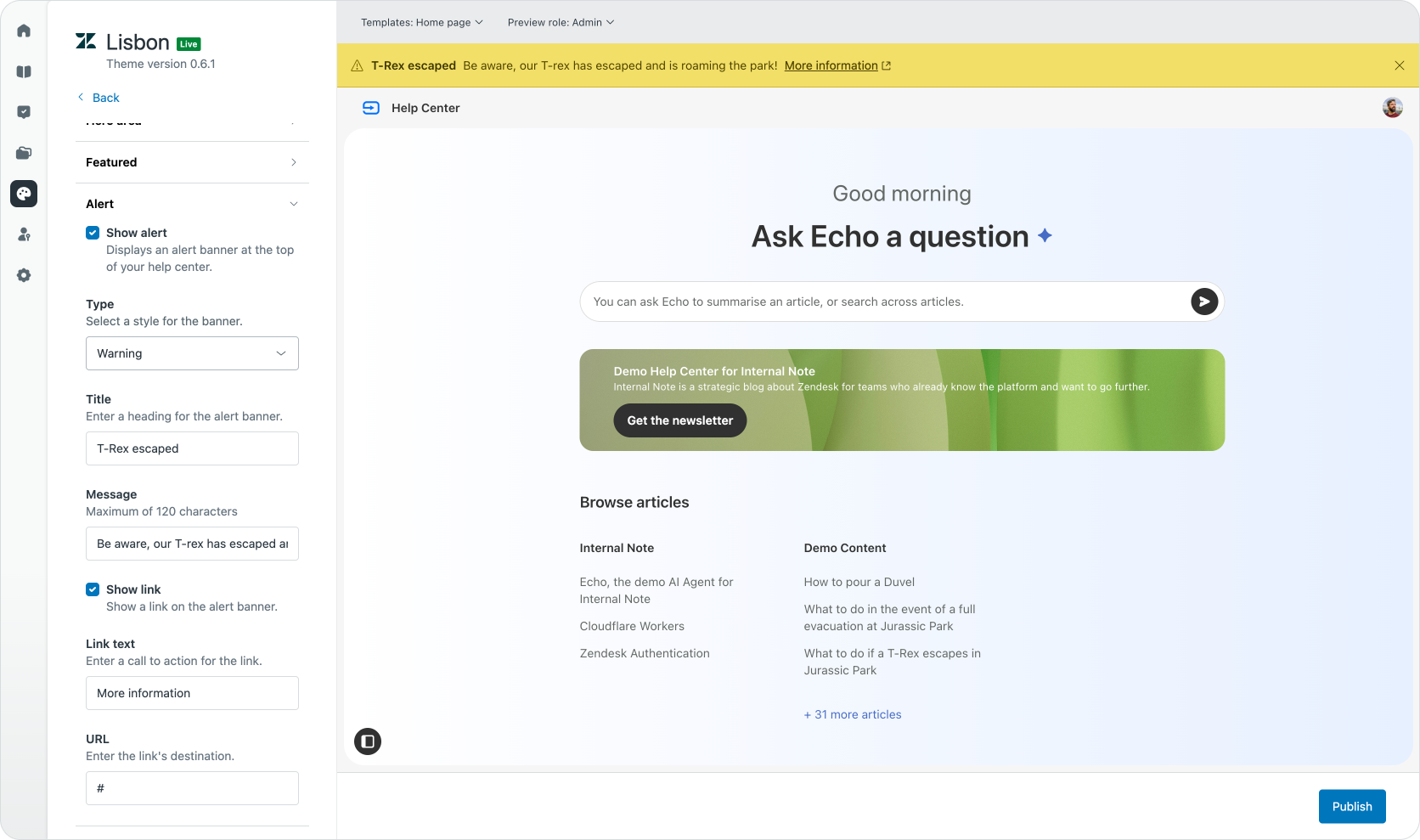
The banner can have a title, message, link, and can be set to one of four types: info, warning, error, and success.

Customers can dismiss the banner, but any time you add a new alert with different text, it'll reappear for all customers.
Dark Mode
The Help Center now offers support for Dark Mode right out of the box. Customers can choose to follow the system appearance, or pick light or dark mode as the default.
The theme will apply the brand color as a gradient on a dark background, and will dim or invert other colors smartly.
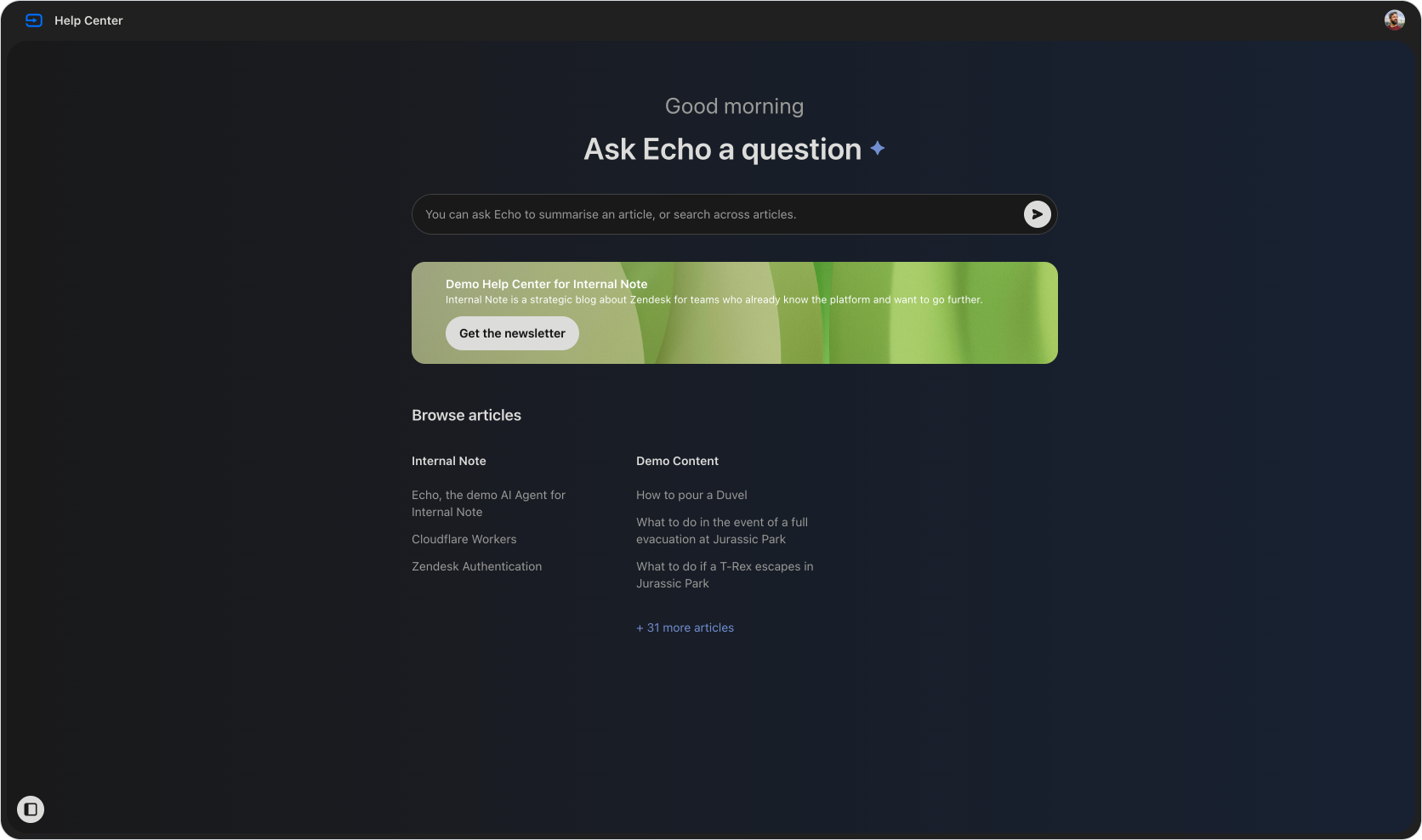
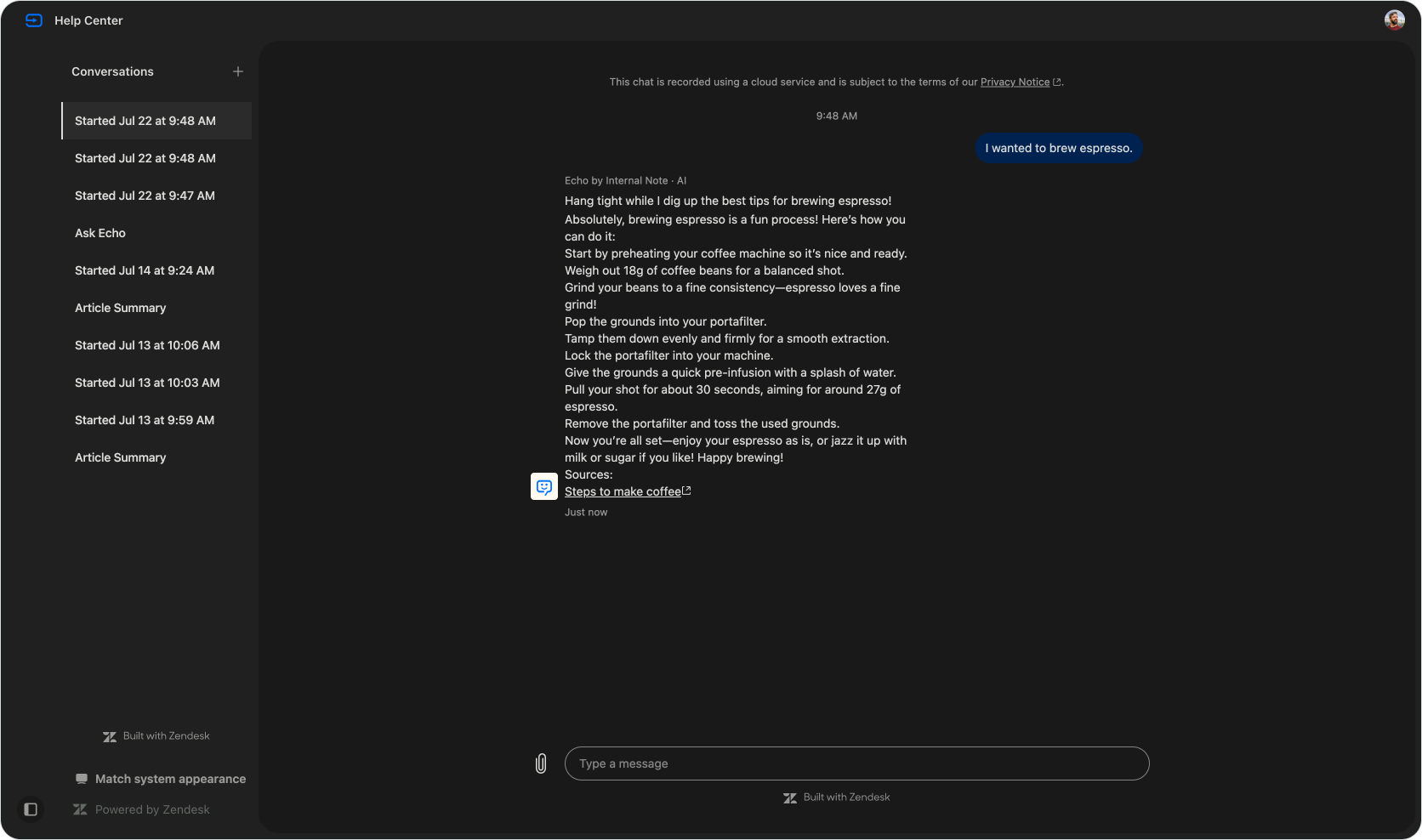
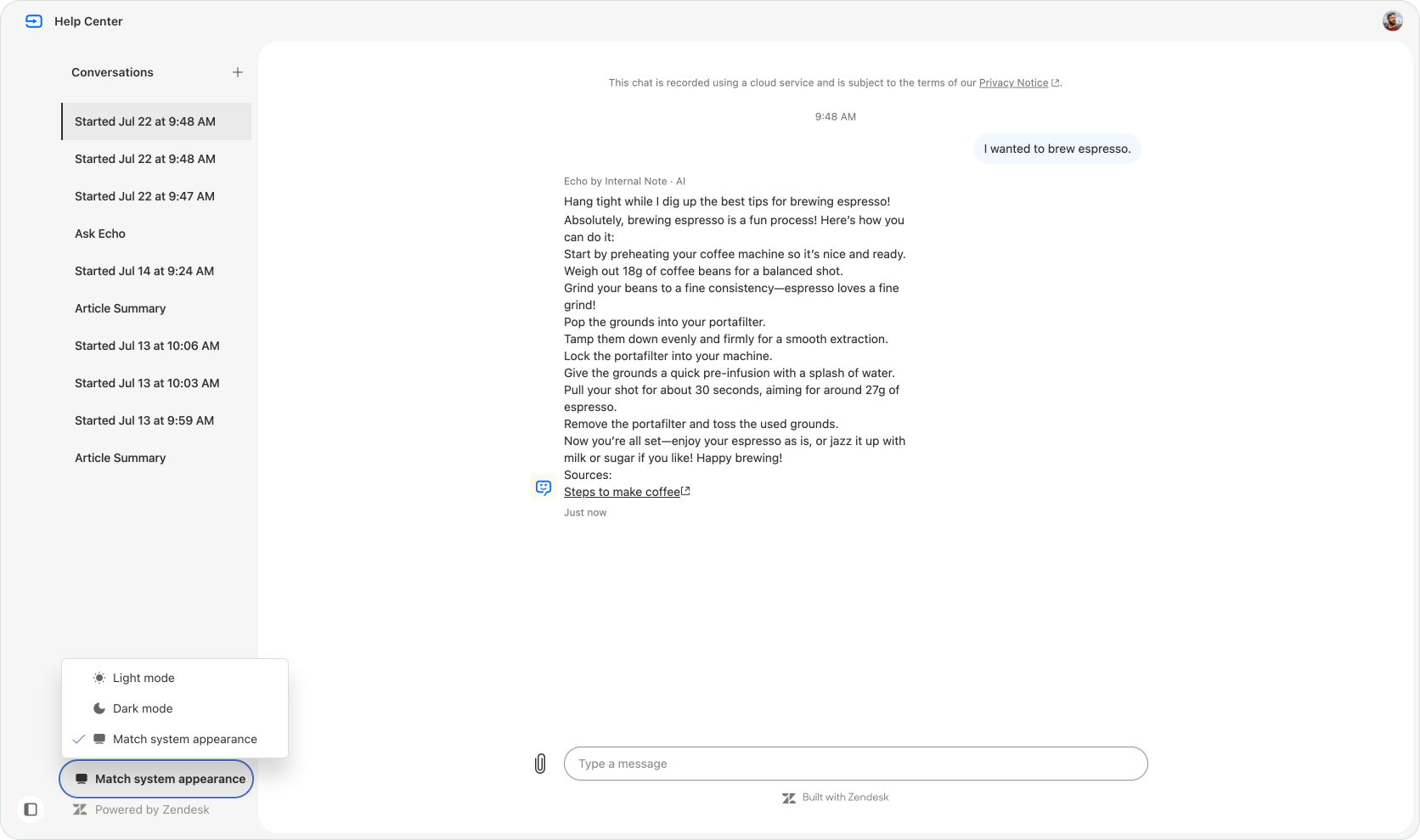
And that same dark mode is nicely translated to Mobile too:
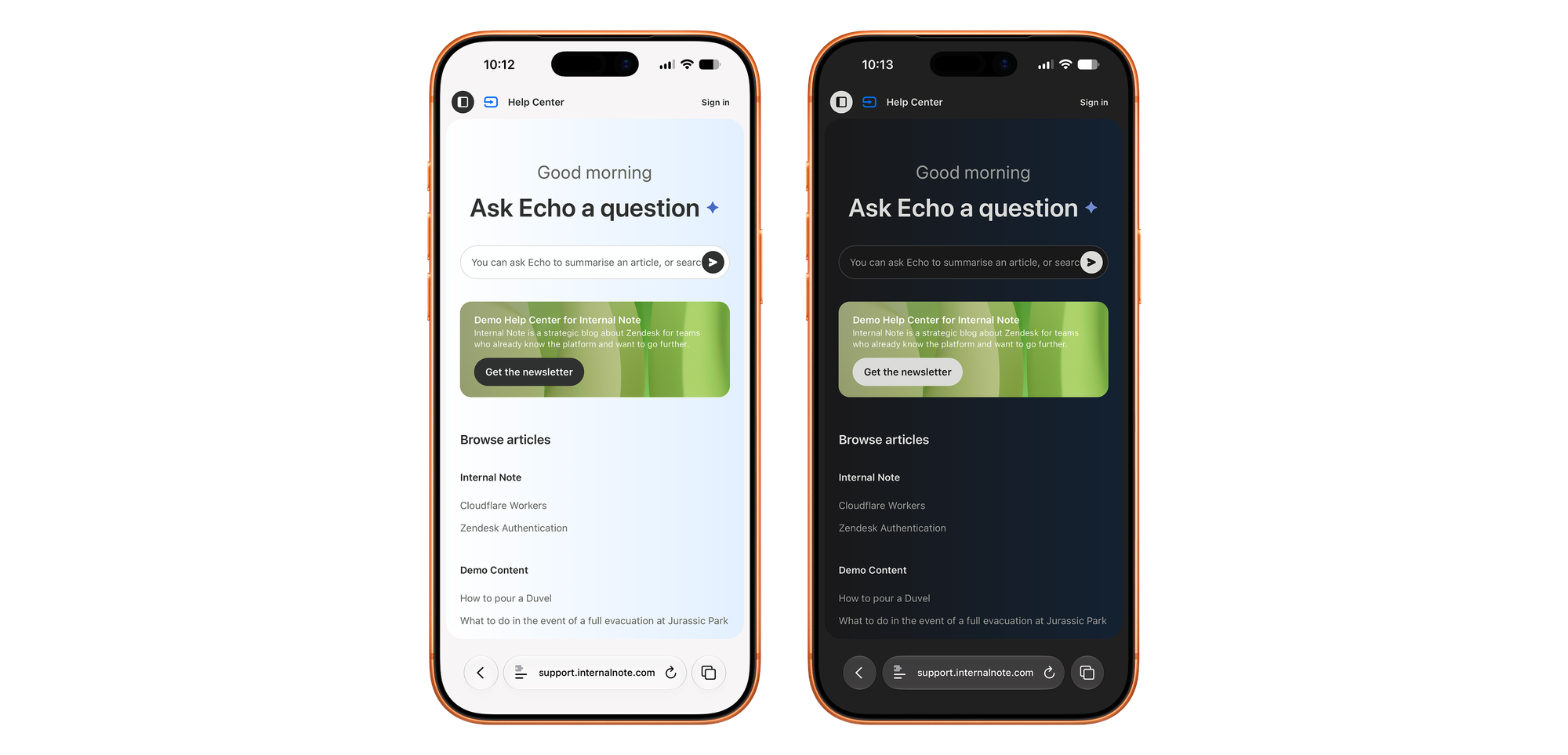
Mobile version
Speaking of mobile, the entire Lisbon theme adapts to mobile browsers, giving customers that same conversational experience on the go.
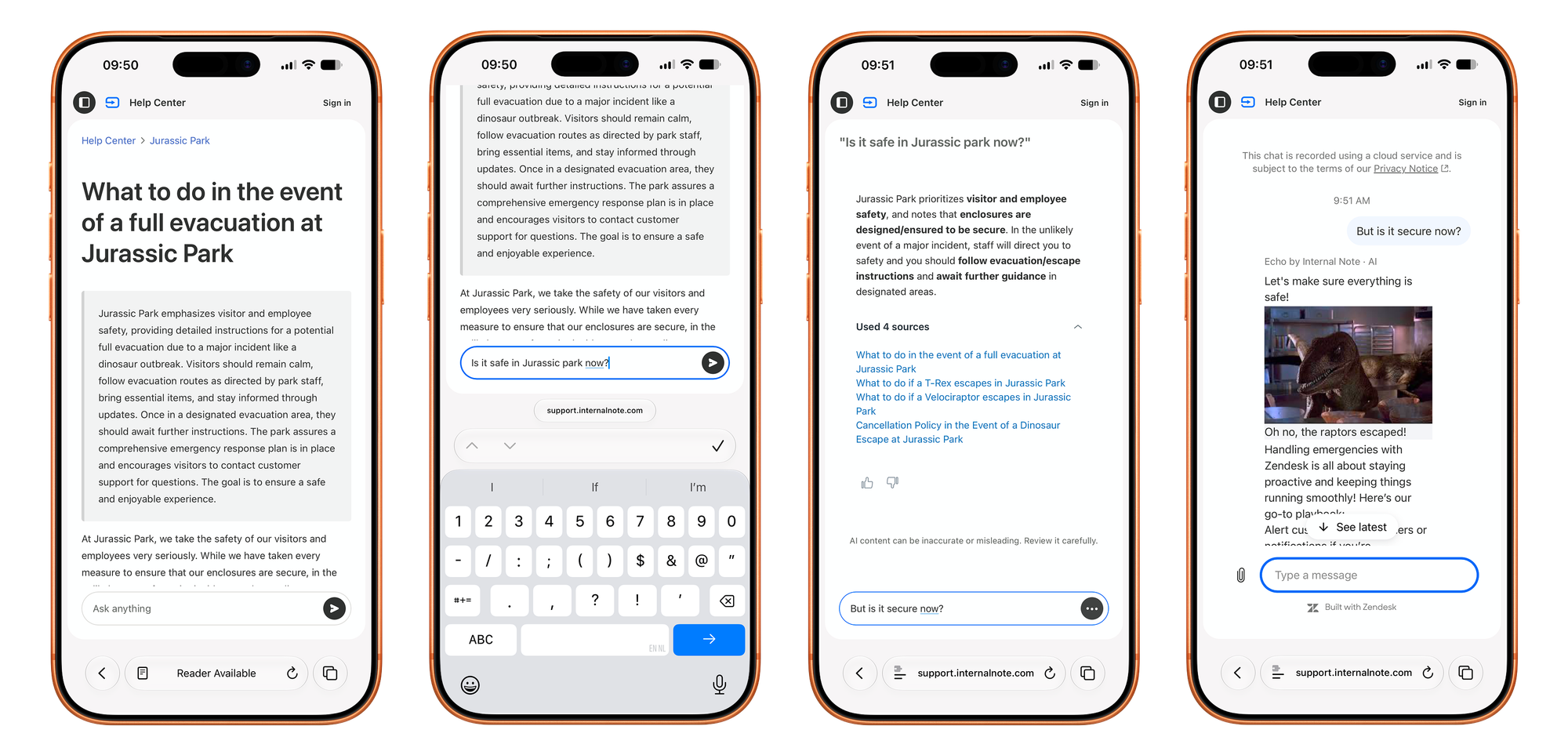
And honestly, I think the theme comes to its own even better on mobile. Chatting and sending quick messages has always felt more natural on phones, and the way search and articles nicely blend into conversations on mobile is just great.
Under the hood
Lisbon is built on top of existing Zendesk features and releases, deeply integrating the Help Center into the web widget, AI Agents and messaging experience. And while the theme itself is not (yet) editable for end-users who install the EAP, I do want to highlight some of the ways Zendesk has built out this team. Note that all code is sample code and not a copy of the actual implementation.
For starters the entire experience is powered by the Zendesk Web Widget, leveraging is embeddable mode and new styling options.
First, it renders the conversation in embedded mode with the Conversation List and Conversation placed in two separated containers:
zE("messenger", "render", {
  mode: "embedded",
  conversationList: {
    targetElement: "#conversations-list-container"
  },
  messageLog: {
    targetElement: "#chat-message-log"
  }
})
It then uses the Theme Customisation options to hide a lot of the Zendesk UI, leveraging the new minimalistic render mode that removes a lot of the chat UI we're used from in the widget.
zE("messenger:set", "customization", {
  common: {
    hideHeader: ttue,
    stylingPreset: "minimalistic"
  },
  conversationList: {
    hideNewConversationButton: true,
    avatar: {
      hidden: true,
    },
    hideTimestamp: true,
    hideMessagePreview: true,
    hideDivider: true,
  },
  messageLog: {
    businessMessage: {
      hideBubble: true
    },
  }
})
If the customer does not interact further, the question is logged and shows up in Analytics as part of the Knowledge dashboard.
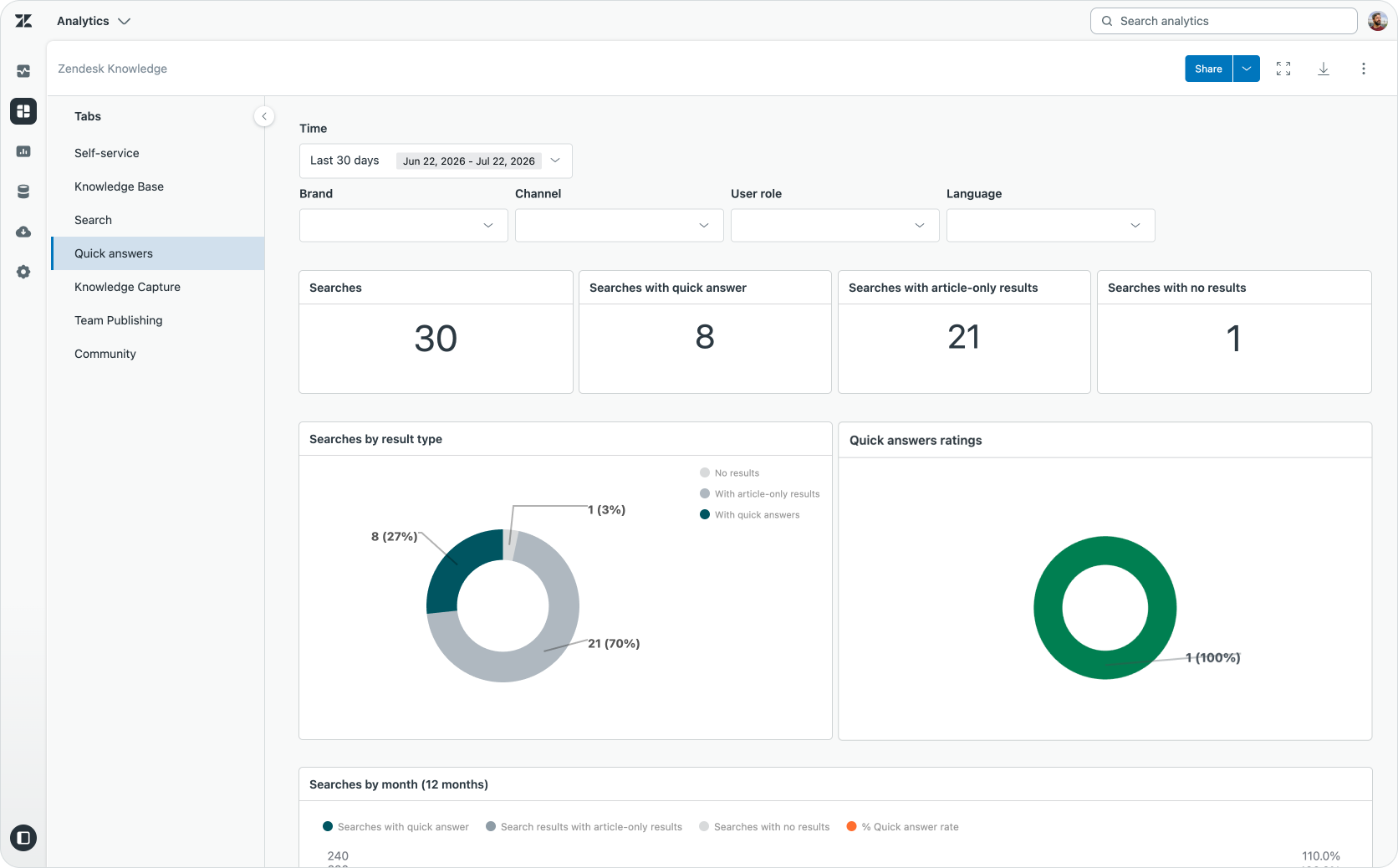
However, if the customer asks a follow up question, we pass control from generative search to the AI Agent, leveraging the newConversation() API for the Web Widget. It passing in the original search query and answer generated by the Help Center, as context, and marks it as such with a custom metadata value.
zE("messenger","newConversation",
  {
    message: {
      content: {
        type: "text",
        text: "I asked "How do I brew coffee?" in search and received this answer: 1. Preheat your coffee machine. 2. Weigh 18g coffee beans, then grind to the right consistency. 3. Add grounds to the portafilter and tamp evenly. 4. Insert portafilter; pre-infuse with a little water. 5. Pull the shot: ~30 seconds, aiming ~27g extracted. 6. Remove portafilter and discard grounds.. I have this follow-up question: I wanted to brew espresso."
      },
       metadata: {
         follow_up_context: true
       }
    }
  }
)
Once an AI Agent takes over, the question actually turns into a Messaging Conversation, and the rest of the conversation is handled just like any other one.
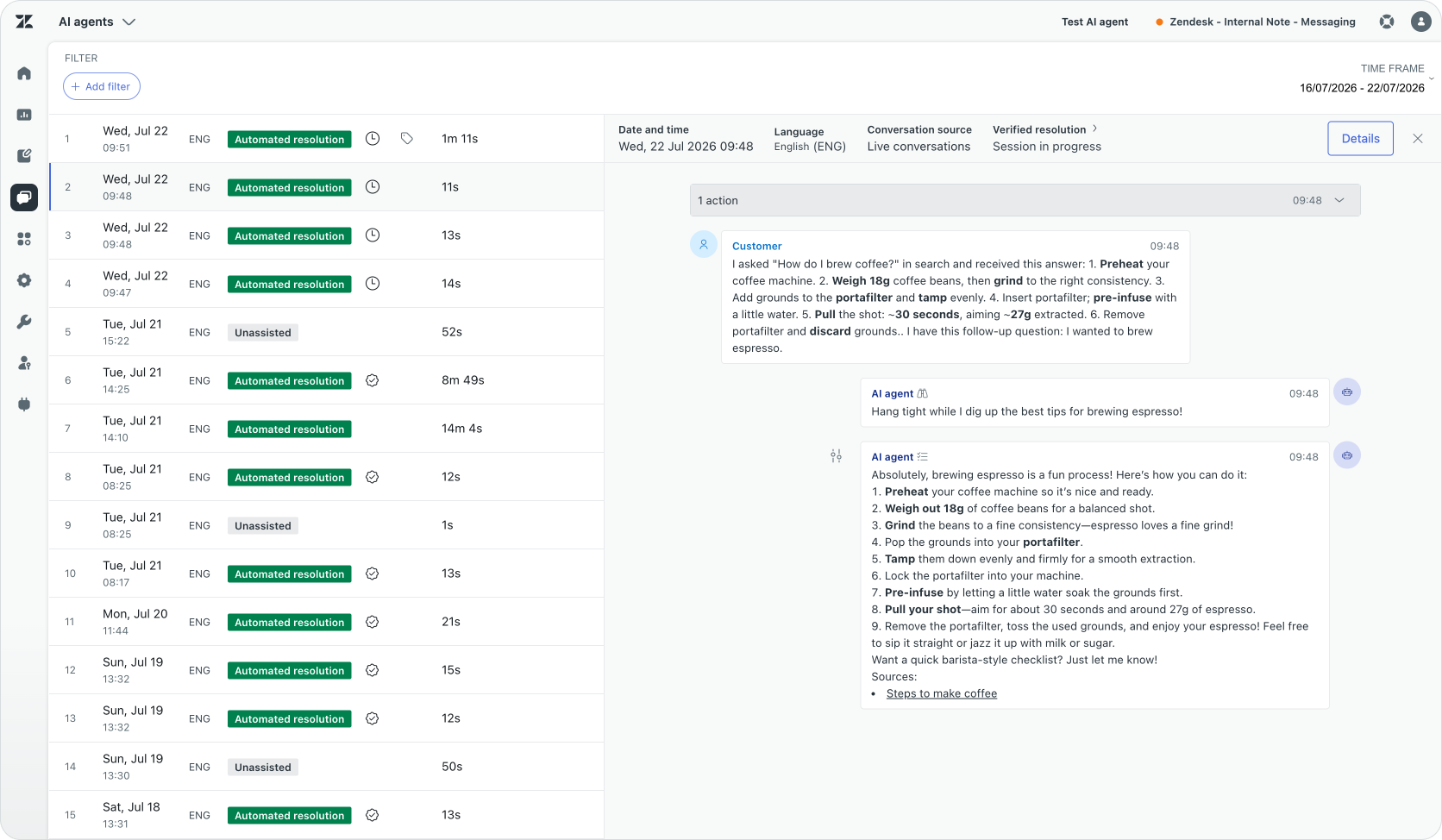
The theme does use a bit of magic to hide that first message from the end-user whenever a conversation is escalated. This way the conversation feels more natural and the experience more integrated. It does this by leveraging the new beforeMessageDisplay() .
zE("messenger:set", "beforeMessageDisplay", function (message) {
  if (message.metadata?.follow_up_context === true) {
      return null;  // Returning null hides the message
    }

  // If it's not metadata, show the original message
  return message
})
Limitations and removals
The new Conversational Experience for the Help Center rethinks a lot of old paradigms. We already discussed the shift from search to conversations at length, but there's some other things that have changed as a consequence.
The biggest? There is no more forms. Since the entire experience is now based around conversations, traditional forms are gone. Instead you can leverage your AI Agent to gather context, show input fields or carousels to get the information you need before a user submits their requests.
The removal of forms might feel like big change. And it is. But when you look at it from an AI Agent perspective, it's natural. Conversations are way better at resolving a conversation end to end, while forms are more useful for tickets that humans handle. So when we shift from human-first to autonomous AI Agents, it's a logical consequence. But it will require you to move your forms to AI Agents first, before you adopt this conversation first approach.
Since this is still in Early Access, there's some things that are not available for now:
- No ending sessions or downloading transcripts, since those are in the header that is hidden.
- No support (yet) for editing the theme's source code, which also means you can't use Custom Page templates. Mostly because Lisbon is still in EAP and things will change, and updating a custom theme automatically is not possible.
- The sidebar currently shows two Zendesk notices. One is part of the theme, the second one is part of the Web Widget, and can be disabled via Admin Center > Channels > Messaging > Web Widget.
- No support yet for Employee Service features like the Service Catalog or Approvals.
- No Gather/Community support.
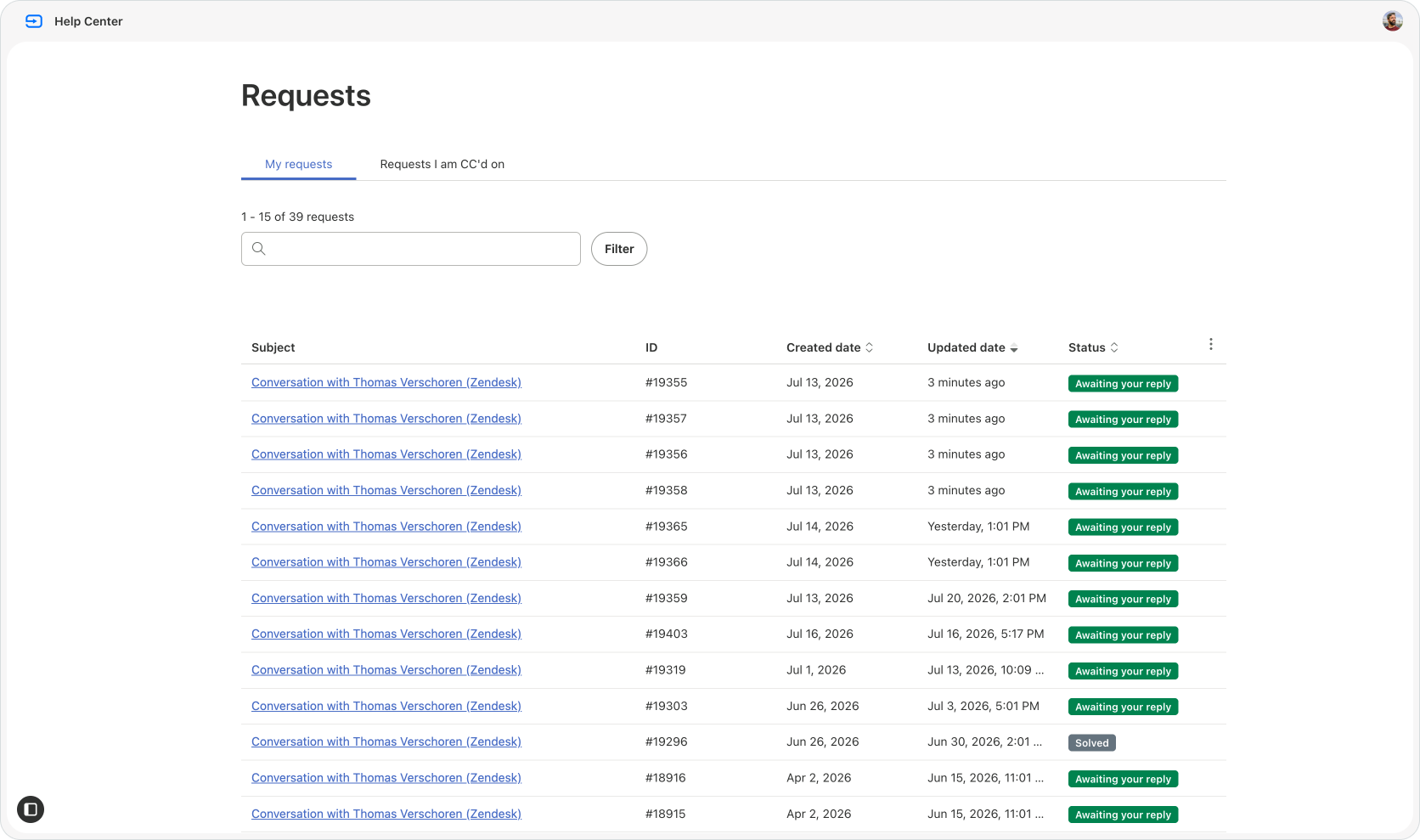
What is still available is the classic Requests page. And while most end-users will not really need this anymore if most interactions are launched over Messaging, for those that do email, or for follow-up over email for voice tickets, you do need this list to get access to tickets.
A vision of the future
Lisbon is a radical shift away from the classic Zendesk Help Center. It builds on top of a messaging first experience, leveraging generative search and AI Agents to rethink the way end-users get support on a surface that you control.
As customers move away from webpages towards LLM tools like Gemini, Claude or ChatGPT, and as we all get used to generated answers and agents acting on our behalf, the classic Help Center is an interface paradigm that's swiftly moving away.
Lisbon still offers a way to read long form. And if you look at this blog, I'm glad it still does. Long form allows you to give depth and detail that no summary can ever give you.
But while some still read all, most people rather want to ask a specific question, and get a short answer with only the details they're looking for. And it's that paradigm that Lisbon is optimised for. End-user asking questions, and getting a resolution either in the form of an answer, or an action taken by the AI Agent.
I'd recommend you to install Lisbon in your Zendesk instance today. But don't put it live for your customers. Rather, run it, test it, and see how AI ready your support experience really is. Find gaps in your knowledge, test complex procedures. Validate that customers can sign in, and you get a rich history of their interactions in the side bar. Start moving your web forms into AI Agent use cases that gather that same context while mapping out how you can resolve, rather than escalate those use cases. And then enable it for your customers.
And if this entire shift from tickets and forms to messaging and agents feels a bit too big of a shift for you.. well, in the words of Marty McFly:
"Guess you guys aren't ready for that yet. But your kids are gonna love it."