

Deep-dive into Zendesk Intent Detection
Manual ticket triage and categorization waste time, delay responses, and limit automation. Zendesk’s AI-powered Intelligent Triage automatically classifies tickets by intent on arrival, enabling faster routing, accurate prioritization, and deeper reporting for smarter support workflows.

Deep-dive into Zendesk Intent Detection
Manual ticket triage and categorization waste time, delay responses, and limit automation. Zendesk’s AI-powered Intelligent Triage automatically classifies tickets by intent on arrival, enabling faster routing, accurate prioritization, and deeper reporting for smarter support workflows.

On this page
A customer emails your support team with a question. That question arrives in an Action needed view where an agent picks up the ticket. They look at the ticket, see it’s a ticket related to refunds, and they assign it to the Finance team. In the finance team another agent picks up the ticket, sees it’s about refunds and assigns it to her colleague who manages these tickets.
Sounds familiar? This game of forwarding the ticket until it reaches the right agent was at the core of plenty of customer support teams. It wastes agents’ time, boosts your reassignment counter and customers need to wait longer for their answer.
Another customer emails a company with a question about their same day delivery services which the company just launched. It arrives with the right agent after a few reassignments. They resolve the inquiry and solve the ticket, upon which they are prompted categorise the ticket.
Since the delivery services are brand new there’s no Delivery category, so the agent logs the ticket under Other and moves on. A month later management inquires about the support load this new service created. Apparently there’s no tickets related to this topic, giving the impression it all runs smooth.
The above are two classic problems that occur when ticket triage and categorisation is driven by humans.
- Manual triage, or triage based on a fixed set of triggers, means tickets can only arrive with the right team if the customer emails the right team, if a trigger picks up the right keywords and assigns, or if an agent reassign the ticket. Either scenario causes delays, and takes time and attention away from actual work.
- Manual categorisation based on predefined will give you a black box of others, or mis-classification when agents choose the next best option. And since categorisation happens after assignment or only at ticket resolution, you loose your chance to route the ticket, change priority or automate the resolution.
At the core of both problems lies the same root cause: when categorisation of a ticket happens manually, you loose automation potential.
One way to solve this, historically, is by creating triggers that look for keywords in newly created ticket, and use those to categorise tickets. These categories can then be used to route the ticket to the right team. Or use it to update priority.
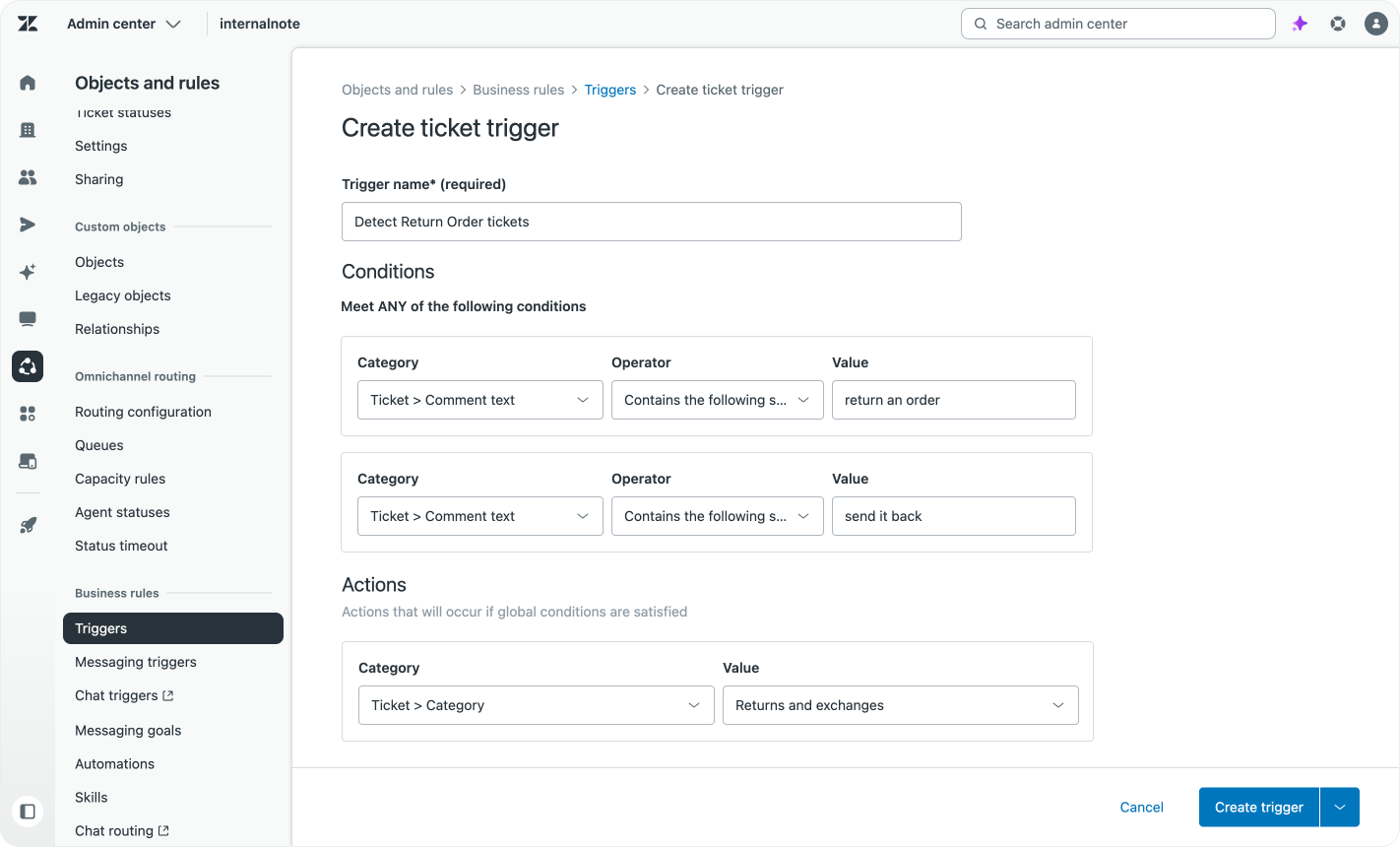
The problem with this approach is that it’s a lot of effort and is based on a rough way to filter. You could create a trigger for “return order”, “send it back”, “I don’t want it anymore”, but this will also capture things like “Thanks for allowing me to return my order. Now I have another question, can I pay with an expired coupon?”, misclassifying the ticket in the process.
Intelligent Triage
About four years ago Zendesk launched Intelligent Triage as a way to solve these issues.
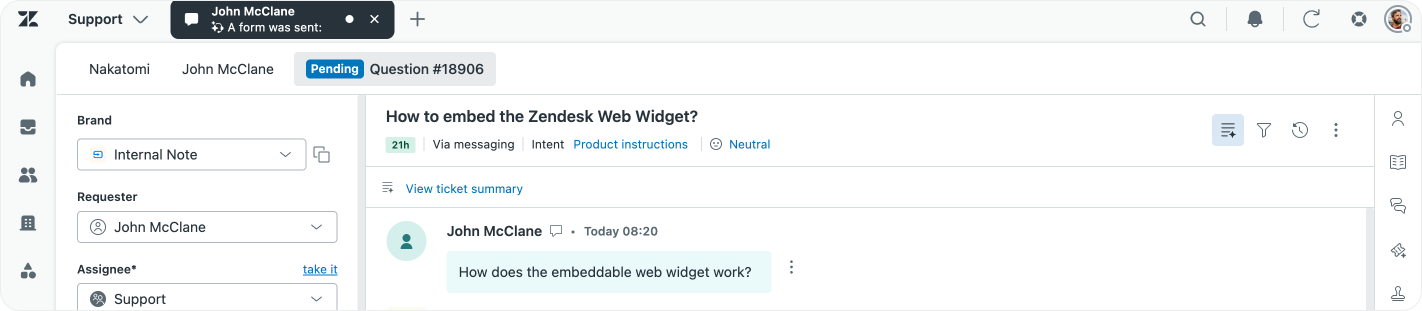
Intelligent Triage, in a nutshell, is an AI-powered classifier that reads your tickets, and assigns an intent to the ticket. An intent captures the goal of the customers’ question, which you can then use to route the ticket to the right team, assign a priority, use in reporting or as a trigger for automations like Action Workflows or Copilot Procedures.
Aside from Intents, Intelligent Triage also detects language, sentiment and Entity Detection, but the focus of this article will lie on the Intent part of Intelligent Triage.
Omnichannel Routing
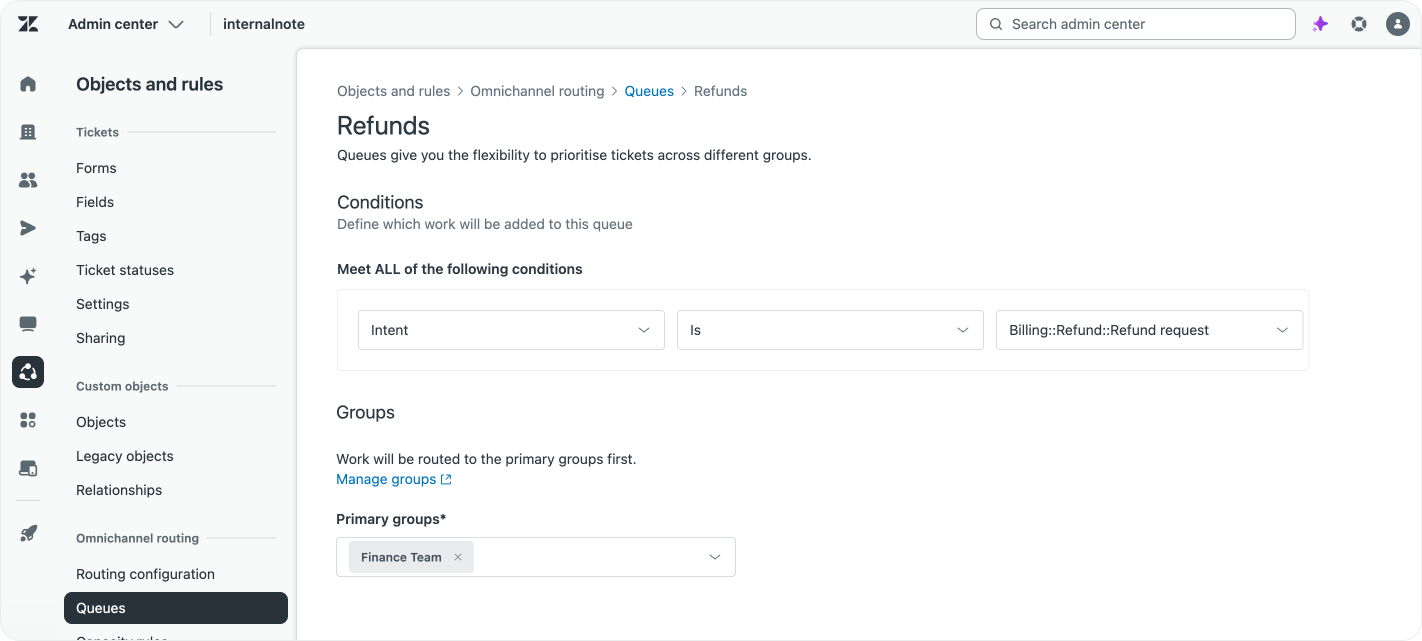
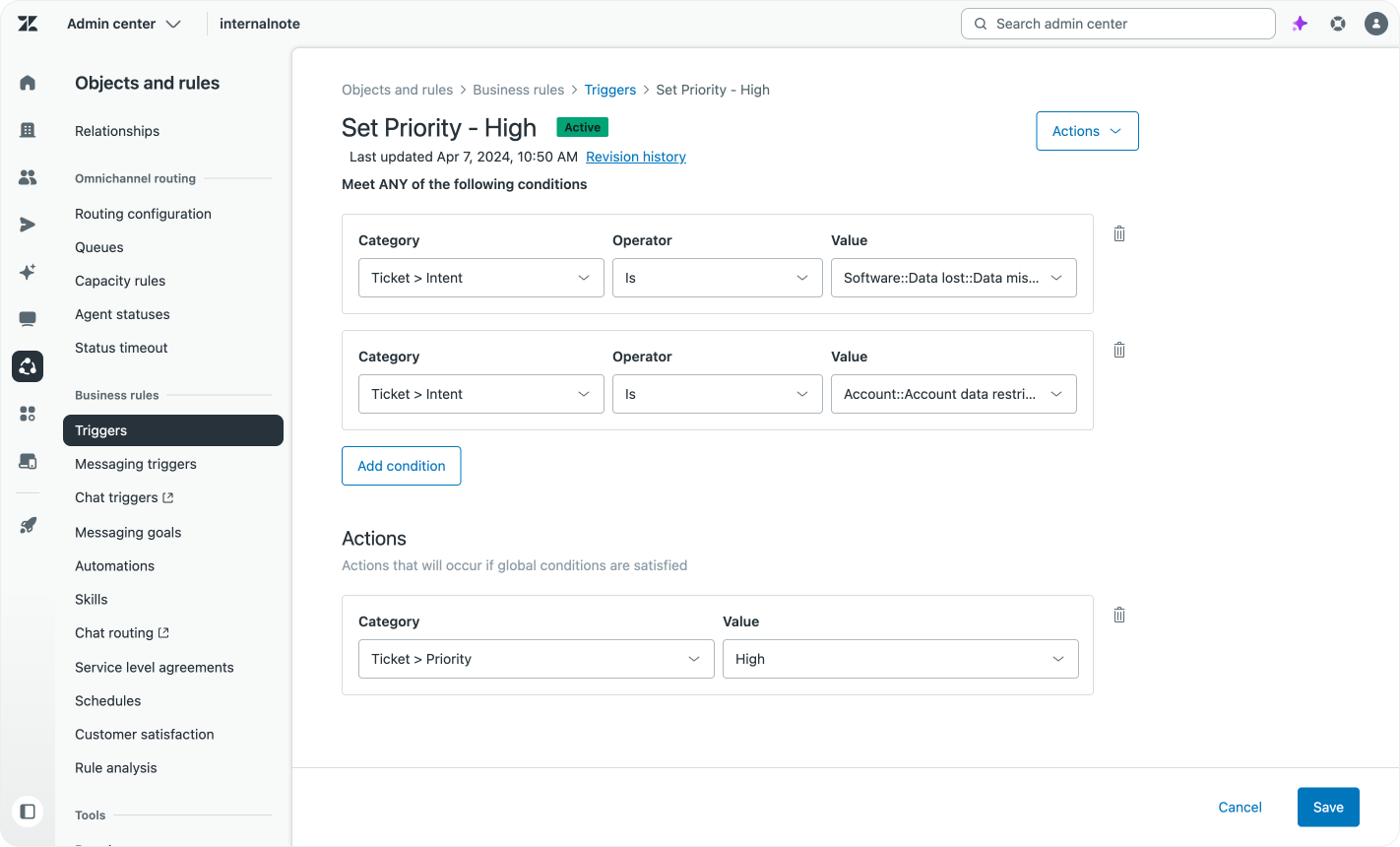
Because the tagging happens upon creation you can leverage these values in Omnichannel Routing queues. Once a ticket gets tagged with an Intent, it becomes eligible for routing and it’s added to the right queue.
Skills
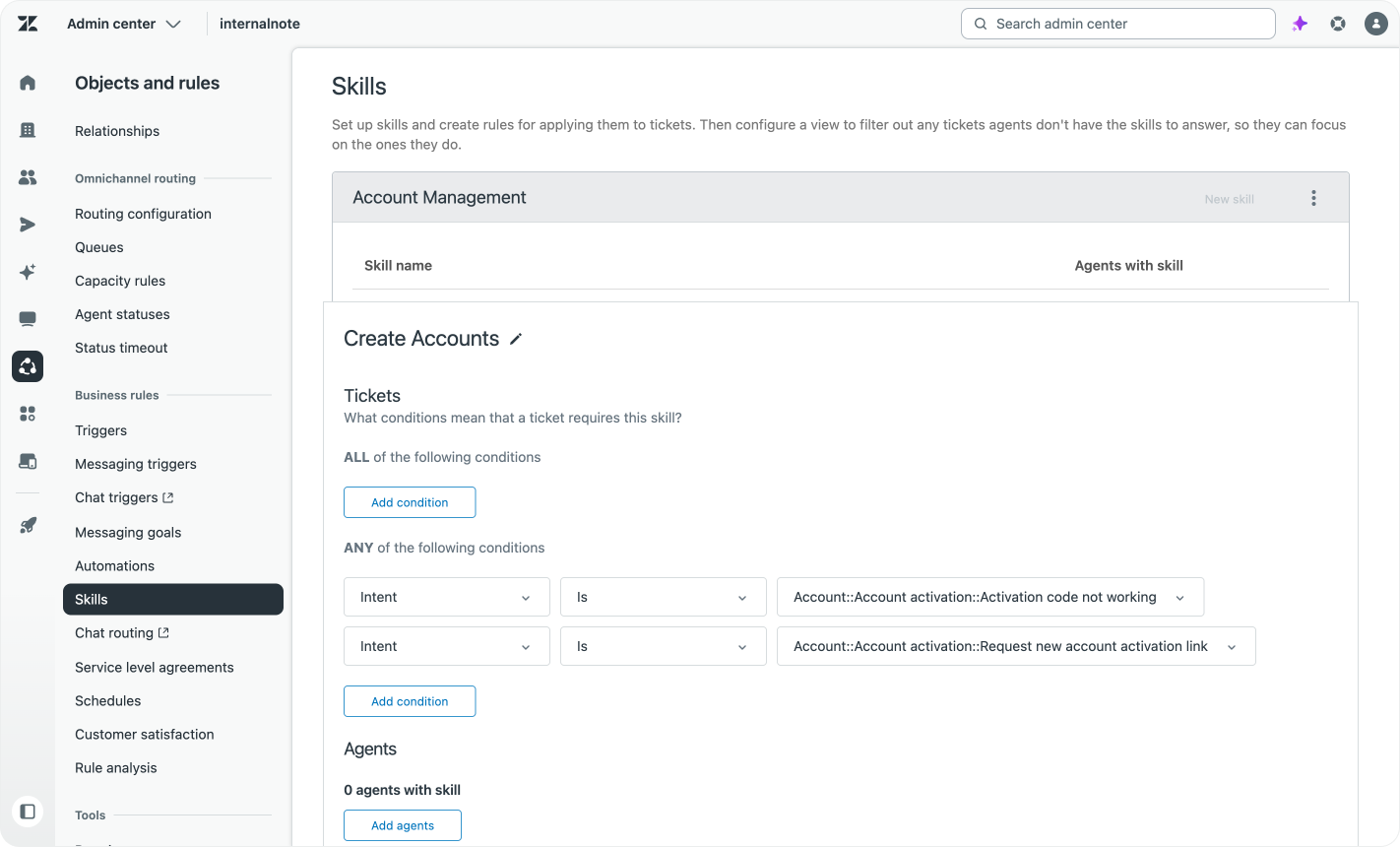
Intents can also be used to power your team members’ skills. This way if a refund ticket is routed to the Finance team, it can be assigned to an agent with the refund skill first.
Priority
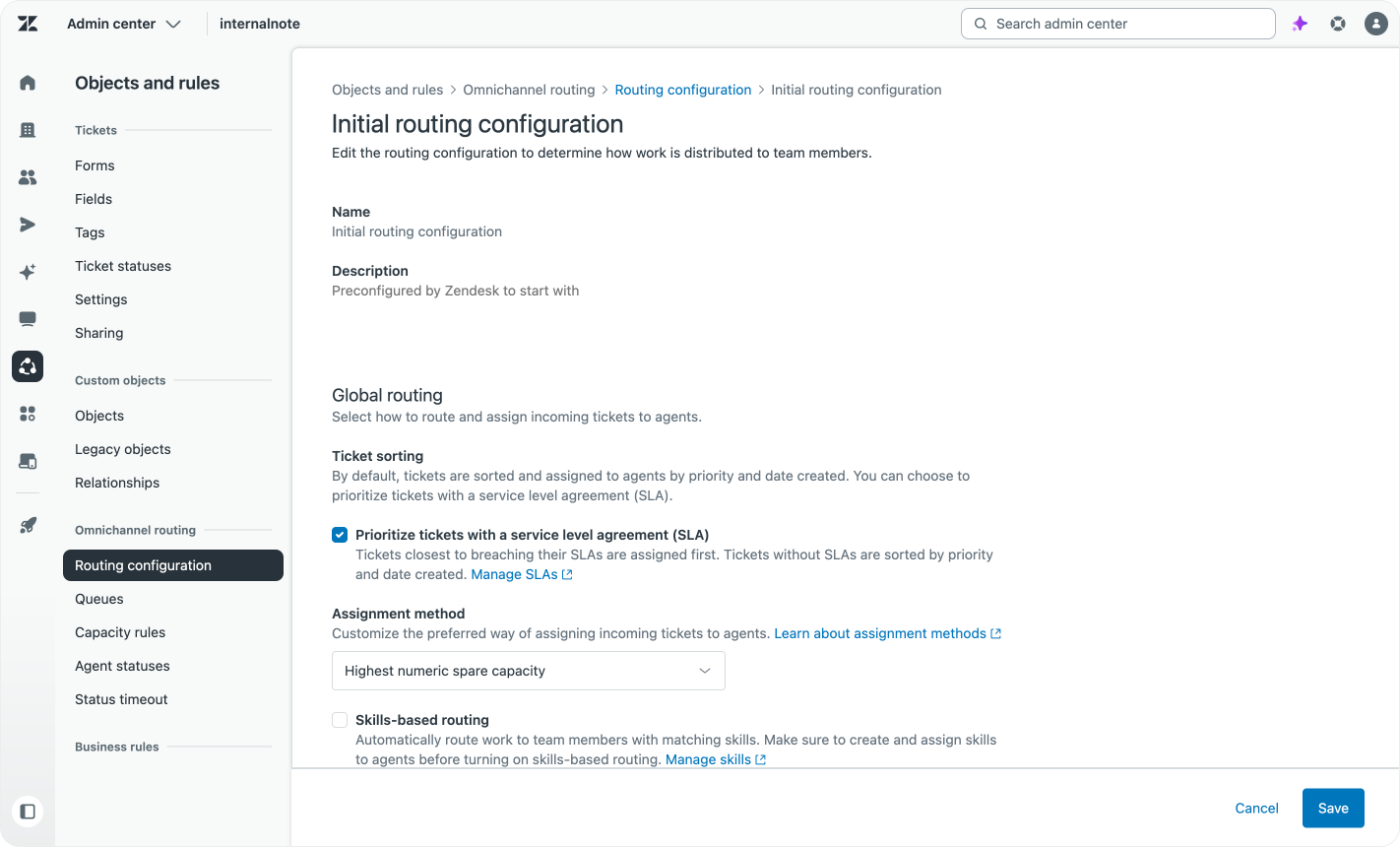
Generally in Zendesk it’s best practice to use Service Level Agreements as the way you sort tickets order. This makes sure that you keep the average wait time for your customers stable, by prioritising urgent tickets, while also making sure that lower priority tickets don’t perpetually keep getting pushed down the queue.
Service Levels have a breach moment, which is used to make sure that a eight hour old, low priority, ticket gets assigned before a new fifteen minutes old urgent ticket.
Reporting
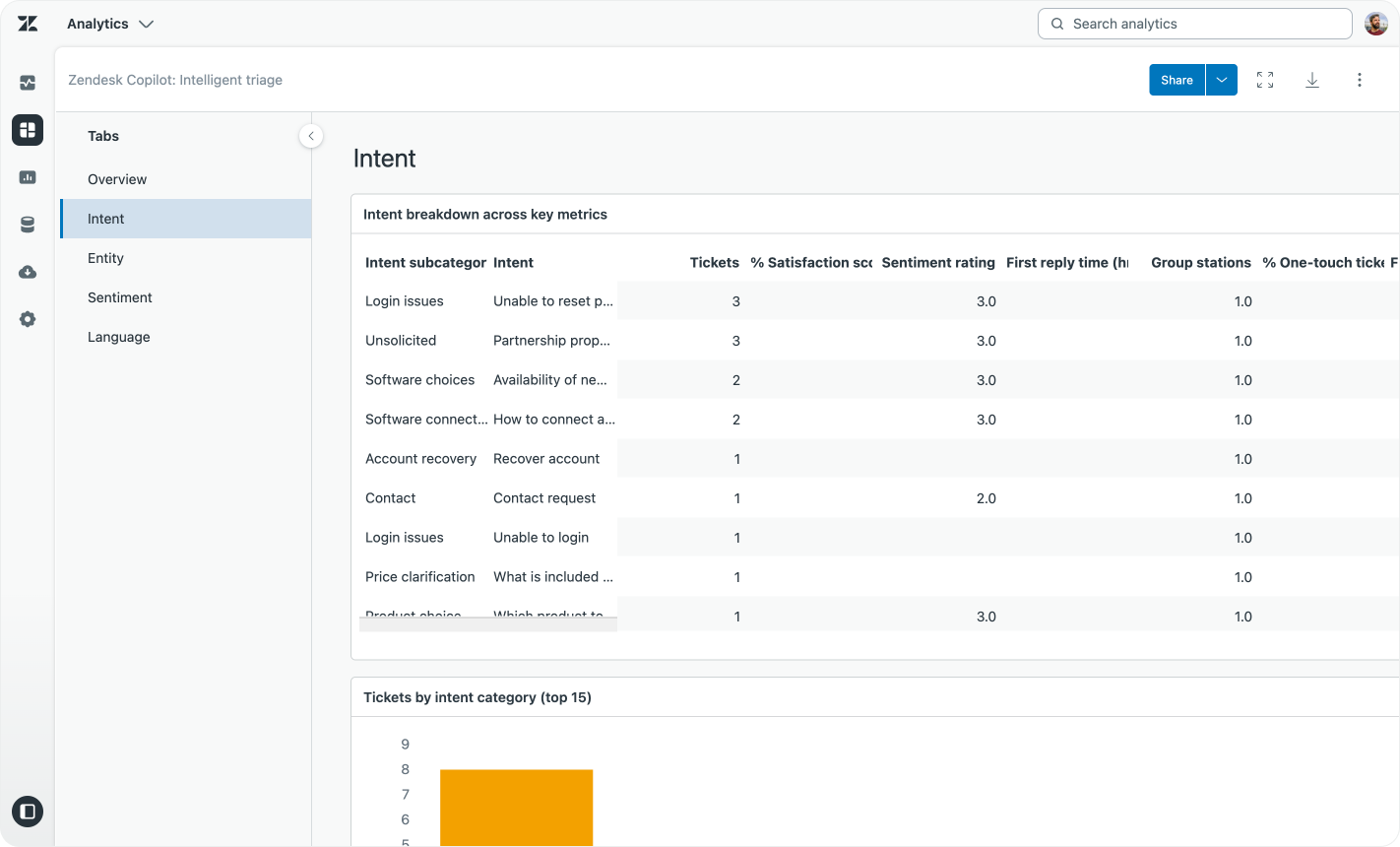
While Intelligent Triage shines when it comes to routing, it also makes your reporting way deeper.
When you ask agents to manually tag tickets, there’s this balance between detail and speed. Adding all order return, order cancellation, order modification questions to a general “Orders” category is fast. But your reporting is a lot more useful if you can split out the tickets in “Returns”, “Cancellations”, “Modifications”. Doing that subcategory split for every category will give your agents hundred of topics to choose from, not ideal.
Since intent classification happens automatically, you win on both sides. You can have detailed intents based on subcategories, without any additional effort for agents.
Evolution of Intelligent Triage
When Zendesk first launched Intelligent Triage as part of Zendesk Advanced AI it did so in a very limited and safe way. Instead of letting AI and LLMs go wild on every ticket, they did a very targeted deployment to three specific industries:
- Retail / e-commerce
- SAAS / Technology
- Finance
These models were pre-trained and each contained a few hundred intents that match those industries’ most common scenarios.
Later the list expanded with Employee Services (HR/IT) and Entertainment/Travel/Hospitality models too.
The benefit of these pre-trained models is that they work from day one. There’s no need to train a model based on ticket history, meaning customers get the benefit of intent detection from day one when they receive their very first Zendesk ticket.
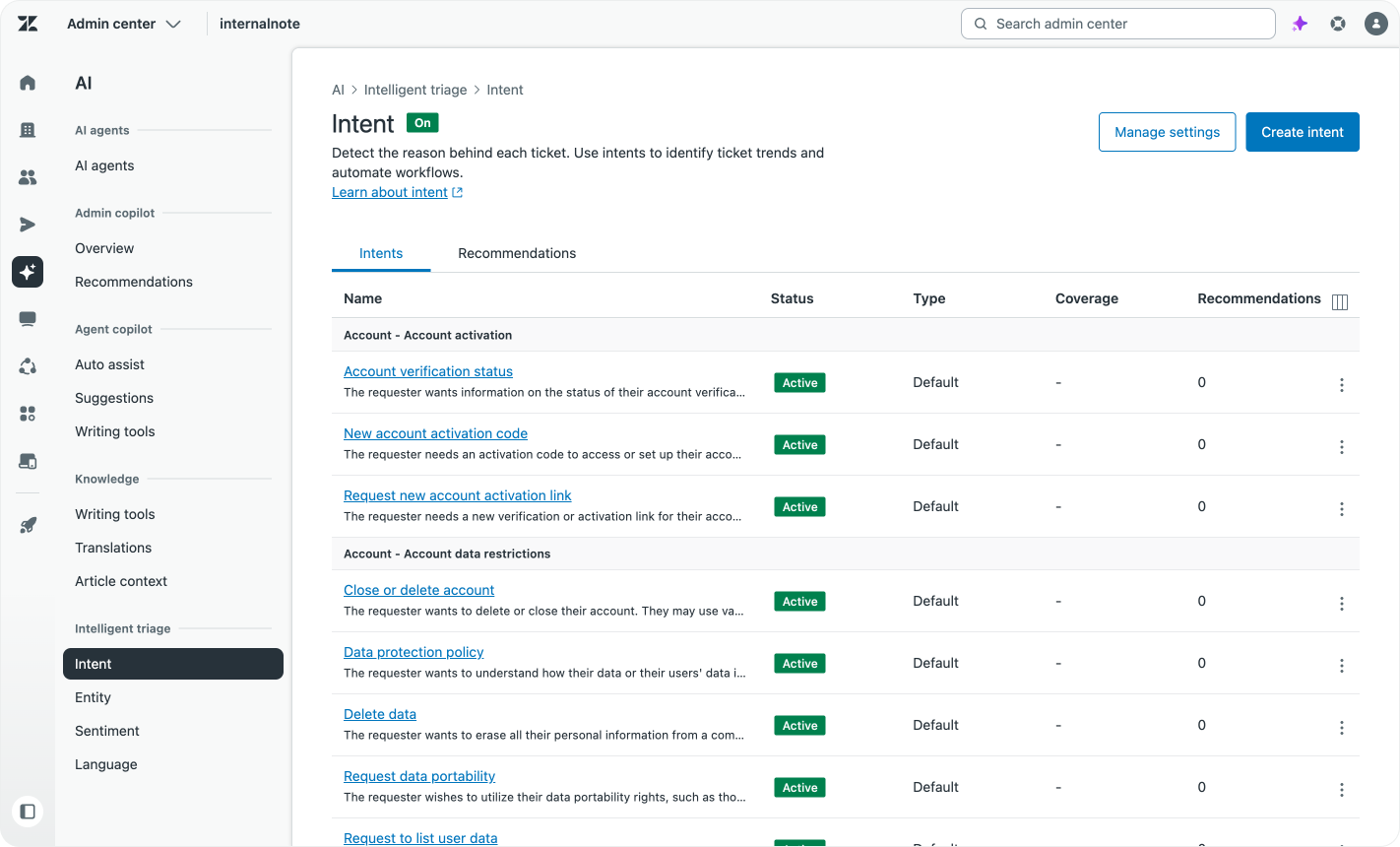
But expanding industry per industry had a downside, if you were in an unsupported industry you had to pick the “least worse” option, or not use the feature. To solve this Zendesk has shifted overtime towards a Zendesk model that contains a combination of all existing industries’ intents, and customers get a subset of these activated based on their profile.
Too many intents
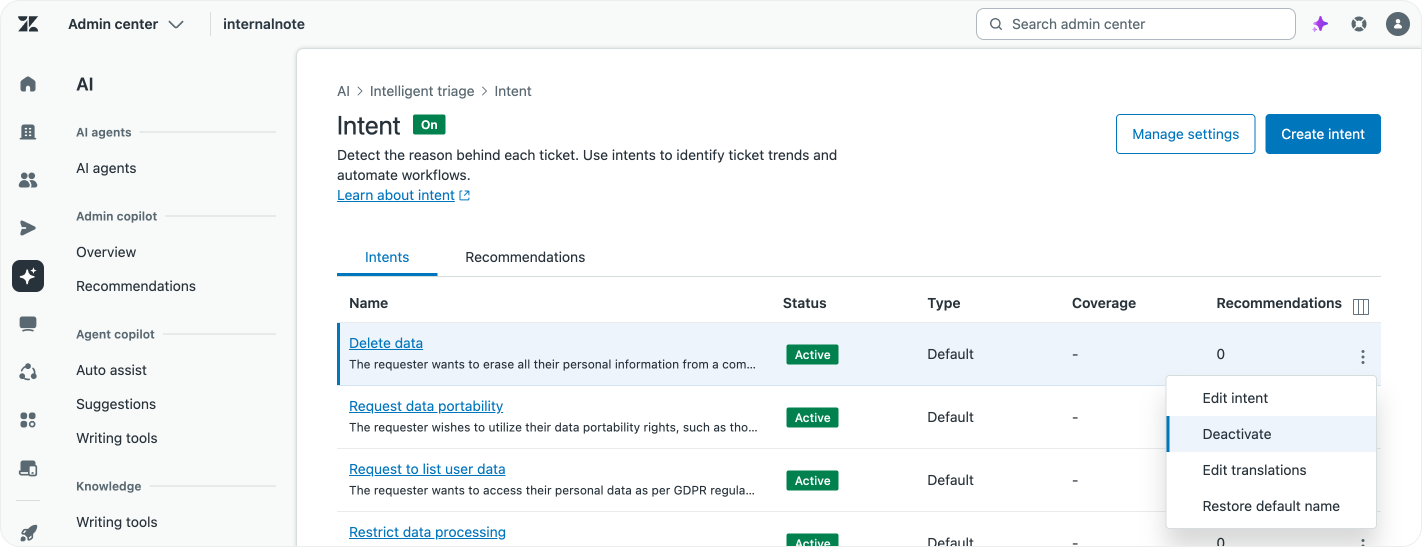
Having such a long list of intents makes the chance of a ticket matching a known intent quite high. So overtime Zendesk added the ability to disable intents, which makes them ineligible for tagging.
And while it might be tempting to go into the list and disable tons of intents, it’s actually better to do a very specific targeted approach. It’s a fine line between “No one ever asks about x”, and “We assume no one will ever ask about x”.
But disabling intents you know you’ll never see is certainly valid. If you’re in the software business you can be pretty sure no customer will ever ask to rebook a flight.
Match your company
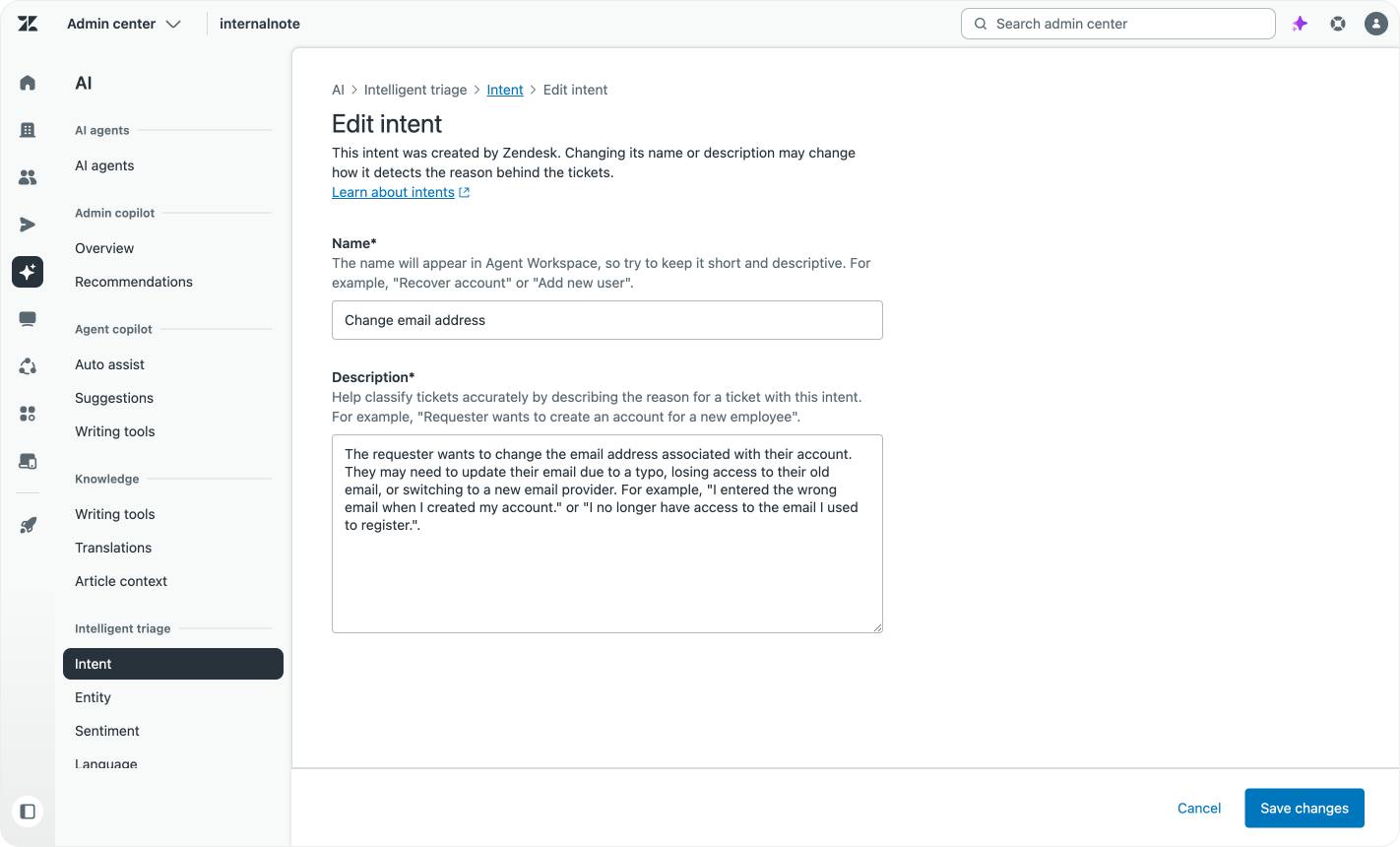
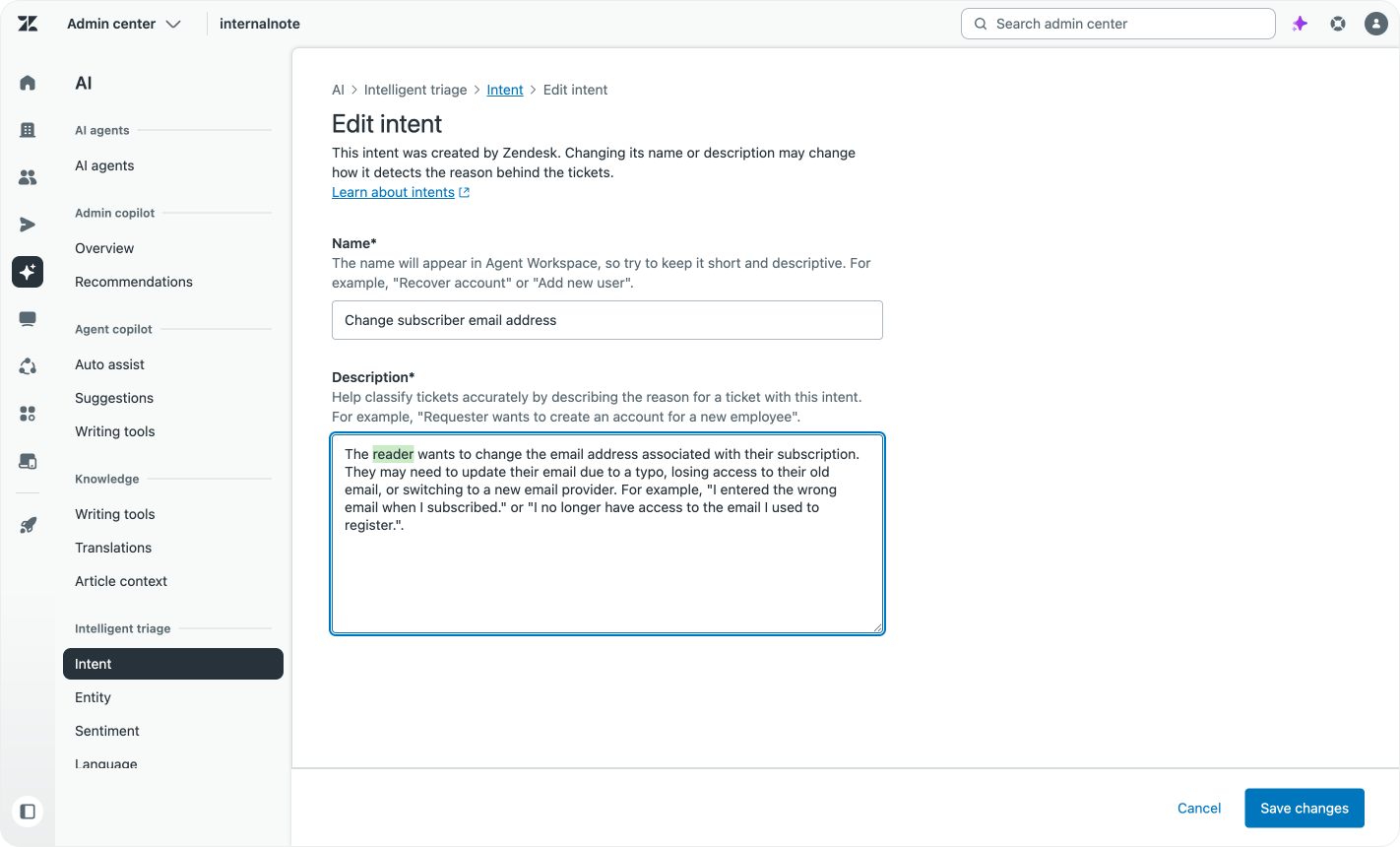
I call subscribers to Internal Note readers. An airline calls their users passengers. A hotel calls them guests. One software company calls their users seats, others call them users, others accounts or hosts.
To account for this and make the detected Intents match your company’s processes and tone of voice, you can rename the listed intents. Their definition stays the same, but what agents see in Agent Workspace and what shows up in your reporting matches the way you talk about your customers, services and tickets.
This renaming of intents and descriptions doesn’t only make the content more familiar. The more the descriptions match the way you and your customers talk about your company, the more confident Intelligent Triage can map comment to intents. And since these intents also power the way Agent Copilot procedures get triggered, a better defined intent will also result in a higher usage of those procedures.
Custom Intents
The predefined list of Intents makes sure you get value out of Intelligent Triage from day one. Disabling or renaming the intents makes them fit your business.
But while these options do a lot to make the feature work for you, the next step is the ability to add your own intents. While most retail chains get the same questions, what makes you unique a a business also makes your customers questions unique.
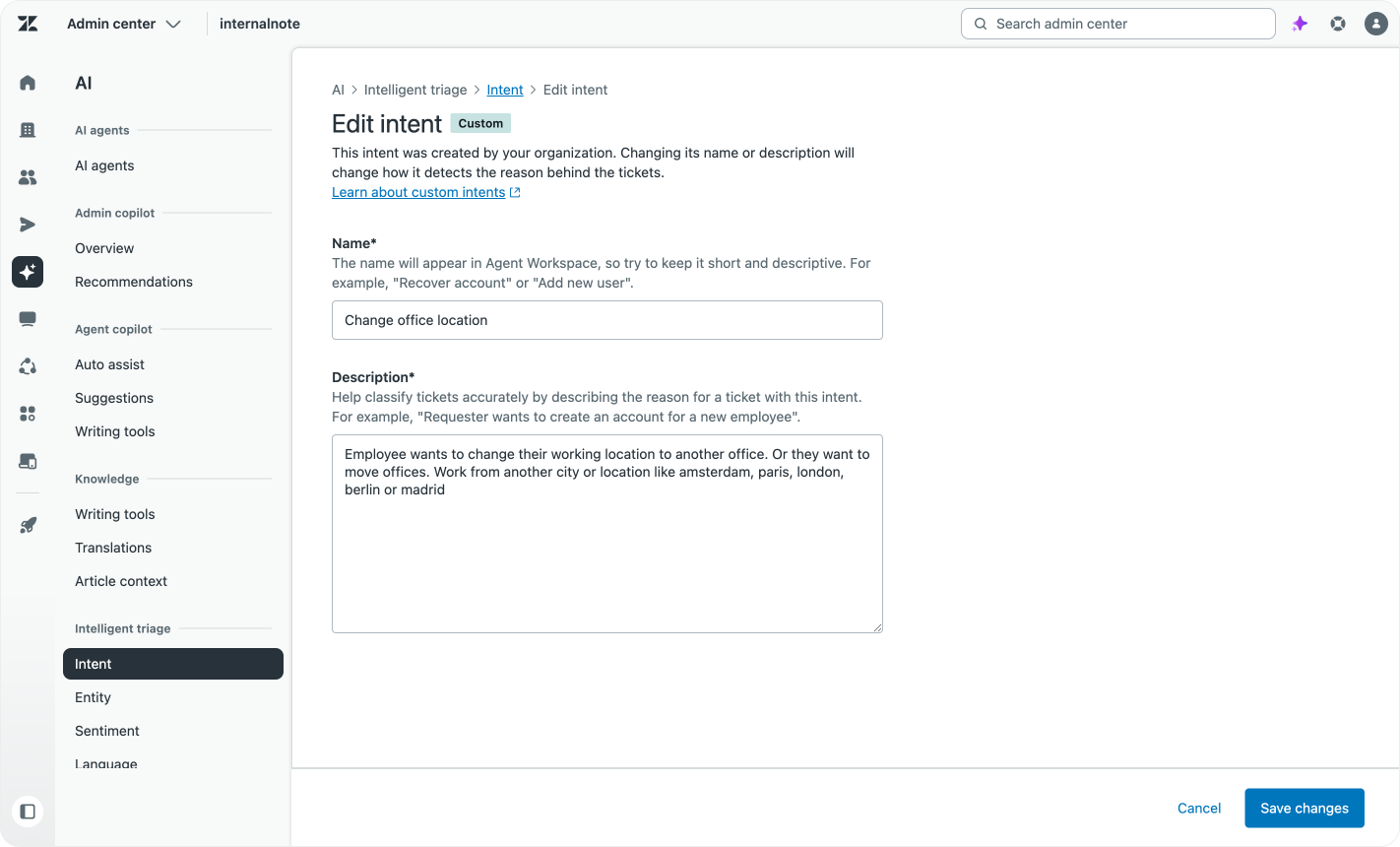
Intelligent Triage allows you to add custom intents to the list, filling the gaps in the predefined list.
These custom intents used to be defined by a label and a set of matching tickets, which were then used to (re)train the model. But similar to how AI Agents Advanced shifted from training models towards defining use cases with text, in a more recent update you can now define custom intents in a similar manner.
Each custom intents requires a clear title and description. Title is what shows up in reporting and Agent Workspace. Description is what makes the custom intents work. The better you define the intent, the better the matching will work. And if two intents are very near to each other, a good description will remove confusion.
So if you have intents or customer questions that don’t map to existing ones, this is the way to add them. Once added, any future matching ticket will get assigned to these intents.
Continuous tagging
One final feature the core Intelligent Triage setup got is the ability to choose between tagging the ticket upon arrival, or continuously updating the intent as the ticket evolves.
By default, if a customer asked about a refund, your ticket will get tagged with a “Customer asks for a refund” intent.
But as that ticket evolves an initial refund request might turn into a support ticket that solves the reason for the refund by explaining how the product works. What started as “refund” might actually be “Customer has questions about product usage”.
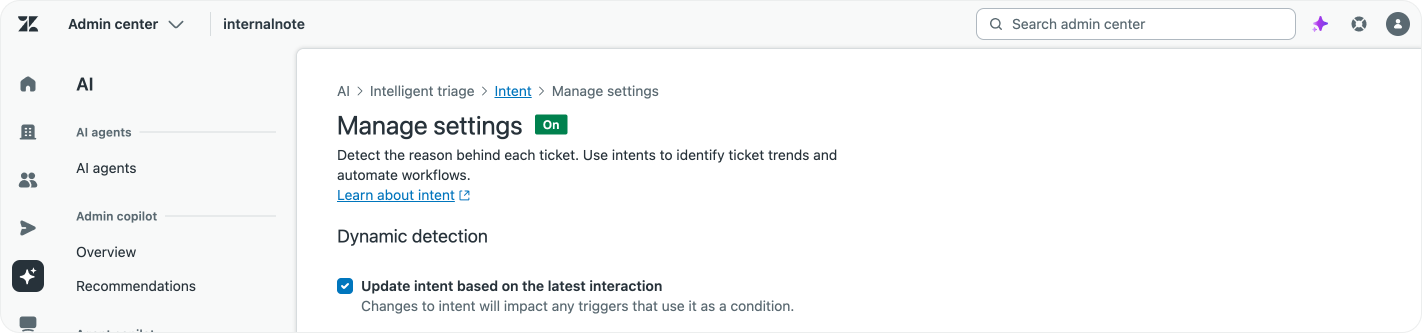
If you enable Update intent based on last interaction, the intent will be continuously updated to match the current state of the conversation. The decision on tagging upon creation or updating it as the conversation evolves depends heavily on your use case and processes.
If you’d like to report on the changes, there’s this Explore recipe you can use:


Intent Recommendations
With the predefined list of intent and the ability of adding custom intents you can make sure the detection will cover most, if not all, for your tickets.
But similar to how the Other category in classic reporting hides tons of automation potential, as your company evolves so will your intents, and your curated list of intents will start missing some new topics that your customers start asking about.
The Intent Recommendations feature, powered by Admin Copilot, solves this issue by continuously looking at your intents and tickets. Once a week it will generate a set of recommendations you can use to improve your intents.
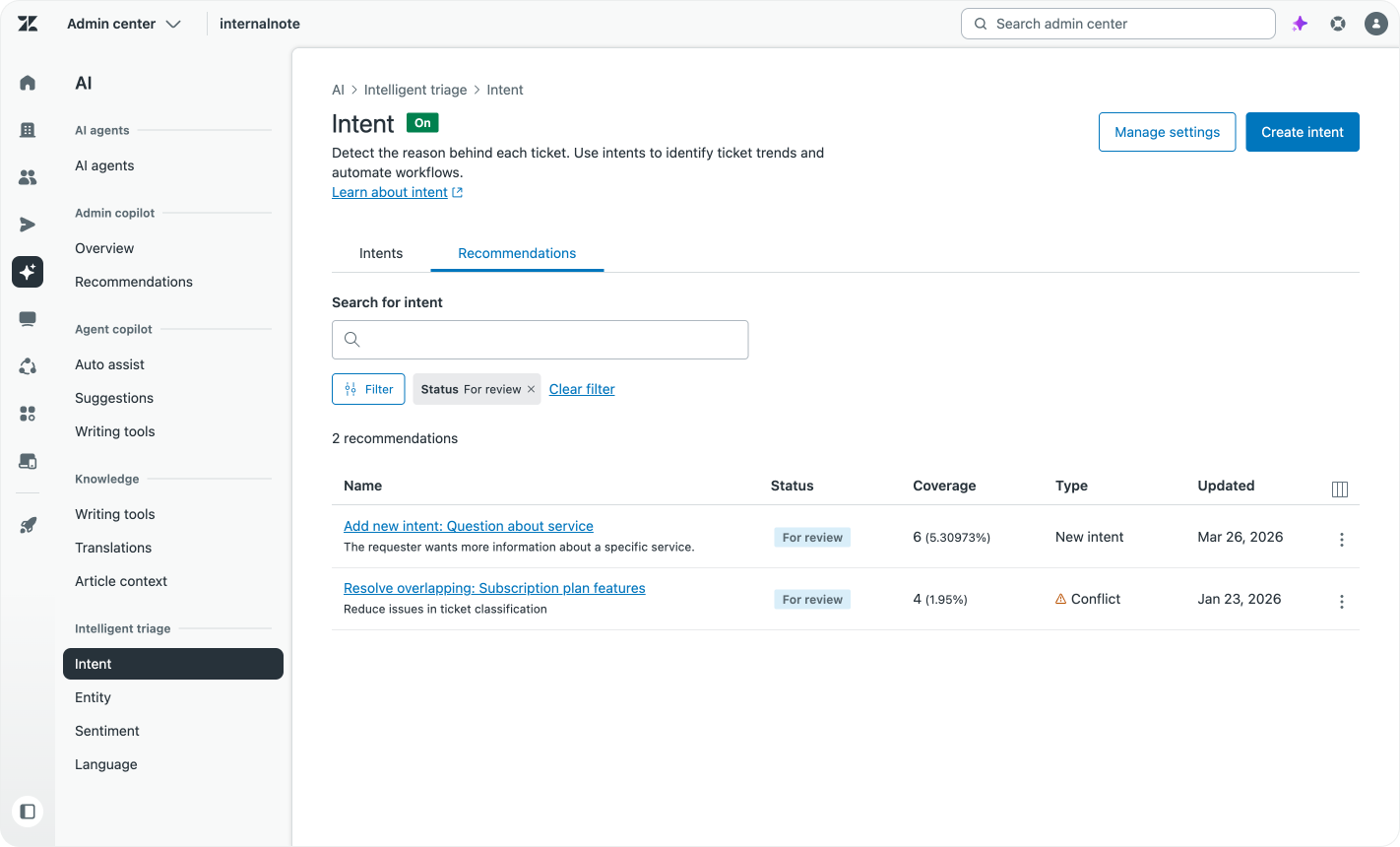
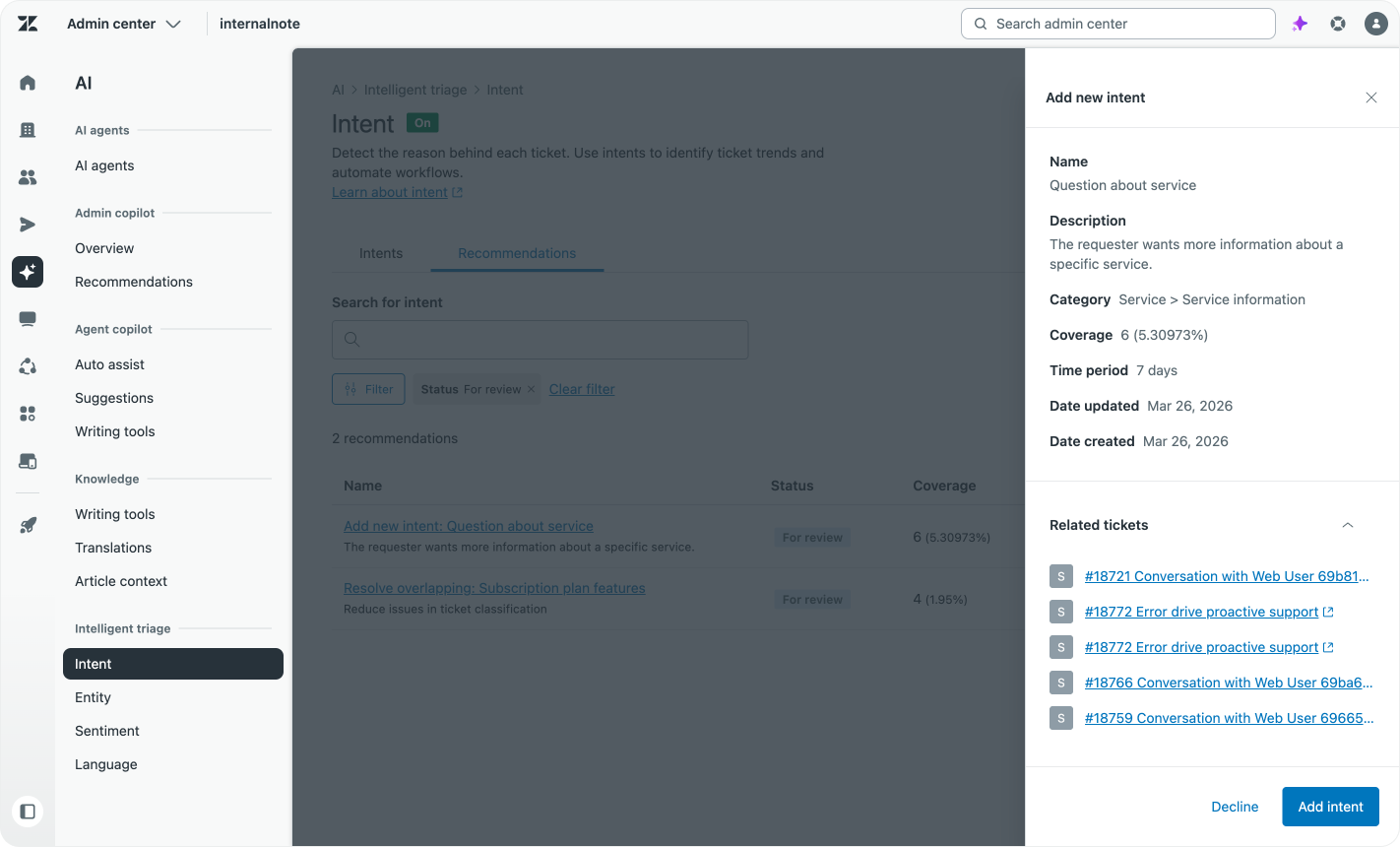
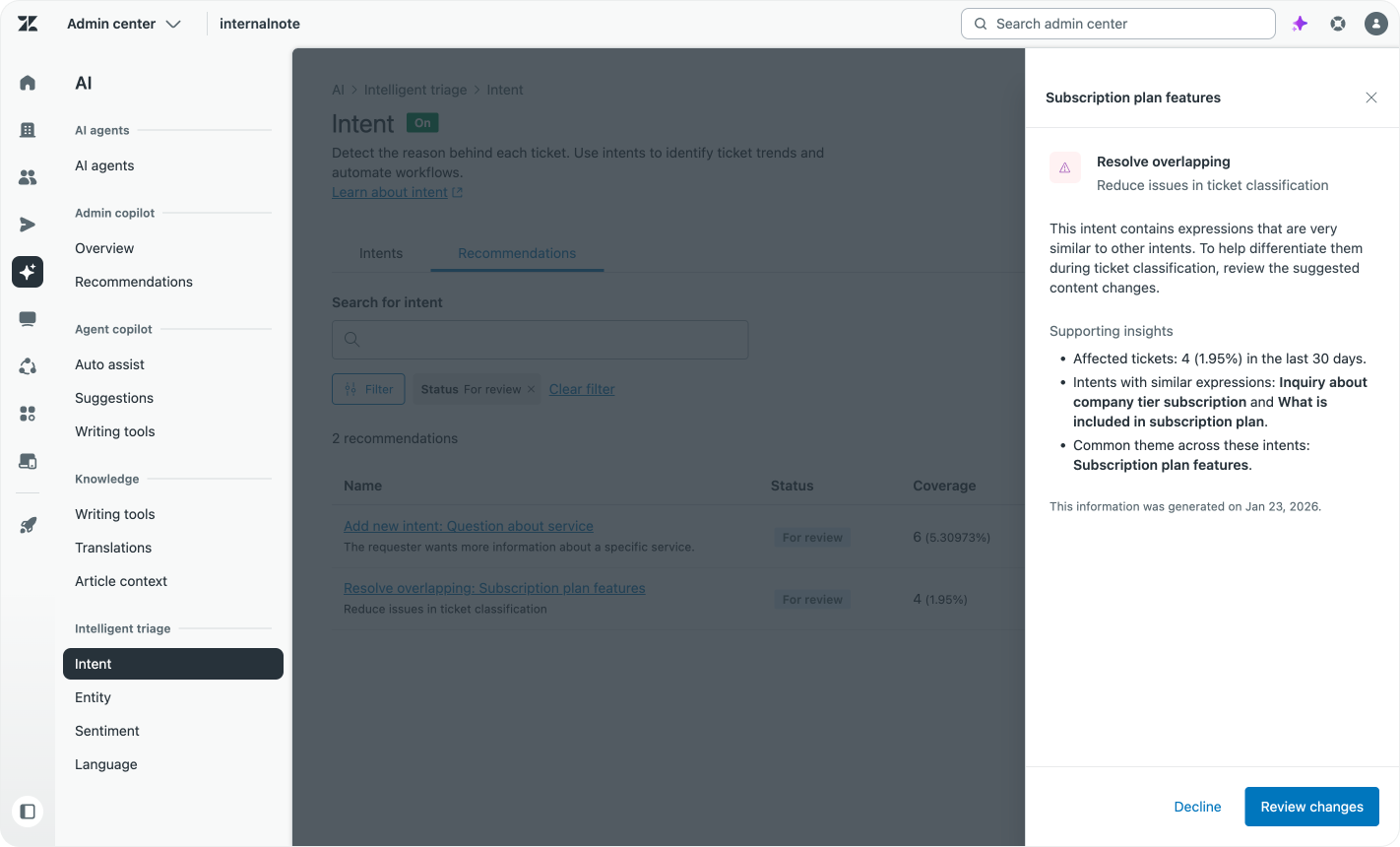
Recommendations for new and conflicting intents.
New Intents list suggestions of new use cases that customers ask about. You can check, validate and enable these intents, which then get added to the list of intents the system tags with.
Conflict recommendations are there to make sure your intents are as targeted as possible. If you’ve added new custom intents that accidentally overlap with existing intents, or are too close in their description, the platform will surface these so you can tweak their description, or disable them all together.
Each suggestion will show a list of matched tickets so you can validate the recommendation before accepting it.
Next-generation intent classification
Zendesk’s Intelligent Triage has seen plenty of visible and invisible evolutions since its inception. The arrival of the unified model, the ability to add custom intents and the new recommendations engine keep improving its effectiveness.
But as Zendesk’s understanding of what customers expect of the feature evolves, so does the AI industry itself. Pre-trained models, get replaced with custom trained models, which are now more and more getting replaced with retrieval models and LLM based intent detection.
If you remember old-school chatbots (or earlier versions of Ultimate), you might remember training for use cases by writing down variations of “customer wants a refund”, “customer is asking for a refund”, “customer is asking for their money back” ,… These training phrases were used to define a “Refund” intent, and overtime you keep adding new variants to the list to make the intent more effective.
Thanks to modern LLMs you can now just write “A customer is asking about refunds and wants their money back”, and the LLM will automatically understand the intent, and any matching phrase, even with completely different wording, will match the intent. So “I want a reversal of charges” should get matched. But doing this kind of LLM lookup for every customer message gets expensive fast. LLMs are fast, but at scale they do use up a lot of CPU power.
A faster method to do this kind of lookup is via a pretrained retrieval engine. When we search the Help Center for an answer and generate a reply, our Knowledge Graph is not reading the entire indexed knowledge each time. We have RAG that indexes, pretrains and stores indexes for all knowledge. Any customer question that comes in does a vector lookup against the RAG, and the closest matching content is passed to an LLM to generate a custom response.
Zendesk approaches their Intelligent Triage in a similar manner. There’s a unified retrieval model that does the initial classification to find possible matches, with an LLM on top to narrow it down to the exact match.
This completely new engine runs Intelligent Triage today, and it powers both the Intent classification, as well as part of the Intent Recommendation engine. You might not see it in the UI, but what happens underneath is an increase in model accuracy, a lower chance of intents not getting mapped, and a more performant recommendation engine.
What’s next
For you, the reader, what’s next is to dive into Intelligent Triage.
If you haven’t used Intelligent Triage yet, I’ve written a handy guide on migrating your legacy categorisation to automated intent detections.
 Thomas Verschoren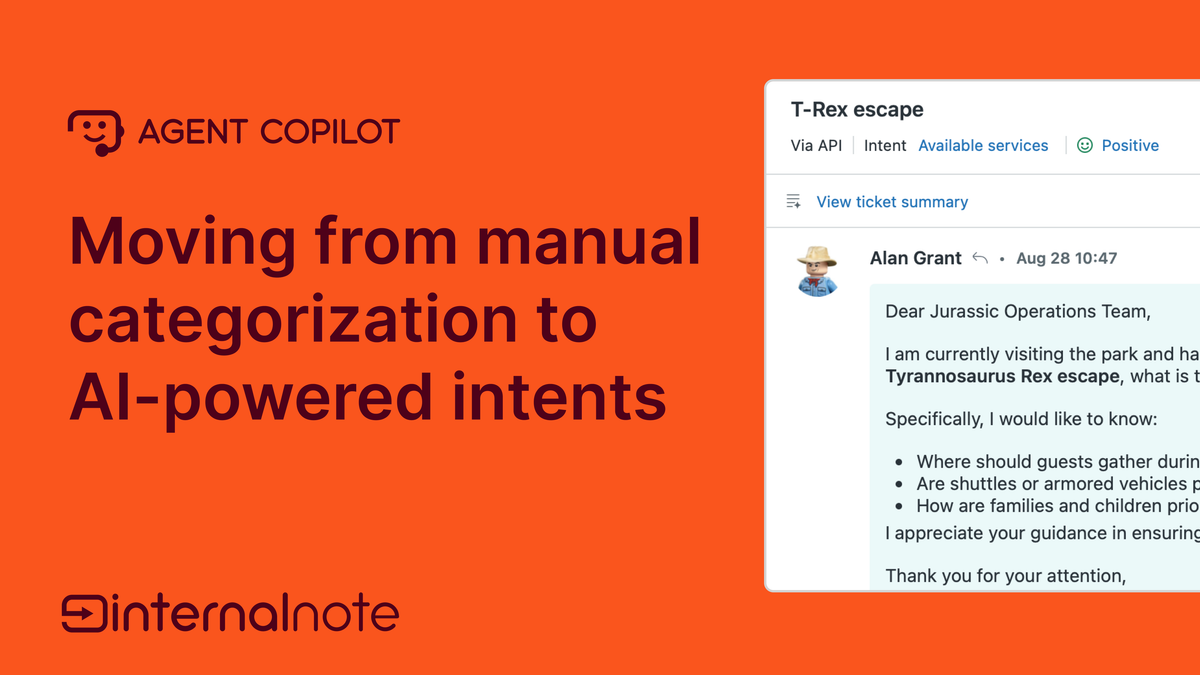
Once you’ve got intents running, it’s time to look at Omnichannel Routing and optimise ticket assignment by leveraging intents, priority and service levels.
 Thomas Verschoren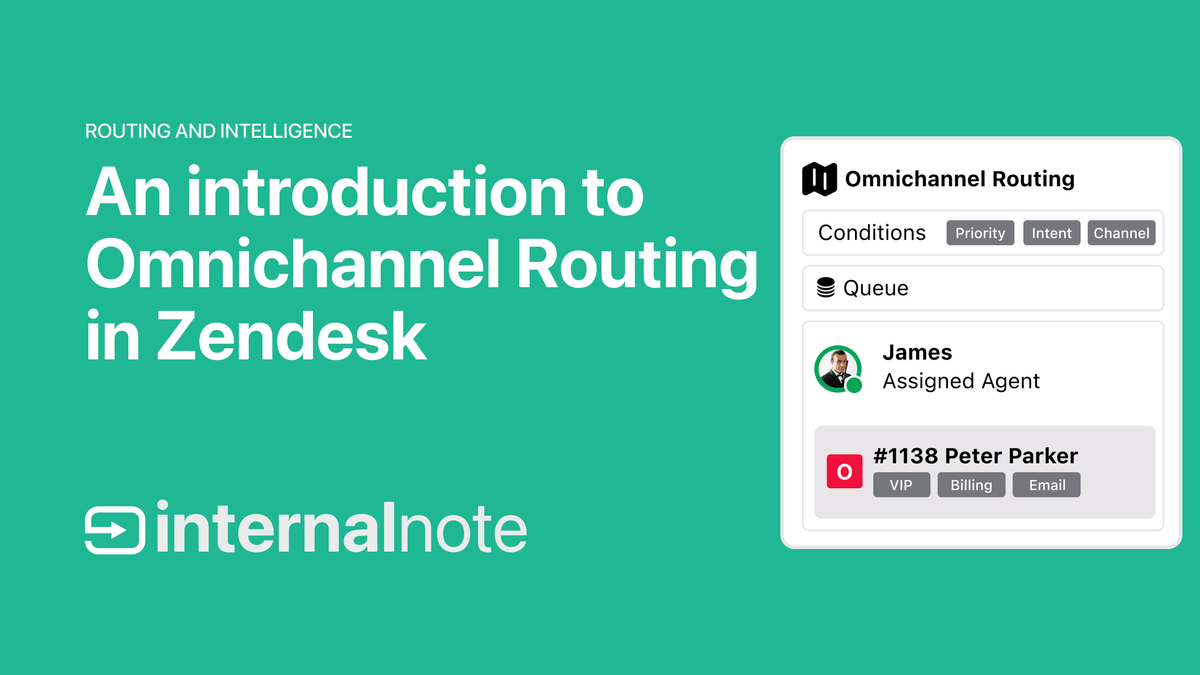
Now that the Intelligent Triage engine is running, it will also start feeding your Learning Loop. Reporting based in Intents will surface problems you didn’t know existed. You can take up these intents and define an automation strategy for them via AI Agents or Agent Copilot.
Intent Recommendations will open new avenues and surface previously unknown use cases, which you can then accept or decline, while also taking any automation or procedures around them into account.
For Intelligent Triage itself, I hope that a next iteration will work similar to the Knowledge Builder. Instead of loading with a giant list of intents and zero suggestions, you might imagine an experience where new users of Zendesk get a curated list of intents based on their ticket history upon first launch.
Predefined intents get renamed, there’s a set of suggested custom replies and obvious unused intents get disabled.
This makes for a more manageable experience at launch, feels more specific to your business, and the results are immediately familiar. But that’s the future. For today, the current Intelligent Triage is more than powerful enough to warrant adoption by any Zendesk Customer.