
Using segments with Zendesk AI Agents
Using segments with Zendesk AI Agents

On this page
Customers do not experience support as a blank slate. They arrive with an identity, an order, a plan, a history, and an expectation that the company should know enough to help. When an AI Agent ignores that context, it asks people to repeat information, offers options that do not apply to them, or follows a generic path even when a specific answer is already available. Personalised service closes that gap by giving the AI Agent the context to identify the customer, tailor the conversation, and act within the rules that apply to them.
That work starts before an AI Agent even answers a question: it starts with knowing who is speaking, understanding what that knowledge allows you to do, and using the context to make the next step more relevant.
An unidentified visitor may need to explain their situation from the beginning. An identified customer can be welcomed by name. A verified customer can receive information about an order already in transit, without being asked to repeat an email address or order number. A customer on a premium plan might be offered a different route from somebody on a standard plan. None of these experiences requires a different AI Agent or procedure. They require the same agent to have the right context at the right point in the conversation.
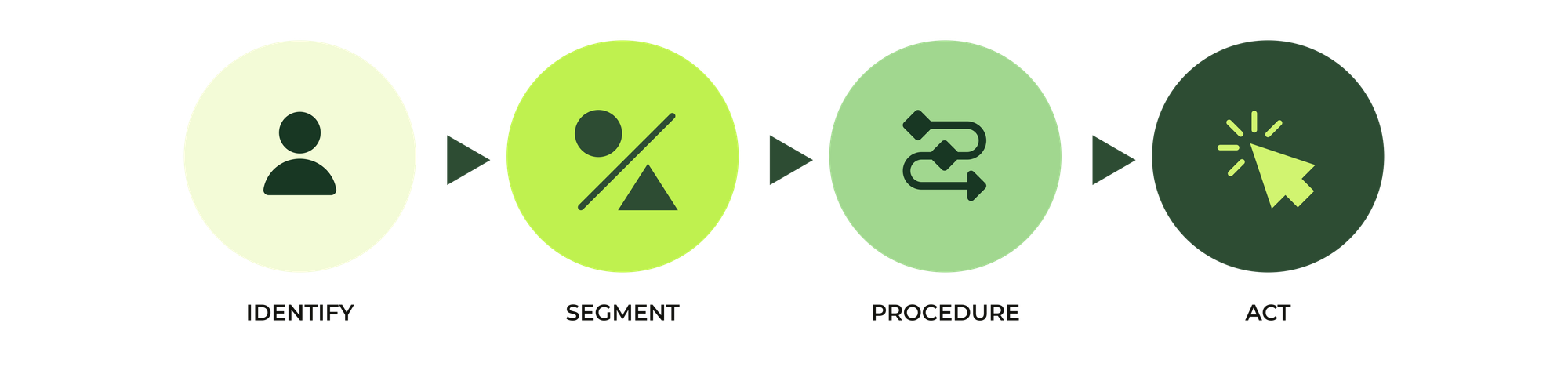
That is the useful way to think about personalisation in Zendesk:
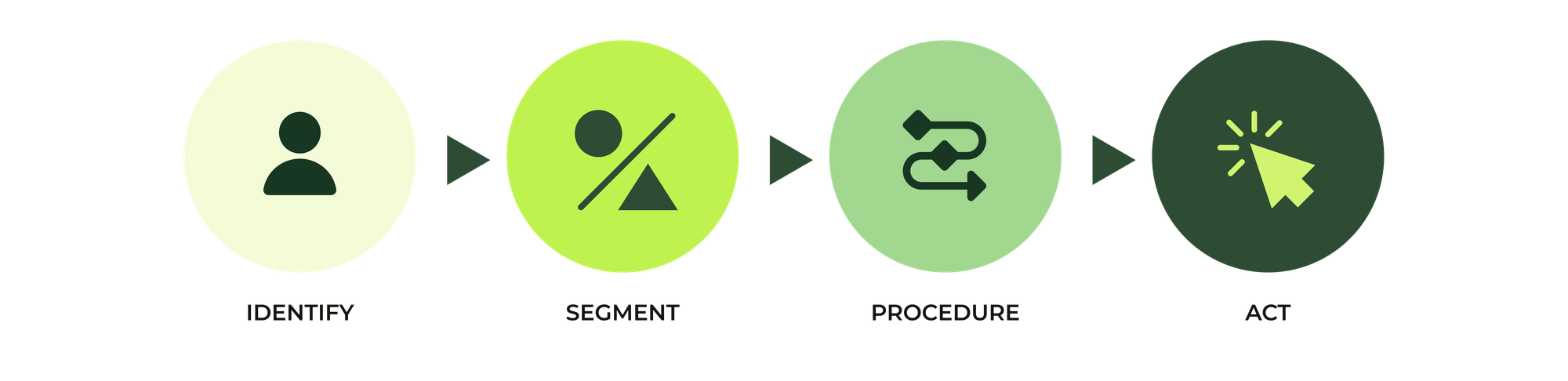
The four stages are connected, but they are not interchangeable. An email address can help identify a requester. A signed JWT can verify and authenticate a Messaging user. A segment can determine whether a use case is available to that customer. A procedure can use segments and other context to choose the path through the conversation. An Action Flow can use that context to retrieve or update data. Each stage answers a different question, and reliable automation depends on keeping those questions separate.
Identify the customer
The first step is to make a customer's context available to your AI Agent. That context might come from a logged-in Help Center session, a Messaging authentication flow, the email channel, a CRM lookup, or information the customer provides during the conversation.
For Messaging, simply asking the customer for their email address or name might be enough to identify them, but it does not prove that they are that customer. In a standard Help Center setup, authentication can use the logged-in user’s identity; on a website or mobile app, the existing login needs to be connected to Zendesk through a backend JWT flow that passes a stable external_id to the widget or SDK. You can see it in action on this very website if you login!
 Thomas Verschoren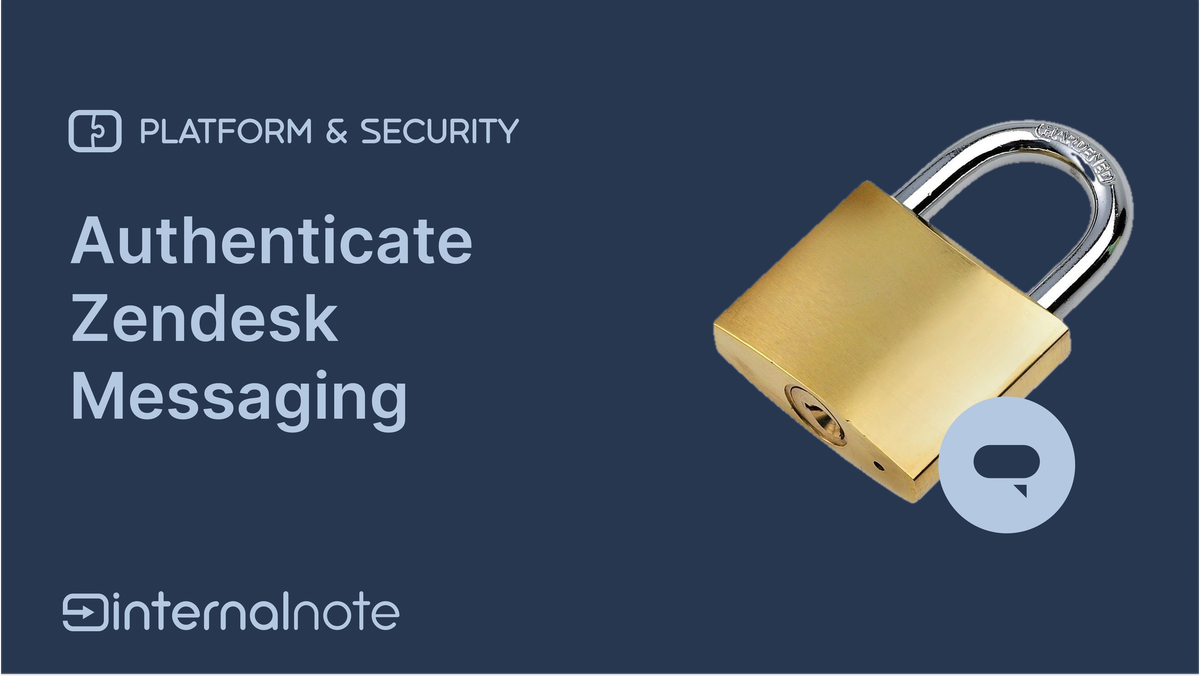
An incoming email on the other hand may be associated with an existing requester profile, and SPF, DKIM and DMARC records can help Zendesk verify it's a legit sender.
Segment the experience
Once customer context is available, segments in AI Agents let you put customers in specific buckets, making it easier to scope future decisions and actions to specific sets of customers. You decide which experiences are available to which customers. A segment can evaluate session parameters such as authentication state, plan, locale, account role, or loyalty tier. Create it once on the Segments page and reuse it wherever the audience needs to change.
In order to make conditions available to the segments, you can leverage conversation metadata, user data or actions to set and get data for that user.
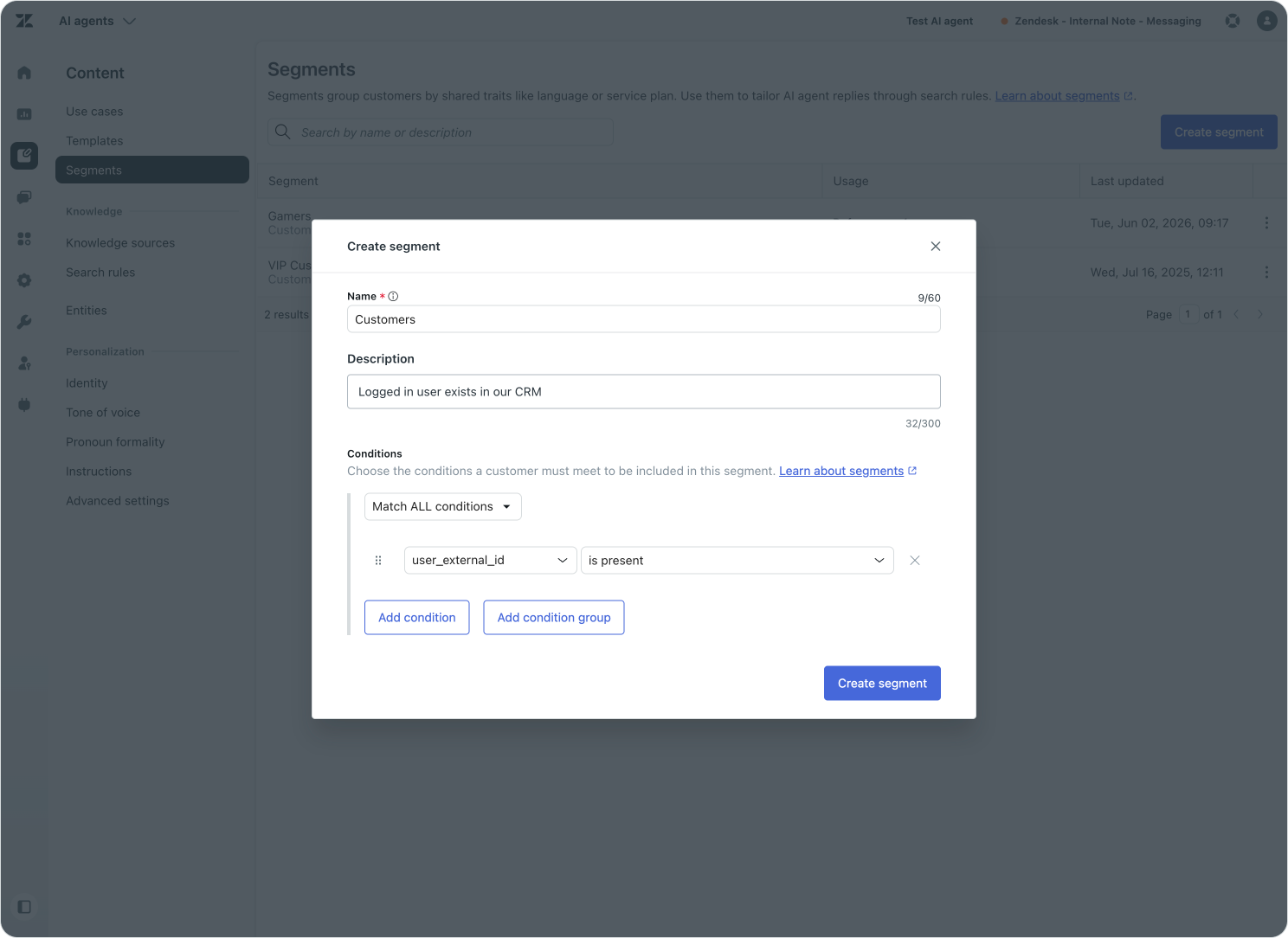
Once segments are created they can be leveraged in three locations within AI Agents:
- To filter what use cases are available to a specific user
- To filter what knowledge articles are used to answer a question
- To make decisions within a procedures and guide your logic
Filtering use cases by segment
A Zendesk AI Agent will always try to match a customers' question to a use case first. That use case can then call an Agentic Procedure or Dialogue Flow to resolve the conversation. If no use case matches the topic, the AI Agent will fall back to Knowledge sources to find an answer, and if that fails, will default to a basic reply. You can then decide if you want to stop the conversation, or escalate to your team.
But some use cases might not be relevant for each customer. A VIP customer might want to book airport lounge access, but for all other users, an article that explains the benefits of becoming a VIP member might be a better answer.
With segments you can filter which set of users has access to a specific use case. For those users the AI Agent will respond with the procedure or dialogue contained within that use case. All other users trigger either a different use case, or they fall back to a knowledge answer.
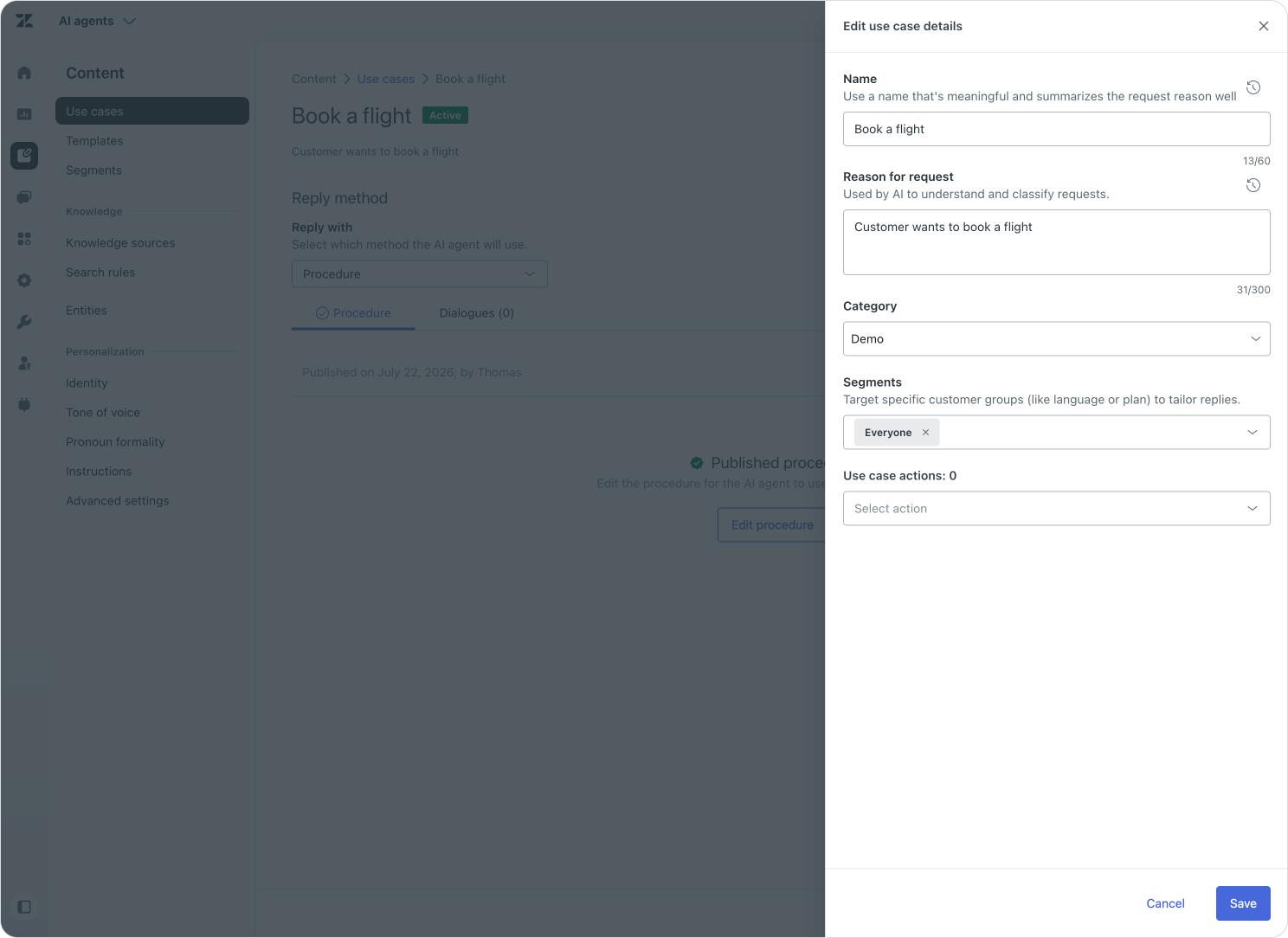
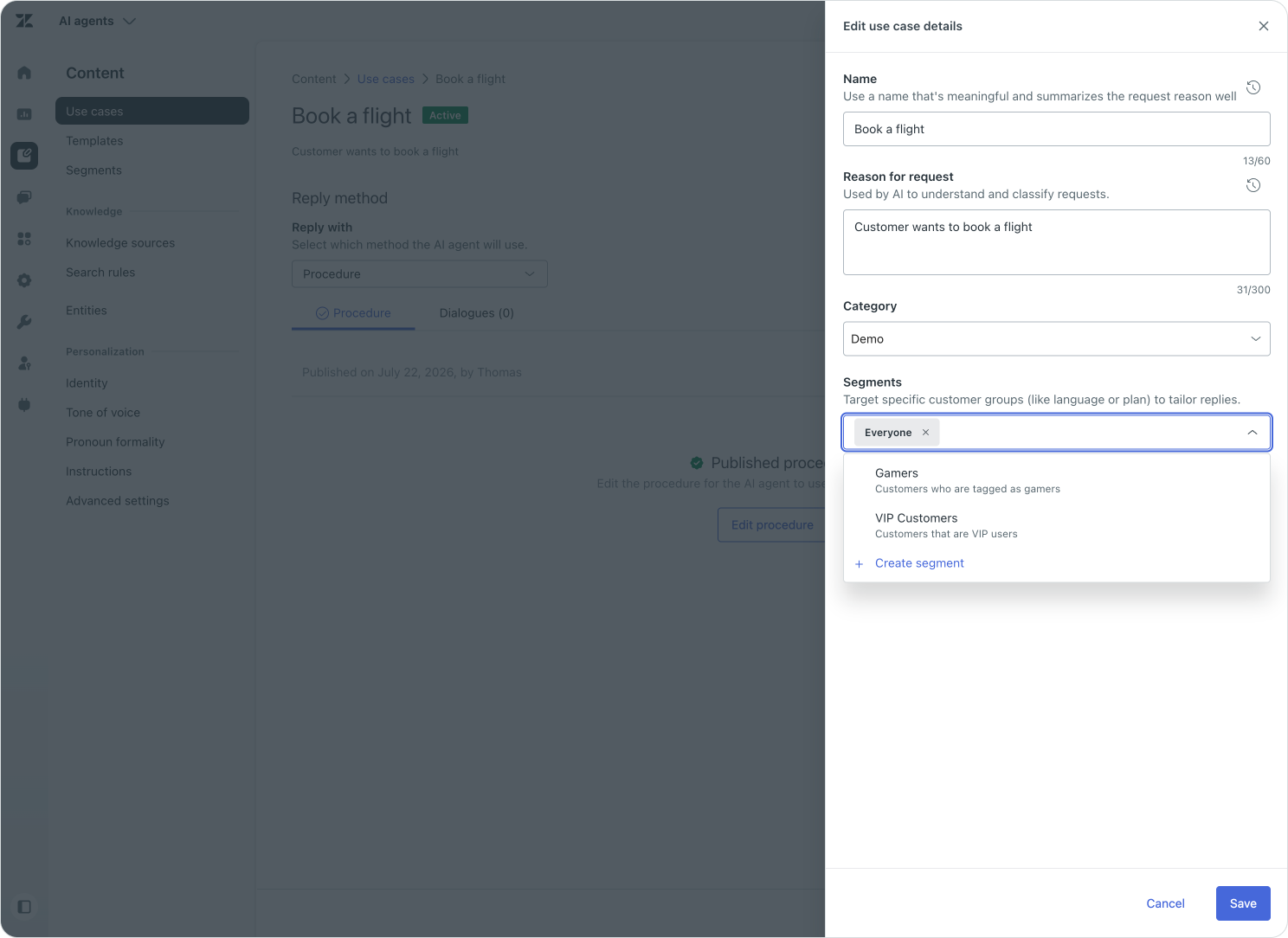
Because a restricted use case changes which capabilities are available to an audience, it is the right place for access boundaries, customer entitlements, and genuinely different catalogues of service. And by gating access to the use case, the procedure itself can be a lot simpler cause it can assume, correctly, that users that trigger it are allowed to it.
Filtering Knowledge by segment
Search Rules in AI Agents allow you to filter and bundle knowledge sources and make them available to the AI Agent as a focused set of content.
A tech company can use it to create a set of articles for their current software release, and another one for their previous version. Or as a hotel chain can create search rules to filter content based on the hotel type. Most search rules filter on parameters like product, location, version.
Segments can also influence search rules. A UK customer might receive answers grounded in the UK returns policy, while a US customer is matched to the US version. A VIP customer might see the service commitments that apply to their plan, while a standard customer receives the default policy.
This is useful when the difference is not whether the AI Agent should handle the request, but which source it should use when answering it.
These search rules can be leveraged in the Knowledge Reply to handle what knowledge is used:
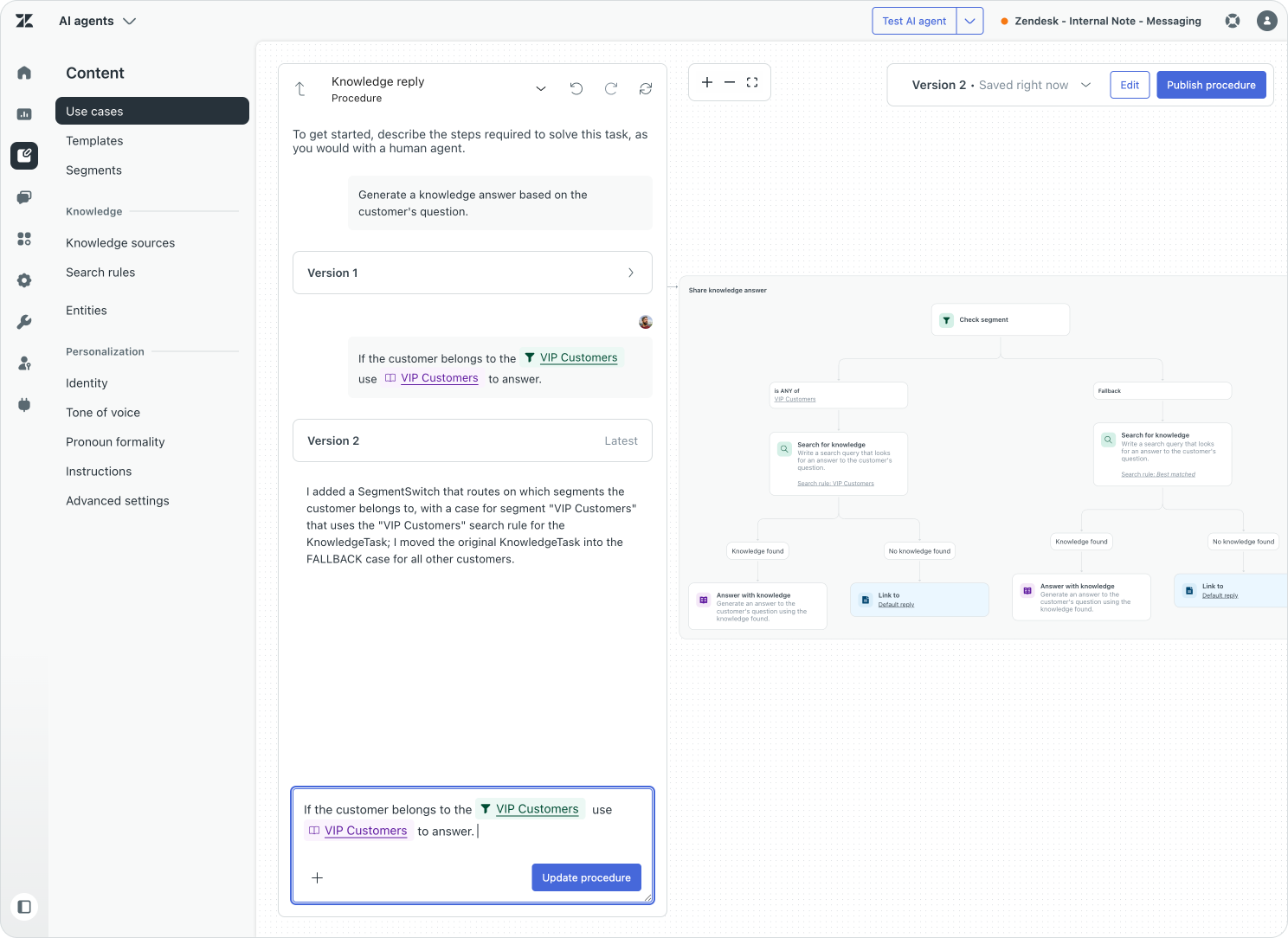
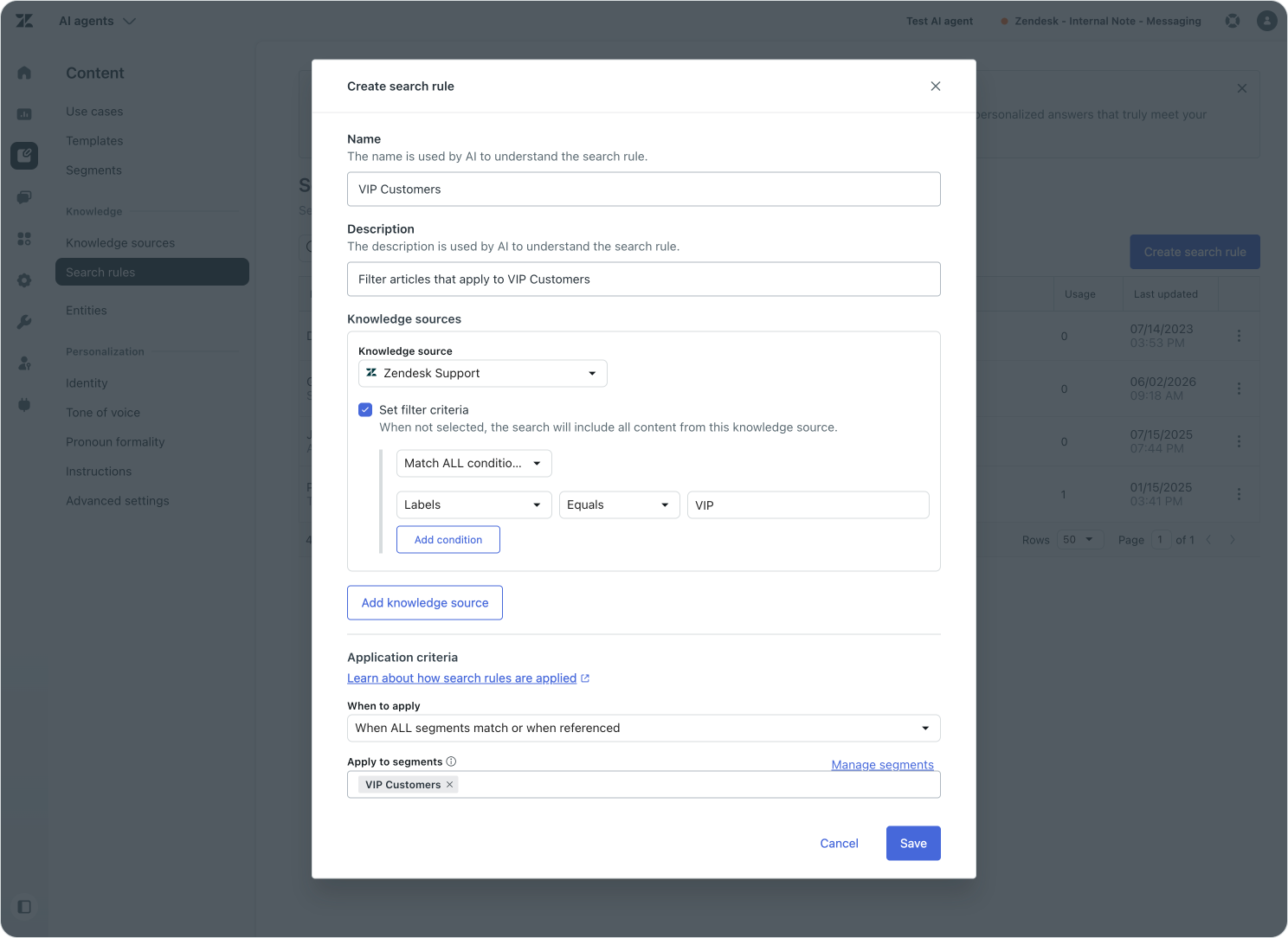
But we can also use it within a procedure wherever we want to leverage a knowledge source. In the example below I created a search rule to filter knowledge to only articles that have a VIP label. Then, when a customer in the VIP Segment asks a question, we can instruct our Procedure to only answer with questions filtered by our VIP Customers search rule. All other customers get answers pulled from the wider Help Center.
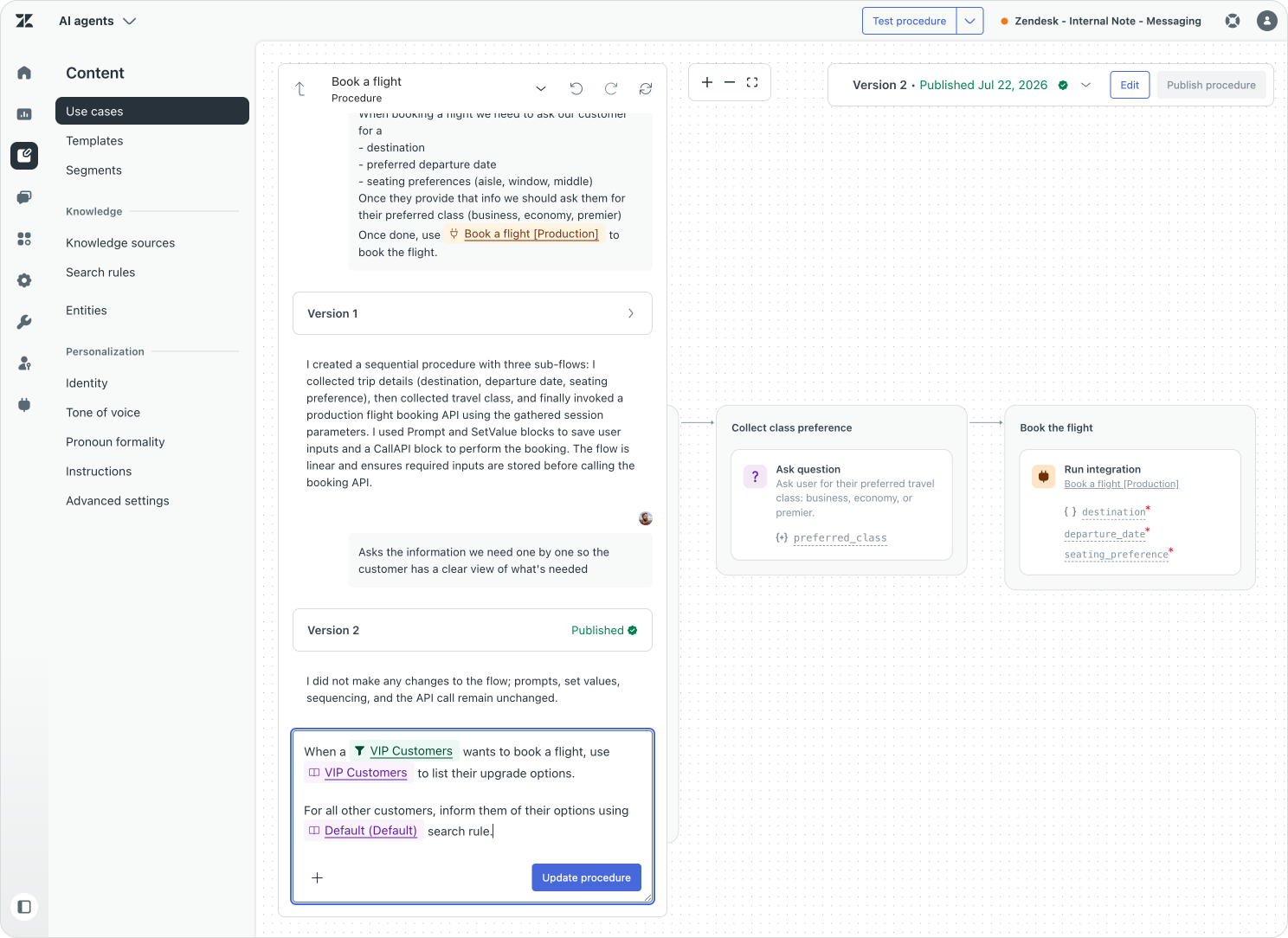

Customers that run AI Agents entirely within Zendesk's infrastructure get an additional capability: the AI Agent respects article view permissions of your Help Center. You can restrict articles to specific user segments, so certain articles appear only to groups you define, such as premium customers or specific regions. You can also create internal-only articles that only signed-in team members see. You no longer need to create search rules for these scenarios.
Customers that still run on Ultimate's infrastructure (the URL you use to access your AI Agent says ultimate.ai and not zendesk.com) do not get this option. Zendesk's actively migrating customers over, so keep an eye out for that!
Running procedural logic with segments
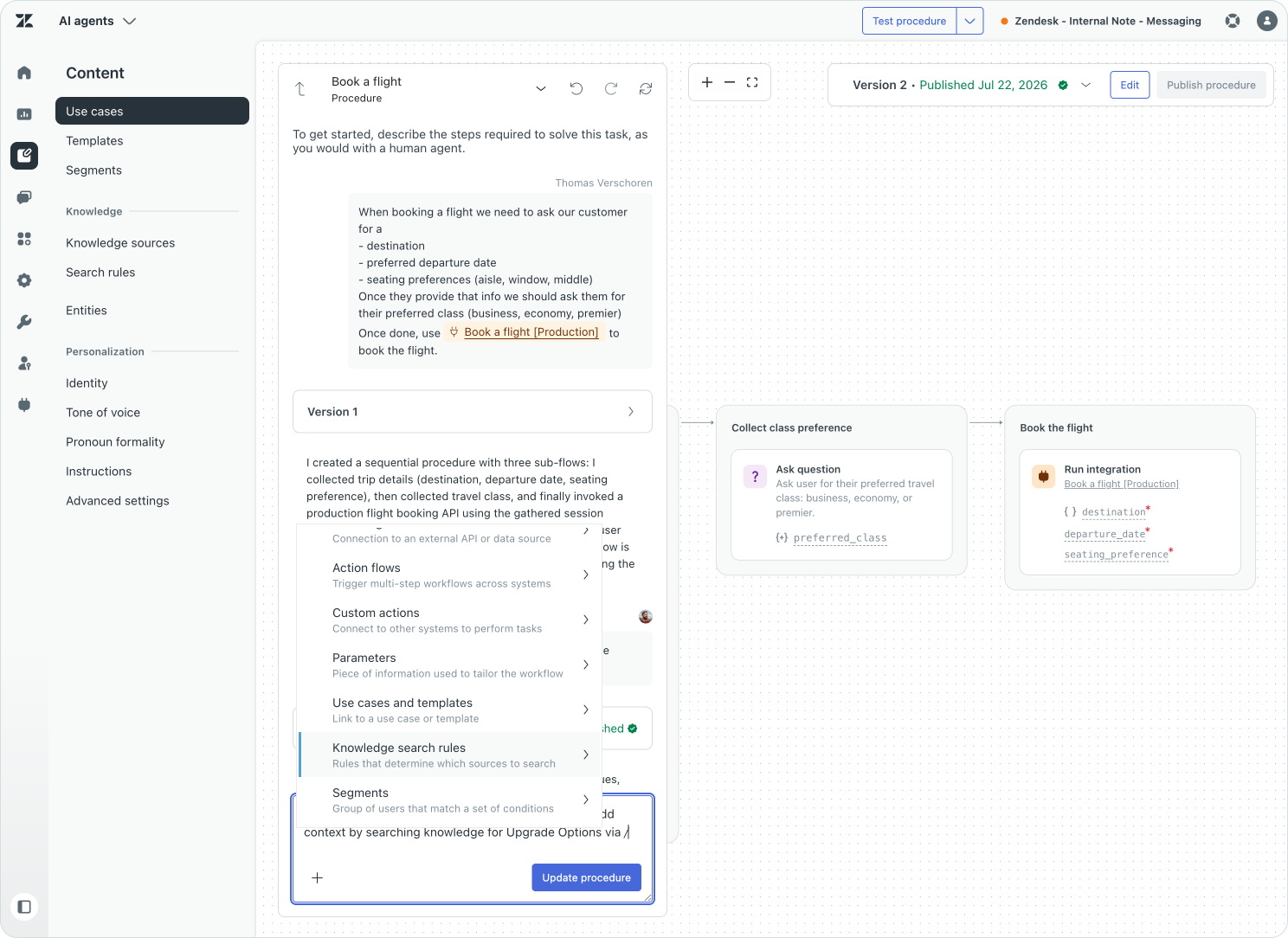
Once a use case is available and selected, a procedure determines how the AI Agent handles it. Similar to how we leverage segments to filter knowledge replies, we can use segments (and other context) inside the procedure when everyone can ask about the topic, but the handling should adapt to the customer.
Suppose both standard and VIP customers can ask to book a flight. The use case should be available to both groups. Inside the procedure, a segment condition can show standard customers all available seating, while showing VIP customers only Premium Economy and Business class seats. Both groups receive help with the same request, but the booking process responds to their relationship with the company.
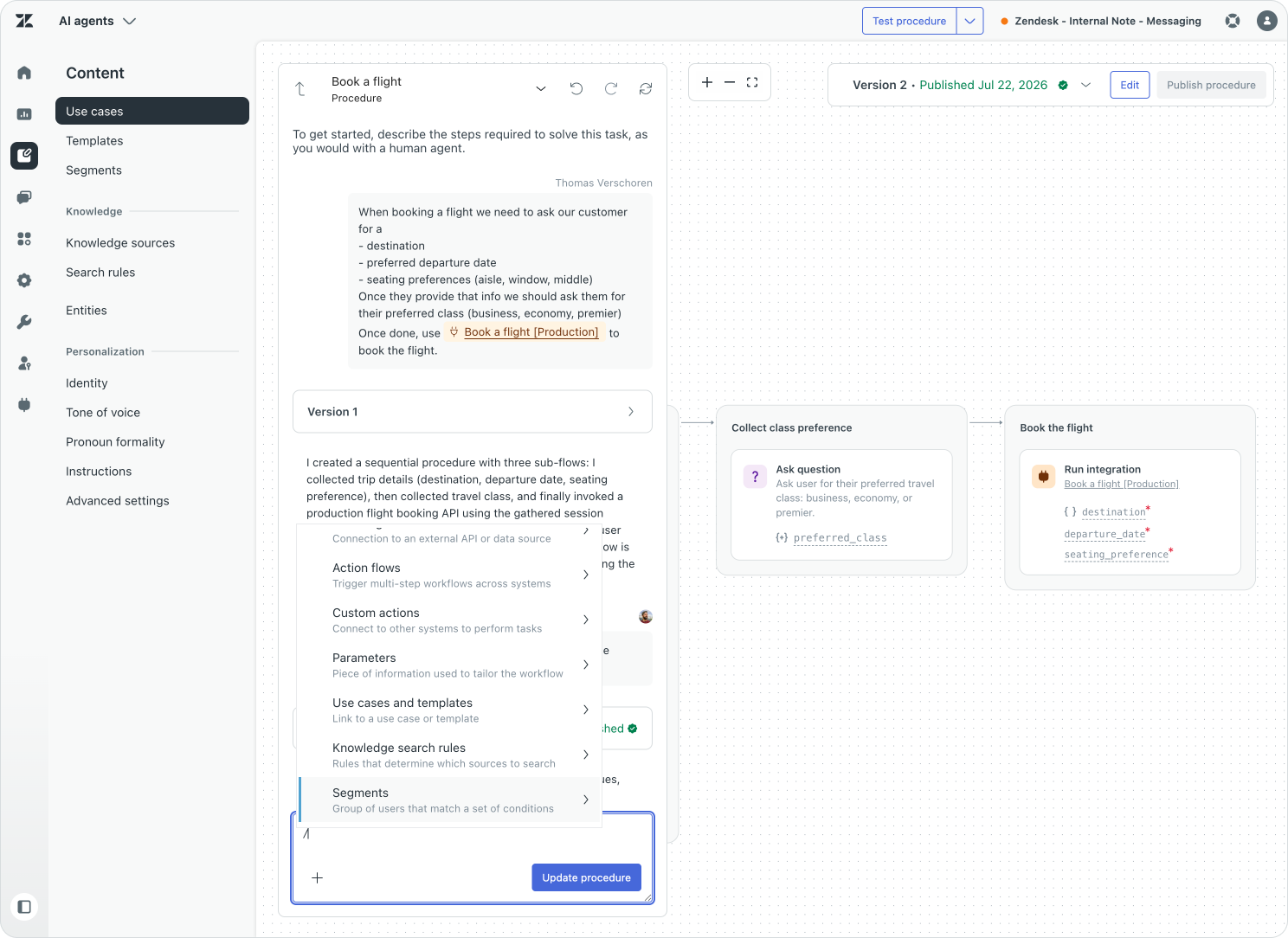
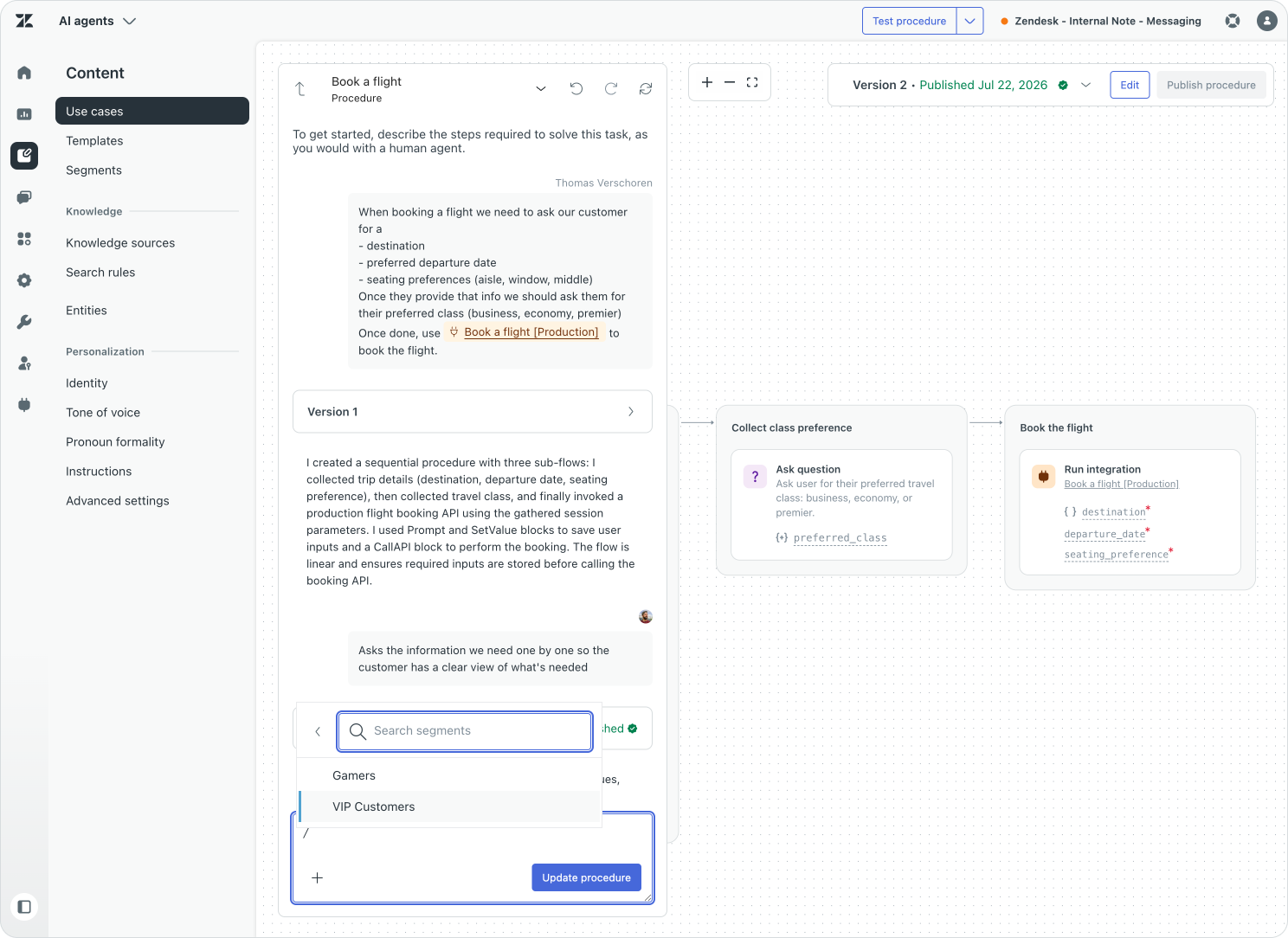
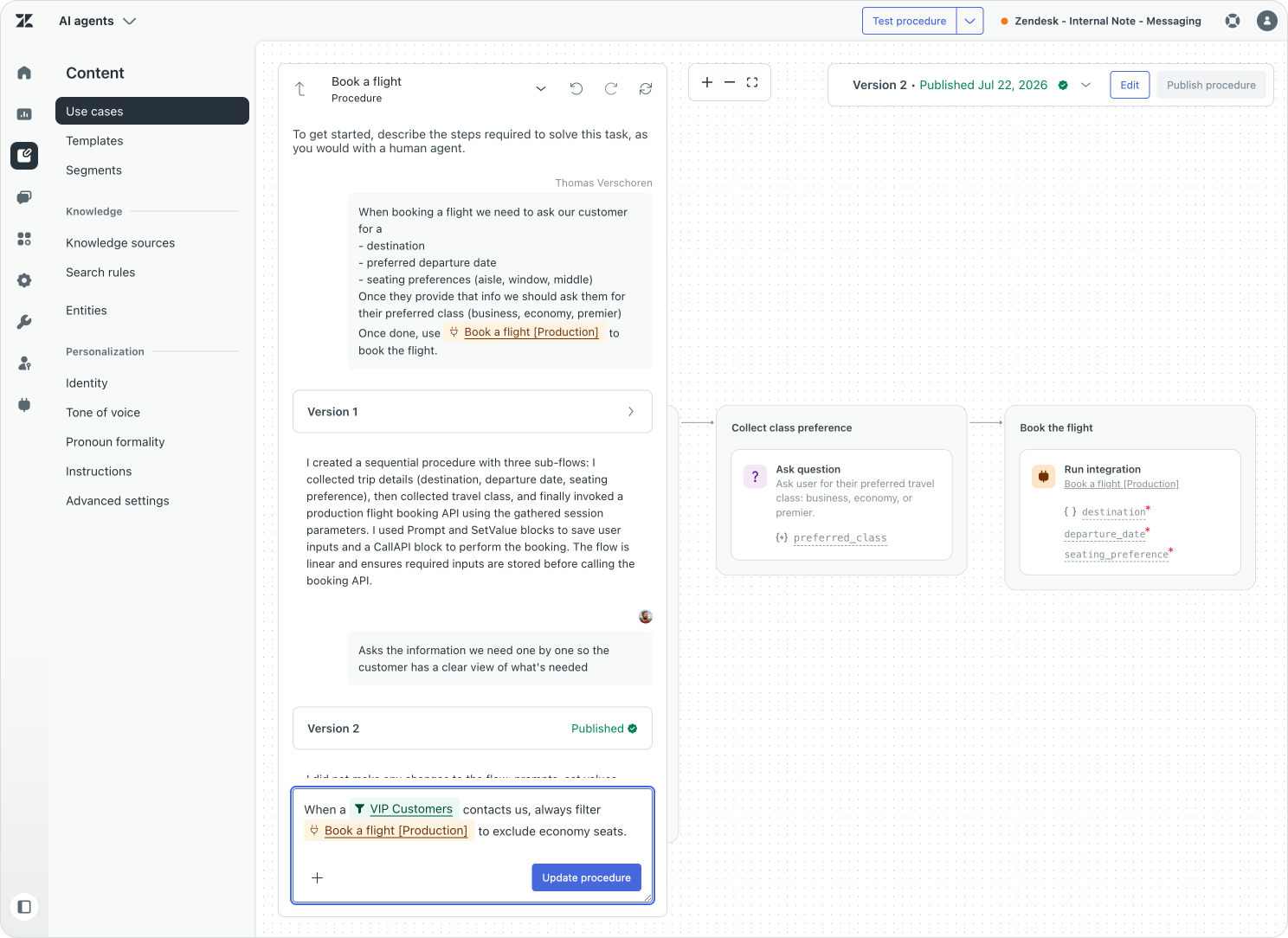
The same pattern works for regional return policies, different delivery options, VIP-first escalation, or an enterprise customer who needs a named account team rather than a general queue. But the rule still applies, a procedure that only makes sense for one segment is usually a sign that the segment-filter belongs on the use case level instead.
Act with the right context
Personalisation becomes useful when it changes what the AI Agent can accomplish, not only how it says hello. This is where actions and Action Flows connect customer context to the systems where the work happens.
Procedures structure the conversation flow and guide the process. Actions perform individual pieces of logic and work, such as retrieving a user or checking an order. Action Flows (and Custom Agents) combine actions into reusable business processes that can retrieve data, apply conditions, update Zendesk, call external systems, and return a useful result to the conversation.
When designing these kind of flows its important to think about when a flow should stop, where validation happens and when actions can occur.
Let's say we want to book Airport Lounge access and in our company only VIP users can do so. By making sure our conversation is authenticated from the get go, we already know we are talking to the actual customer. That negates any downstream elements handling authentication.
Segmentation rules are useful to make sure we only offer "Book a lounge" to VIP users, routing all other customers to an article that explains the benefits of the VIP program.
The procedure itself then handles the logic of actually booking the lounge access. Selecting the airport, the date, the time. And the Action Flow at the end only has a single job: making the reservation, and either confirming the booking, or noting an error (eg that date is fully booked), but it should not really care about eligibility or verification anymore. That's handled upstream.
Now, in reality your flow might be different. Maybe you can't authenticate from the start, and you want to do an inline verification with a SMS code. Or maybe anyone can book, but based on the segment its free or paid. Regardless of the business logic, there'll always be this flow of identify, segmentation, procedure and actions.
Check what happened
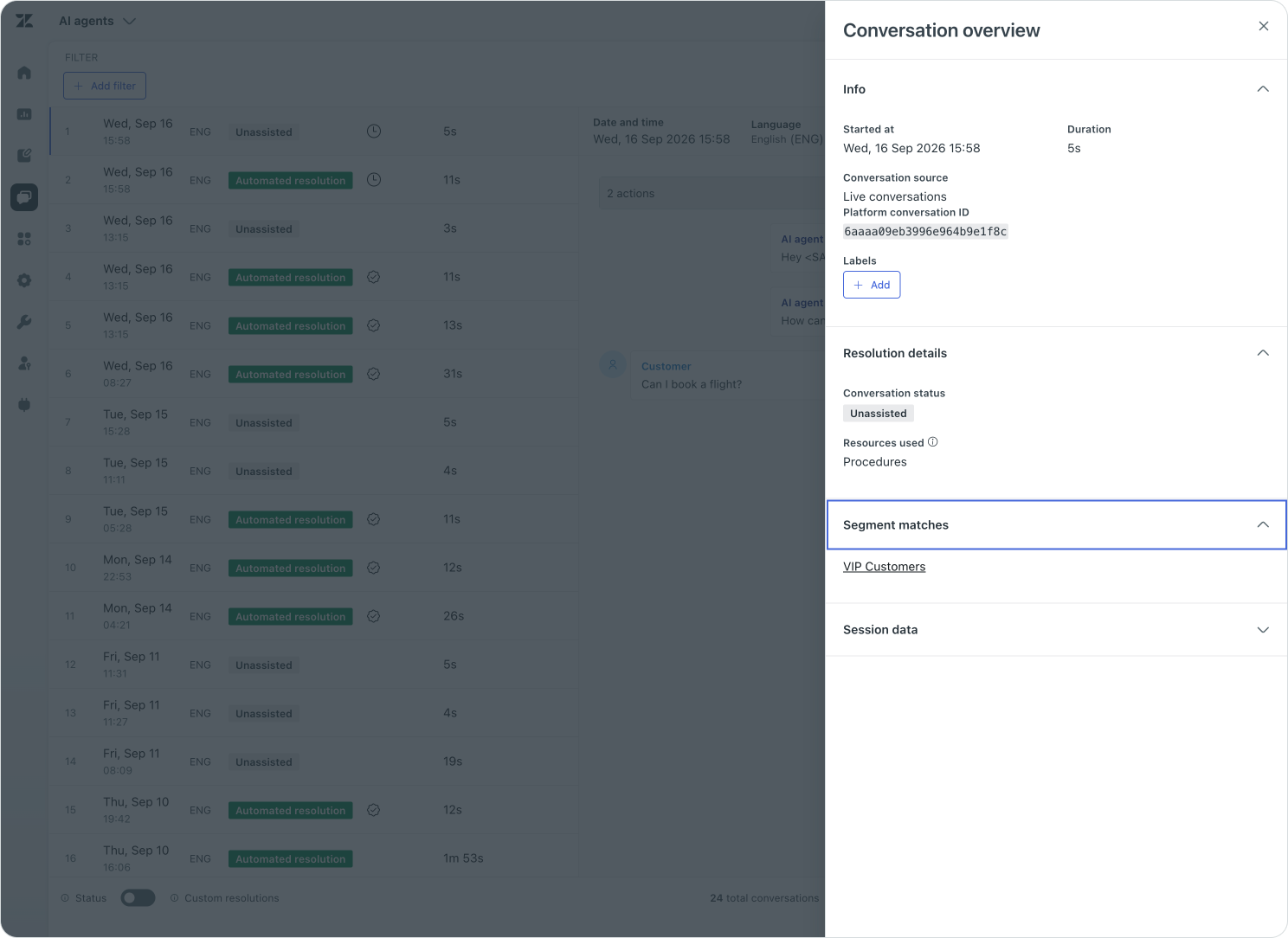
When it comes to automation, trust is key. We expect the system to apply our guidance consistently. After publishing a new procedure or change in process, inspect Conversation Logs for the conversations you expect to match and the ones you expect to miss.
Check that:
- the authentication state was populated correctly;
- the name, email, plan, locale, or other source values contain the expected data;
- the intended segment matched;
- a restricted use case was unavailable outside its audience;
- the correct procedure branch ran;
- the Action Flow received the expected input; and
- the AI Agent stopped, asked for confirmation, or escalated when the required conditions were not met.
Conversation logs expose segment matches and session parameters, which makes them useful for validating the route rather than guessing from the final reply. Reviewing conversation logs is therefore part of the configuration process, not something to leave until a customer reports that personalisation failed.
Conclusion
Personalisation with AI Agents is not about creating a separate experience for every customer. It is about making the right context available at each stage of one governed flow: identify the customer and establish what can be trusted, use segments to determine which use cases and knowledge are available, let the procedure adapt the path, and pass the required data into an Action Flow or Custom Agent to get or set information in the systems that matter.
The experience should feel like one conversation, even though several decisions are working behind it. Eligibility, confirmation, human approval, and failure handling should each have an explicit place in the flow. After publishing, use Conversation Logs to confirm that the customer context was populated, the right segment matched, the intended procedure branch ran, and the action received the expected input. When each stage has a clear responsibility, AI Agents can deliver service that feels personal while remaining predictable, governed, and safe to run.