
What's new for Zendesk AI Agents Advanced
Zendesk is unifying its AI Agent offering and making agentic email GA. This roundup covers every notable AI Agents Advanced release in 2026 so far, from hybrid procedures and knowledge replies to new governance tools and conversation journey reports.
What's new for Zendesk AI Agents Advanced

On this page
Zendesk's AI Agents Advanced has had a busy start to 2026. And two changes stand out above the rest.
First, agentic AI is now the default across both messaging and email. The adaptive reasoning and procedures that launched at Relate 2025 for messaging are now generally available for email too. That means AI Agents can understand incoming emails, answer from connected knowledge sources and execute business procedures through integrations, without requiring hand-built dialogue flows. It's a big step forward for email automation.
Second, Zendesk is unifying its AI Agent offering. Starting late April, the distinction between Essential and Advanced disappears. Every Suite and Support customer gets access to agentic procedures, generative knowledge replies and API integrations. What was once a an add-on, now becomes a core part of the platform.
Those two shifts alone would warrant an article. But there's more. Procedures and dialogue flows can now link to each other. A new Sankey-based conversation journey report gives you visibility into which automation paths actually drive resolutions. And the Knowledge Reply, the successor to the old uGPT flow, now behaves like a procedure you can edit and extend.
This article rounds up every notable AI Agents Advanced release so far this year. I've grouped them by theme rather than release date, because many of these updates tell a bigger story when you see them together.
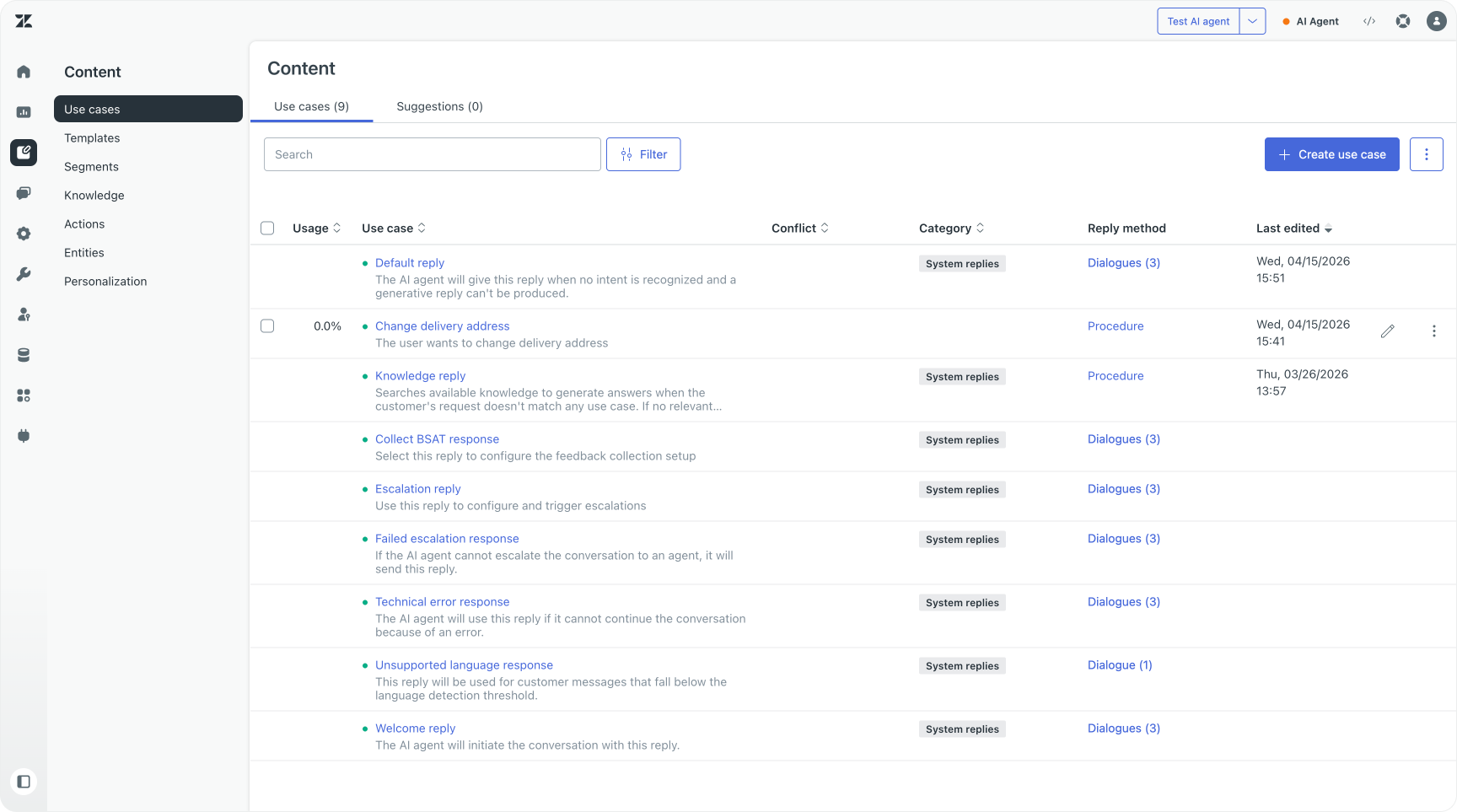
Zendesk unified AI Agents
Zendesk will move to a single AI Agent platform for all customers, removing the distinction between its Essential and Advanced offering. Soon a phased rollout will bring this new model to all accounts.
In practice, this means agentic capabilities that were previously locked behind the Advanced add-on will now be included across all Zendesk Suite and Support plans. Agentic reasoning, multi-step procedures and external API integrations are no longer upsells. They're part of the platform.
Resolution Platform
Zendesk's Resolution Platform is built on a simple premise: the best way to measure customer support is by its outcome.
Did we resolve the customer's question?
Doing that at scale requires several things working together. You need AI that can automate your frontline. You need routing that gets tickets to the right person when human judgment adds value. You need context and tooling at agents' fingertips. And you need insights to measure what's working and what needs to improve.
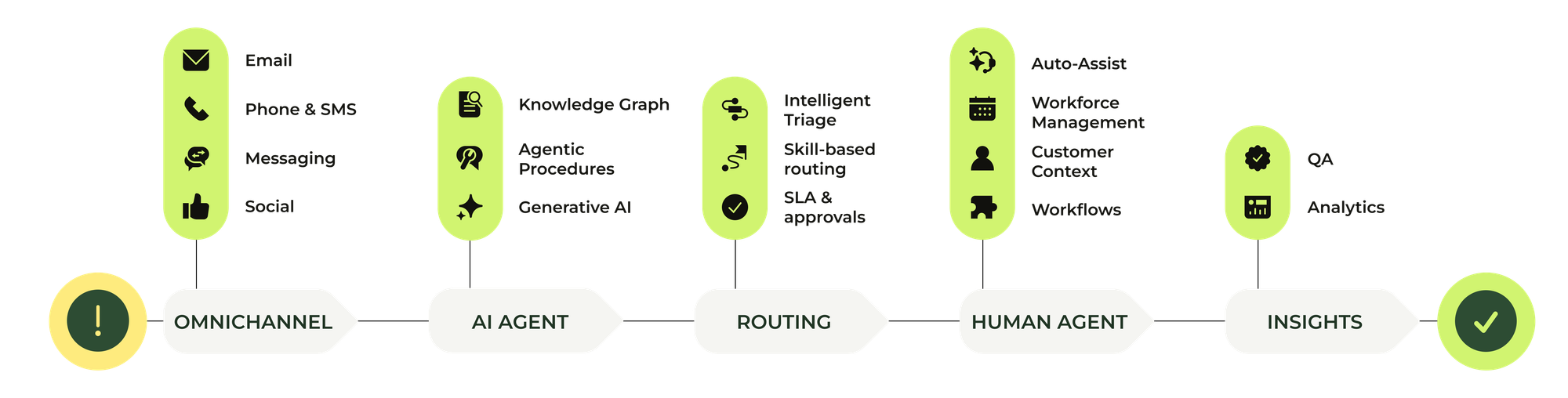
Within the Resolution Platform, the capabilities that power this (AI Agents, Agent Copilot, QA) all used to be add-ons sold on top of Zendesk Suite. But as AI and automation become the norm, folding these into the core product is a natural next step. We've already seen this with Agent Copilot, where writing tools and AI summaries are now available to all Suite Professional or higher customers. Similarly, Federated Search and the AI-powered knowledge tools behind the Knowledge Graph are included for every Suite customer.
The unified AI Agent extends that same logic to the front line. Instead of asking customers to choose between a generative AI Agent or one that also handles agentic procedures, every customer now gets access to Zendesk's most capable AI Agent out of the box. That means generative replies powered by the Knowledge Graph, agentic procedures for complex logic and automation, and API integrations that connect your AI Agent to your other tools.
AI Agent for Messaging
At Relate 2025 Zendesk announced their new Agentic Procedures for AI Agent Advanced. This allowed the AI Agent to move away from deterministic flows towards more dynamic and powerful adaptive logic.
These new capabilities have been available for a while now, and they've now become the default for all AI Agents, removing its beta label.
 Thomas Verschoren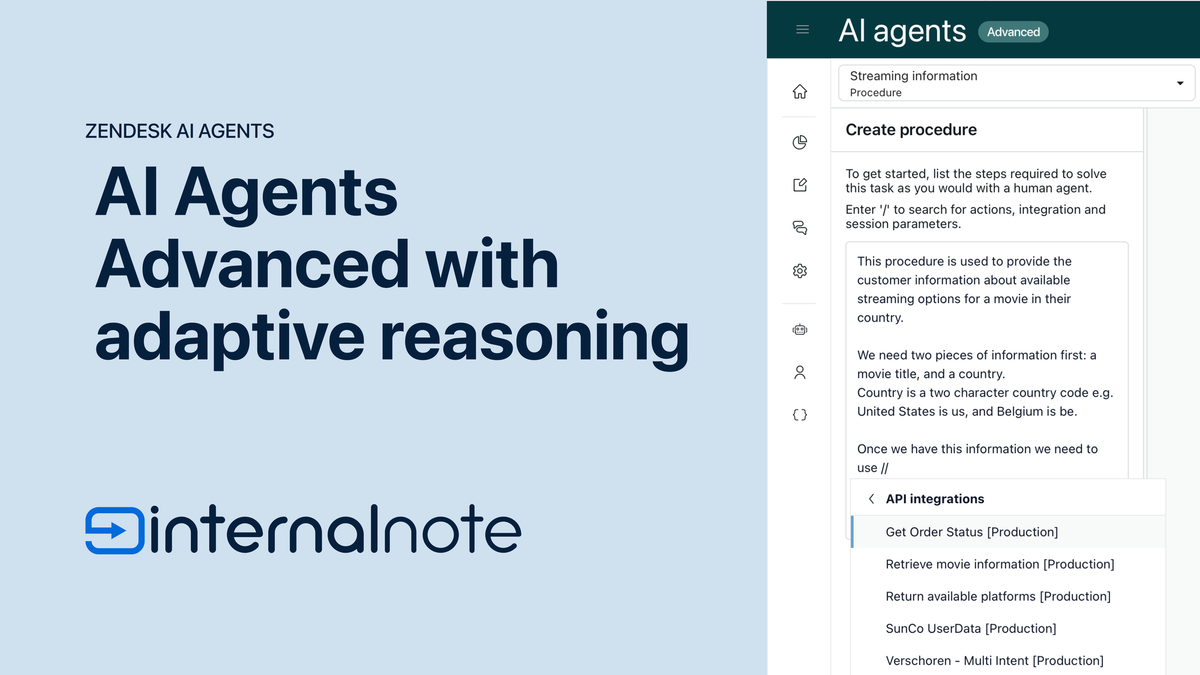
Rich text support
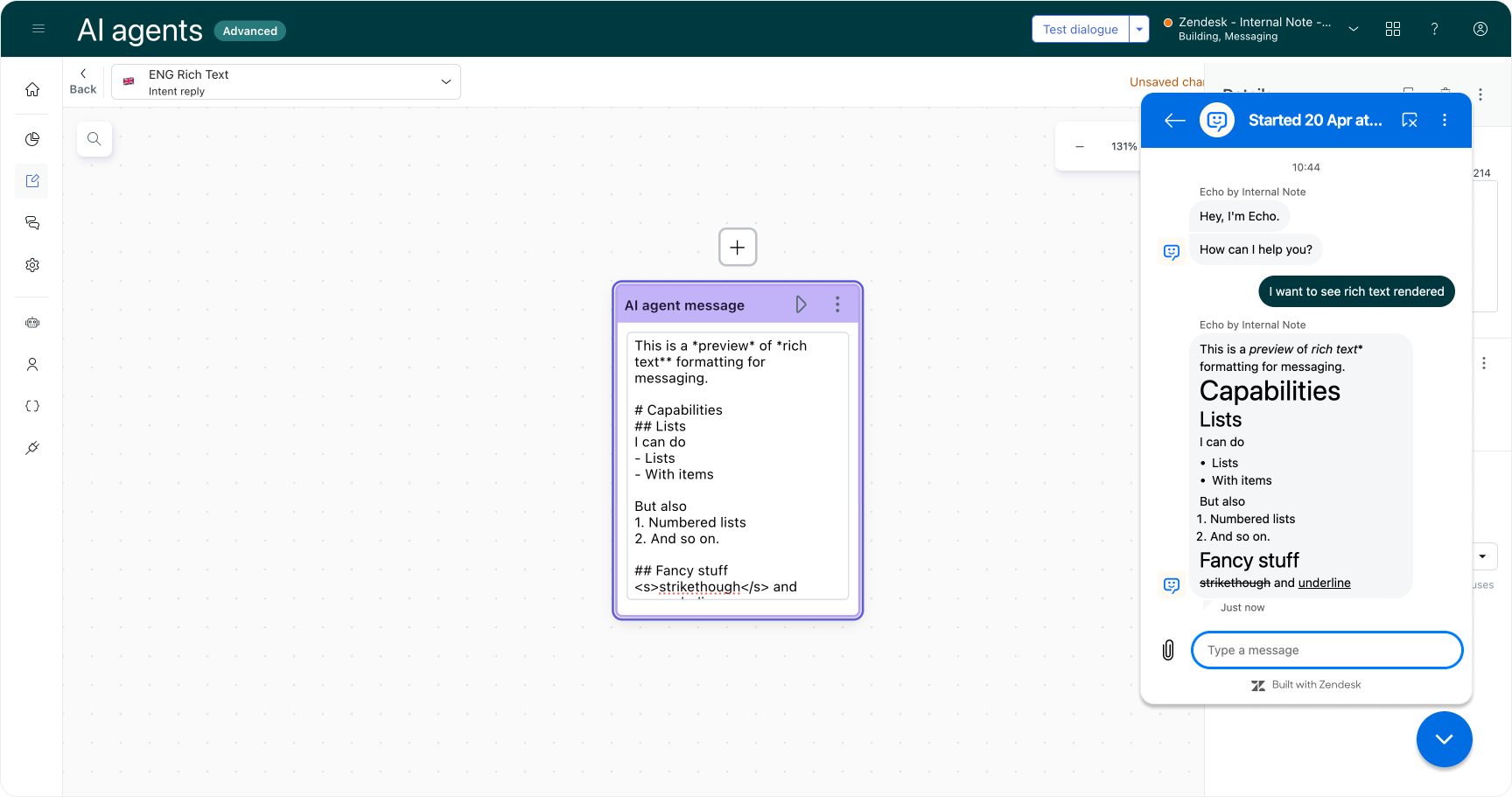
AI Agents Advanced (and bots using the Sunshine Conversations API) can now render rich text in their responses. That means bold, italic, underline, strikethrough, and hyperlinks in messages. It's a small thing visually, but it makes AI Agent responses feel substantially more polished and easier to scan.
If you're using the mobile SDKs, you'll need version 2.30.0 or later to support rich text messages.
Web form support on social channels
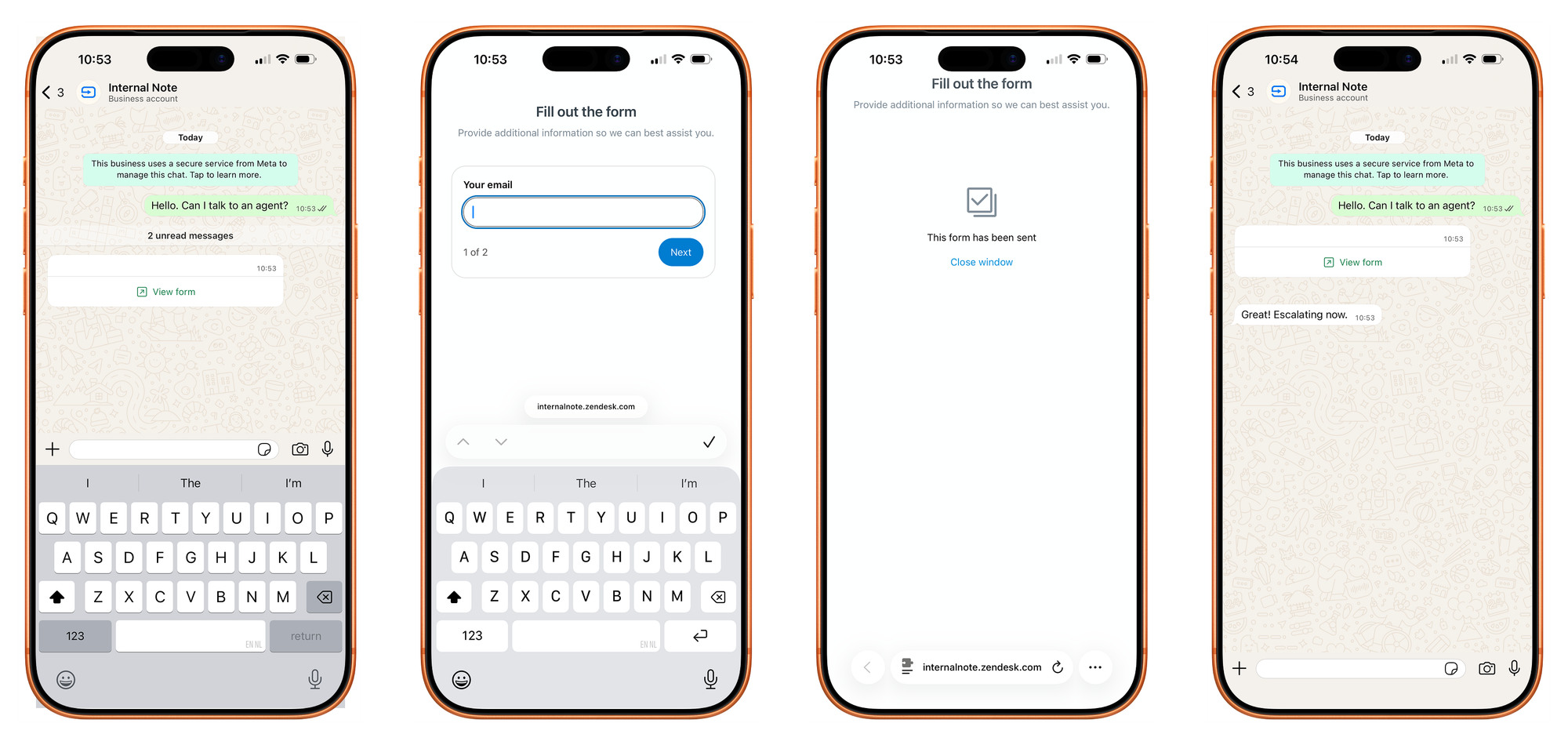
Zendesk has expanded form message support to social channels. Previously, forms were limited to the Web Widget and a handful of messaging channels. Now you can send structured form messages on social channels too.
If you're using AI Agents Advanced, you can add form messages to your conversational flows directly, or create Sunshine Conversations templates and use those to deliver the form.
Messaging connection enabled by default
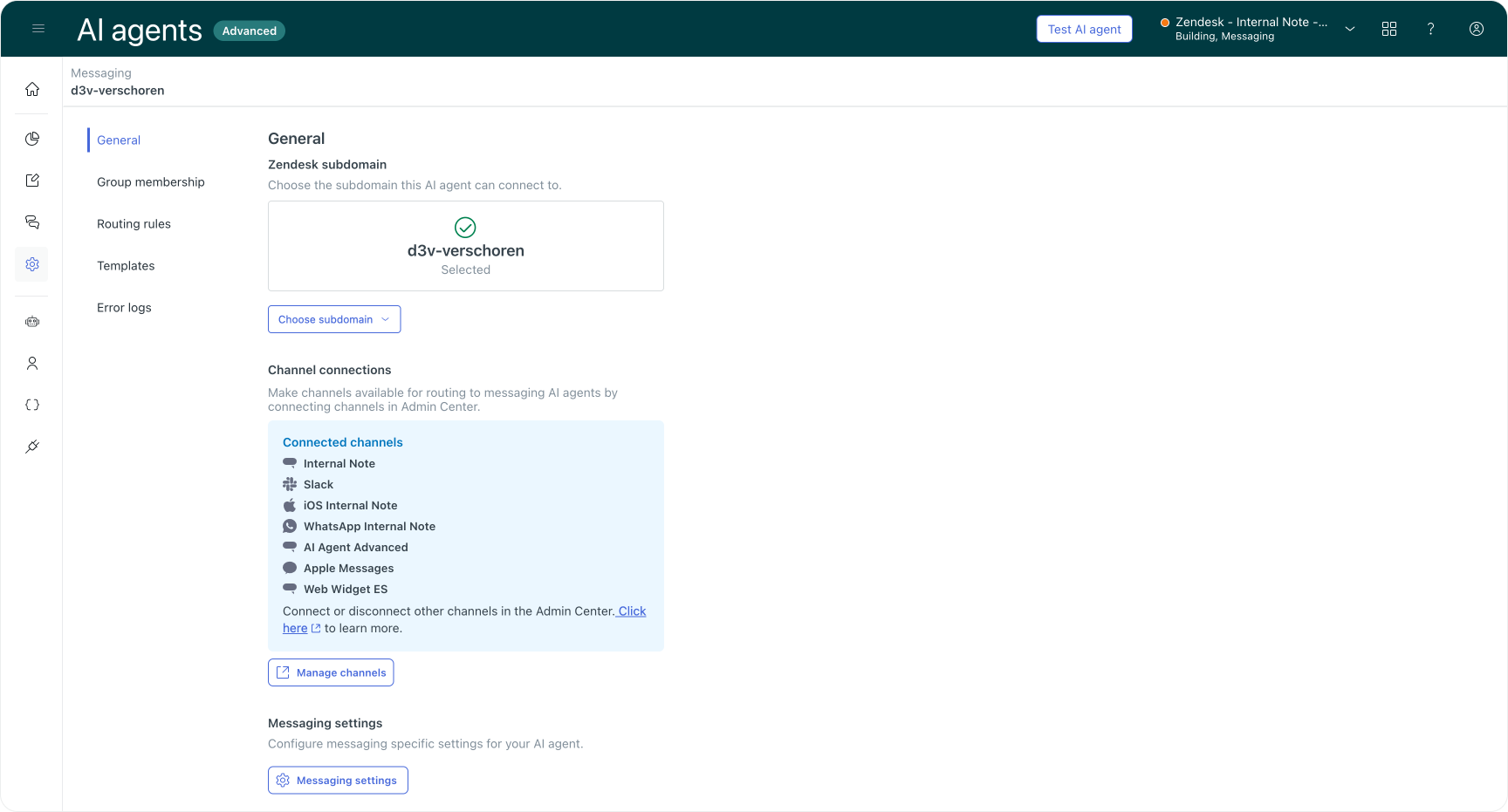
Starting 10 February 2026, customers who purchased AI Agents Advanced had their AI agents automatically connected to Zendesk via Messaging. The integration is configured based on the account subdomain, and a Sunshine Conversation routing group is automatically created. New messaging AI agents are added to that group automatically, allowing you to easily configure routing rules.
This removes a setup step that tripped up many new customers. Previously you had to manually configure the connection between your AI agent and your messaging channels and copy over SunCo credentials. Now it just works.
AI Agent for Email
System user for email
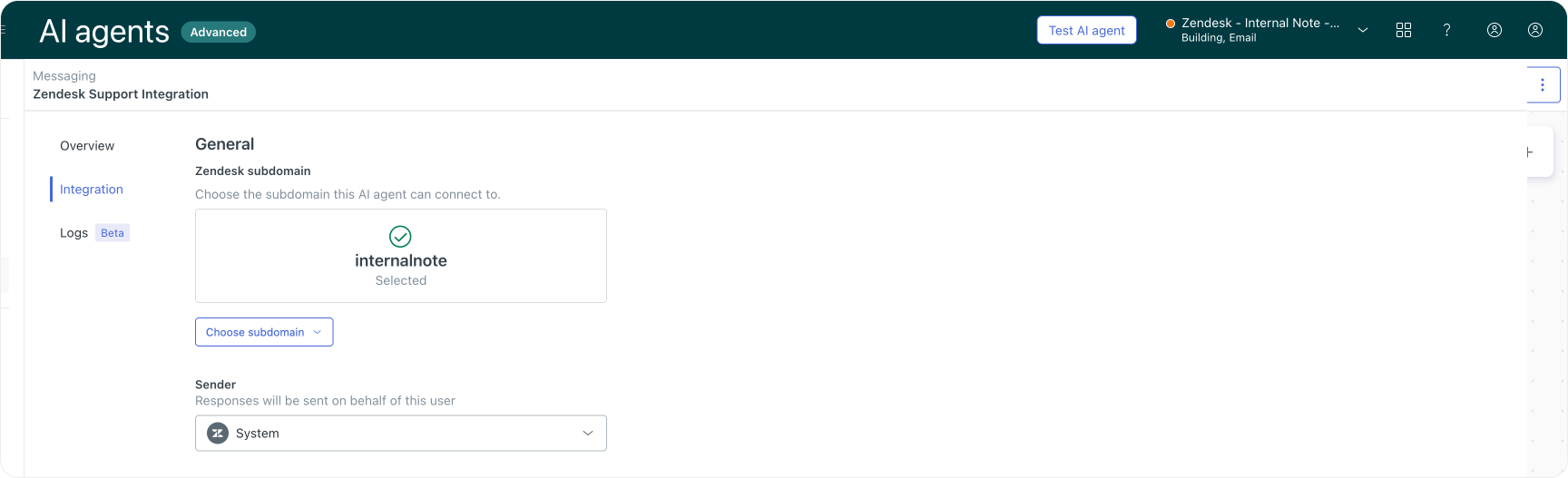
The connection between AI agents Advanced and Agent Workspace is now configured automatically and based on the account subdomain rather than an individual authorised user. This means you no longer need to consume an agent seat for your email AI agent.
Change your triggers to "Current user is not end-user" instead"!
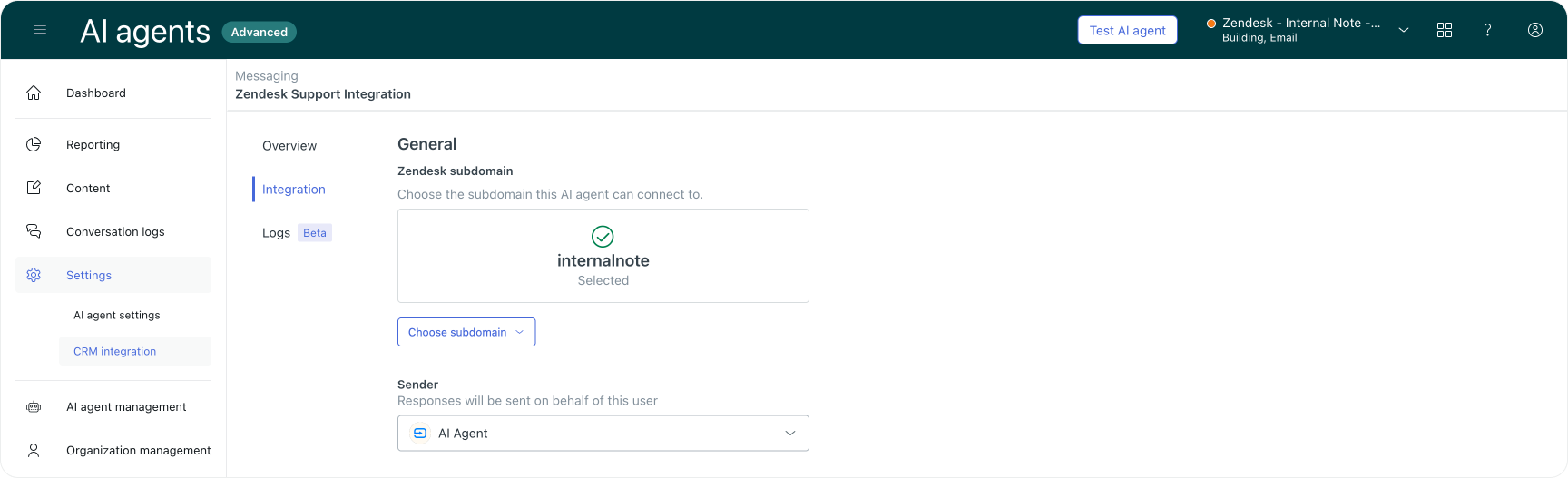
Configurable email sender
While having a system user removes that additional license requirement, there might still be setups where you do want to use a dedicated user.
So if you want a specific named user, giving you flexibility in how your AI agent presents itself to customers, you can still do that.
Agentic Email
Starting April 20th, Agentic AI for email agents will be generally available, bringing the same capabilities already available in Messaging to email. Powered by fully generative AI, email AI agents can now understand incoming emails, answer questions from connected knowledge sources, and execute business procedures through system integrations, all without building complex and manual dialogue flows.
This upgrade also improves the overall quality of customer interactions over email. AI Agents for email can handle single or multiple questions in one response. It can ask clarifying questions when requests are vague, and collect all the necessary information upfront to reduce back-and-forth.
It also recognizes small talk and cleans up email threads automatically by removing previous replies and signatures. This makes the replies to the customer more specific and focused on the customers' actual comment, without getting confused by all that additional context.
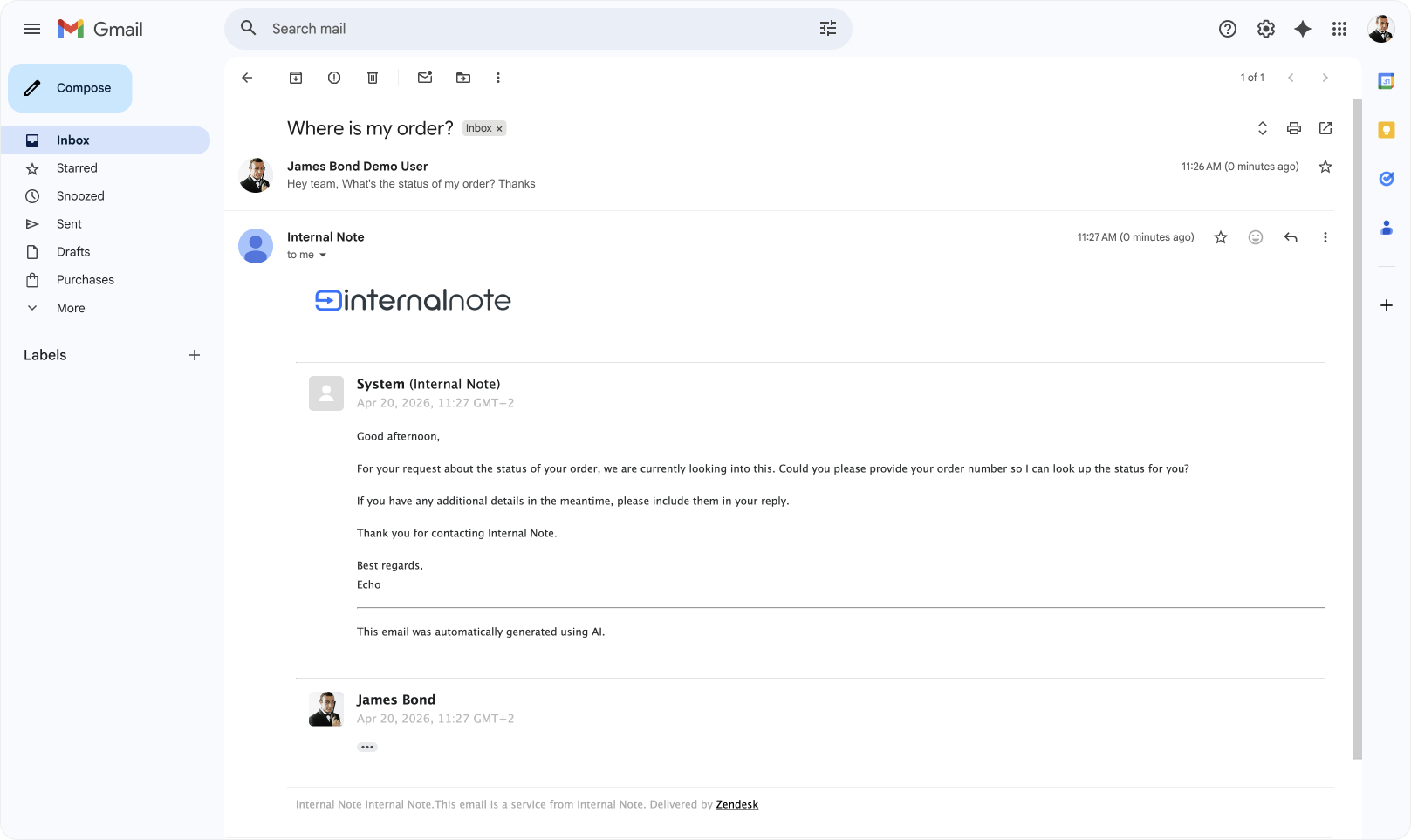
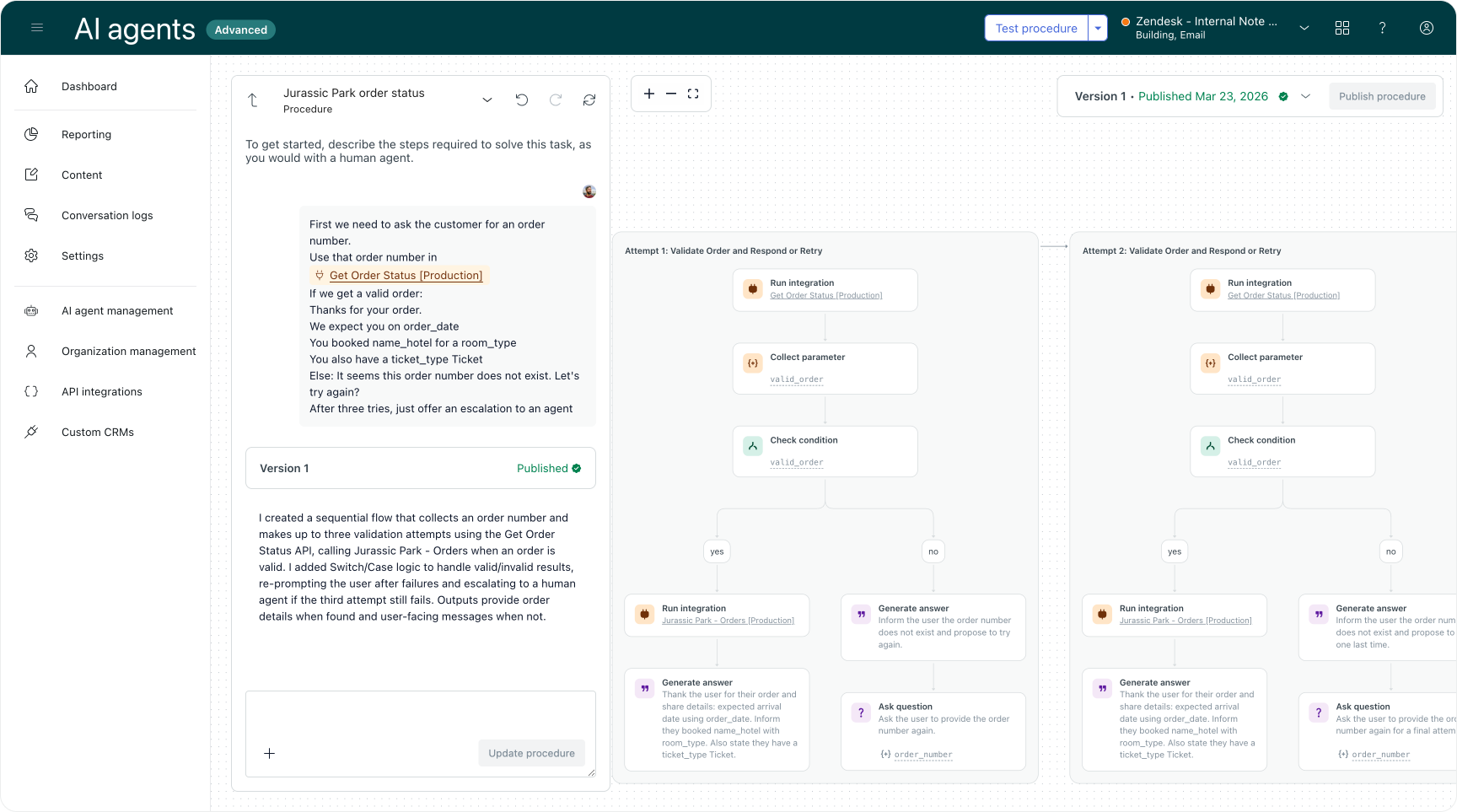
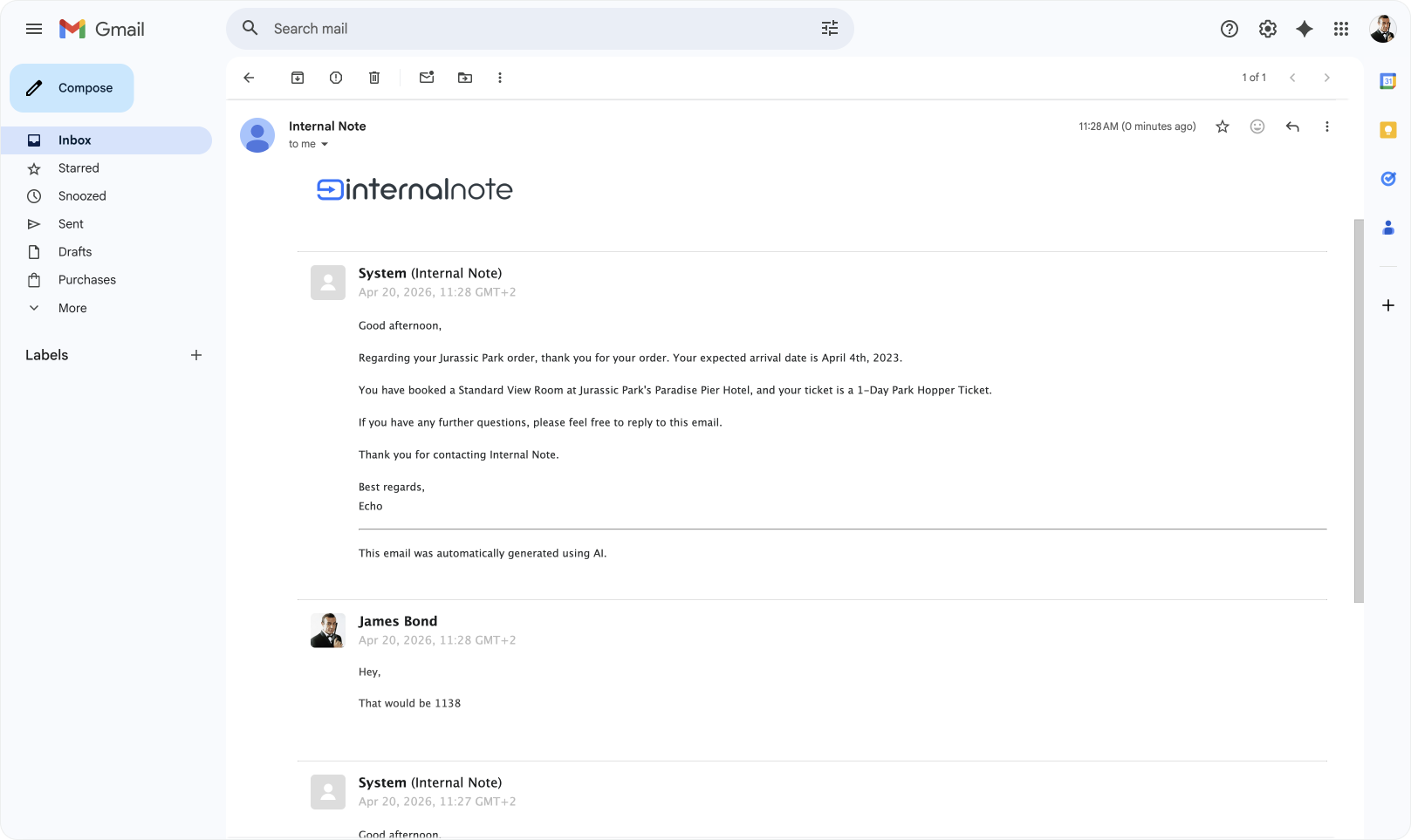
This is a big change. It makes full automation over email possible, from answering questions sourced from knowledge, to gathering context for escalation, all the way to handling complex scenarios entirely within an AI Agent's email thread.
For new customers this capability is enabled by default, while existing customers will remain unchanged for now, with a migration path to be announced.
Keep an eye out for a full overview of this new agentic email release in a future Internal Note!
Consecutive use case limits
Building on top of these Agentic AI capabilities, you can now customise how many consecutive use cases the agent handles before stopping its automation and handing it over to a human agent. While not always necessary, in some scenarios you might want to get a human team member involved, especially if a customer is five replies deep into a buying decision.
Escalation blocks
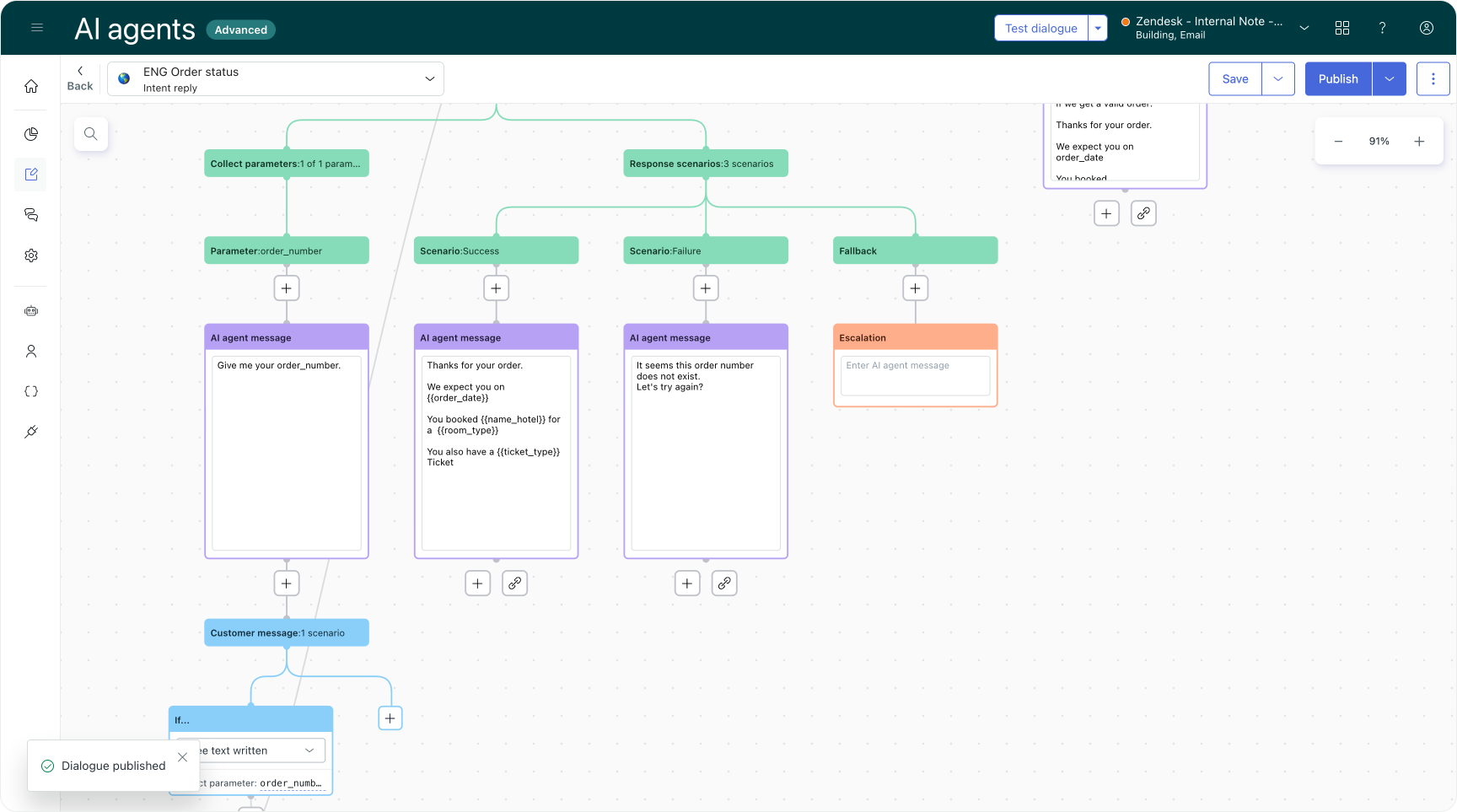
Escalation blocks have been introduced for advanced email AI agents. These give you more structured control over how and when email conversations get handed off to human agents. While the agentic agent can decide when it's opportune to escalate, you might want to build in specific paths yourself too, and these blocks give you that option.
Generative Knowledge Replies
Multiple intent handling
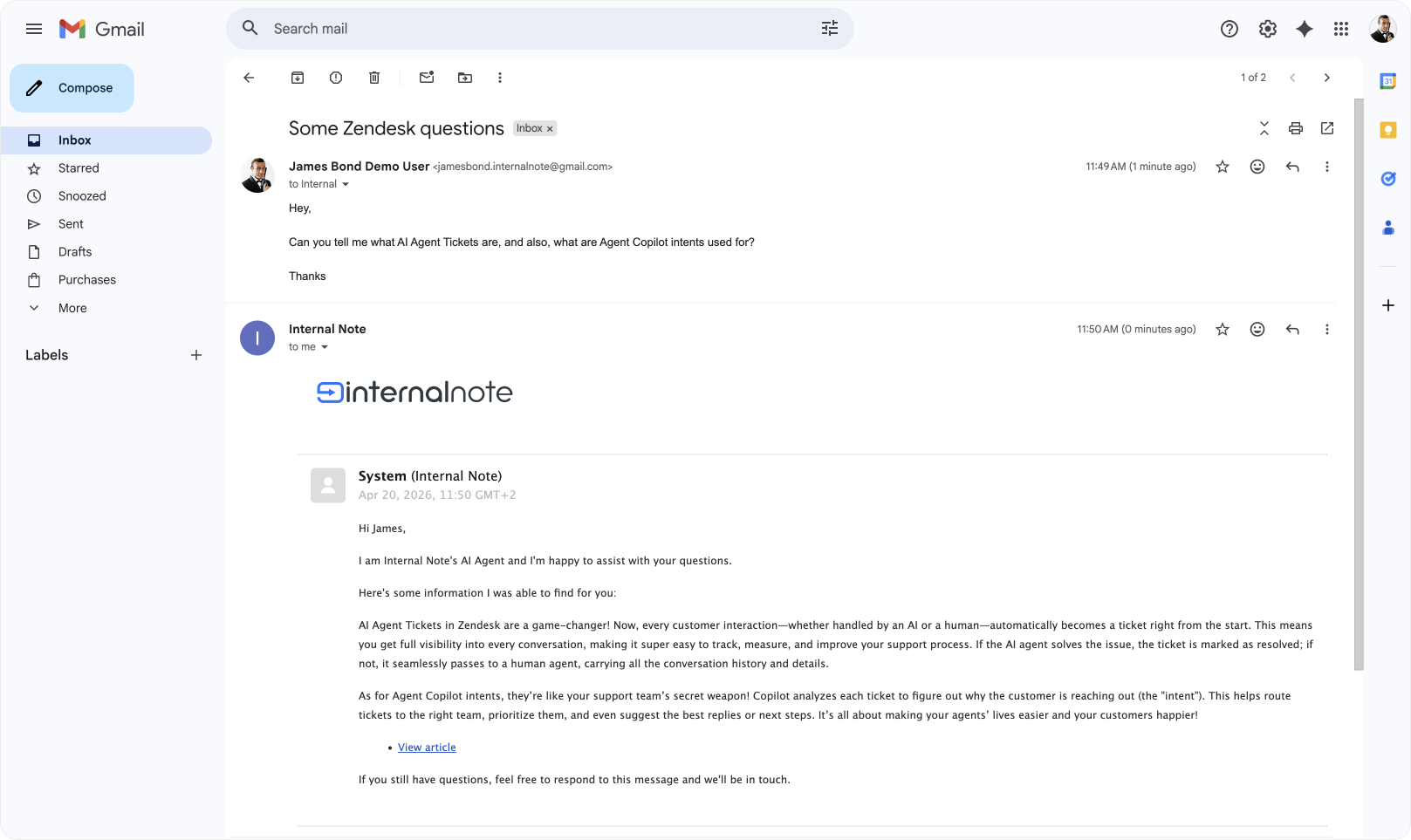
There's a new query planner for generative responses that breaks multi-intent messages into independent searches. Each question gets its own retrieval pass, and the results are combined.
Previously, if a customer sent a message containing two questions ("how do I change my password and also what's your return policy"), the system treated it as one monolithic query and ran a single search. Whether it managed to find sources that answered both was largely down to the chance that combined content existed.
Now the system will solve for "changing passwords" and "return policy" separately, and return that as a single response to the customer.
Within an email context this is especially useful since customers tend to combine a couple of issues in one single email, and now we can handle these in a single reply to the customer.
Knowledge reply
AI Agents Advanced is actively moving from classic dialogue flows towards more agentic procedures. While the agentic capabilities of procedures are ideal for complex automation flows, there's other benefits too.
For one, instead of building a flow, you can just describe the flow, making it a lot easier to edit and manage your setup.
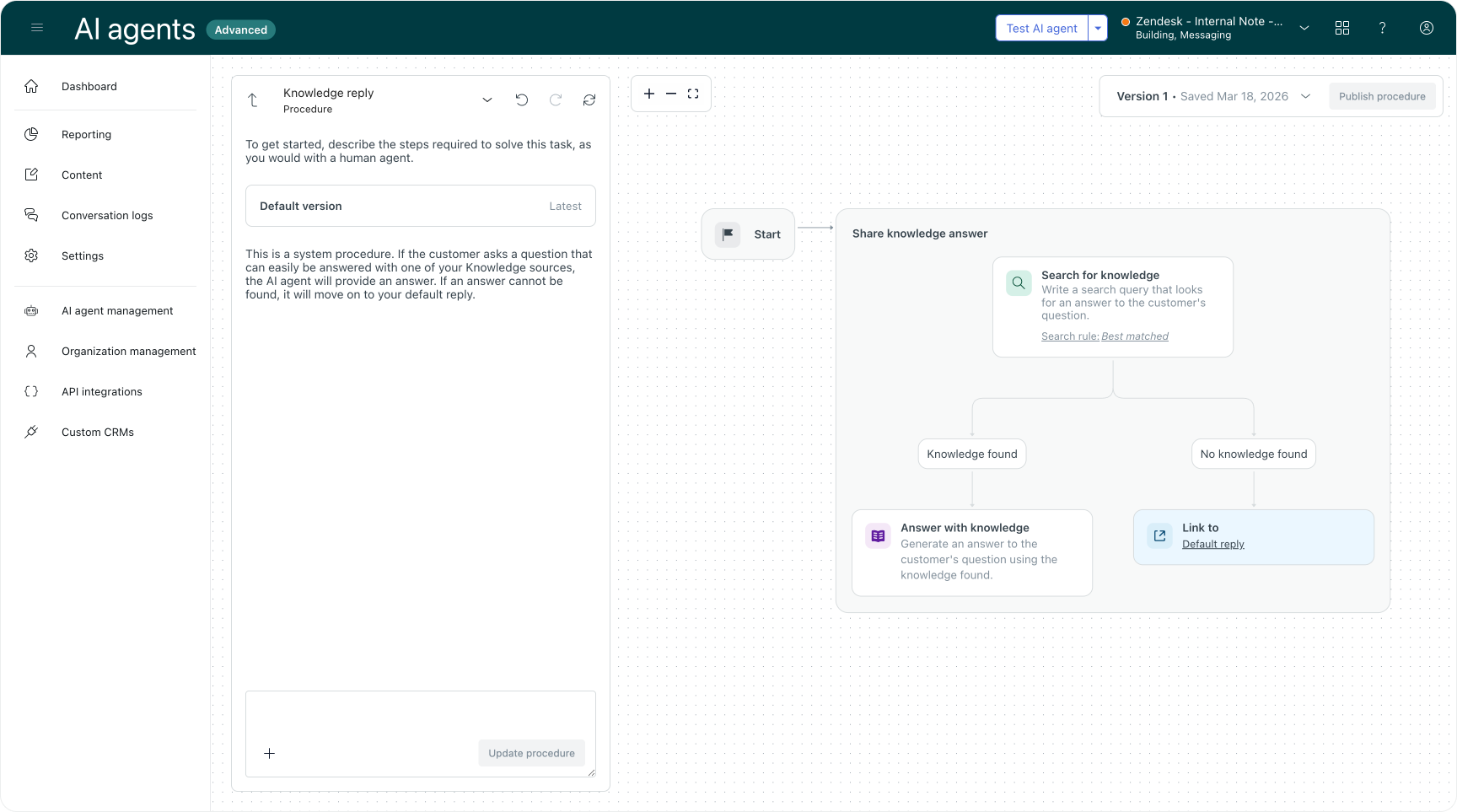
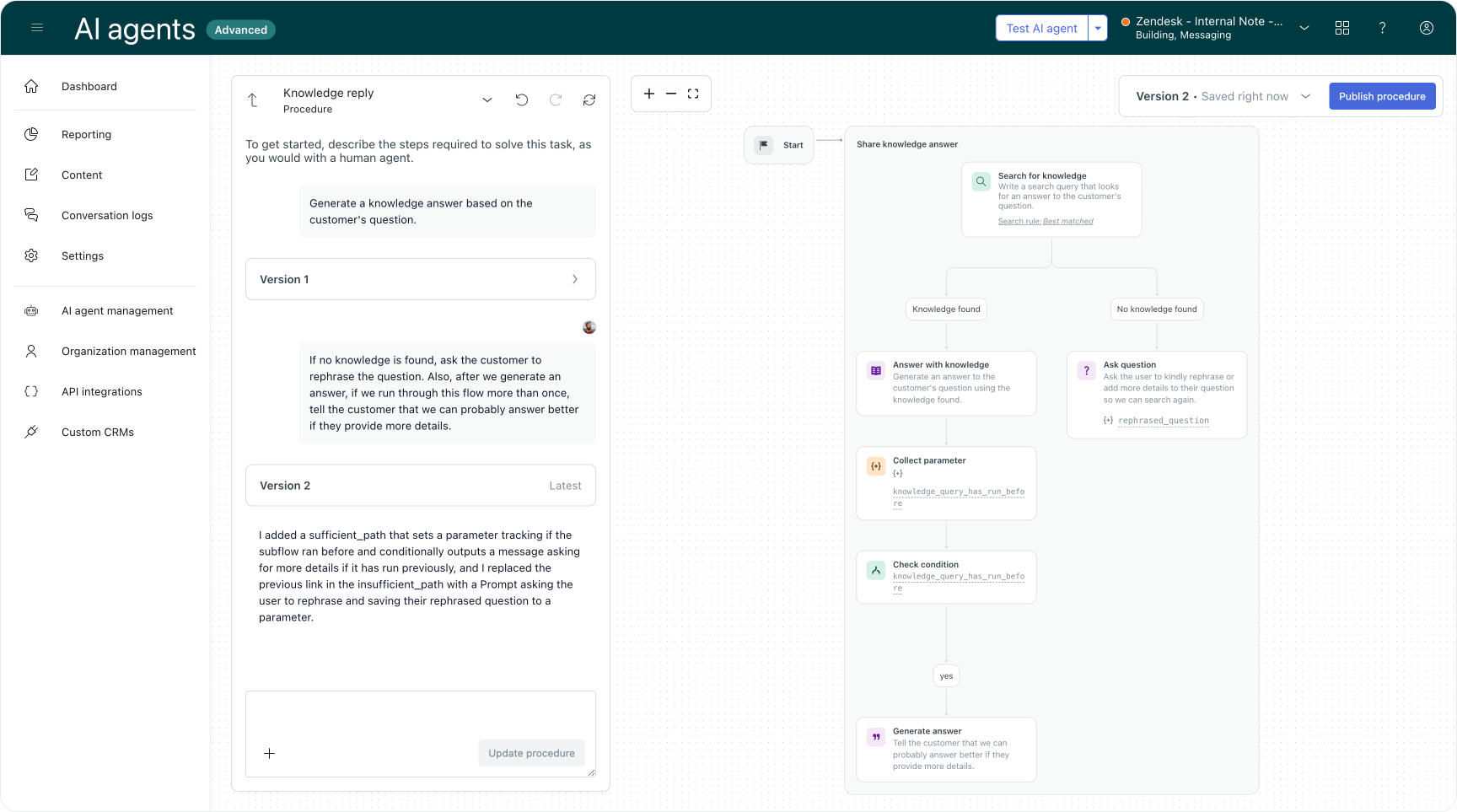
AI Agents' Advanced uGPT reply, which used to manage generative replies based on knowledge sources, has now been updated to a Knowledge Reply.
What was a classic dialogue flow, is now a procedure. Meaning you can edit its behaviour similar to how you manage other procedures. By default the system will look for an answer and if it finds one, it'll reply to the customer. If not, it'll trigger your default reply. But based on the type of customer's question, you can tweak this reply. You can link to other replies or branch the flow into more complex scenarios.
And if you want, you can also add follow-up questions like "Did this help?", or "Can you rephrase your question?"
Knowledge blocks in procedures
Active visitors of Internal Note might have seen the new summarization feature I added to my AI Agent. It passes the current article's title as metadata to the conversation, and generates a summary of the article for the reader.
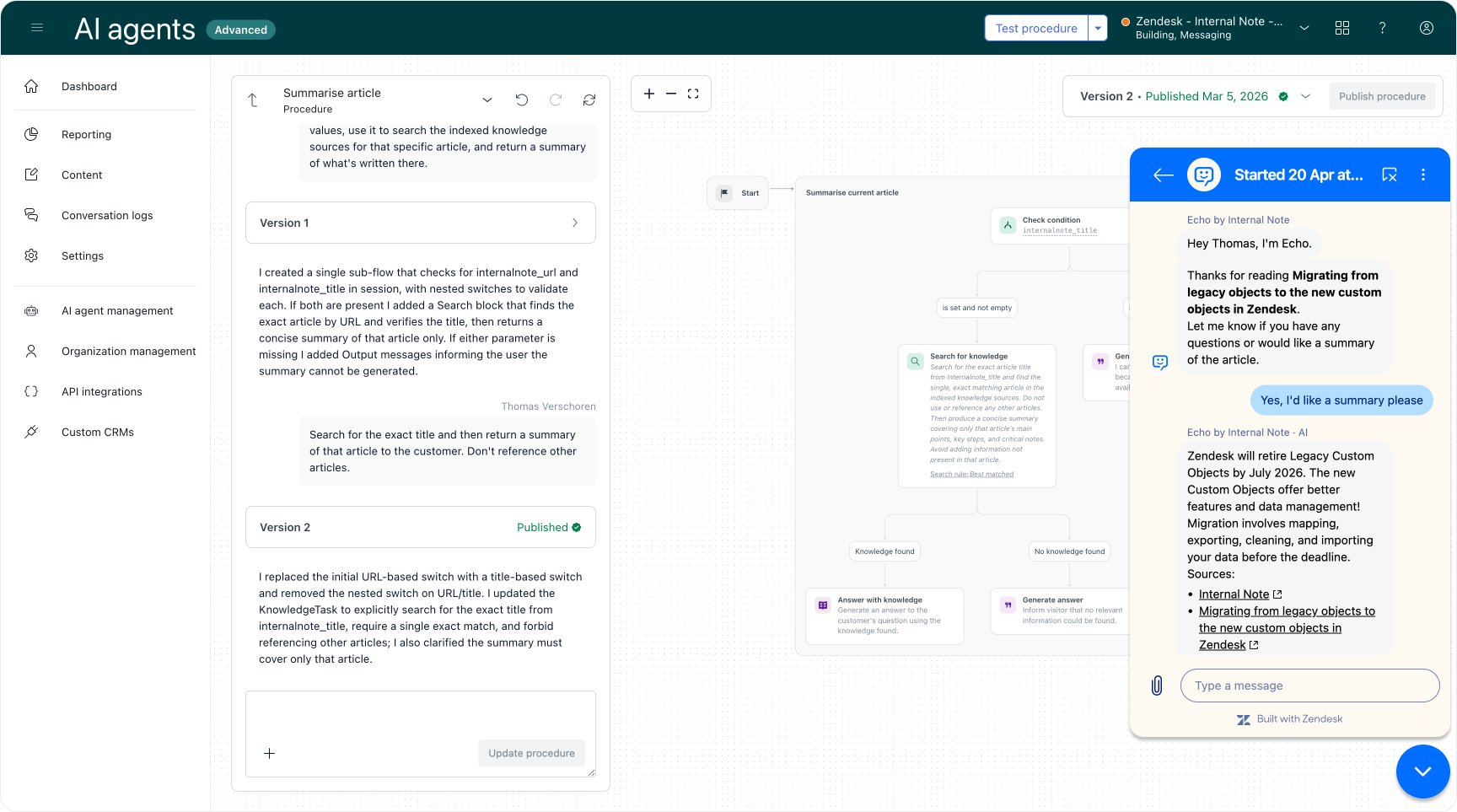
This feature makes use of the new Knowledge Blocks within procedures that allow you to combine knowledge-driven answers with procedural logic in a single flow.
Use cases: Procedures and Dialogue Builder
Hybrid linking in Procedure Builder
This one is a big deal for anyone building complex flows. You can now link from a procedure to another dialogue or procedure.
This makes it much easier to build modular, hybrid workflows that combine structured decision paths with generative AI flows. You can reuse existing procedure steps, connect multiple paths, and reference dialogues from within a procedure.
You can build a procedure about Orders and then link out to a distinct procedure for cancelling or modifying an order, or retrieving its status. Or a procedure that first asks about a device type, before branching out to update instructions for its specific platform. (Although it's still recommended to build a dedicated use cases for each scenario and only use generic use cases as a catchall for when the specific use cases aren't triggered)
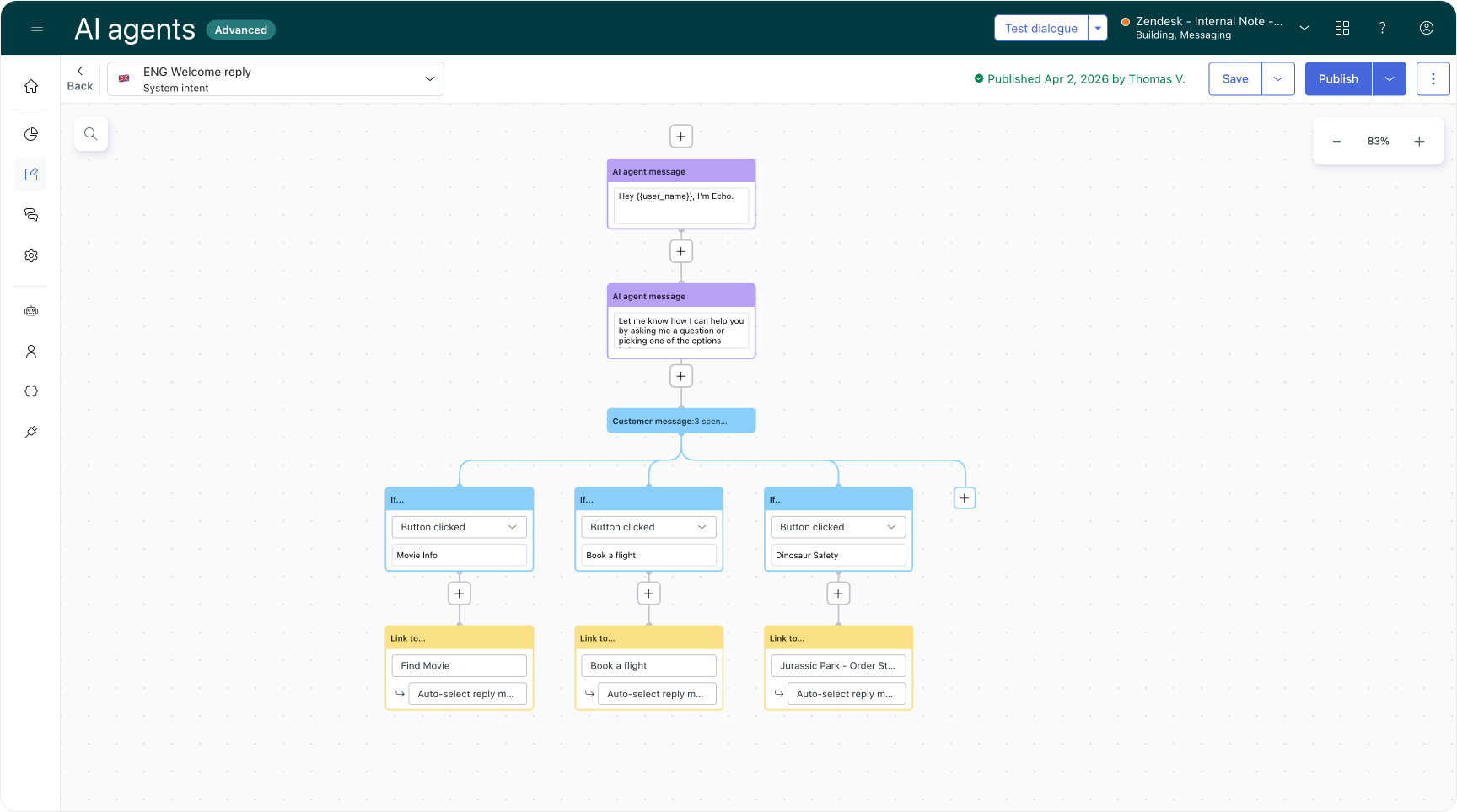
You can also now link directly from the Welcome reply to a procedure. This enables structured entry flows like authentication, data collection, and IVR-style routing right at the start of a conversation.
Native search
A native search function has been added to the dialogue builder. You can now search across your entire dialogue flow, with support for case-sensitive and whole-word matching. Search covers all block input fields, including drop-down selections and attached actions.
Segments
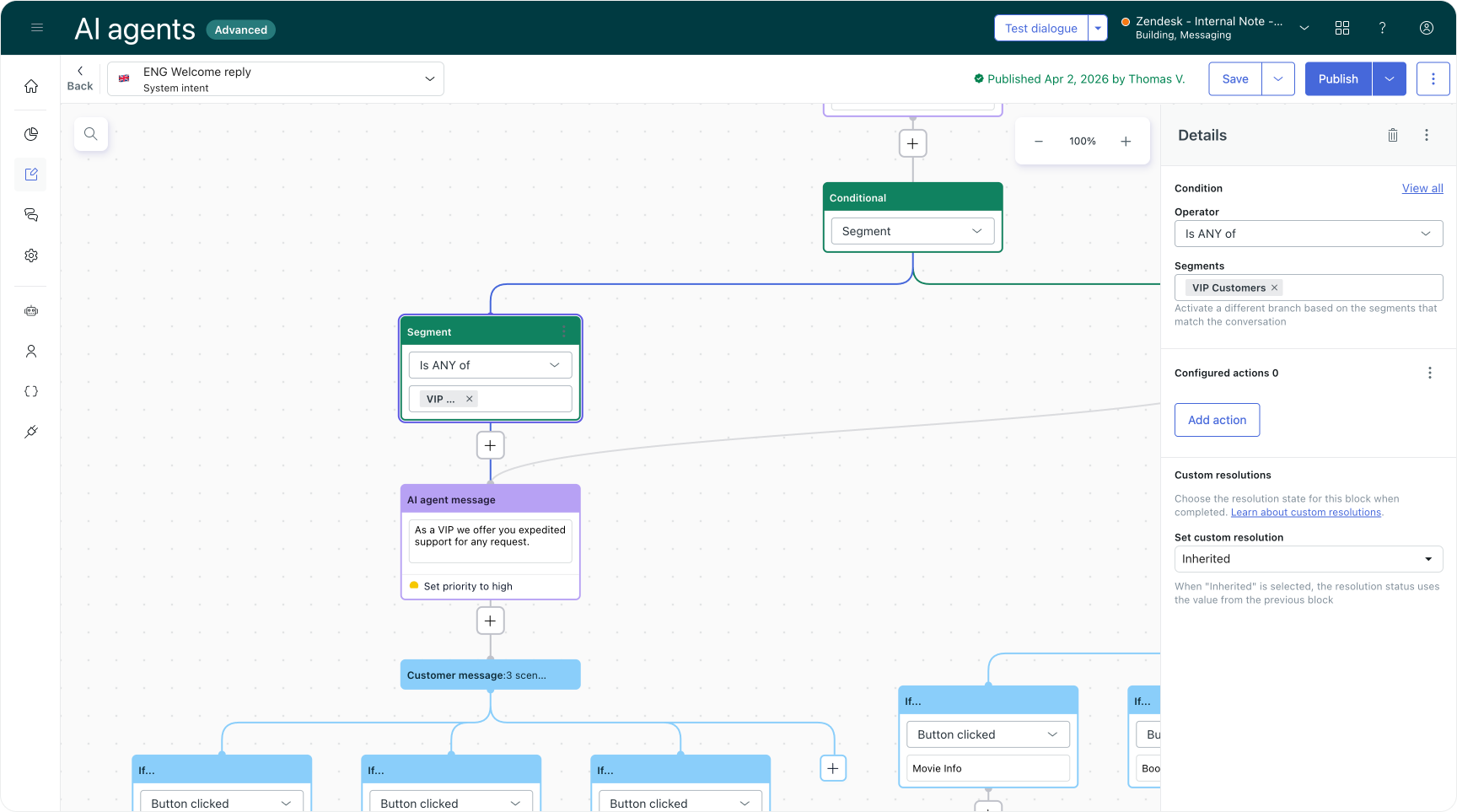
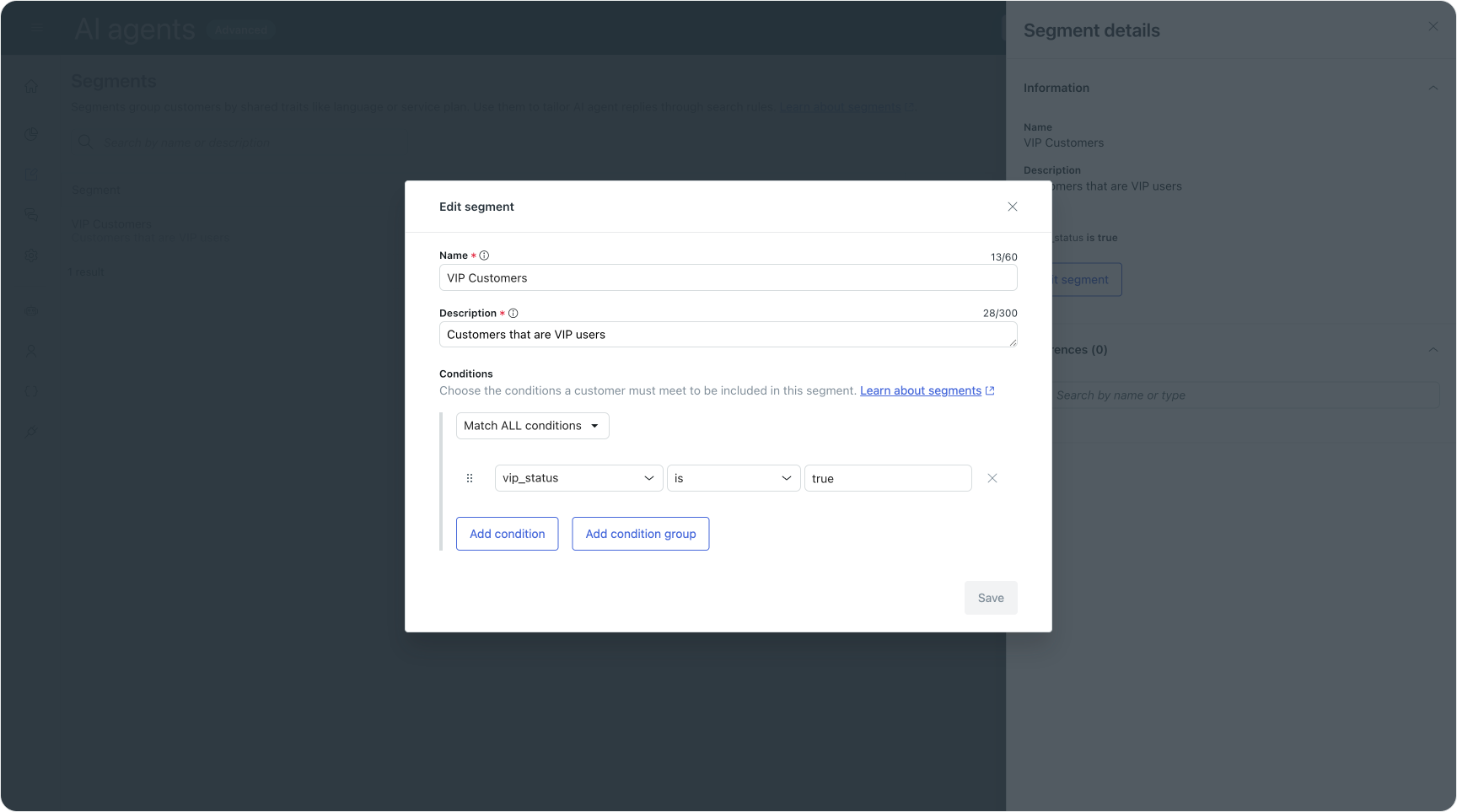
Segments are a new capability in the dialogue builder that let you target specific customer groups within your AI agent conversations. You can create segments based on customer attributes and use them to control which parts of a dialogue flow are shown to which customers.
Or you can use them to set up Search Rules so that certain indexed content is only applied for a specific type of users. It's useful for offering support for features that are locked behind a paid tier, or when you want to differentiate between guest and logged in users.
Dialogue versioning
The dialogue builder now supports versioning just like procedures do. You can save, preview, and restore drafts and published versions, and add notes to each version.
If you're in a team where multiple people work on AI agent configuration, this kind of version history is essential for tracking changes and pinpointing regressions.
Use case suggestions
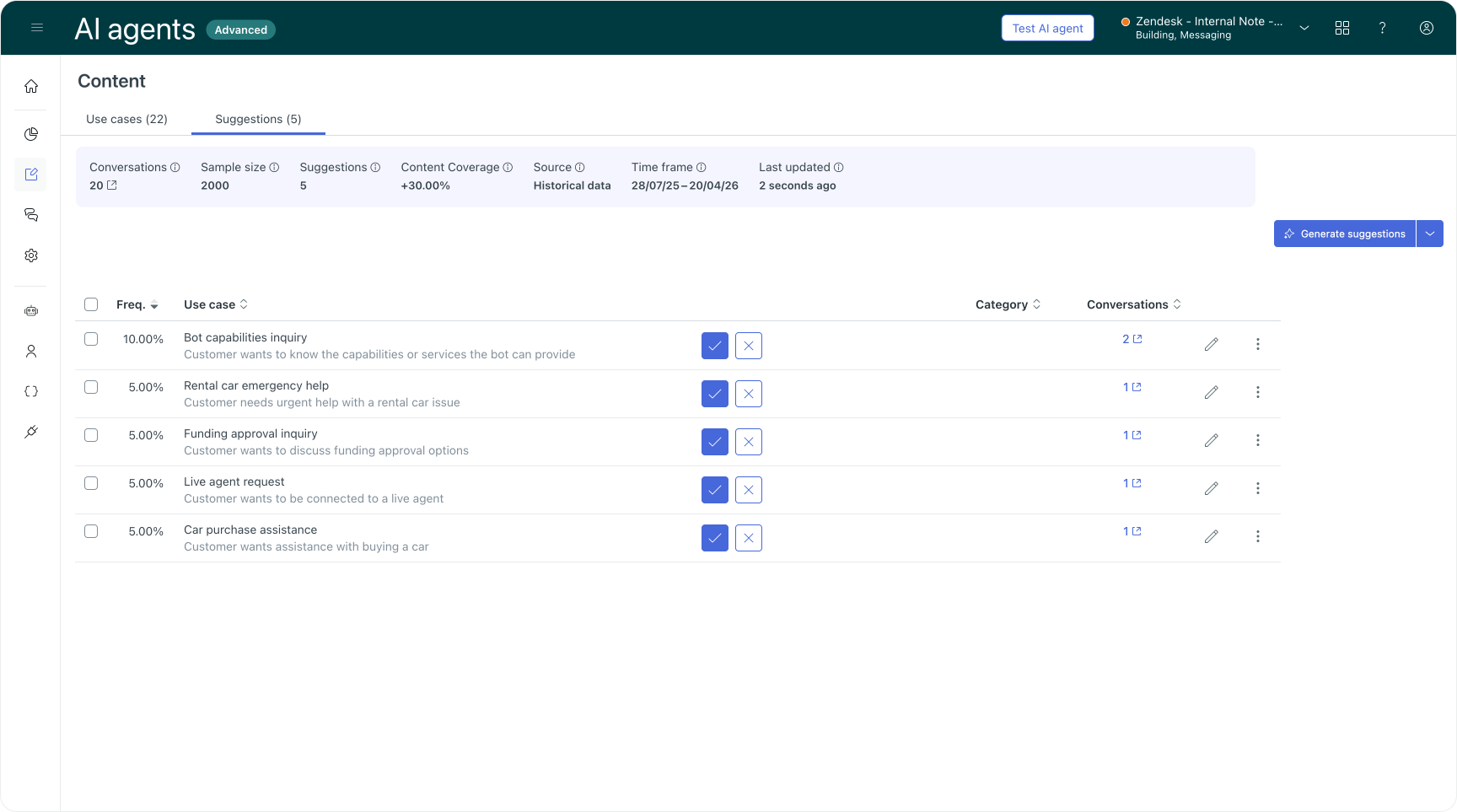
Use case suggestions are now available to all AI Agents Advanced customers.
The system analyses your conversations and suggests use cases you might want to build, helping you identify automation opportunities you might have missed.
This feature works similarly to the Agent Copilot Intent Suggestions and is a core part of Zendesk's Learning Loop, where output from existing interactions serves as the basis for improvements to your setup.
Governance and control
API request visibility
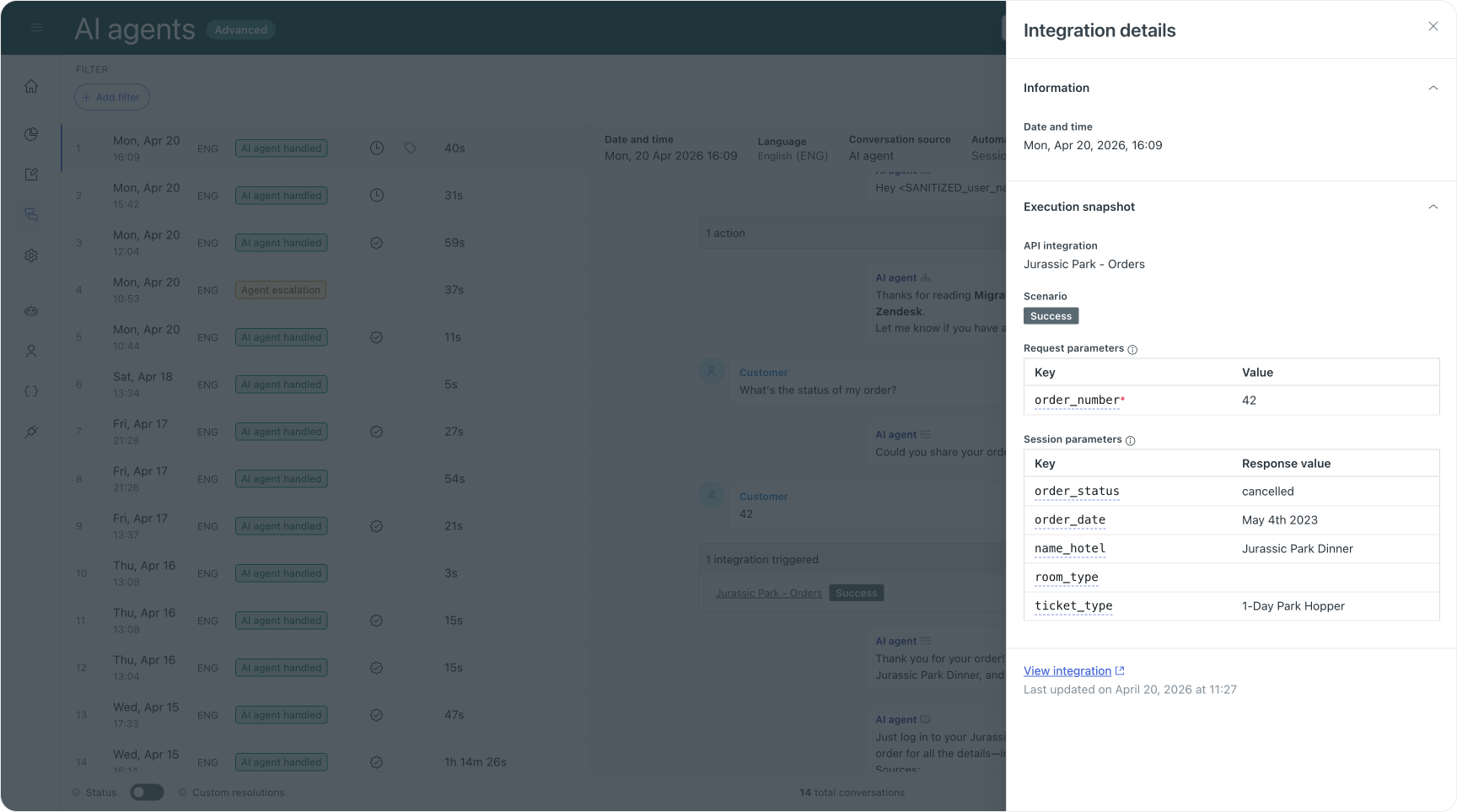
Conversation logs now show the output of integrations directly in the conversation timeline. You can see when an AI agent triggers an API call (whether through a dialogue or a procedure), and open a detailed snapshot with available request parameters, updated session parameters, the scenario that was triggered, and full responses for failed or erroneous calls.
From the snapshot you can jump straight to the relevant API integration and the dialogue that triggered it. This is both useful to troubleshoot integrations during setup, and for tracing unexpected AI Agent behaviour back to the root cause.
Expanded reasoning fields
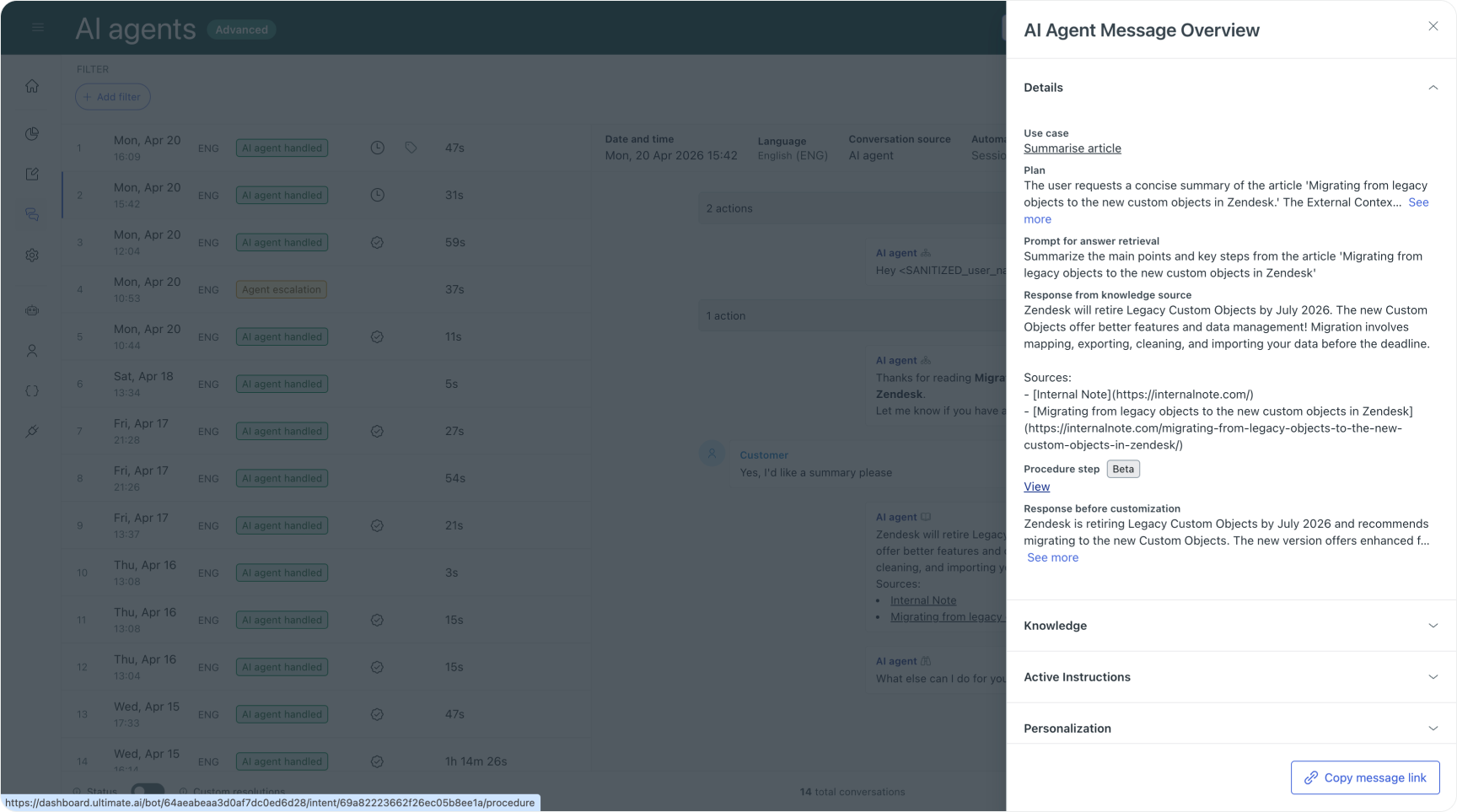
Conversation logs now display the plan, reasoning, and knowledge sources behind each Knowledge Agent response. This gives you much deeper visibility into how answers are generated. It's also easier to find out if it's your knowledge sources, procedure logic or instructions that made the AI Agent react in an unexpected or wrong way.
Conversation journey report
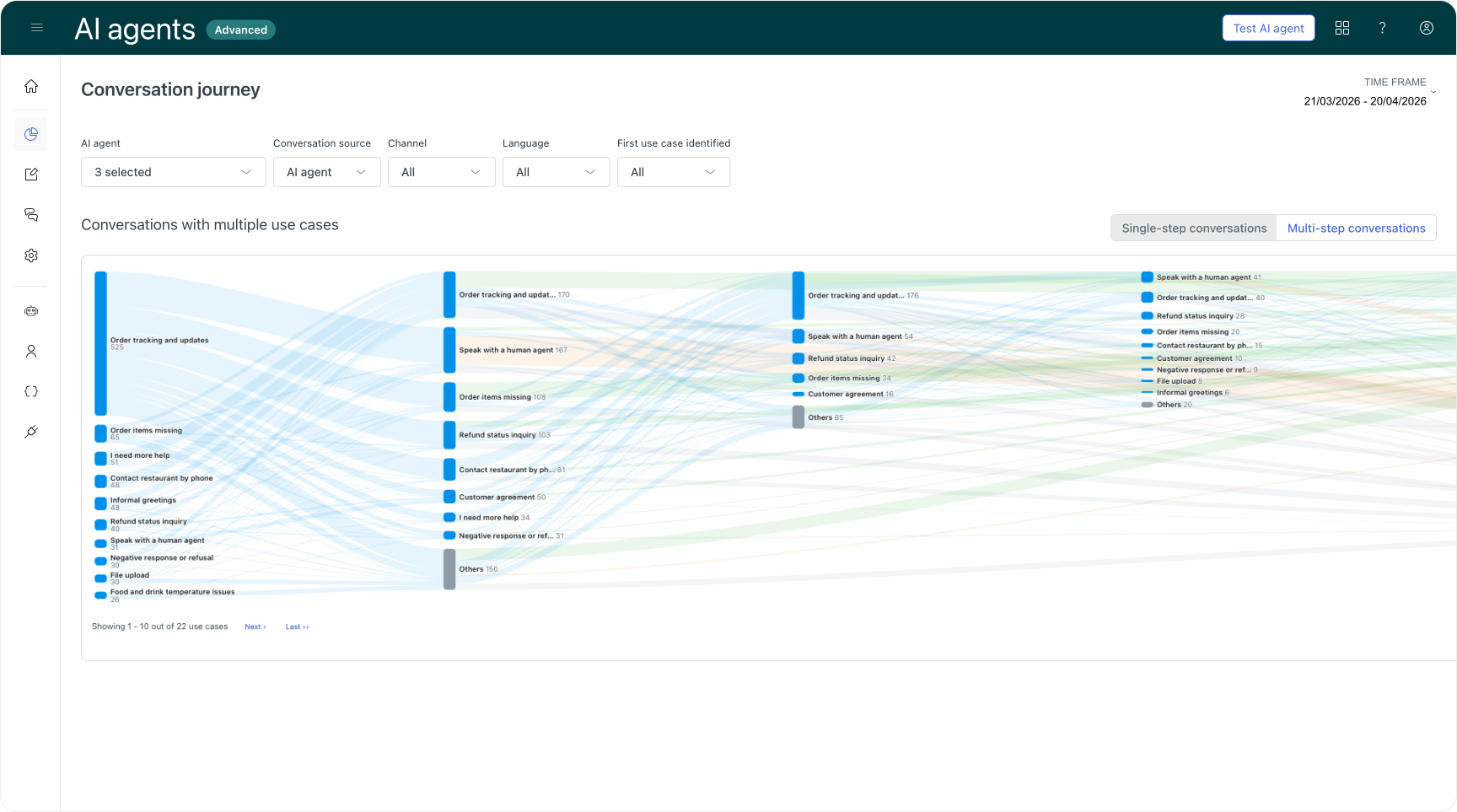
The reporting dashboard has gained a new Conversation journey tab featuring an interactive Sankey diagram. Each node in the diagram represents a use case, and the paths between them show exact volume and success rates as users move from one automated procedure to the next.
Every path ends in one of three terminal states: automated resolution, escalated conversation, or not resolved (abandoned). By highlighting specific paths you can identify what Zendesk calls "Golden Paths", the sequences that drive the fastest automated resolutions. You can also spot where complex procedures lead directly to escalation, suggesting where you need to simplify logic or introduce a human-in-the-loop option earlier.
Additionally, the AI Agents dashboard now supports up to 35 months of data retention (previously 12 months). This enables year-over-year performance comparison. And a new "Others" filter option has been added to reports, allowing you to view conversations with small talk or default replies only.
AI agent deletion
You can now delete AI agents directly from the AI Agents Advanced add-on. Previously, deleting an AI agent required support assistance. This gives admins more direct control over their environment.
Wrapping up
AI Agents are only one piece of the Resolution Platform. They handle the front line. But what happens after that matters just as much.
Agent Copilot picks up where AI Agents leave off, guiding human agents through the same resolution logic with procedures, suggested replies and contextual summaries. QA scores every interaction, automated and human alike, surfacing where quality drops and where coaching is needed. And Intelligent Triage feeds use case and sentiment data back into the system, powering what Zendesk calls the Resolution Learning Loop: every interaction becomes an input that improves the next one.
The thread running through all of this is agentic. Not just in AI Agents, but across the platform. Procedures are replacing macros. Action Builder is replacing triggers for complex workflows. Adaptive reasoning is replacing hand-built flows. The shift is from static, rule-based configuration towards descriptive, outcome-driven logic. That pattern now runs from self-service all the way through to agent-assisted resolution.
For teams already on AI Agents Advanced, the immediate priorities are straightforward. Get familiar with hybrid linking in the Procedure Builder. Move your email use cases to the new agentic capabilities. And start using the conversation journey report to identify which automation paths drive resolutions and which lead to unnecessary escalations.
If you're still on the legacy bot with Flow Builder, now is the time to map out where your flows can improve. The unified AI Agent rollout at the end of April isn't just a migration. It's an opportunity to rethink your automation rates from the ground up.
The broader story is this: AI Agents are no longer an add-on sold on top of a ticketing platform. They're becoming the platform, together with Copilot, QA and the learning loop that connects them. A Resolution Platform.