Testing Zendesk's new Custom Agents
Zendesk’s Custom Agents and Agent Builder turn business logic into reusable AI components. For this article I've configured a family of agents that can handle real processes, improve reuse, and simplify automation.
Testing Zendesk's new Custom Agents

On this page
At Relate 2026, Zendesk introduced Custom Agents and Agent Builder, the next step in the Resolution Platform, and a big one at that. Where conversational agents are mostly built around a single monolithic procedure that resolves a use case, Custom Agents split that procedure into smaller, reusable pieces of logic that can work on their own or as part of a broader workflow.
That shift from one-purpose procedures to modular AI matters. It makes logic easier to maintain, easier to reuse, and easier to evolve. As Zendesk showed at the Relate keynote and on the show floor, Custom Agents offer a more flexible approach than traditional procedures or deterministic action workflows.
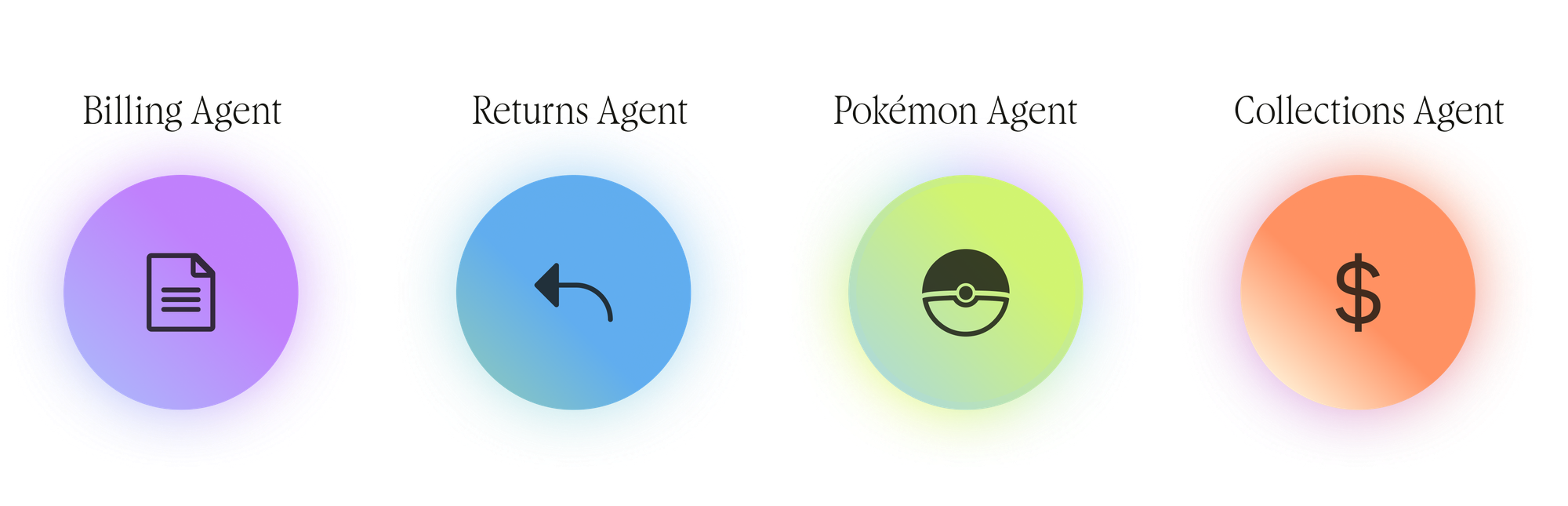
Each Custom Agent can hold the full context it needs to reason over. It can combine Zendesk actions, external connections, knowledge sources, or other flows and agents. They use agentic reasoning to follow instructions. Custom Agents are not limited to text either: they can also inspect images and attachments, which opens the door to a lot of practical use cases. They still expects a defined input and produces a defined output, but the path between the two can adapt to the situation.
In practice, that means you can pull a block of logic out of an existing procedure and turn it into a Custom Agent, replacing a complex chain with a single action. The logic doesn’t disappear; it simply moves into a place that’s easier to manage, improve, and reuse.
Because Custom Agents are self-contained, you can optimise their behaviour independently by adding new context, refining the instructions, or attaching more actions. Even if the underlying logic changes completely, the AI Agents, auto-assist procedures, or triggers that rely on them can stay exactly the same.
That separation also makes them a much better fit for how teams actually work. Your CX team doesn’t own the return process itself, they own the conversation around it. Finance can own the refund eligibility logic. Logistics can own the return-label generation. Each team keeps its own responsibility, while the Custom Agents do the interoperating.
A new approach to running business logic in Zendesk
Moving from the existing single-purpose conversational agent towards a network of purpose-built Custom Agents does require some rewiring in the way you think about, and configure, Zendesk.
For me the best way to learn a new piece of technology is to apply it to a data-model I already know. That way I only need to think about the new parts (Custom Agents), and don’t need to think about the content (the data model and logic around it).
If you’ve read this blog for a while, you might have seen this time and time again. Testing Custom Objects by building a Pokédex. Playing with Messaging metadata by building a Movie Picker. Using Jurassic Park as a basis for multi-intent handling.
The reason for me is simple. I have two kids. I understand how the world of Pokémon works. Similarly, a movie is a known entity: Title, genre, release date, poster and summary. I don’t need to invent a data-model or a process, I know these concepts thoroughly.
So when I dove into Custom Agents, I did the exact same thing. I took a pre-existing context I knew, and tried to make it work in Custom Agents. That way I could focus on the new, and waste no time on anything else.
For this article I’m applying Custom Agents to a problem I run into at home every day with my kids:

What team of Pokémon should I use to counter this opponent?
It’s a deceptively layered question. You need to look up a creature, infer its types, understand its strengths and weaknesses, fetch stats, and apply multi-step reasoning across several data sources. Perfect for a chain of Custom Agents. Let’s build it.

Pokémon is the property of Nintendo, Game Freak, and Creatures, and appears here only as a friendly demo example. No Pokémon were harmed in the making of this post.
Defining the process and logic
Before you build a business process in Zendesk, it’s always recommended to map out the overall logic first and define the use cases you want to solve for it. As always, I prefer to start simple, and add complexity later.
I’m building out three use cases:
- Single Pokémon feedback: I have a Pokémon. What are its strengths and weaknesses?
- Pokémon team review: I have a team of Pokémon. What are their combined strengths and weaknesses?
- Building a team: I’ve caught a few Pokémon. What others should I add to complete the team?
These use cases aren’t chosen randomly. They all play in the same field, so there’s bound to be some reuse of logic across all three. They also scale in complexity. So they’re the perfect way to learn the ropes, and grow into Custom Agents as we get experienced with them.
If you want to map this to actual business use cases, you might think of retail product support. A customer may ask about a single product, a set of products they’re using together, or what’s missing to complete a setup. One flow can explain the features and limitations of a single item, another can review how multiple products work together, and a third can recommend the missing piece that rounds out the experience.
Single Pokémon feedback
This first use case is the least complex of the three. Our logic should flow as follows:
- A trainer contacts us asking for feedback about a Pokémon.
- We extract the creatures’ name .
- We retrieve its profile to get its type(s).
- We pull the comparison sheet for each type to understands its strengths, weaknesses.
- We need to generate a report with an overview of its capabilities.
Additionally, We might expect trainers to ask about specific Pokémon to counter with, or specific Pokémon its strong against once they get the insights. But that’s a different use case so not answered by this one.
This is the equivalent of a classic order retrieval flow where we extract an order number, and get the information of the order. We then pass this to a second API to retrieve its shipping status, and provide an overview to the customer of its status.
Pokémon team review
This second use case builds in complexity on top of the first one.
- A trainer asks for feedback about his team of Pokémon.
- We need to extract the team’s listing and stores all names.
- For each name, we run our get type logic.
- We then combine all these results into a single overview, aggregating the overall strengths and weaknesses
Here too, we might expect trainers to ask us follow-up questions. Recommendations on how to improve their team, making sure its not skewed towards a single type or weakness.
The complexity added in this logic is the for each, something that classic Action Flows can't do. And while doable in a conversational procedure, this is its own contained piece of logic, and we might want to reuse this in different scenarios. E.g. If we want to compare to teams in the future.
When we transform this to real life use cases, this is the equivalent of having a customer asking about their warranty, and having an agent check the warranty status for every order line in that order.
Building a team
The third one basically combines and reuses parts of the logic from the previous two.
- A trainer provides a list of Pokémon he already caught, and ask for recommendations to complete the team.
- We extract the names.
- We check each Pokémon’s type to get insights on what the team’s weaknesses and strengths
- We use these profiles to find additional Pokémon types to fill the empty slots in the team
- We return this list to the customer as a full profile.
My main goal here is to see if the concept of “reusable components” actually works, and if I can use elements of previous agents, and recombine them with new logic into a completely new use case.
In real life you might leverage an Is this person a subscriber agent and use it across both a renewal use case as well as a change subscription use case, reusing that logic across different flows.
Recommend me a Pokémon
This fourth use case comes from the follow-up questions we expect after the other ones. If we show customers a Pokémon’s strengths and weaknesses, we can reasonably expect them to ask which specific Pokémon would help fill the gaps. And since that’s not core to the main use cases, it’s best to extract it as its own piece of logic and invoke it only when needed.
The core element I’m testing here is validating if we can pickup the result of a previous agent within a conversation, and use it as context for an entirely new use case.
Zendesk’s Action Platform
Zendesk’s Action Platform has three elements we can use to build out business logic. There’s Action Flows, Custom Agents, and a variety of Actions.

Our next step is to break down the use cases into a set of flows, agents and actions. These will then be combined to get the expected behaviour and results.
Action Flows
Action Flows serve two purposes:
Primarily they are workflows that run through logic and can invoke branching logic, actions and agents to get to a specific outcome.
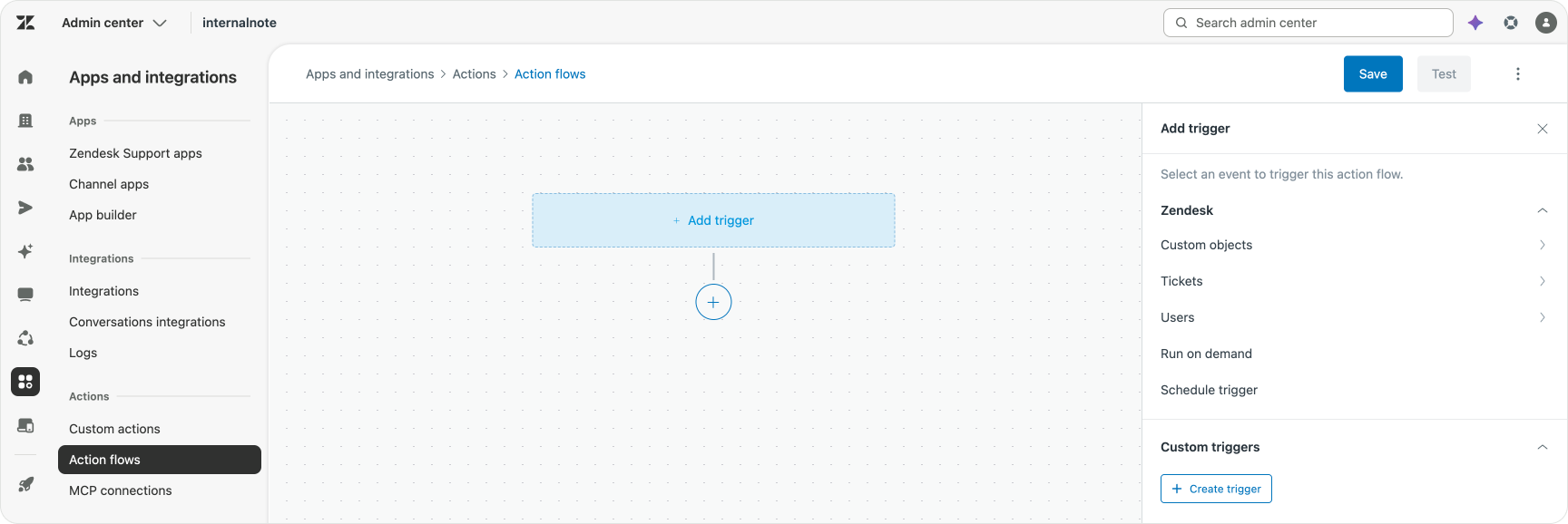
But, specifically for Custom Agents, they are the trigger that invokes these agents, and allows them to be called by specific updates to ticket, from AI Agents or auto-assist procedures and about a dozen more triggers.
Custom Actions
Zendesk’s Action Platform has multiple type of actions available. They can be prebuilt connectors for popular SAAS platforms, Custom API connections, MCP connections and dozens of built-in Zendesk actions.
Almost all the data I need is available in the PokéAPI, a free service that provides tons of information about this world. These kind of services are another reason I prefer to test new features with these kinds of data models. There’s no actual customer data involved while there’s still good APIs available to work with.
Other examples are Omdb, a movie database, or the Marvel API. Both are full of real data, actual API calls, perfect to test and play around with.
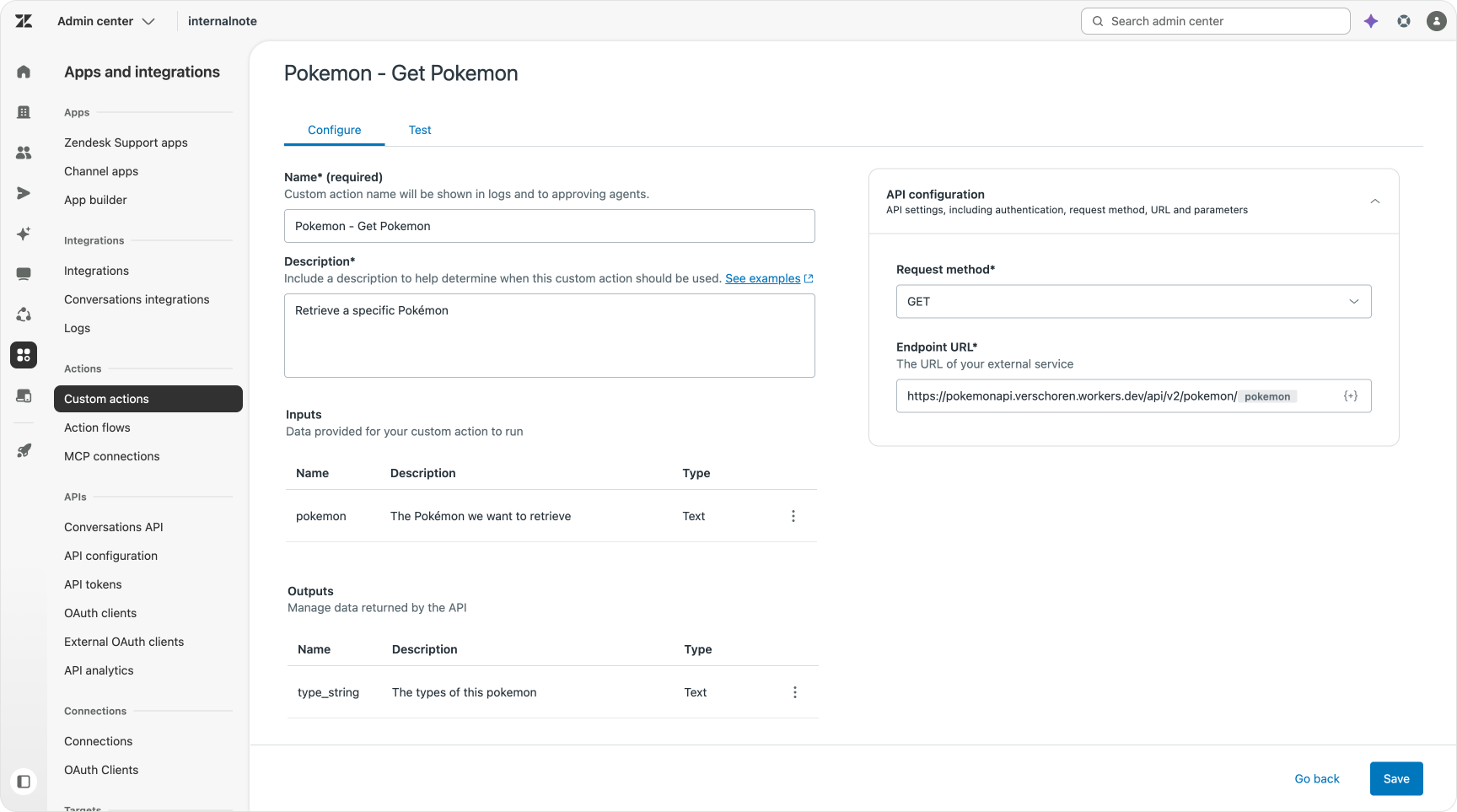
So to get data from these endpoints, I’ll need to add a few Custom Actions:
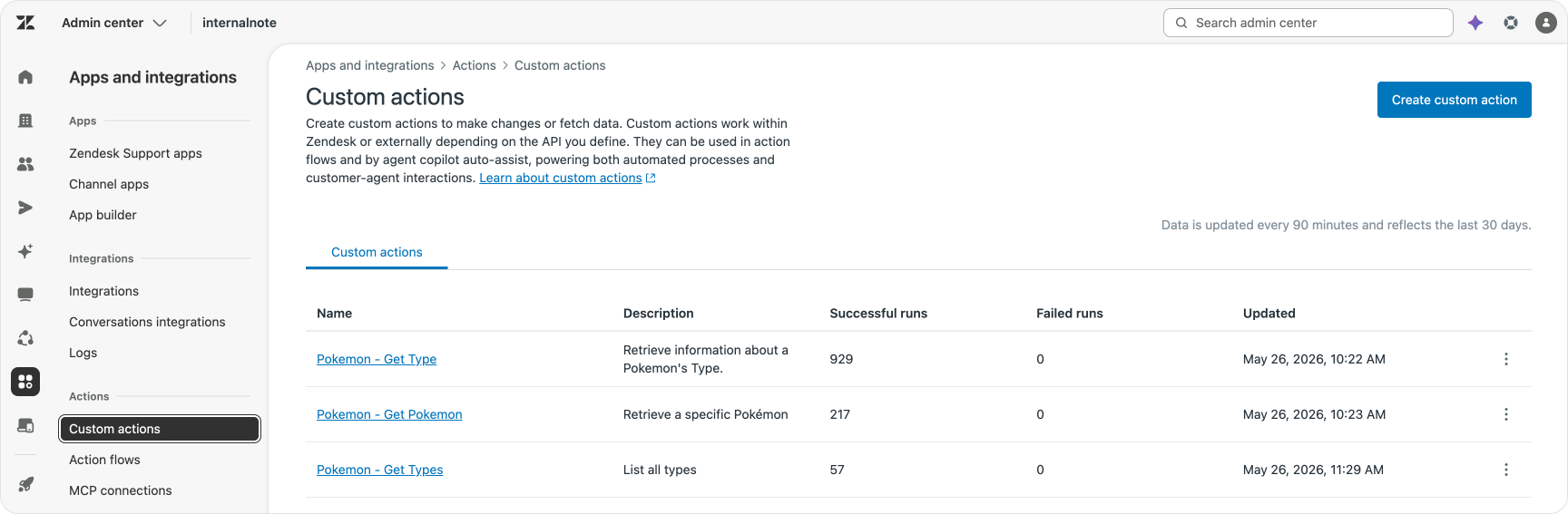
Each of these actions takes an input, calls an API endpoint, and then returns a specific output. One might for example take a Pokémon as an input, and returns an array of types.
Custom Agents
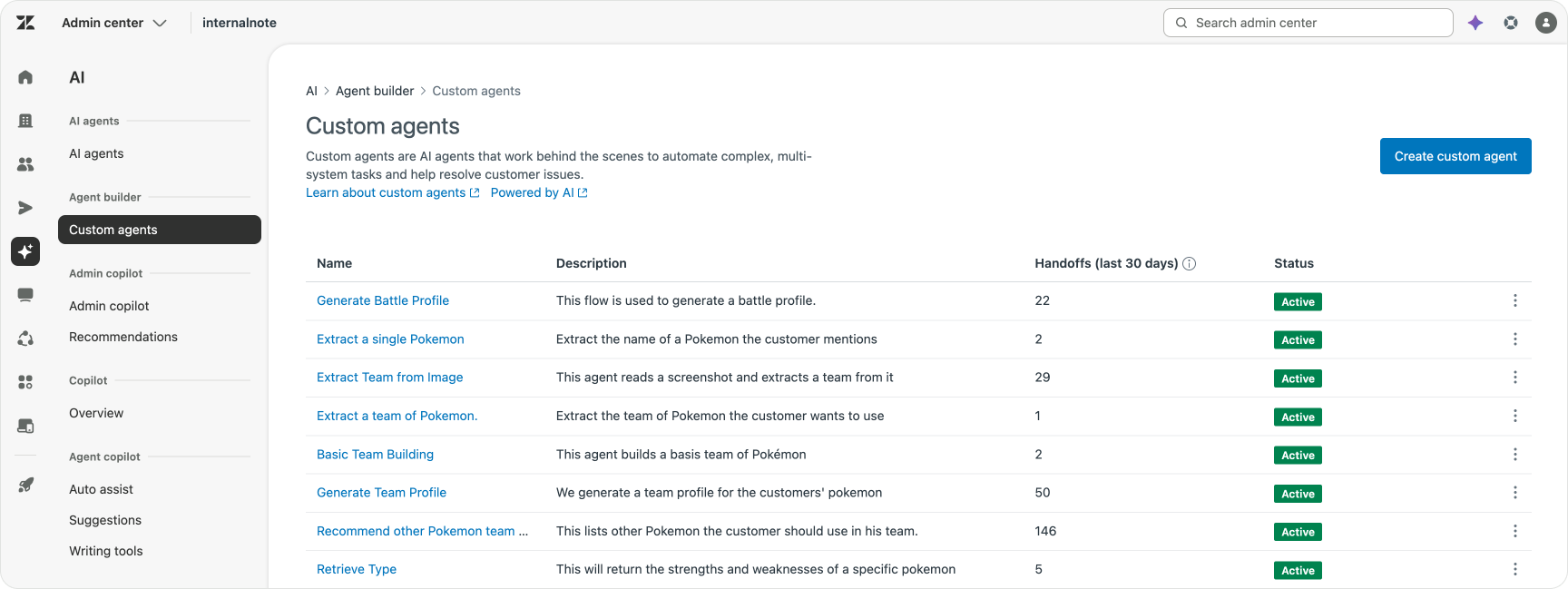
Where Action Workflows are deterministic if-this-then-that flows, Custom Agents can reason and follow instructions to dynamically complete their goal. They can just use their instructions, or they can leverage actions, knowledge or even other agents and workflows, to do their job.
A Custom Agent can run as a single agent, invoked by an Action Flow, or they can be part of a set of agents that work together, one after another, to complete a goal.
So solve the use cases listed at the top of this article, I’ll need a series of Custom Agents that work together to resolve each use case.
Building our first Custom Agent
Let’s look back at our first use case Single Pokémon feedback. If we break this down into jobs to be done we need, extract a name, generate the profile and return it to the customer.
Get Single Pokémon
Extracting the name can be done in a few ways. We could use a ticket field and retrieve its contents. We could create an entity and get the platform to find the Pokémon and store it in a ticket field. While both work, I already see this not scaling if we later need to extract a team, since most ticket fields only allow for a single value, and we want this to work across email and messaging.
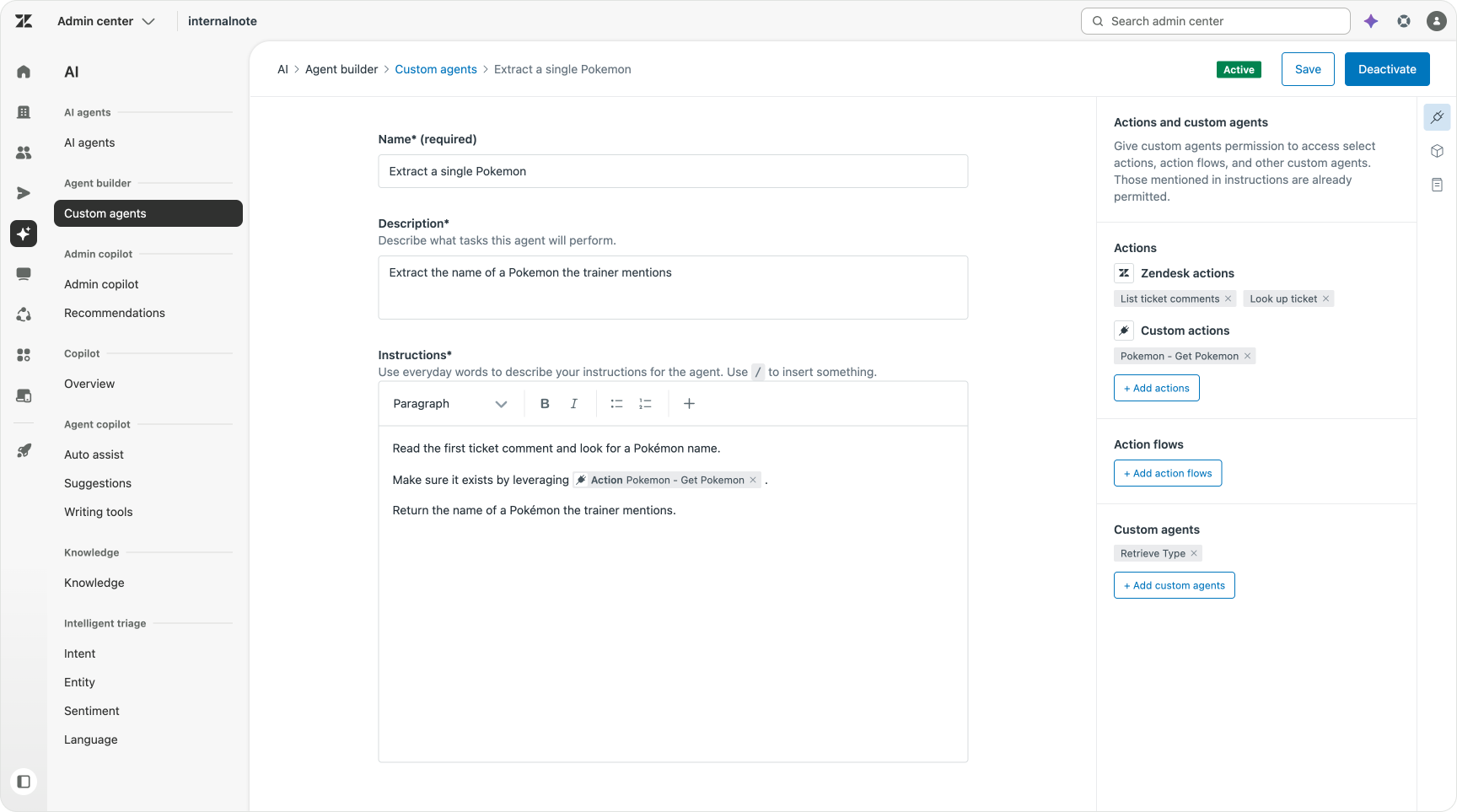
So, instead of using these options, we’ll create a Custom Agent that extracts a Pokémon's name. We’ll give it access to the Get Pokémon Data action so it can easily check if the value exists.
To make it possible for the agent to do so we need to give it access to Ticket Comments in the Action sidebar.
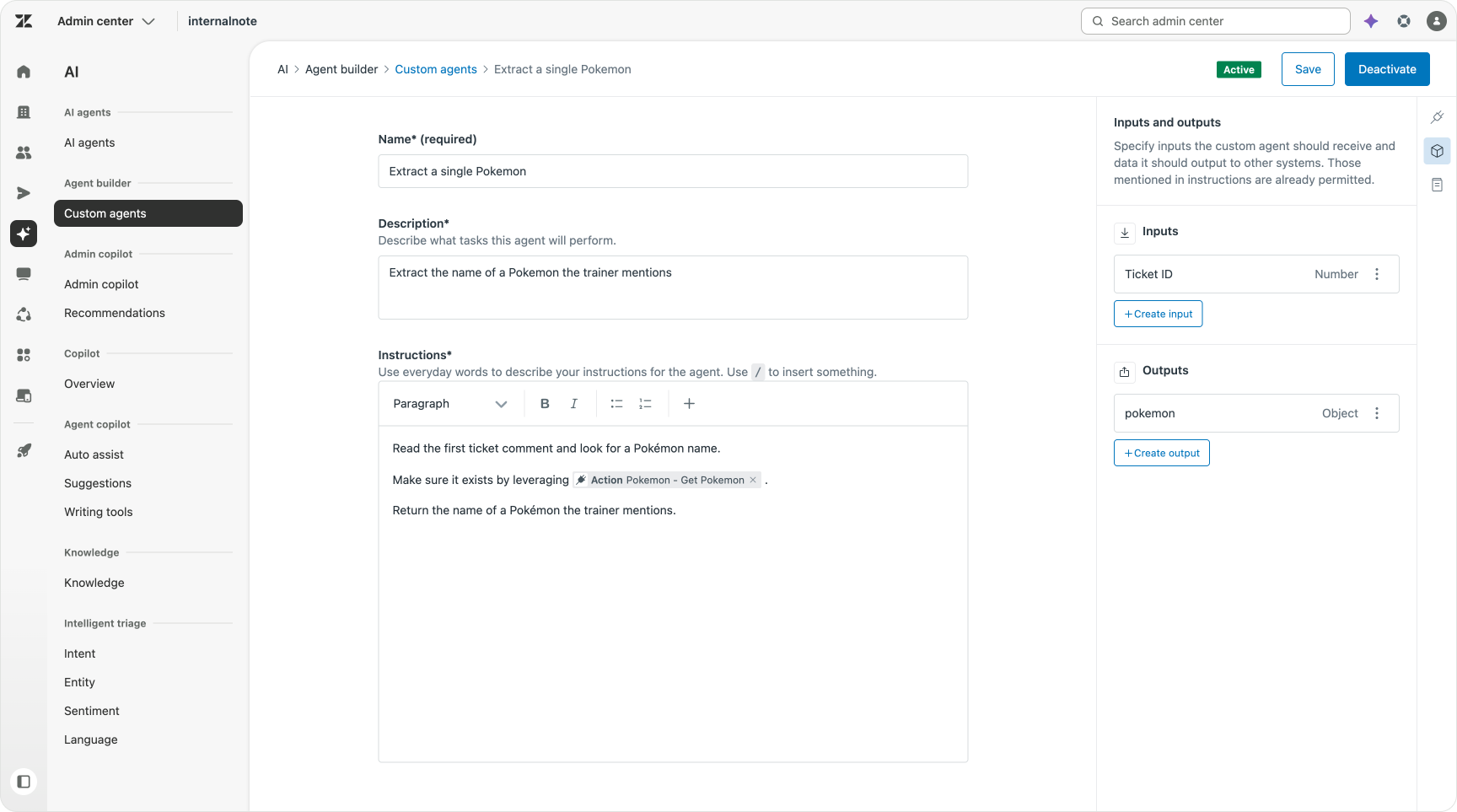
The input of this Custom Agent is a Ticket ID and the output is a Pokémon name.
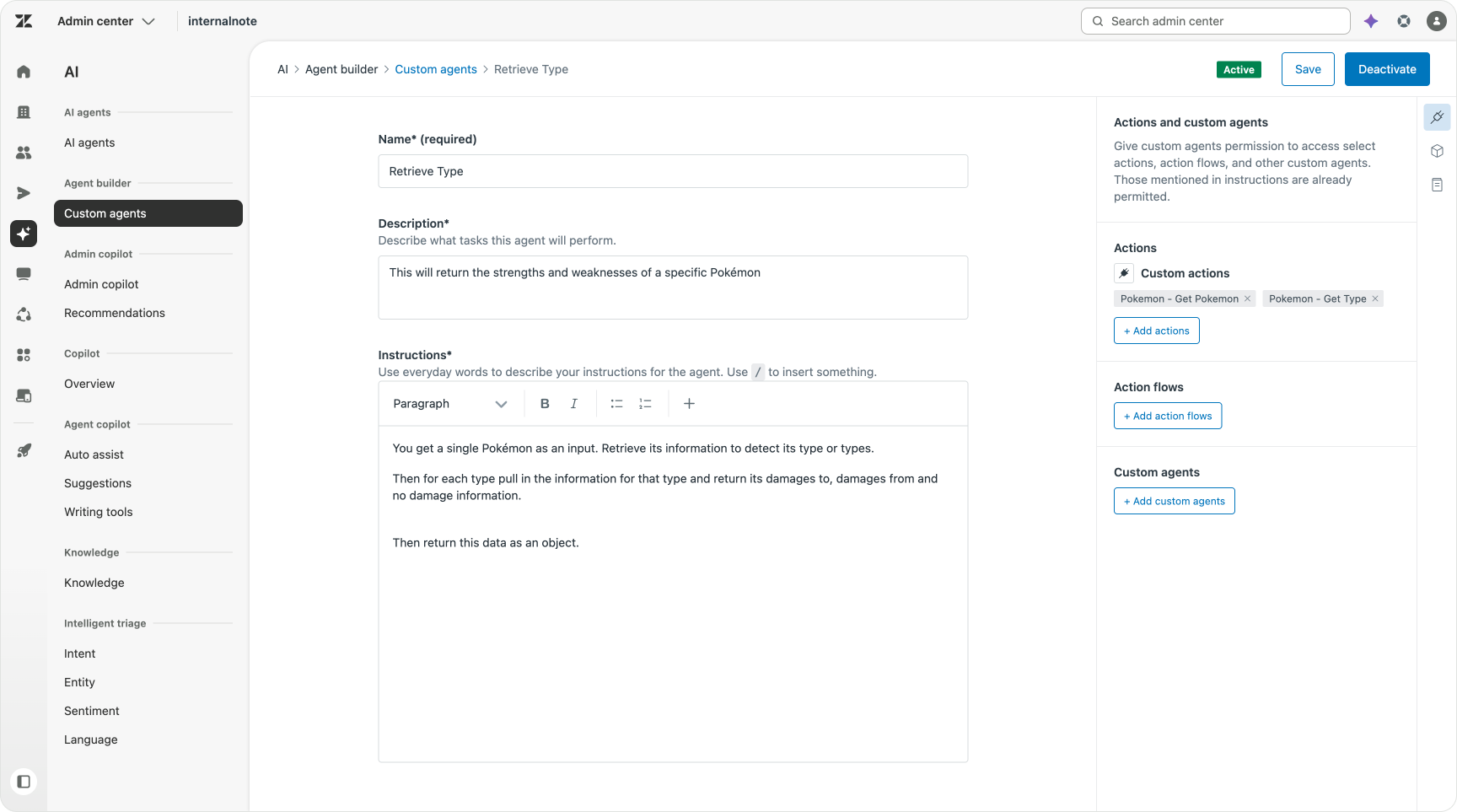
Retrieve Type
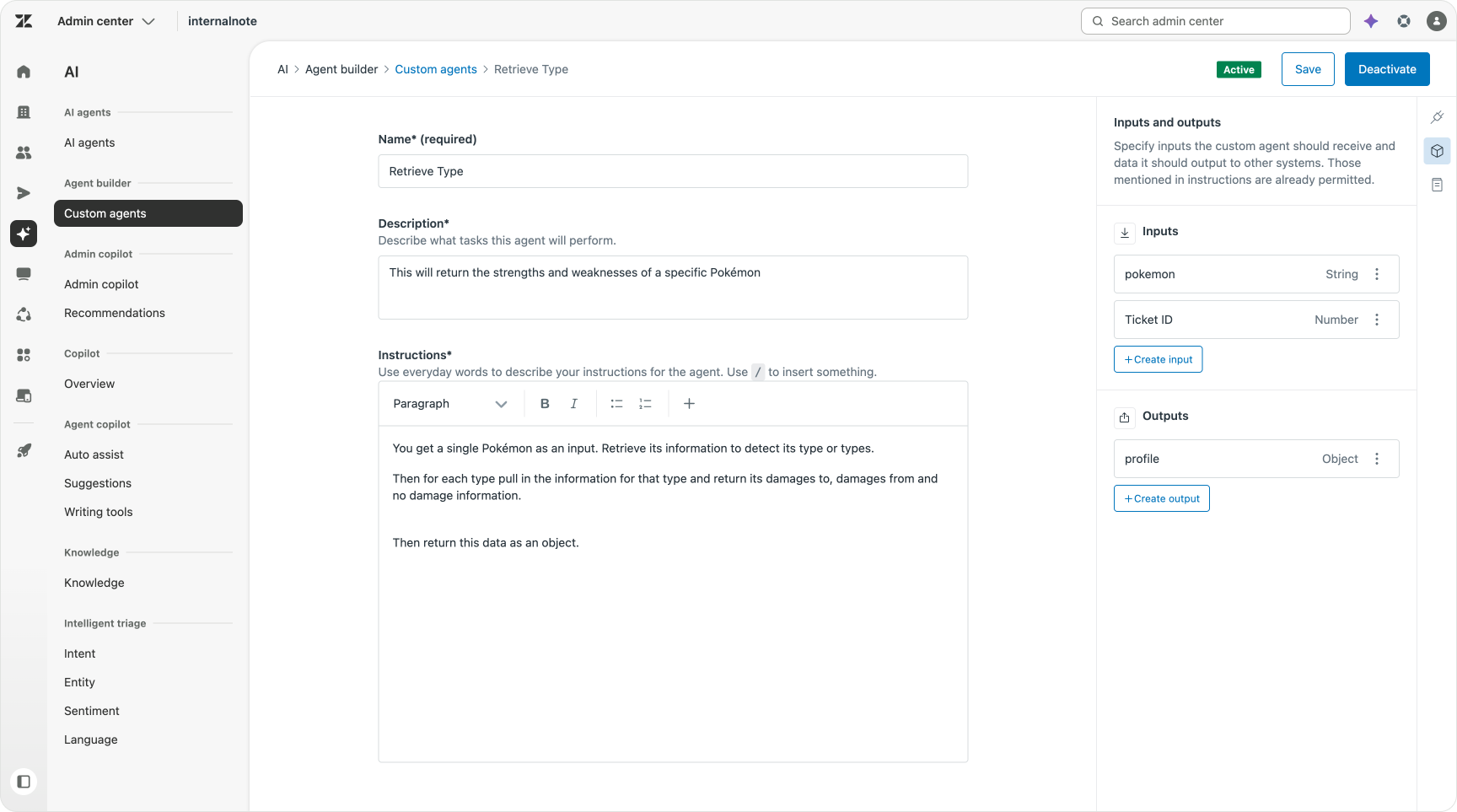
The second Custom Agent takes that retrieved Pokémon, and uses it to extract a profile for that creature. The input is the name of that Pokémon.
Step one is retrieving a Pokémon’s type(s). We then use that type to retrieve all battle information for that type. This is done by adding our two Custom Actions to our agent via the sidebar.
While we could do this as a deterministic flow just as well, the fact that we can have one or many types assigned to a Pokémon, it’s ideal for a Custom Agent. A single “for each type” contains all the logic we need to handle the zero, one or many use cases.
What I also like is that I don’t need to be verbose. Custom Agents understand the in- and output of actions. They get the concept of a for each. I don’t need to declare variables or account for errors, loops or validation. I could capture these scenarios if I wanted to handle them differently, but by default the agent just handles them.
The output of this Agent is a combined overview of the Pokémon’s capabilities.
Generate Battle Profile
Now that we have the data we need, we can generate the comment we’re sending back to the customer. In this scenario I decided to build this out as an agent that directly outputs a public comment to the customer. But we could just as well add this as an internal comment for the human agent to use.
The main action of this Custom Agent is to take the output of Retrieve Type, and return it as a formatted reply in a specified structure.
It’s here that we can jump into a short philosophical debate on how you structure your Custom Agents.
The approach I took is to make Generate Battle Profile the wrapper for the entire use case logic. It first calls the Custom Agent that gets a Pokémon’s name. I then instruct it to get its type information via the second Custom Agent. And finally I instruct it to add a public comment to the ticket via its native Zendesk Actions.
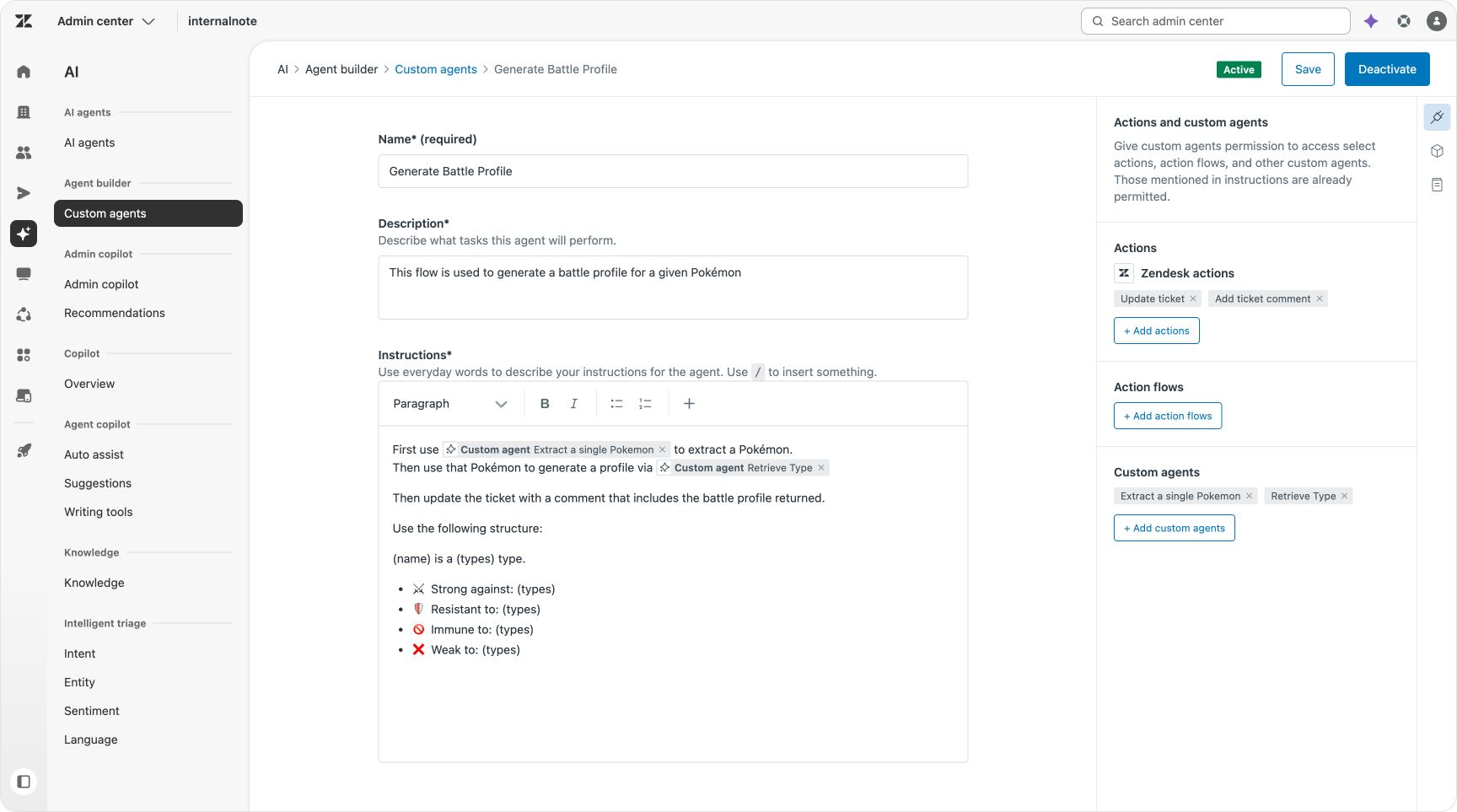
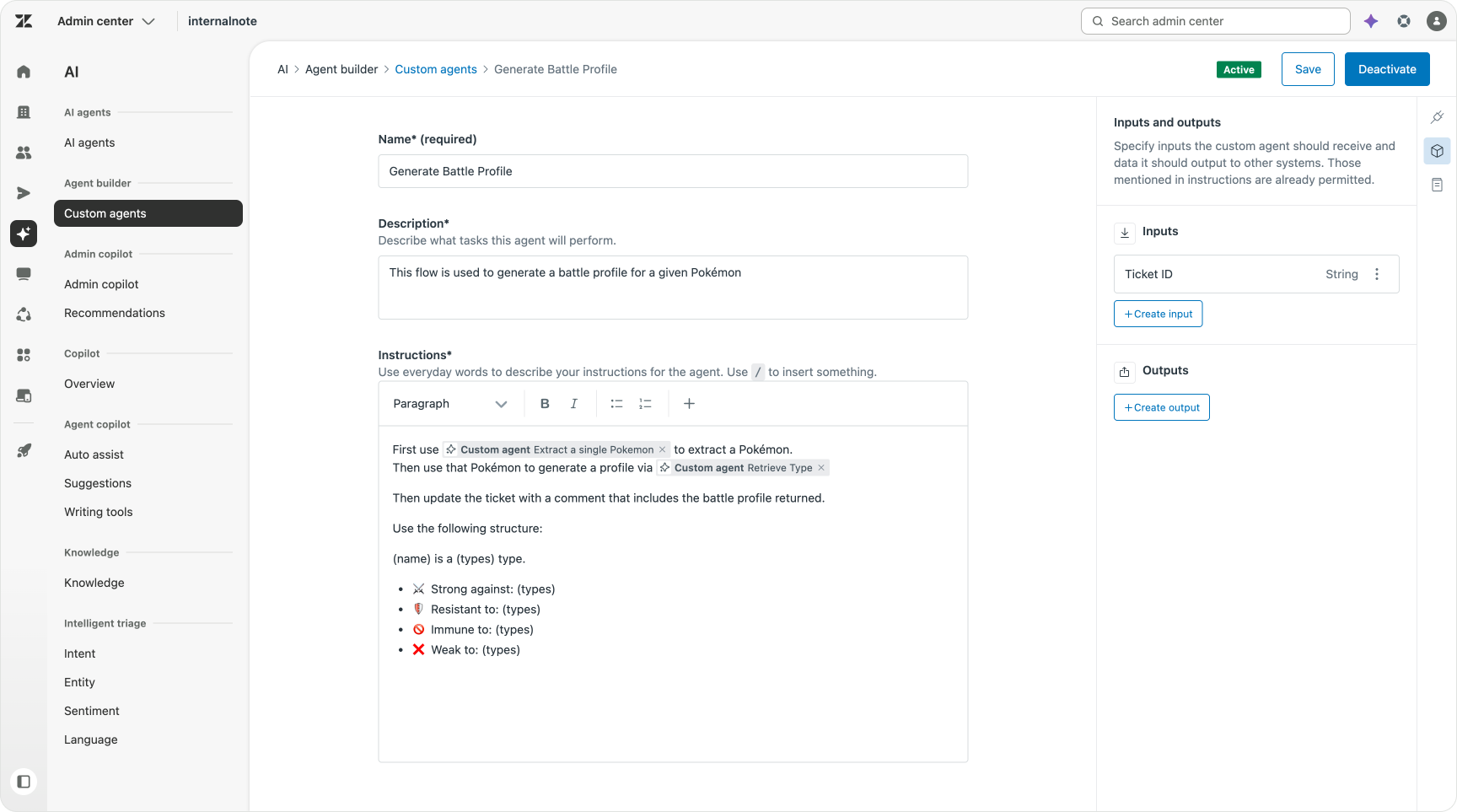
By building it this way the entire logic to generate a Battle Profile is contained in a single agent which we can then call wherever we need as a single object.
The other approach would be to create a real Action Flow. That flow then first invokes the “Get Single Pokémon”, followed by a “Retrieve Type” before passing it towards “Generate Battle Profile”. It’s the exact same logic, but build as a deterministic flow chaining individual Custom Agents.
While this is a valid approach, I opted for a Custom Agent wrapper approach. The reason being that I could forgo any conditionals. In an Action Flow I needed to add branching logic akin to “check if we could retrieve a Pokémon”, or “Make sure we have type data” to make sure we account for missing data and don’t fail.
Whereas with Custom Agents that logic is built-in. I’ve seen the Custom Agent loop back on itself when it started with a wrong assumption. This kind of implicit validation and dynamically adapting to what’s happening is the power of agentic. So, as far as my initial explorations go, I think I prefer this approach where the entire use case logic is wrapped in a single Custom Agent, calling other agents.. But naturally, depending on the use case, we might need to combine both flows and agents.
Expanding our workforce
So that’s use case #1 covered. Now we need to expand our family of Custom Agents to handle the second use case. The main new elements here are extraction of a team of Pokémon, loop through them, and combining that information into a combined answer.
Retrieving a team of Pokémon
The basic approach of this Custom Agent is the same as the single retrieval. We give the Custom Agent access to ticket comments and our Get Pokémon endpoint, and ask it to find an array of Pokémon.
Since trainers don’t tend to change their teams often, I thought it would be a fun exercise to try to store the retrieved team on the users’ profile by leveraging the Update User action available to Custom Agents.
I then output the team.
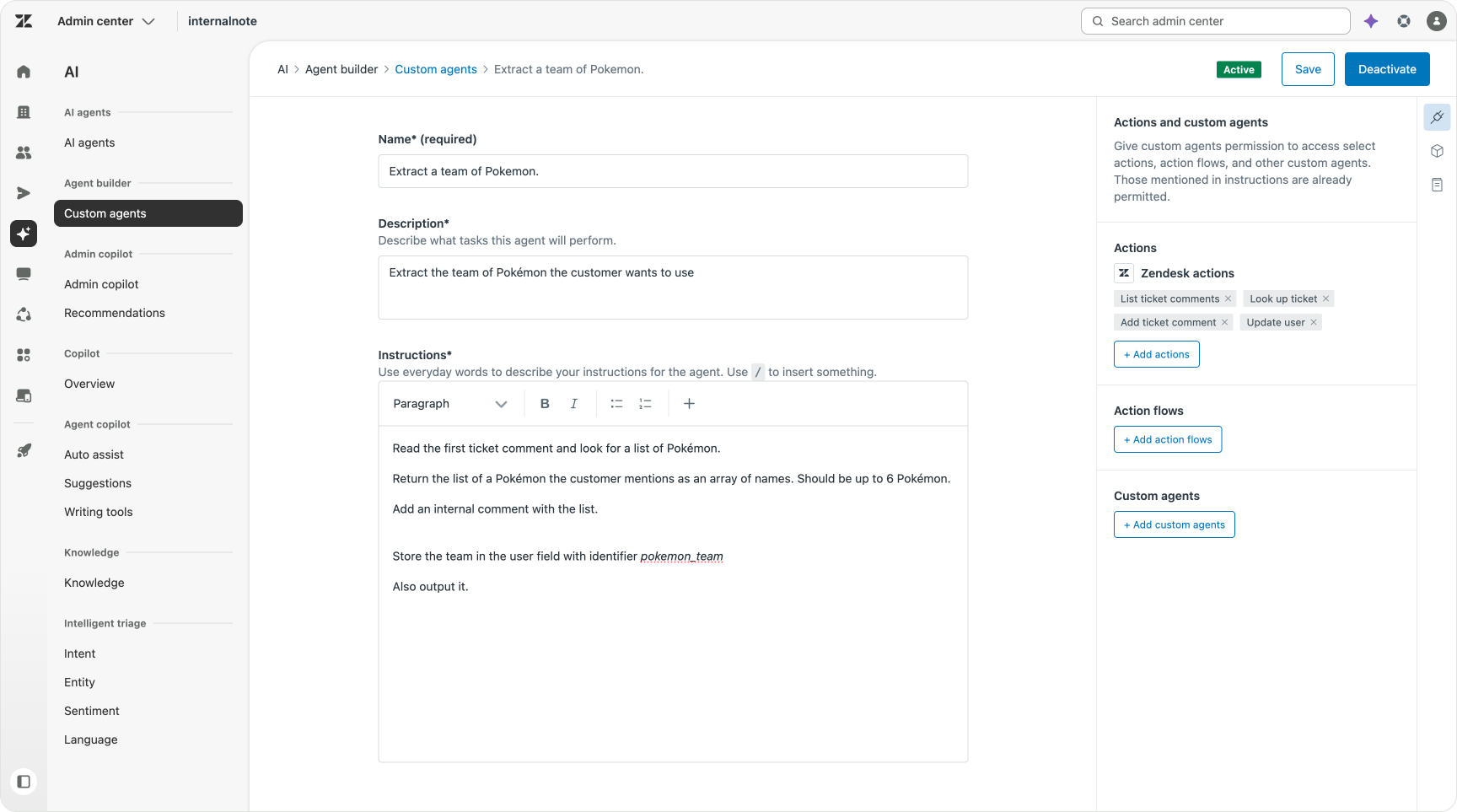
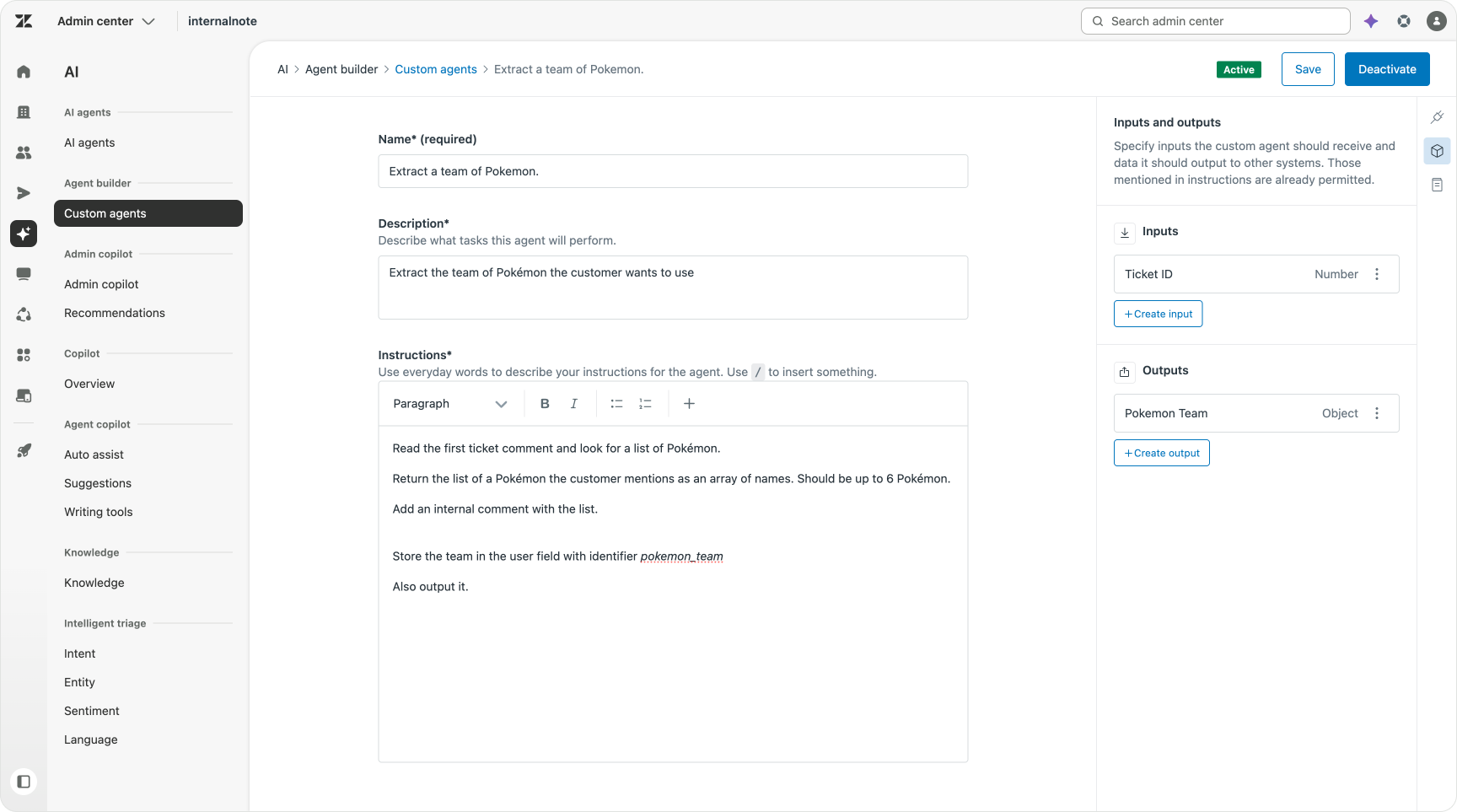
While you might expect a trainer to submit a written list of team members, the game is played on consoles and phones. So it’s easier for trainers to just send a screenshot of their team instead of writing down the names one by one. Similarly, a customer might send a PDF of their invoice, or a photo of their damaged package, instead of writing down the order number.
Here too we see a scenario where Custom Agents shine. I created a second Custom Agent that contains the following actions (note this down!):
- Lists ticket comments
- Download ticket attachment
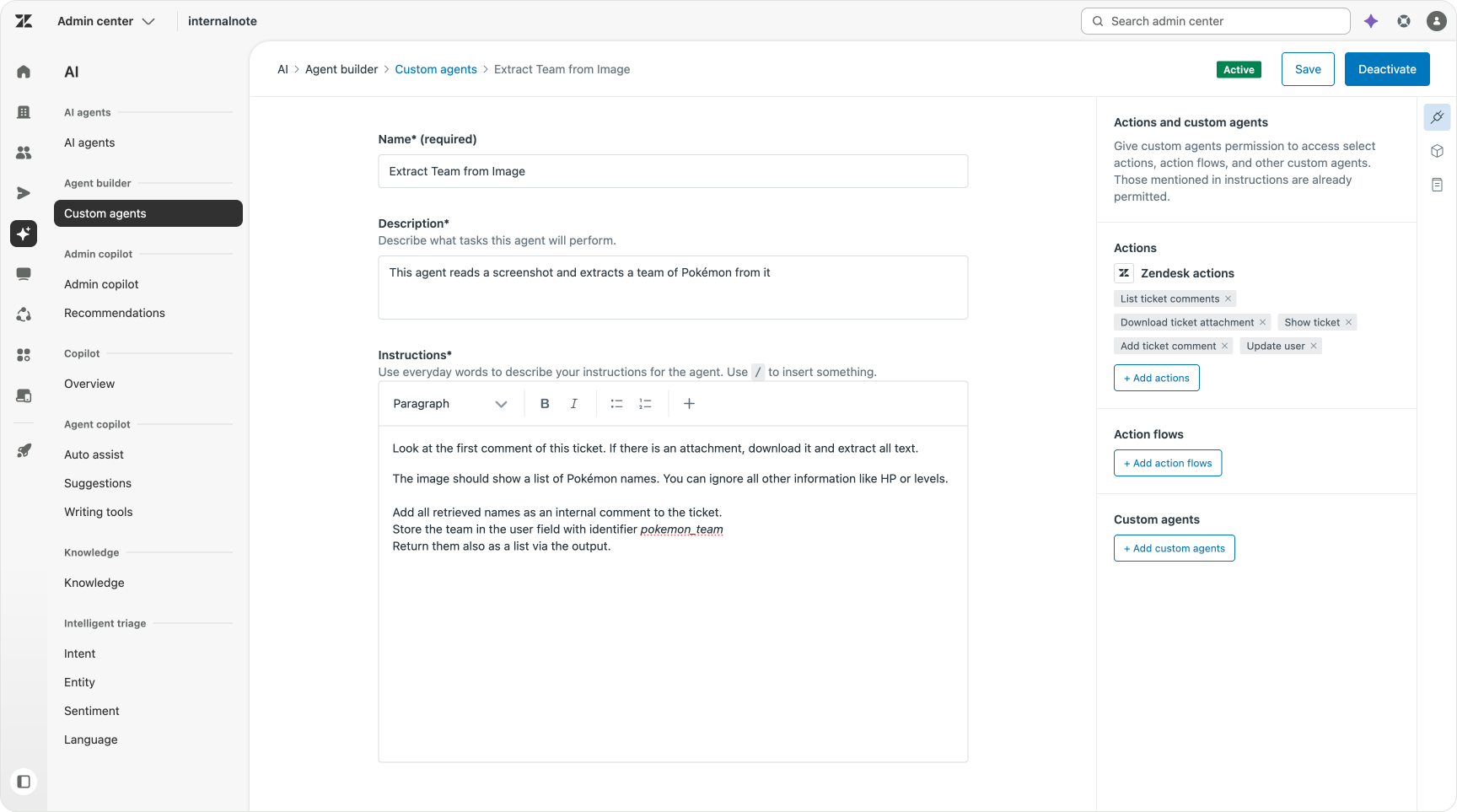
When adding these two actions you get the ability to read attachments. I instructed my Custom Agent to get the attachment a trainer submitted, and extract the team members’ names from that screenshot, and output them as the result.
The ability to read images or PDF files, and extract information from them directly within the platform is a game changer.
I could have combined all the “get team” Custom Agents into one Custom Agent that first checks the comment, and then falls back to images when the comments contain no useful data.
But purely for the sake of writing this article and understanding what runs when, I opted for “smaller component pieces”. In reality I might combine these two agents since they essentially have the same job: Comment/Attachments in, team list out.
Generating a team profile
This next Custom Agent is where the work actually happens. We first call our Retrieve Team Custom Agent, with a fallback to the Retrieve Team via image. We then do a for each on every team member, invoking our Retrieve type agent.
Once we’ve got these pieces of data, we ask our Custom Agent to return them in a structured report, posting it as a public comment. To do this we need to also give it access to All Types via a Custom Action, so it can fill in gaps on the team and discover what types are available to fill in the gaps.
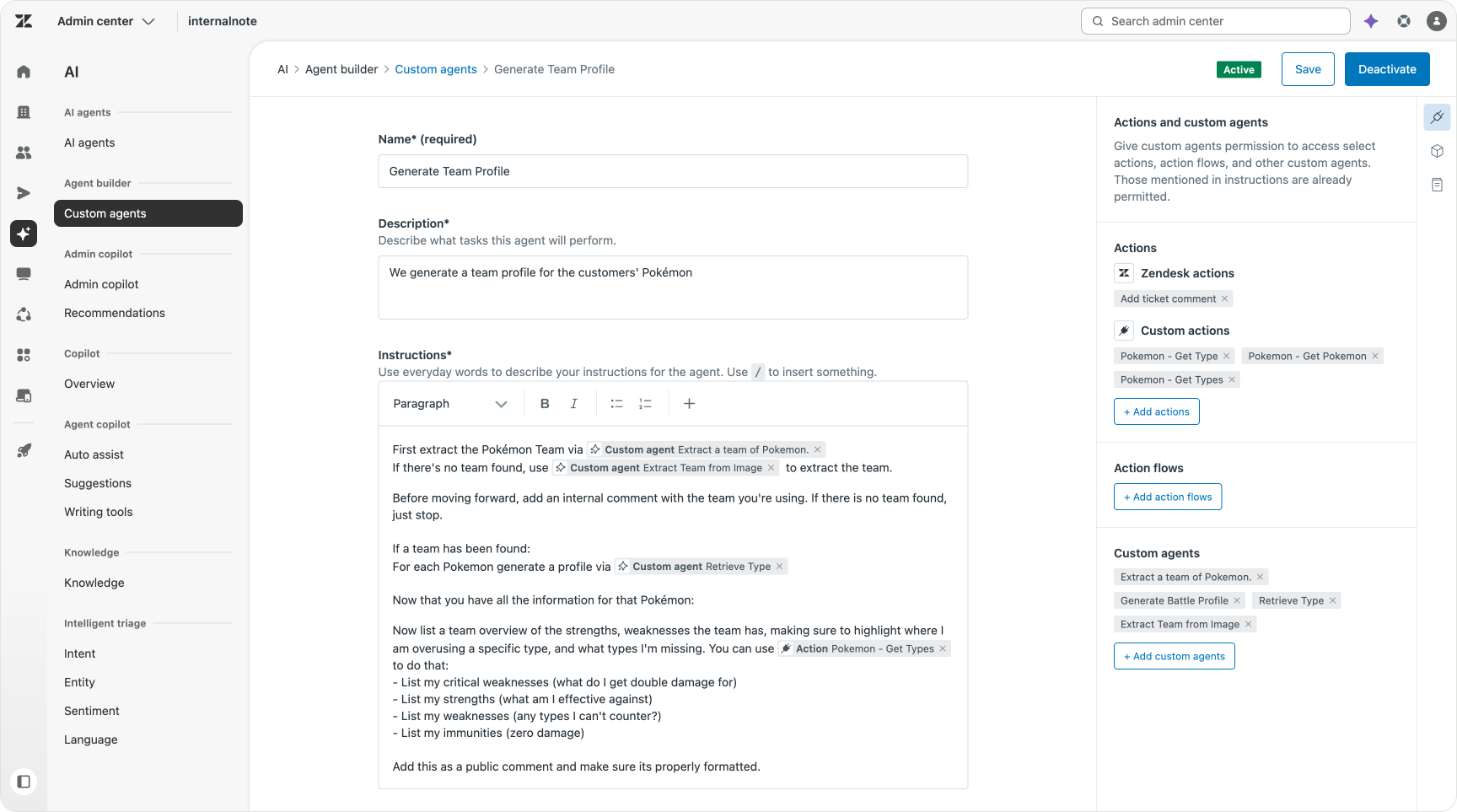
This capability of looping over every team member and combining it into one comment is something that would have been next to impossible to build with regular Action Flows, but takes just a single line of text in a Custom Agent.
Adding Knowledge to Custom Agents
So far we’ve build two Custom Agents that combine Actions and other Custom Agents to get to the required result. But the third use case needs something else. It needs strategy.
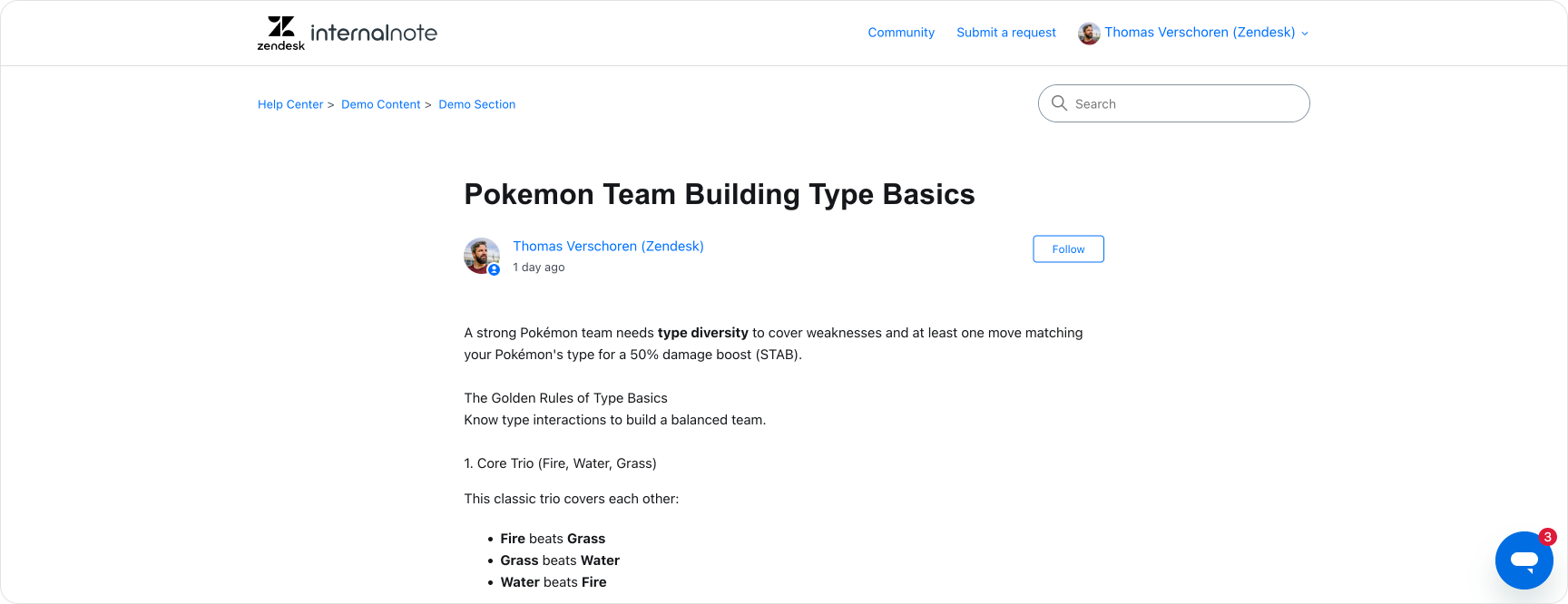
We ask our agent to take a few Pokémon, and build out a full team roster of six creatures from there. Building a team requires strategy. The Custom Agent needs to understand what a good team entails. That information is available on my Help Center as public information. So we can add it as an available knowledge source to the agent.
Our Custom Agent runs as follows:
- First we extract the partial team of Pokémon via our existing Custom Agent. For each Pokémon we use our Get Type agent to get its profile.
- Then, and this is the core element, we ask the Custom Agent to use the strategy outlined in our support document to list missing or overlapping types in our current team, and recommend changes. We then use the Get Type agent to retrieve specific Pokémon for that fit each type. The above might seem small, but it’s actually the core power of custom agents. Just like Claude or ChatGPT they can reason on information and provide output based on complex conditions.
- Once we get those insights, we combine that information into a combined team of six Pokémon and return that as a public comment with the reasons why.
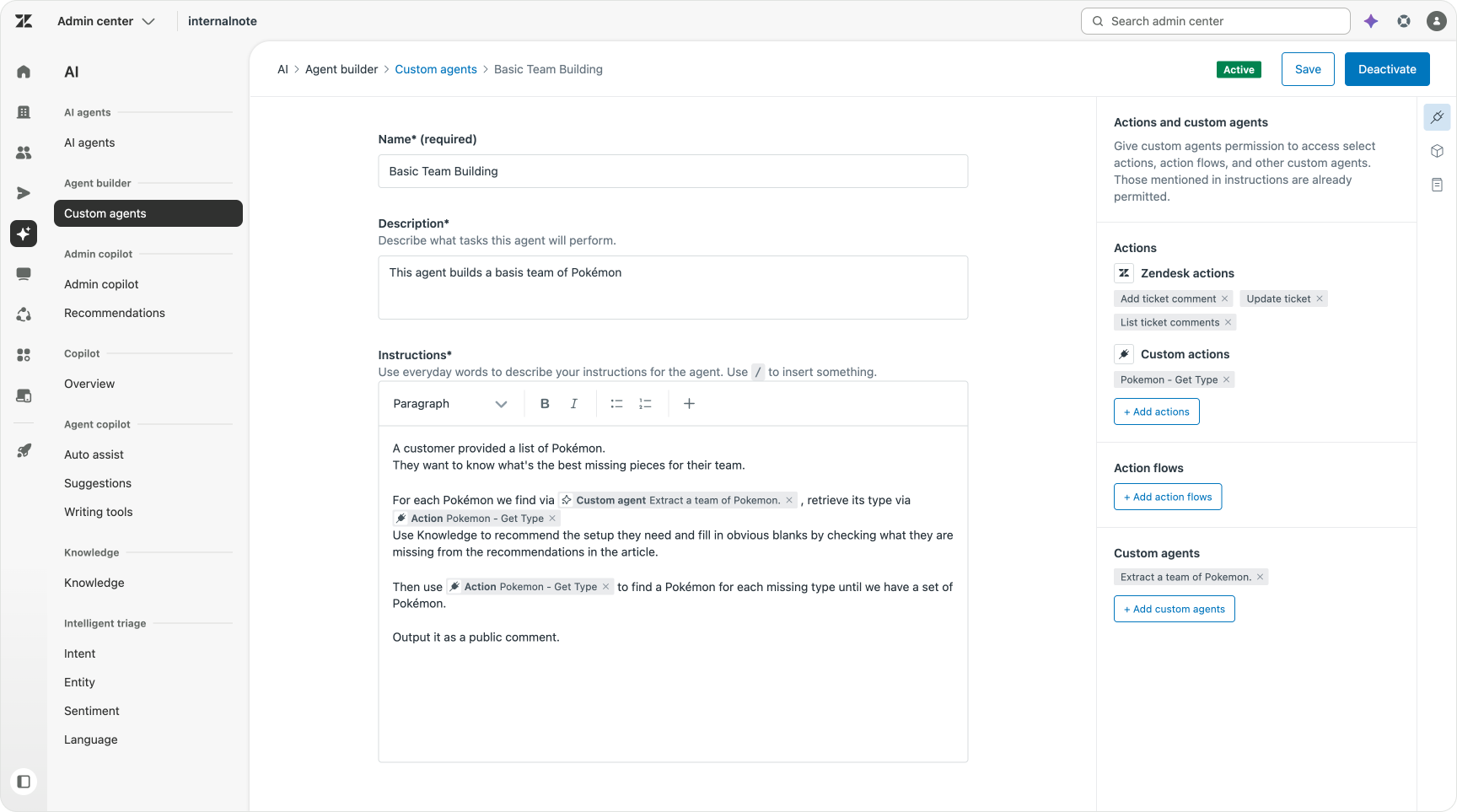
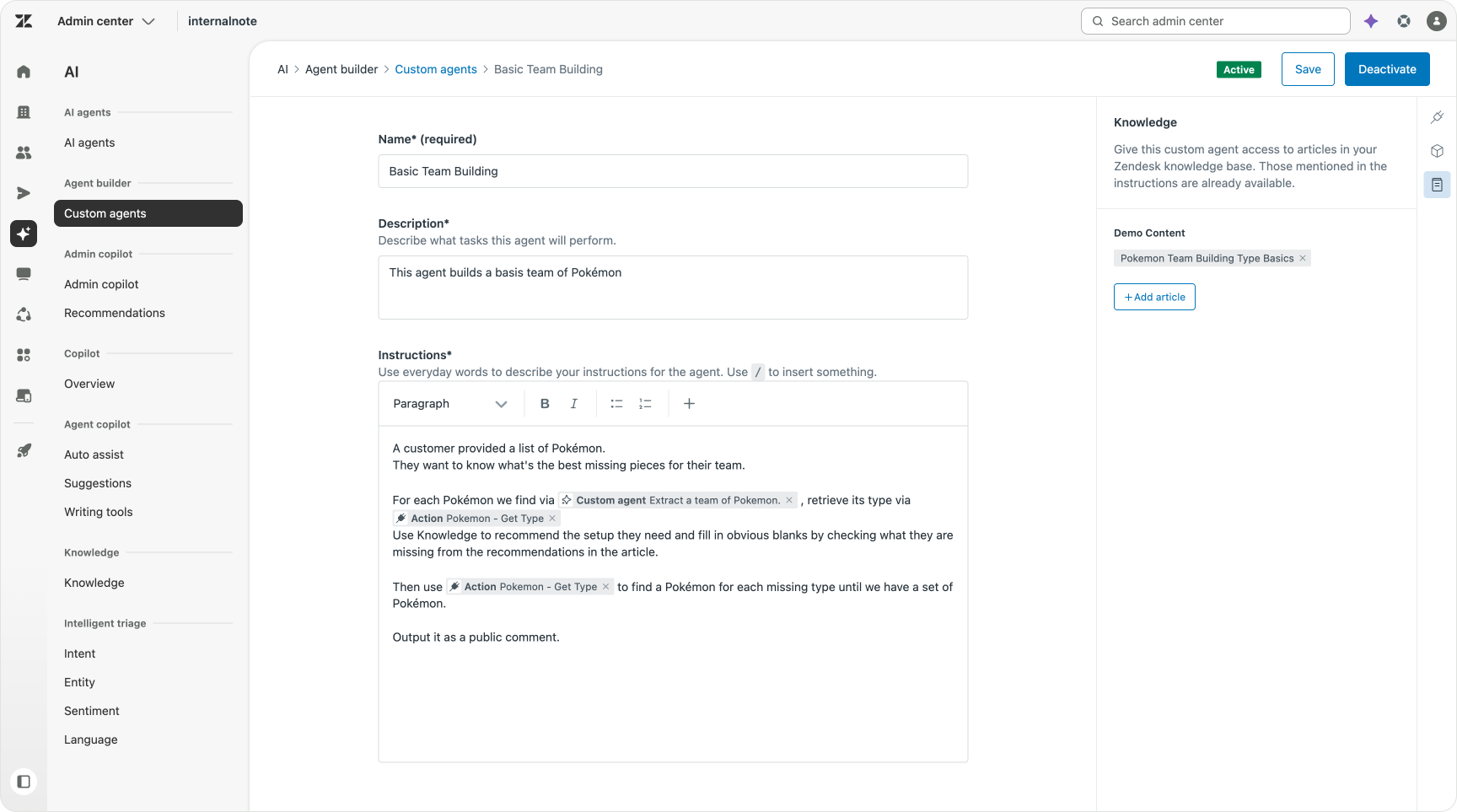
Adding Knowledge to Custom Agent can be done in two ways. You can just add it within its instructions as text. That’s ideal for context that’s only relevant to that specific agent. But battle strategy information is not only relevant for our agent, its also useful for trainers directly, so it is publicly available on our Help Center anyhow, so we can add it as an external knowledge source.
You might wonder why we need to explicitly add it to the Agent and why it can’t just find it on its own. That’s all part of Zendesk’s strict governance rules. Custom Agents only have access to those specific actions, workflows and knowledge pieces you give it access too. No outside information. No public internet. It can only see and act upon those elements you give it access too. This makes it secure and trustable. With the additional benefit that a scoped set of knowledge leads to better results since the answer is derived from relevant content.
Custom Agents in Action
So far we’ve build out three powerful Custom Agents. But while we’ve seen agents invoke each other within their own logic, we haven’t configured how and when they should run within the platform itself.
Custom Agents, currently, can only be invoked from within an Action Flow. In its most basic setup that means something triggers an Action Flow, and that flow has a single step Hand off to Custom Agent.
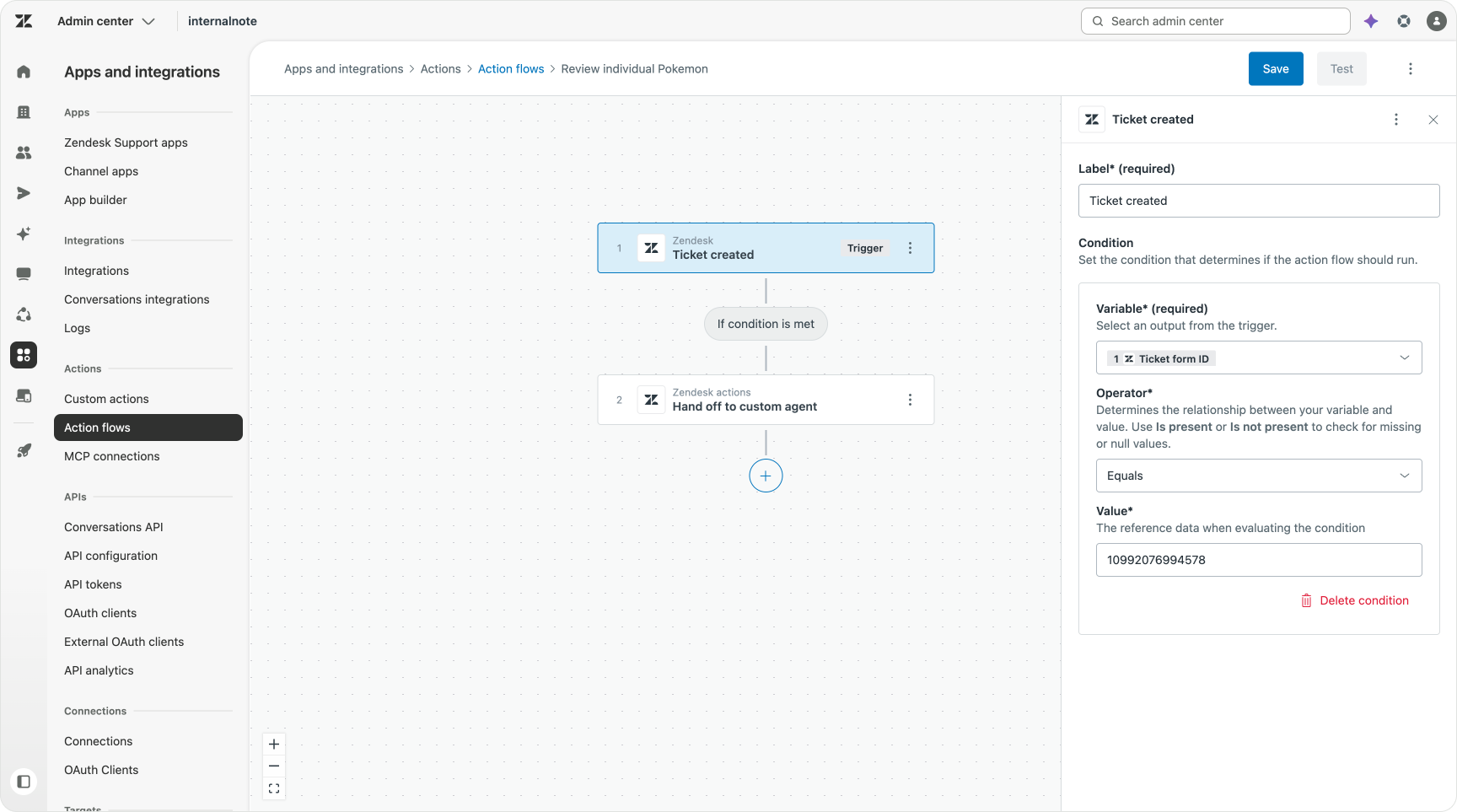
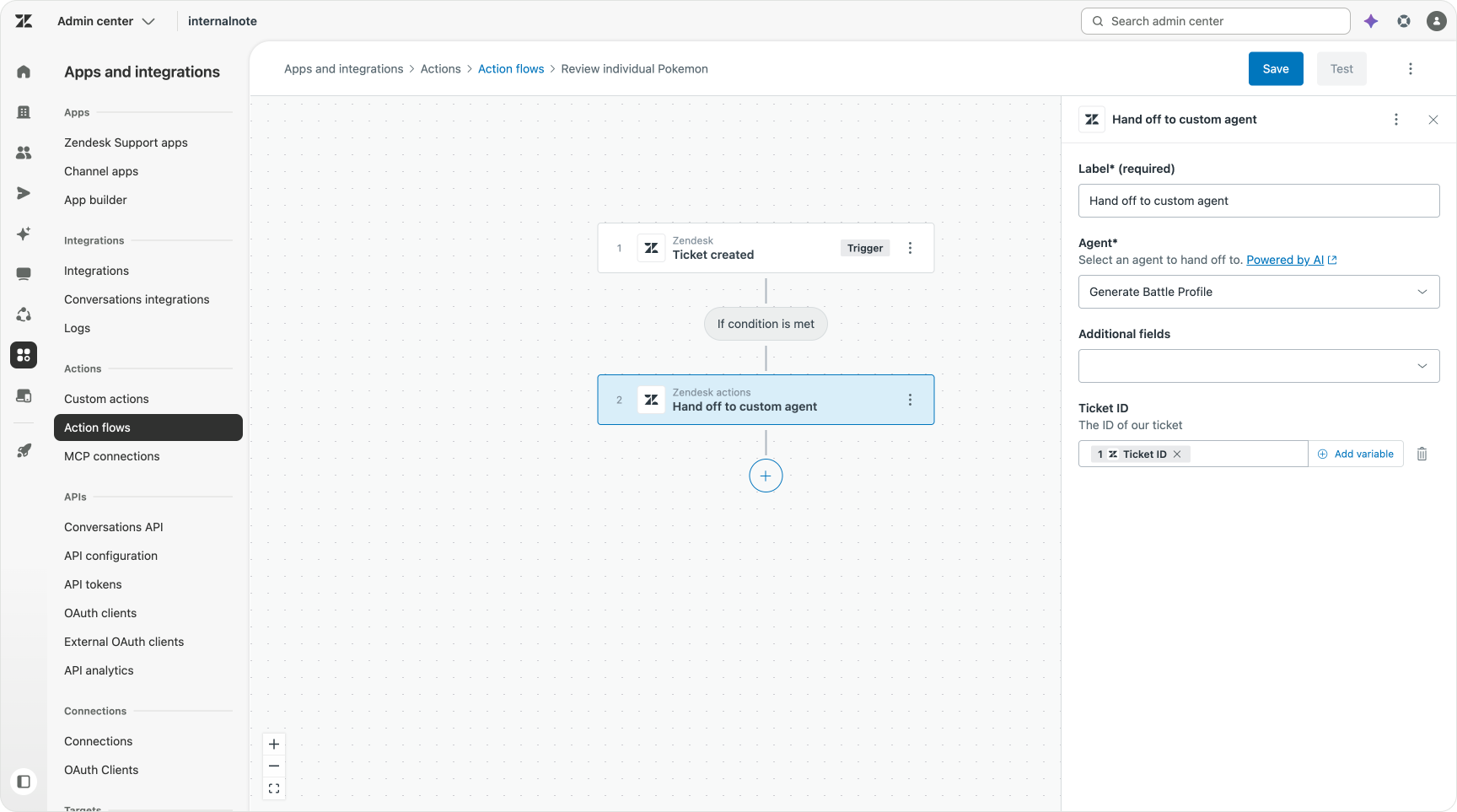
This means that even if all your logic is contained within a Custom Agent, you still need a flow in order to use it. This allows for some additional benefits: we can add specific conditions before we invoke the agent like checking for a tickets’ intent. Or making sure its the right brand. Or we validate a customer has a specific tag before we move forward.
The downside of this setup is that an Action Flow can only have a single trigger. So if you want use your Custom Agent for both ticket based actions as well as AI Agents, you need to create two workflows, one for each trigger.
Configuring our triggers
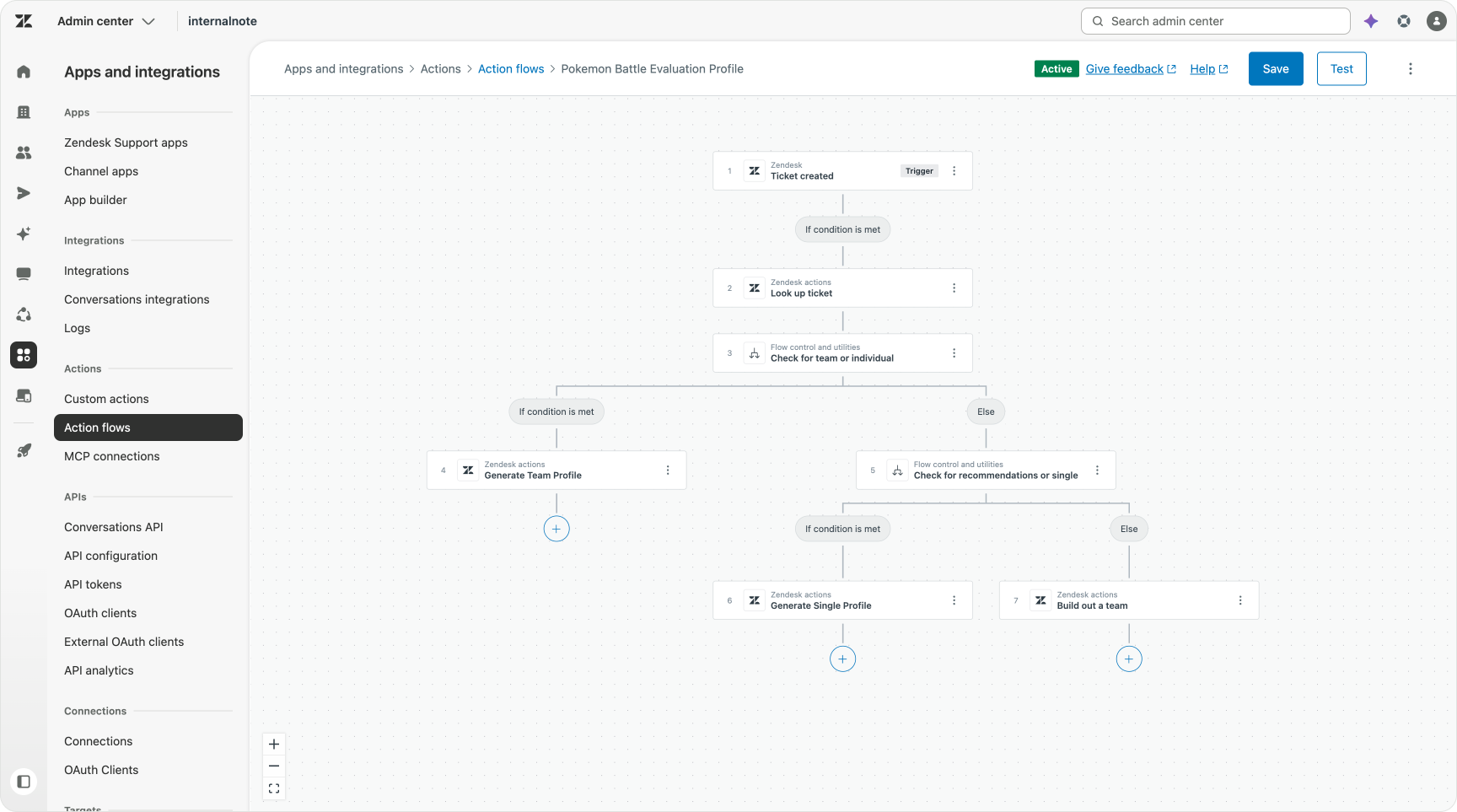
For this article I opted to keep things simple. I created a single Action Flow that fires on Ticket Created. I then check if its the right form, and if so, the flow continues.
Before I built this flow I defined three custom intents in Intelligent Triage. One for each use case. I use these to tag my conversations with the right intent, so I know which Custom Agent should run.
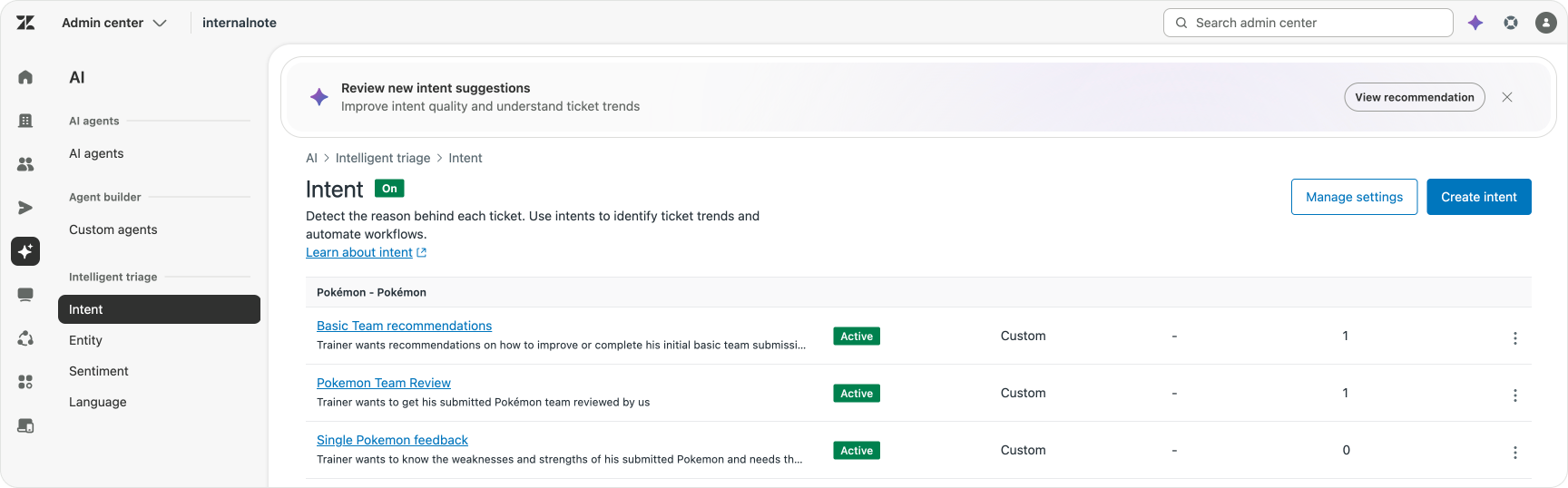
My workflow then checks for these intent (tags) and branches based on the tag. It has two nested branches that check for each of the intents. I have to use nested branches here since branching in Action Flows only allow for two outcomes. I can’t do an array of options like you can with conditional logic in AI Agents Advanced.
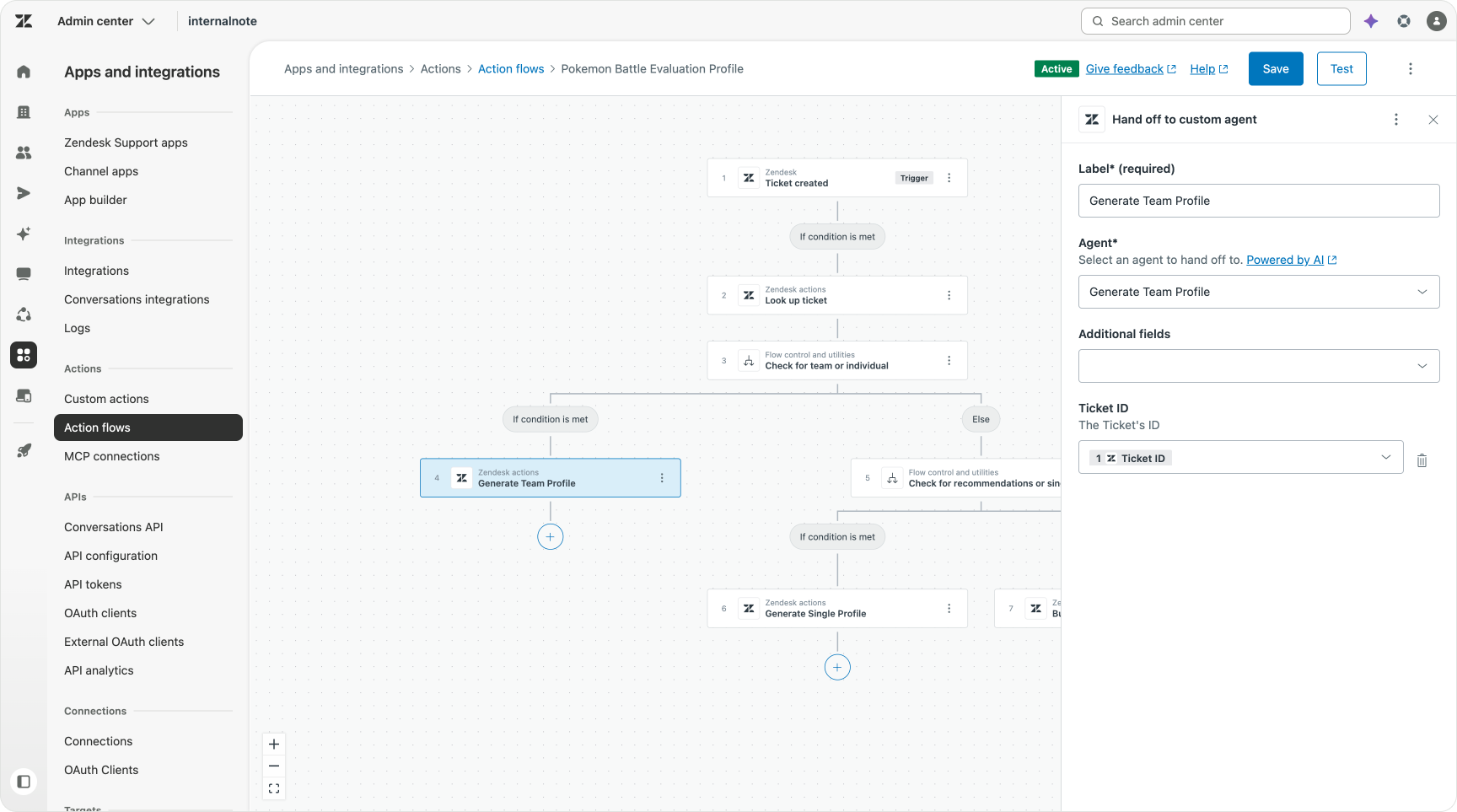
Each condition then invokes their respective Custom Agent to do its thing. Here too you can see the benefit of wrapping all logic in one Custom Agent. I just need to call a single Custom Agent per branch.
Once fired, the Custom Agents’ logic runs and we see the result as comments in our tickets.
End user experience
Now that we have our three Custom Agents and a way to trigger them, we can finally put this all to the test. I sent three emails to my Zendesk environment, each targeting a specific intent.
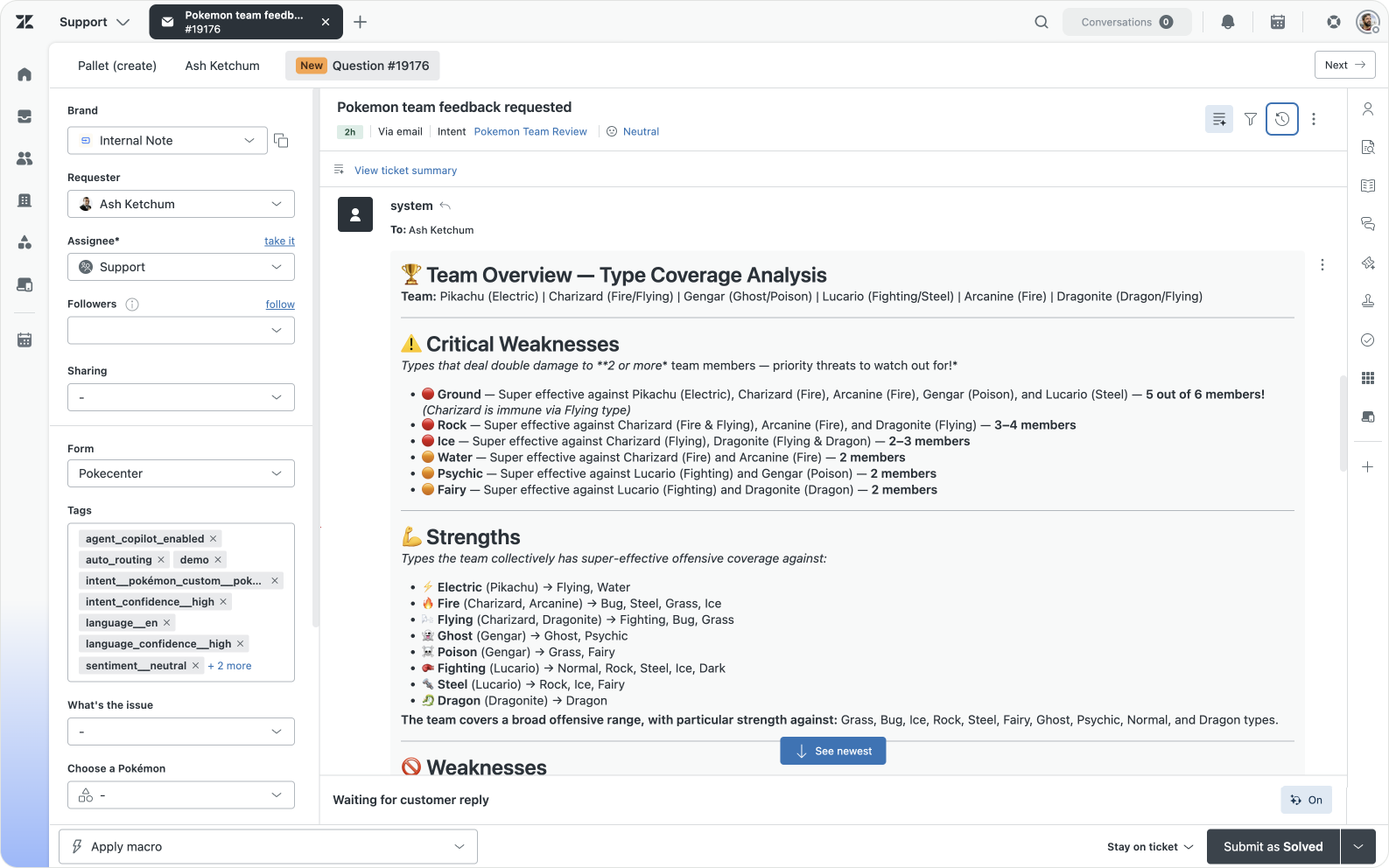
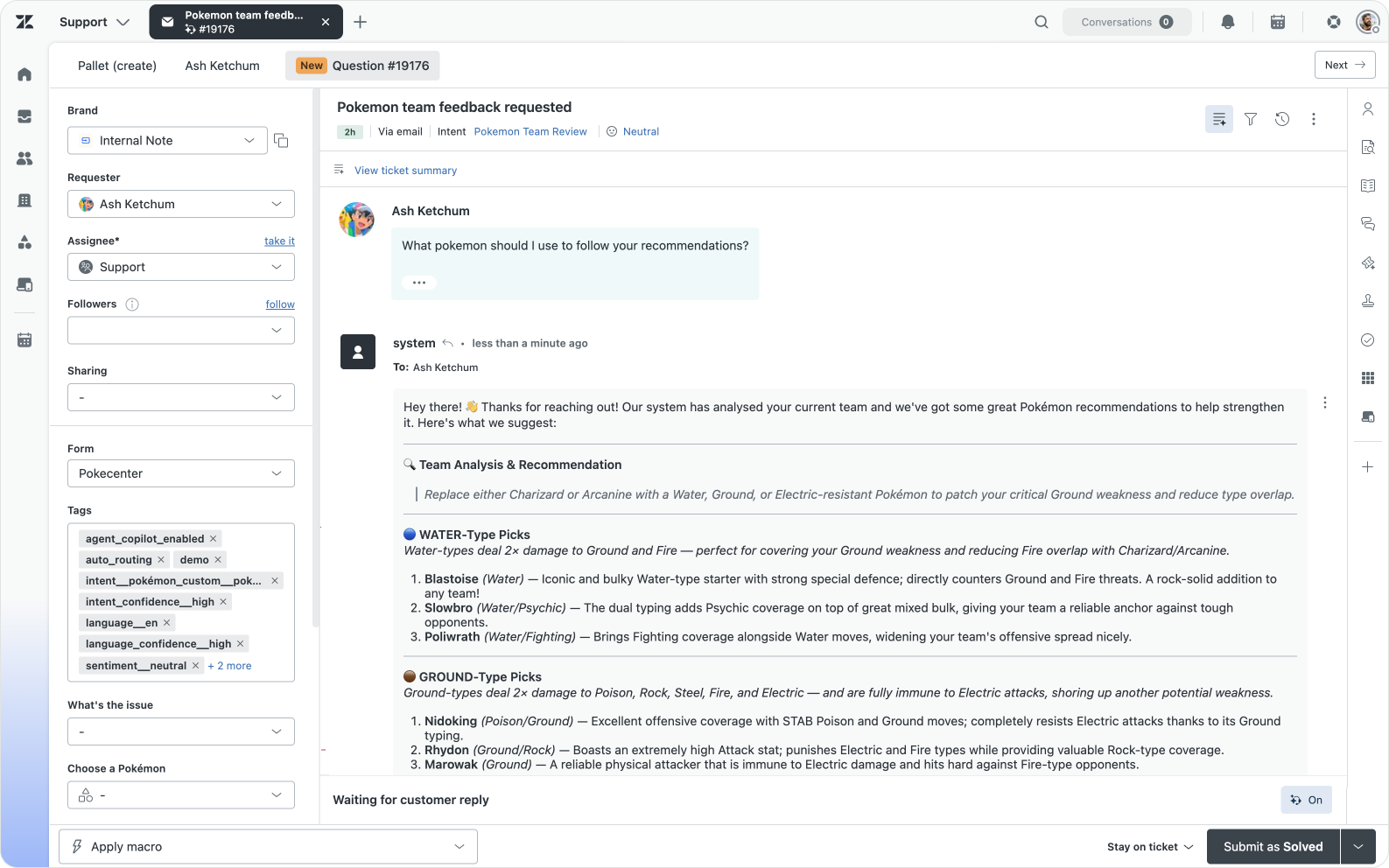
For example, when we're looking at the use case for "Hey I just caught a Pokémon, what are it's weaknesses and strengths?", the Custom Agent returned with a nice battle profile for that creature.
Similarly, when I submit half a team, the Team Recommendations agent tells me what types I should look for next.
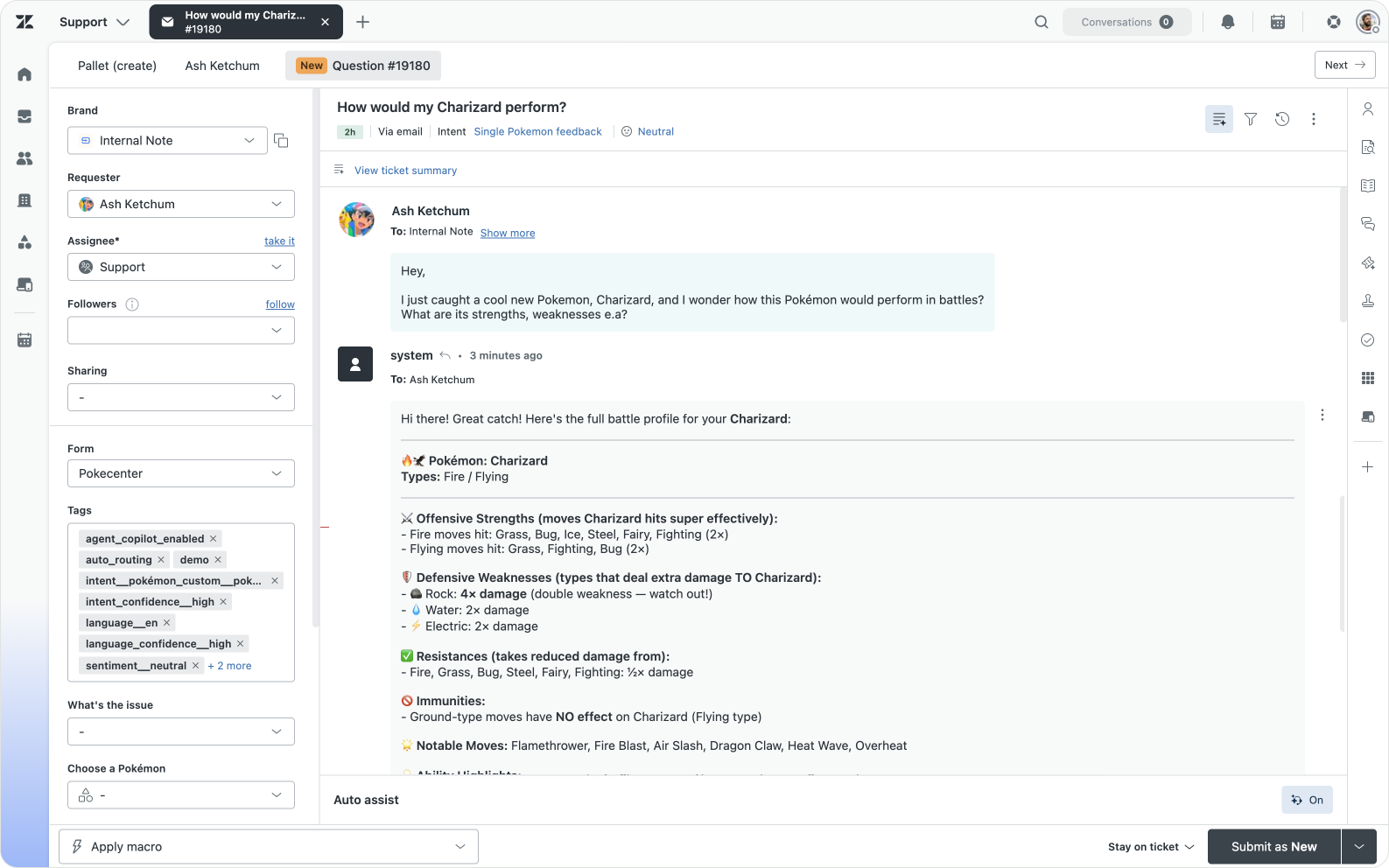
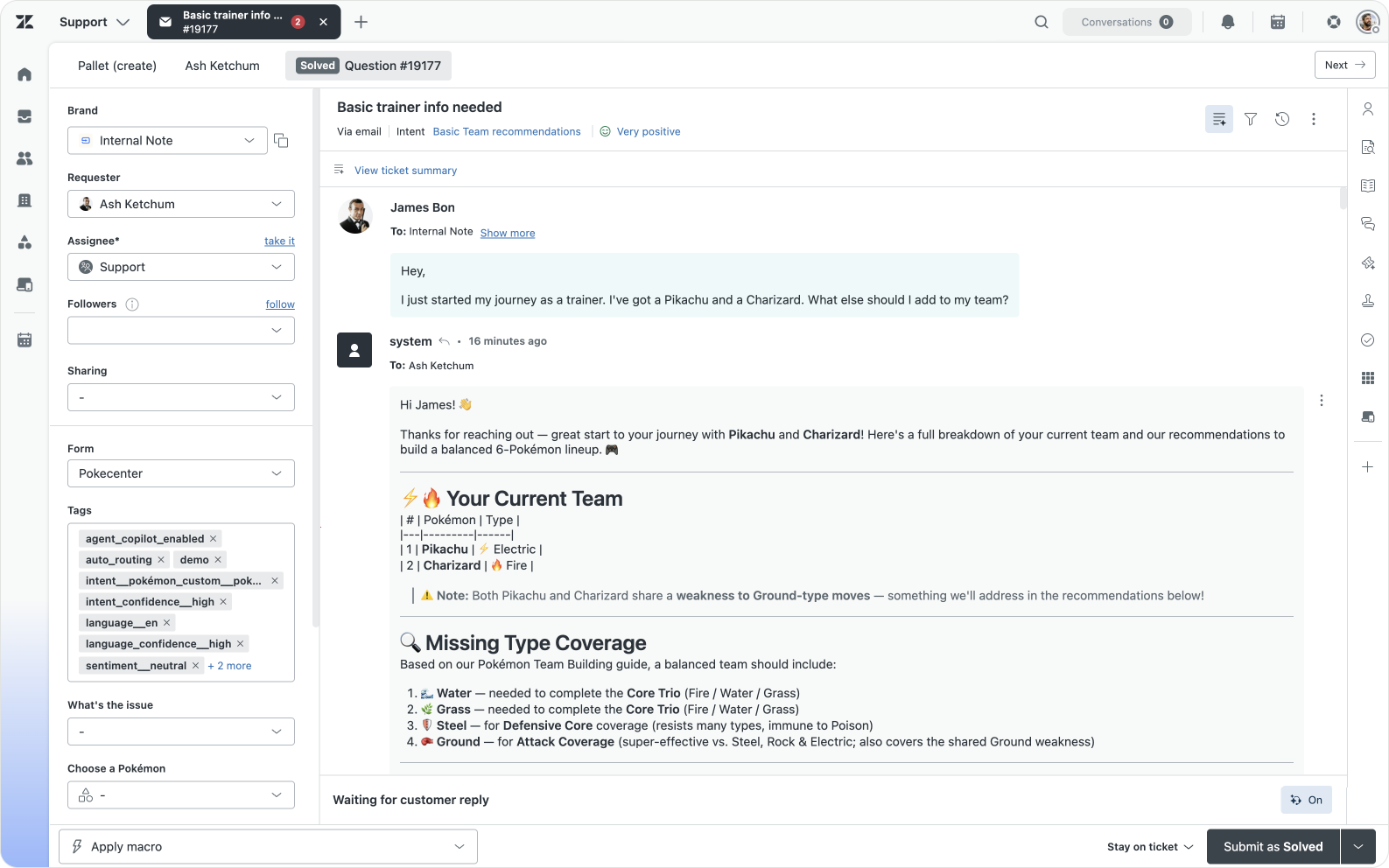
Example results for the Single Pokémon and Build me a Team Use cases
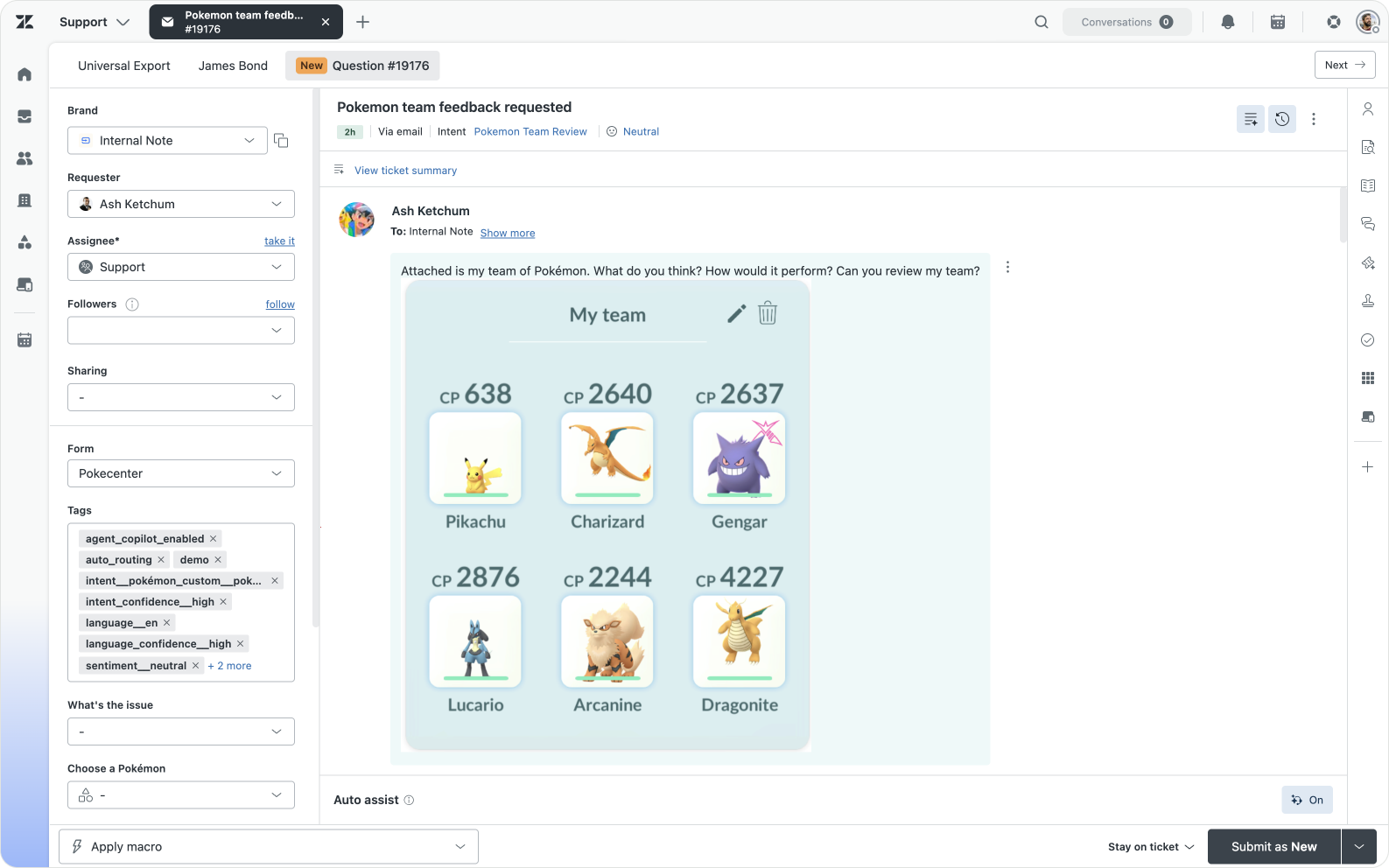
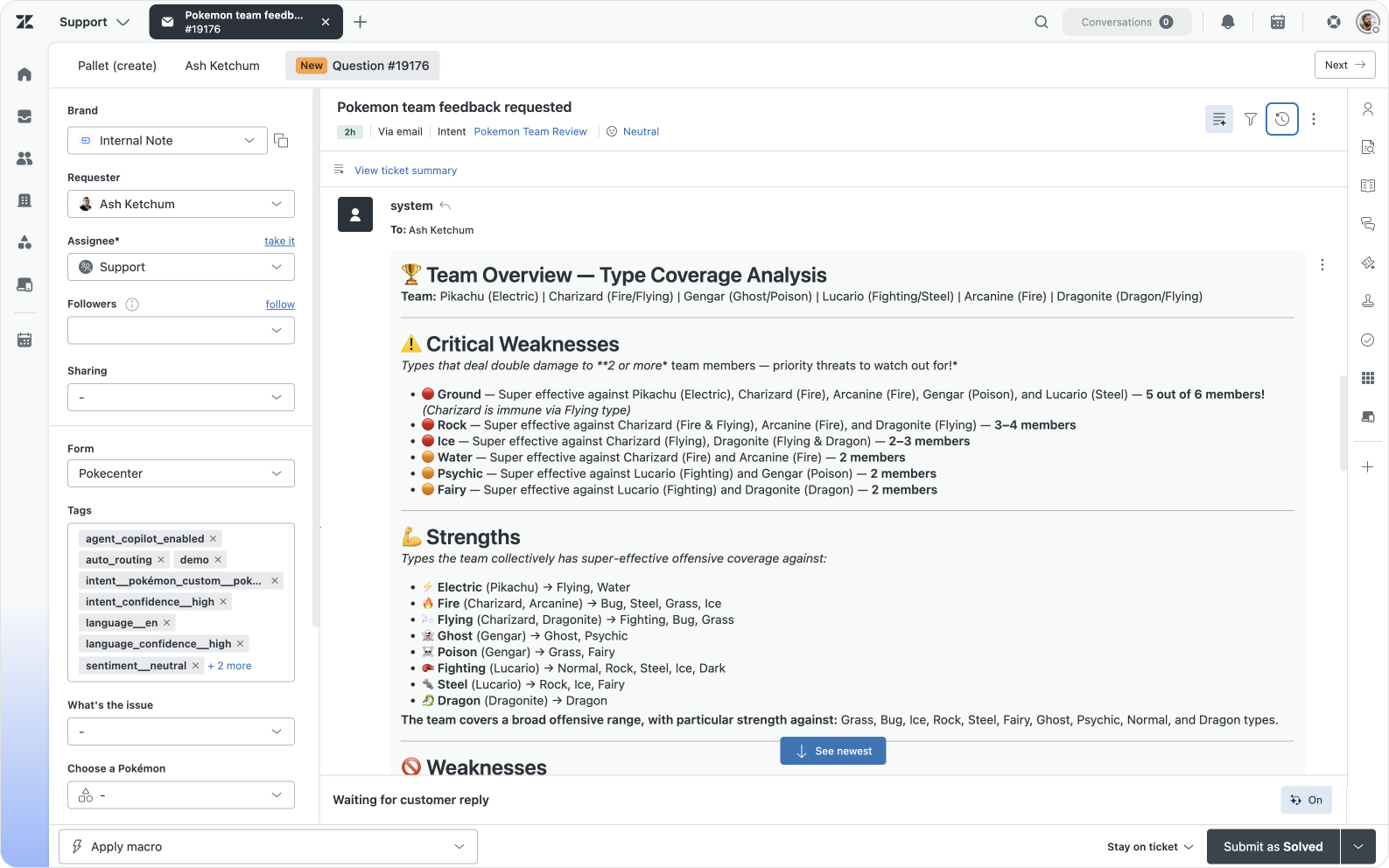
The coolest use case, for me, was the one where the Custom Agent was able to parse images. This unlocks a whole new set of capabilities you can now do in Zendesk, without requiring external apps or tools.
Collaborating with other Agents
There’s one more component to Custom Agents we haven’t touched upon, and that’s the way they interact with Conversational AI Agents and the auto-assist procedures for Agent Copilot.
Both now have the ability to invoke Action Flows from within their procedures. Agent Copilot had this for a while, AI Agents Advanced’s support is being rolled out at this moment.
The way you make Action Flows, and by extension Custom Agents, available to these agents is by adding an Run on demand trigger at the start of your Action Flow. When doing so you can define the inputs your flow requires, and the agentic procedures for AI Agents and Copilot will pick those up.
To test this out I decided to build out the fourth use case: Team Recommendations.
When a trainer contacts us, the Custom Agent automatically replies with feedback for the types effective against their single Pokémon or team. Implied in this use case, but not triggered, is the possibility for the trainer to ask for recommendations on how to improve their team with actual create recommendations. We might for example recommend replacing a water-type with a grass-type to cover more area, but a trainer might want to have names of good grass-type Pokémon like Bulbasaur to add to their team.
I build a new Custom Agent that reacts when the customers asks for create recommendations. The agent looks for the earlier type recommendations we already provided. From these recommendations we then instruct the agent to filter out missing types, and use the same Get Type action to get a Pokémon that fits each type. We then return a public comment with the recommended Pokémon a trainer should add to their the team.
It’s a fairly classic use case similar to how you might imagine scenarios where customers already bought a few products, and you want to recommend a perfect addition to their collection.
If we combine all this logic into a Custom Agent, it looks similar to this:
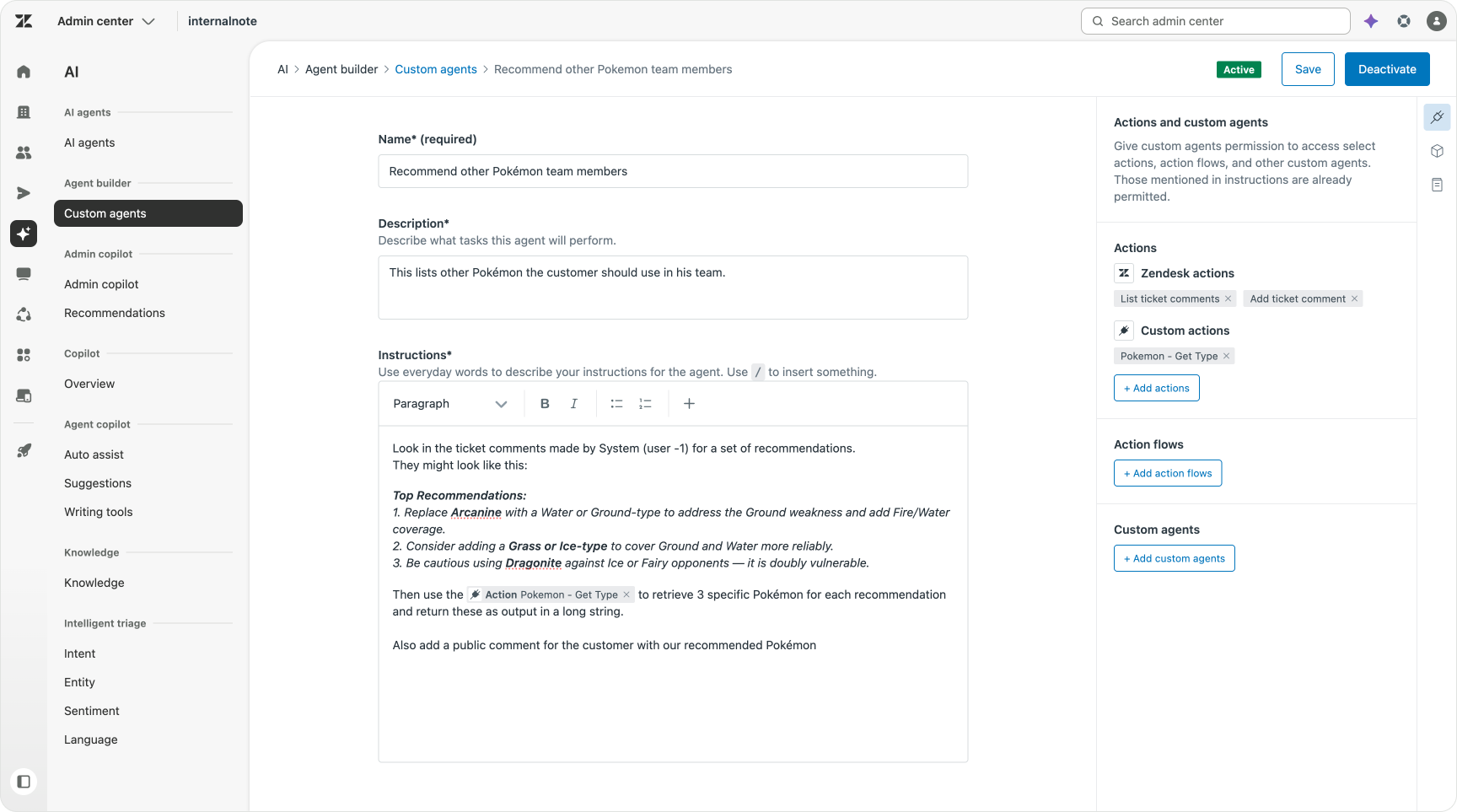
Once we’ve build our Custom Agent, we can add it to a new Action Flow that gets triggered on demand. This on-demand trigger is what makes the flow accessible for AI Agents and Agent Copilot.
In the on demand trigger, you should add zendesk_ticket_id as an input. This way we’re sure to have the Ticket ID available within our flows, and our Custom Agents that depend on it can use that input too.
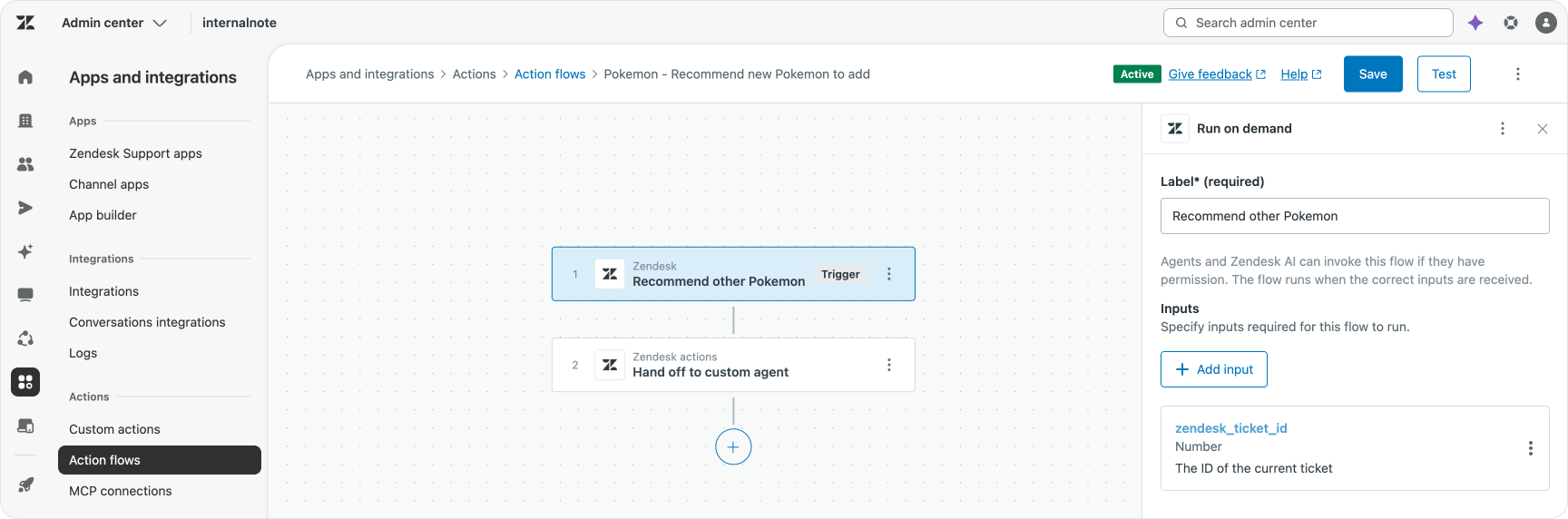
After activating the flow, we can go into Knowledge Admin and create a new procedure that runs when a customer asks for recommendations.
This procedure recognises the intended use case, and then invokes our Action Flow. And with the new Pre-approved mode for actions, it can run autonomously when detected.
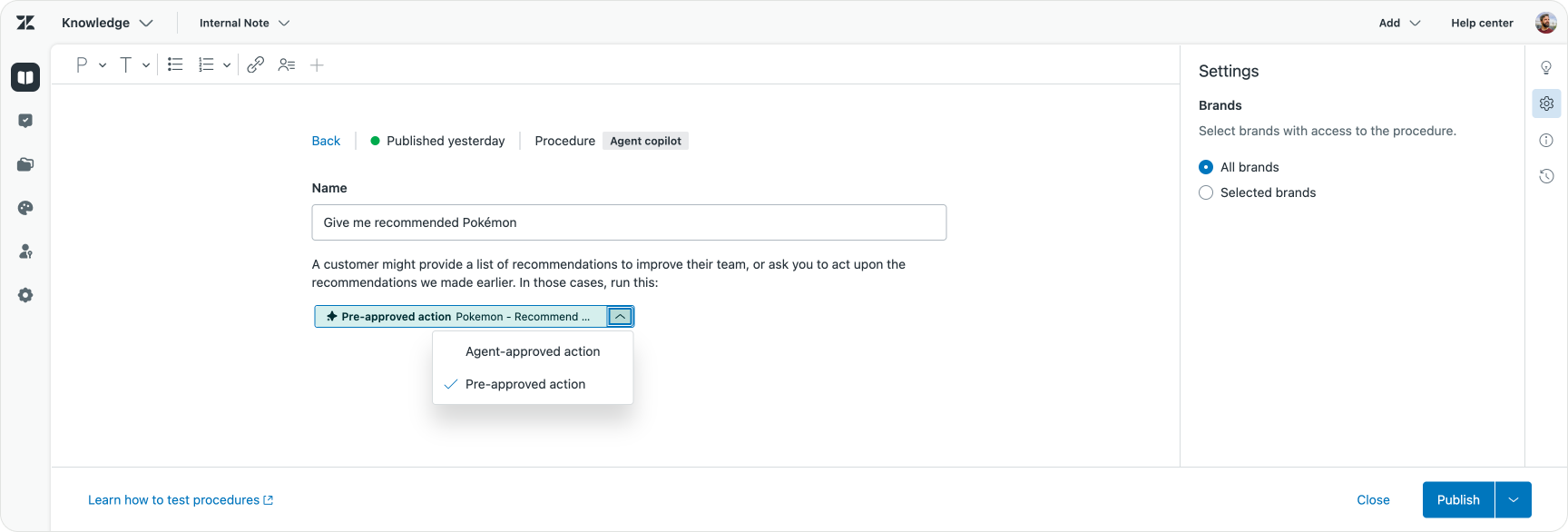
Once the Procedure is active, auto-assist will trigger when a customer asks for more detailed recommendations based on the type suggestions we made earlier.
You might wonder why I went for a procedure over a regular trigger. Mostly it depends on when I think this use case might be triggered. “Give me feedback on my team” might be the initial intent, “how can I act upon that feedback” is a follow-up.
In reality, I think you probably will create procedures for AI Agents and Agent Copilot for all your use cases. “Where is my order”, “Cancel a flight”, “Get a refund”.
These procedures, rather than Action Flow triggers, will own and run the conversation. They guide the customer from question to resolution. And while doing so they will invoke Action Flows at the right time to run Custom Agents or other actions.
So while I invoked my original three Custom Agents via Ticket created triggers, in a real setup I’d always invoke them via AI Agent or Agent Copilot procedure instead. That way I can make sure my conversational agents can handle every use case, even if they hand off logic to Custom Agents from time to time.
Custom Agents invoked by trigger, for me, are better for routing logic where we change the priority of tickets. Or for enriching tickets with context like VIP status, membership ID, booking dates e.a. Elements that don’t drive a conversation, but make routing, prioritisation and reporting easier.
Build experience
While building these Custom Agents I did run into a few hiccups and caveats I wanted to highlight.
The first one is that without an input of Ticket ID none of this works. Custom Agents require that input in order to be able to retrieve all context. You’d almost wonder why this is not just a default context at this point, but since this is still in early access, I assume that might change.
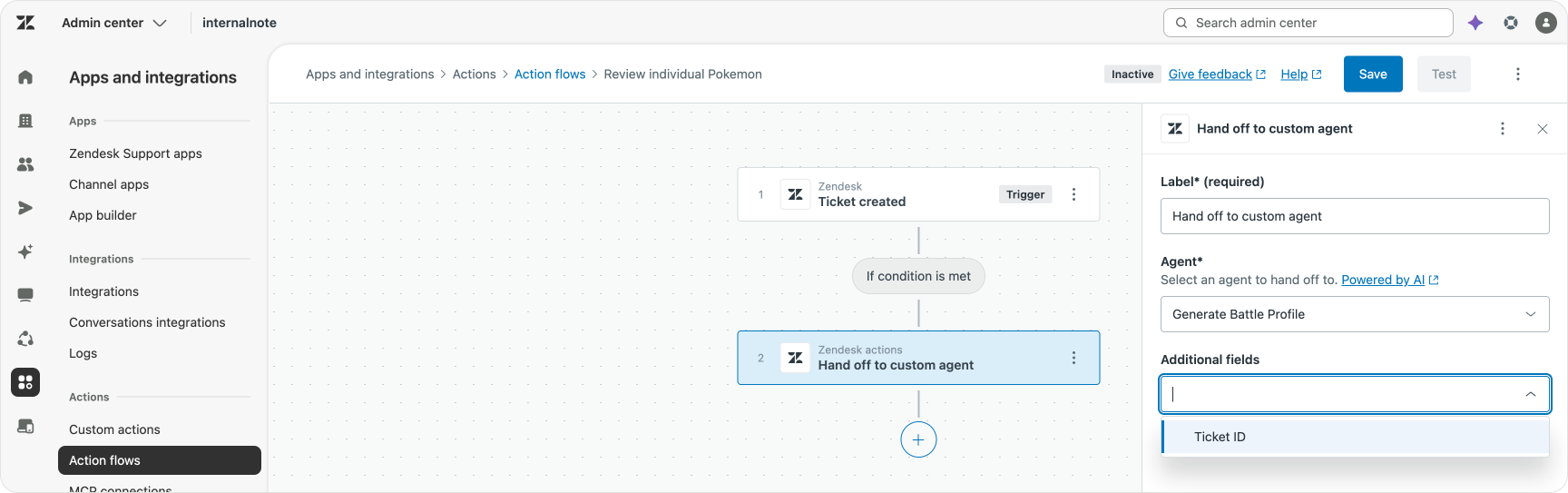
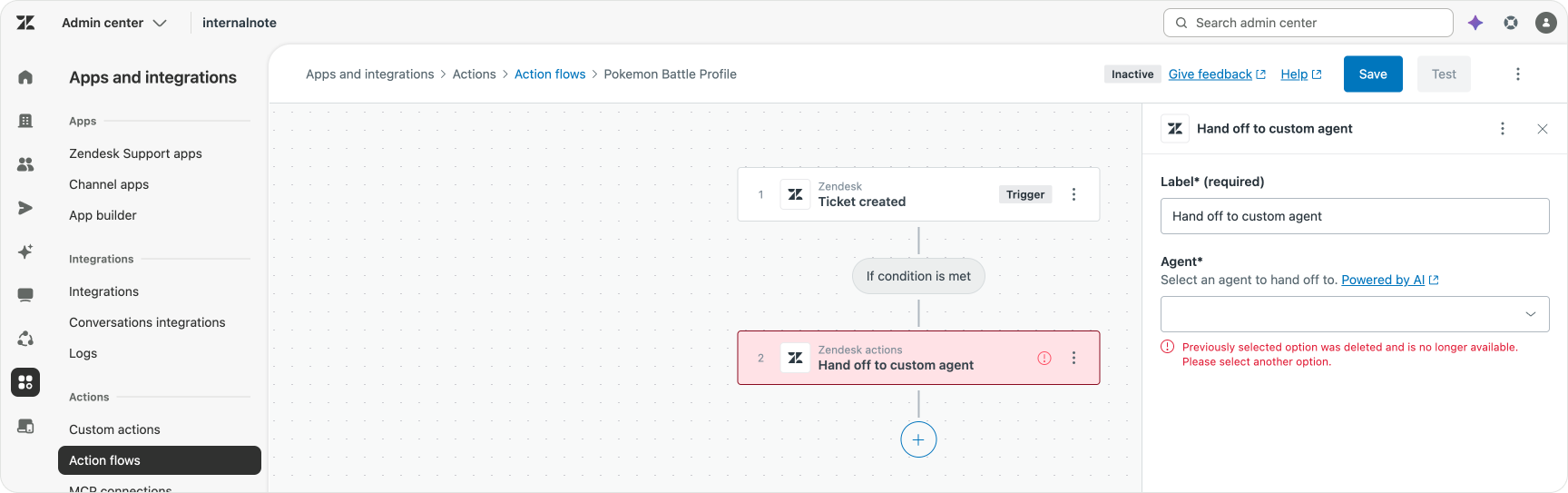
The second hiccup is the fact that each time you change a Custom Agent, the Action Flow that calls it gets reset and you need to reselect the agent and define its input again. And during testing this happens a lot.
And while this might be necessary when inputs or outputs change, from a deploy > measure > improve standpoint you would want a system that allows for improvements on one component without the requirement of reconfiguring all parents and children too.
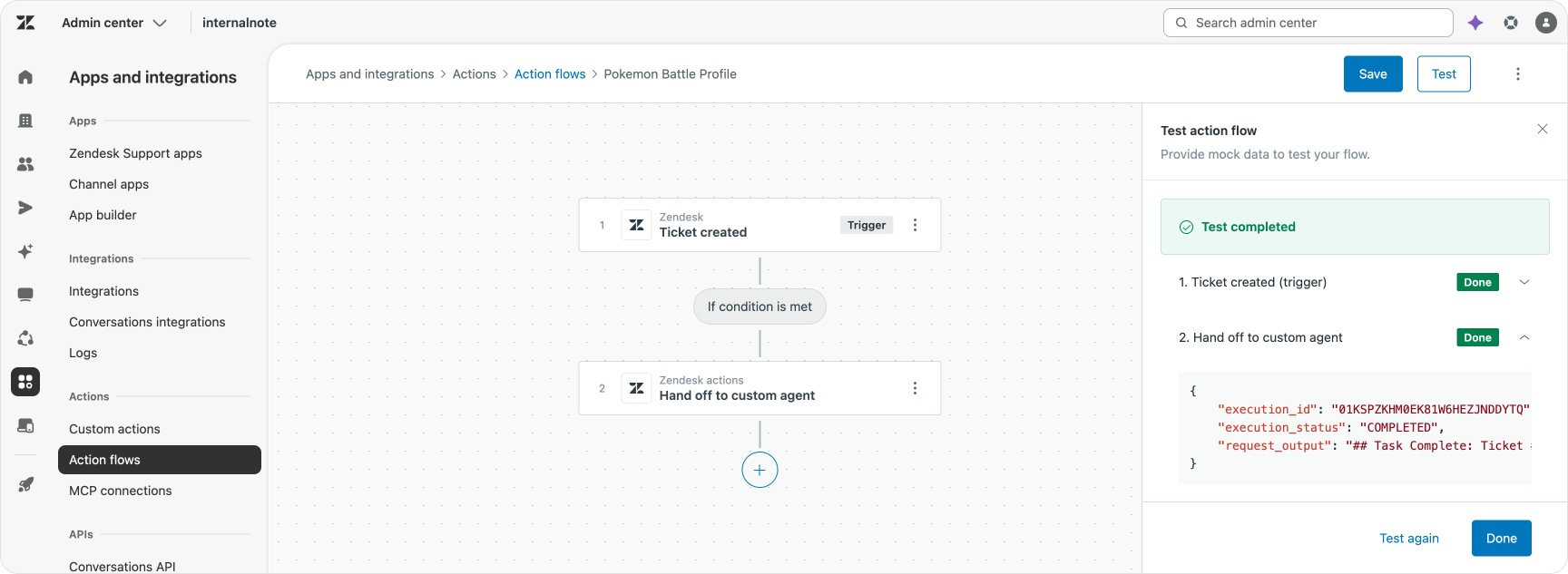
The third one is a lack of audibility or logging. While the Test mode in Action Flows allows you to inspect what’s happening, I’d love to see a log of everything the Custom Agent did. Both from an accountability point of view (what did it do?), as from a troubleshooting point of view (why did it do this?).
But here too, this is an EAP, and you can’t have AI Trust without governance and logging, so I’m sure this will arrive sooner rather than later.
Despite those three caveats, my overall experience with Custom Agents has been very positive. In my test use cases, I tried to exercise the full range of capabilities available, and they all worked right out of the box. Sure, configuring inputs by hand is annoying, and switching back and forth between Custom Agents and Action Flows in the Admin Center gets old fast. But those are UX issues, and UX issues can be fixed. From a “what do they do as agents?” perspective, they do exactly what they promise, and they’re remarkably easy to set up.
An autonomous service workforce
I started with a basic question: how do Custom Agents work and can I build my logic in these agents. My use cases were complex, but achievable, and most important I fully understood them before I started building.
So, how did it go?
Being able to break down a process into its component pieces and build/validate each one of them as its own entity is great. Compared to monolithic procedures that need to contain all logic, the combination of procedures and Custom Agents makes for faster configuration.
The reusability of components also made it so that configuration of the second agent got a head-start since a lot of the work was already done, to a certain extend, in the first one. And as your use cases, actions and family of agents expand, so will the available library of reusable parts in your environment. And all of these are available to build the next use case, or improve an existing one with new options.
The one thing I did not like was the way these Action Flows and Custom Agents are triggered. There’s a lot of logic compressed into a single Trigger block, and it feels a bit overloaded at the moment.
So what’s next for you, the reader? I’d recommend taking a use case you really know well, either a real one or a fictional one like mine, and try to build (or rebuild) it with Custom Agents and Action Flows.
For a fiction-scenario like this article, you can just repeat what I did within your own world.
If it’s an existing procedure, find a contained block of logic (e.g. is this a VIP?) and copy that logic over to the new Custom Agents. You can test that logic directly within the Action Flow builder, and once it works, you can inject it in your procedure, replacing the old logic. That’s it. Repeat this overtime and gradually you can migrate your procedures gradually and controlled towards this new world of a family of Custom Agents running your operations.
With Custom Agents something has really changed in the way we work in Zendesk. Similar to how Queues extracted routing logic from triggers and make it more powerful while easier to manage at the same time, so do Custom Agents. They extract business logic from procedures, giving them more power, while making them easier to manage.