
Messaging & Sunshine Conversations: the engine under the Resolution Platform
Messaging & Sunshine Conversations: the engine under the Resolution Platform

On this page
Most admins and agents using Zendesk never think about Sunshine Conversations. And that is rather the point.
It sits underneath the entire conversational experience in Zendesk. It does not show up as a tab in Agent Workspace. It is not a single feature you'll find in Admin Center. But every web widget message, every WhatsApp reply, every AI Agent handover and every piece of conversation metadata flows through it.
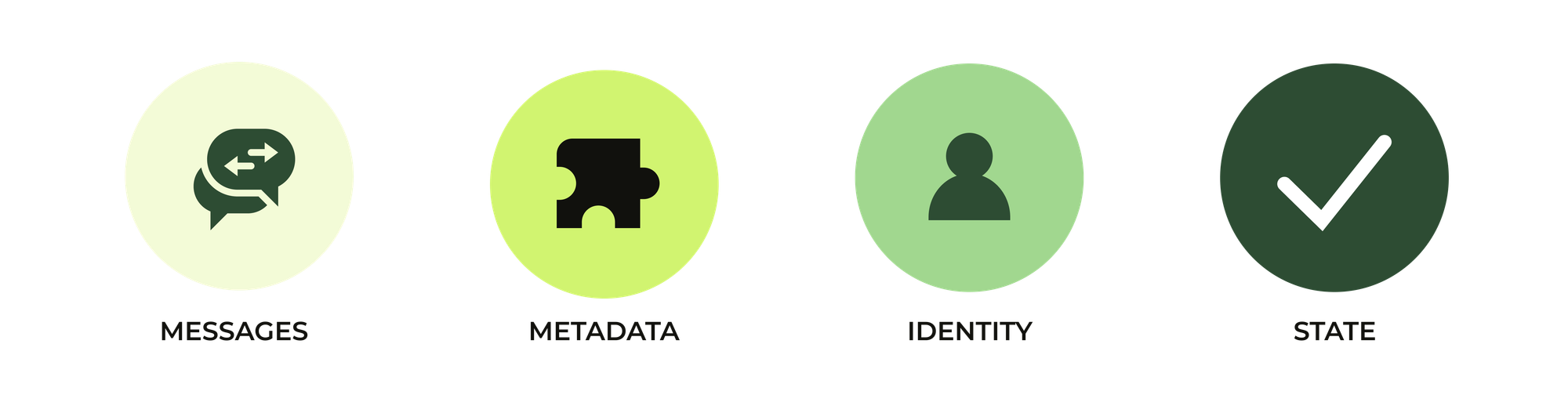
In this article we'll dive into Sunshine Conversations, or Messaging as its called now. We will walk from channels, to routing, to context, to analytics. And we will look at how this one platform quietly powers the modern Zendesk Resolution Platform.
Let's dig in.
A bit of history
Sunshine Conversations did not start at Zendesk. It started as a separate company called Smooch.
Smooch was a platform focused on one job. Connect dozens of messaging channels to bots and ticketing platforms via an easy to use API. It handled the complexity of routing conversations, maintaining status, and abstracting away the unique elements of each platform. It did this by offering generic APIs for creating conversations, sending messages, and switching ownership from bots to agents and back.
In 2019 Zendesk bought Smooch and they rebranded it to Sunshine Conversations. SunCo became the engine that connects channels like WhatsApp, AI Agents, and ticketing environments like Agent Workspace together. It powers Zendesk Messaging and allows the platform to react quickly when new (social) platforms arise.
 Thomas Verschoren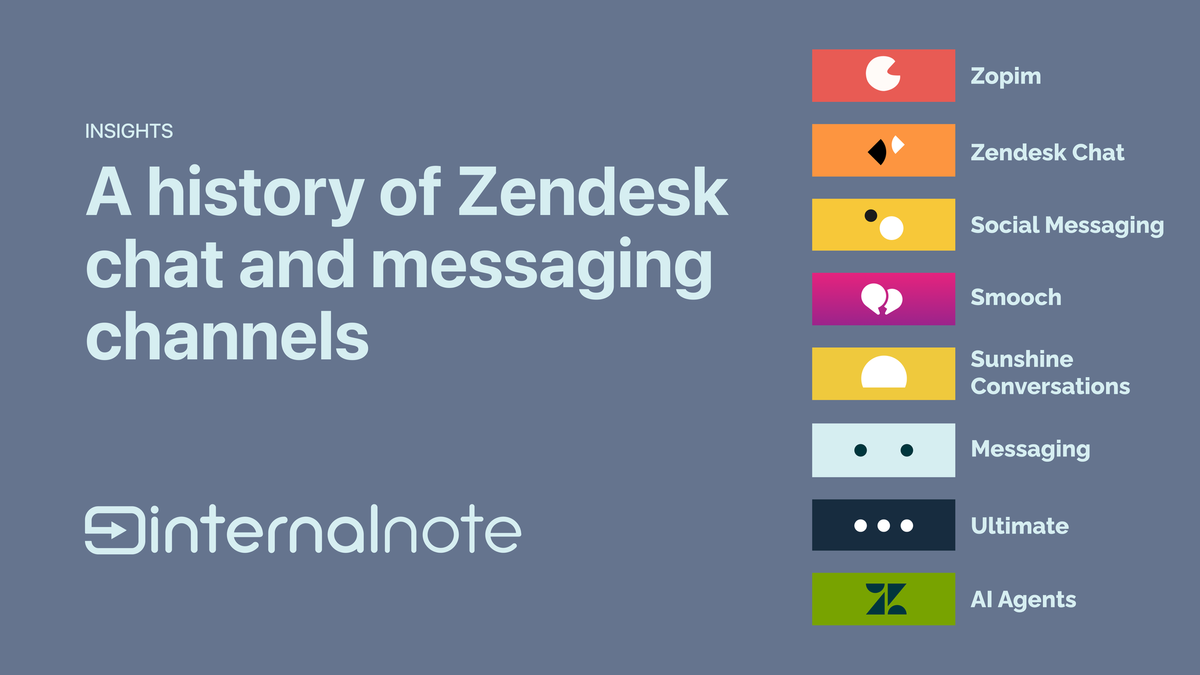
Zendesk’s acquisitions strategy goes hand in hand with SunCo. Ultimate, now AI Agents Advanced, already integrated over SunCo from the get go. So did Forethought. They connect to Zendesk through exactly this API, making them behave as native elements even before they joined the company. The conversation layer was shared from day one, giving customers and agents a seamless messaging experience from day one.
In this article we'll dive into how Messaging powers the Resolution Platform and serves as the layer that connects all the different interfaces and products that take a conversation from question to solution.
Managing the conversation lifecycle
Messaging, or the SunCo layer, controls the entire conversation from initial question until its resolved or escalated to an Agent.

Channels
Every conversational channel a customer uses runs over SunCo. The web widget. The mobile SDK. Facebook. Instagram. WhatsApp.
When you connect a Messaging channel in Admin Center, it connects into SunCo and gets a unique integration_id used in the underlying platform and API calls.
What this does is abstracting away the quirks of every social platform. Within Zendesk you now get one generic way to create conversations, send messages and receive replies. So instead of building and maintaining separate integration for every network, you connect them all to one place.
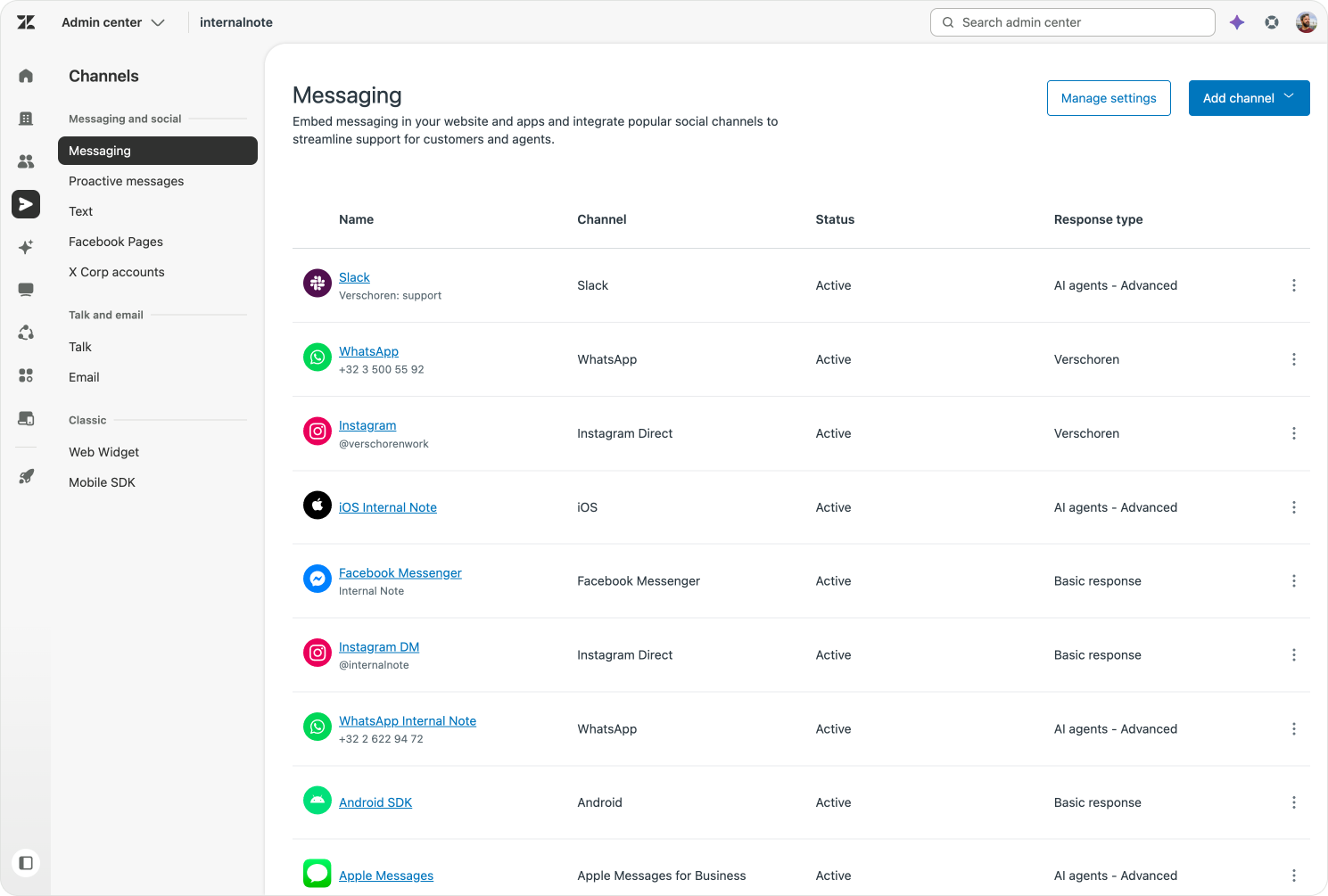
The best way to think about this is to consider Zendesk as channel agnostic. We shouldn't care whether a message arrived from WhatsApp, a web widget or an Instagram DM. Zendesk is multi-channel, so it speaks the native language of each of those networks, while making the way you define what happens once a message arrives the same experience for your admins. This also means that once you configured how you want the platform to handle conversations, you can easily expand with support for more channels and just reuse the work you already did for your previous channels. Zendesk takes care of translating that setup to the specific of that new channel.
Routing
Connecting channels is one thing. Deciding who answers when a customers sends a message is another.
That job belongs to the switchboard. Every Zendesk environment has one. Similar to the telephone switchboards of the 1900s, it routes a specific channel to a specific responder. It then handles the handover from one responder to the next.
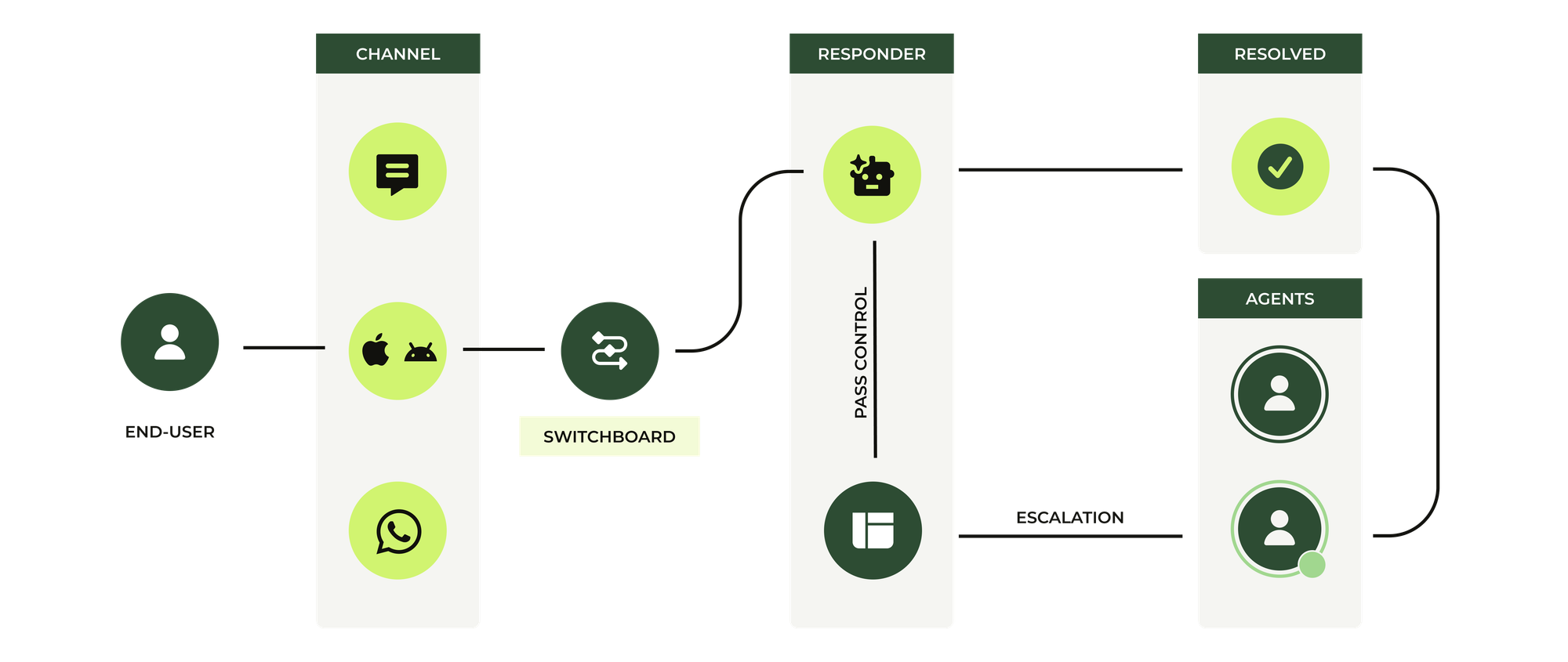
The switchboard has three key pieces.
- Switchboard integrations are the responders. These are your bots and agent environments: AI Agents, Agent Workspace, third party bots.
- Integrations are your actual channels. The web widgets, social accounts and mobile SDKs. Each one has a
defaultResponderassigned to it. - Default Responders: this links a specific Switchboard integration to a specific channel.
In this routing engine the combination of brands, channels and AI agents play a big role.
Most companies have an AI Agent per brand. By linking each channel to a specific brand and agent, they can make sure customers get the right questions. But what switchboard allows is to bypass the AI Agent for specific channels, or leverage a different AI Agent altogether.
For years configuring the Switchboard required direct API calls against the SunCo API. You had to know how switchboardIntegrations and defaultResponder fields worked. That was a real barrier for regular admins.
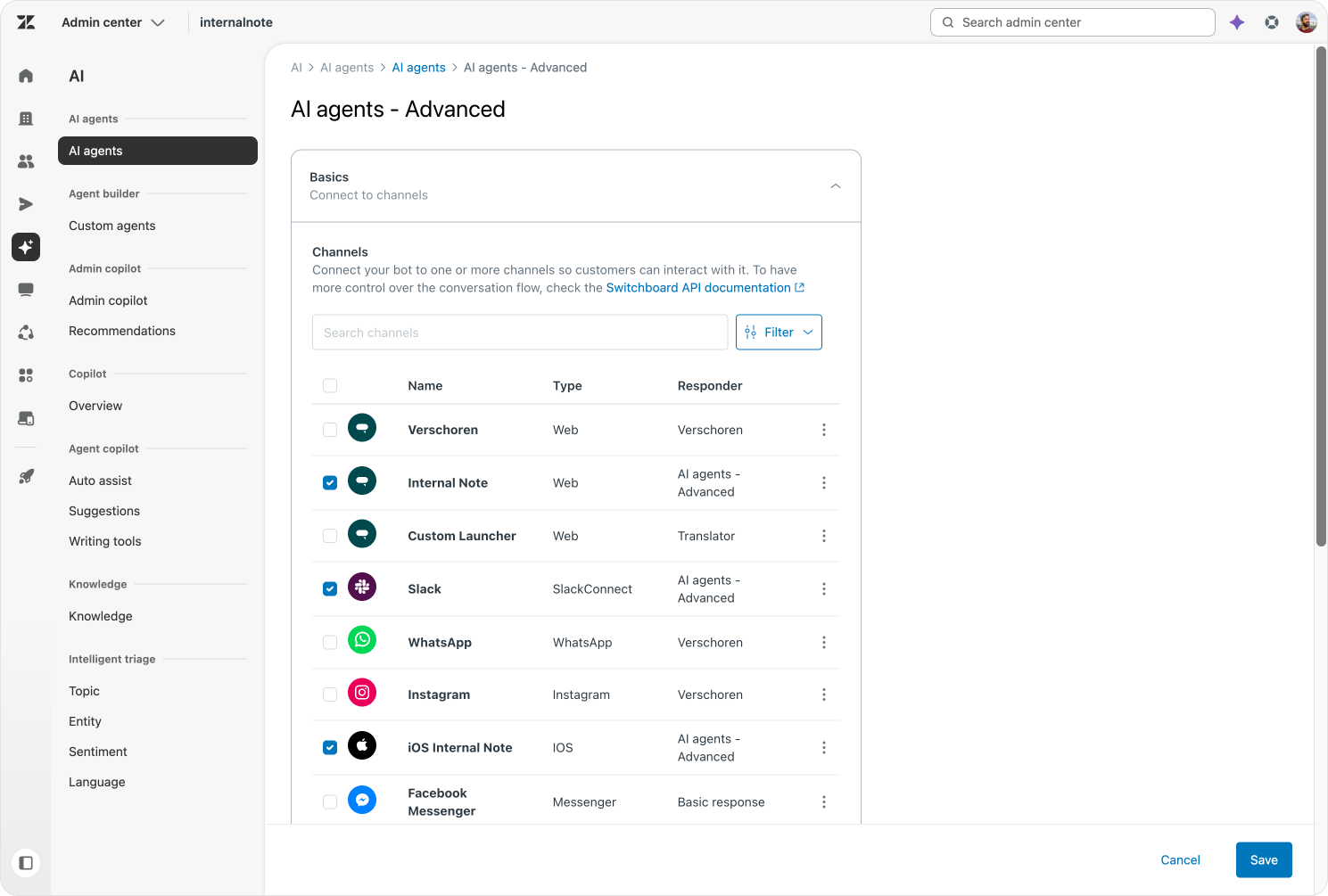
That has changed. The new channel manager in Admin Center lets you assign channels to a specific AI Agent directly from the UI. Behind the scenes it updates the same defaultResponder fields the switchboard API always used. A once complex API process is now point and click.
 Thomas Verschoren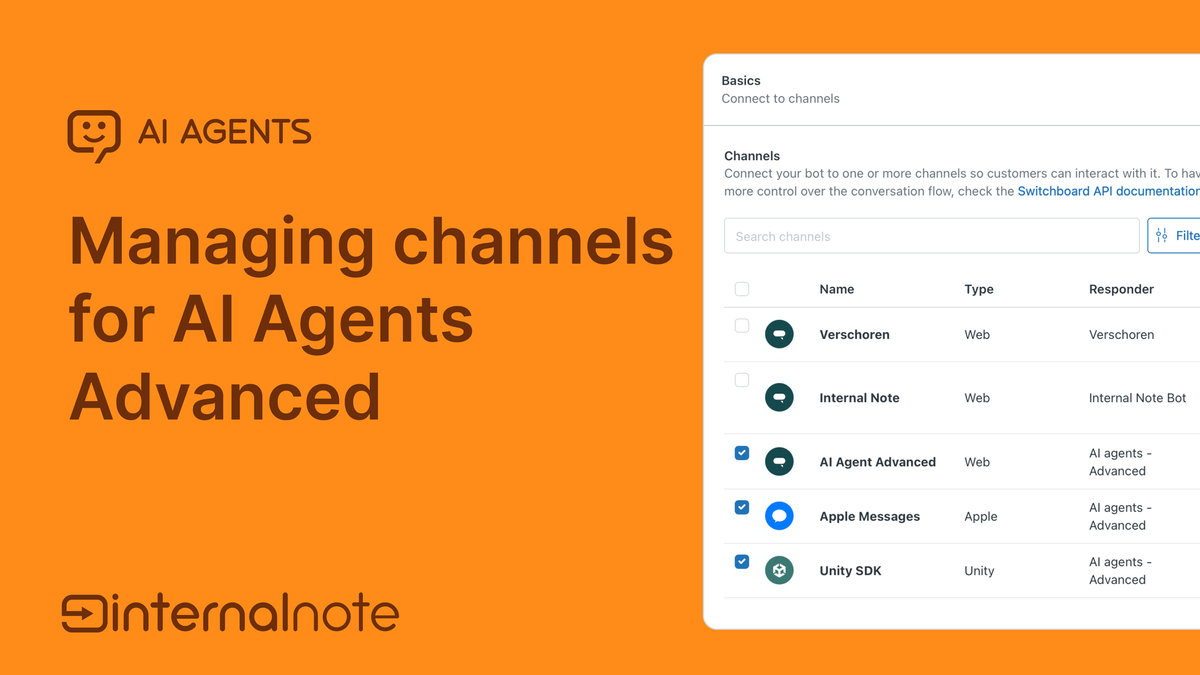
Passing control
The switchboard does not just decide who answers. It also manages the handover between different responders.
Most customers encounter this feature only at the moment an AI Agent passes a conversation to your human team. That pass control is not just a "you're in control now, good luck". It is a full handover of the entire conversation and all the metadata attached to it. But you can easily imagine a future were we're leveraging this same switchboard to pass control between different Custom Agents, each doing their own job, one after another until a conversation is resolved.
Whenever SunCo passes control, it makes sure that integration gets notified whenever the customer reacts, and makes sure its answers, and no other integrations, respond back to the customer.
The conversation is the source of truth
Messages
SunCo holds the full conversation, the actual record of everything that happened. The customer's questions, the AI Agent's answers, and any metadata written to it along the way are all stored in the conversation database.
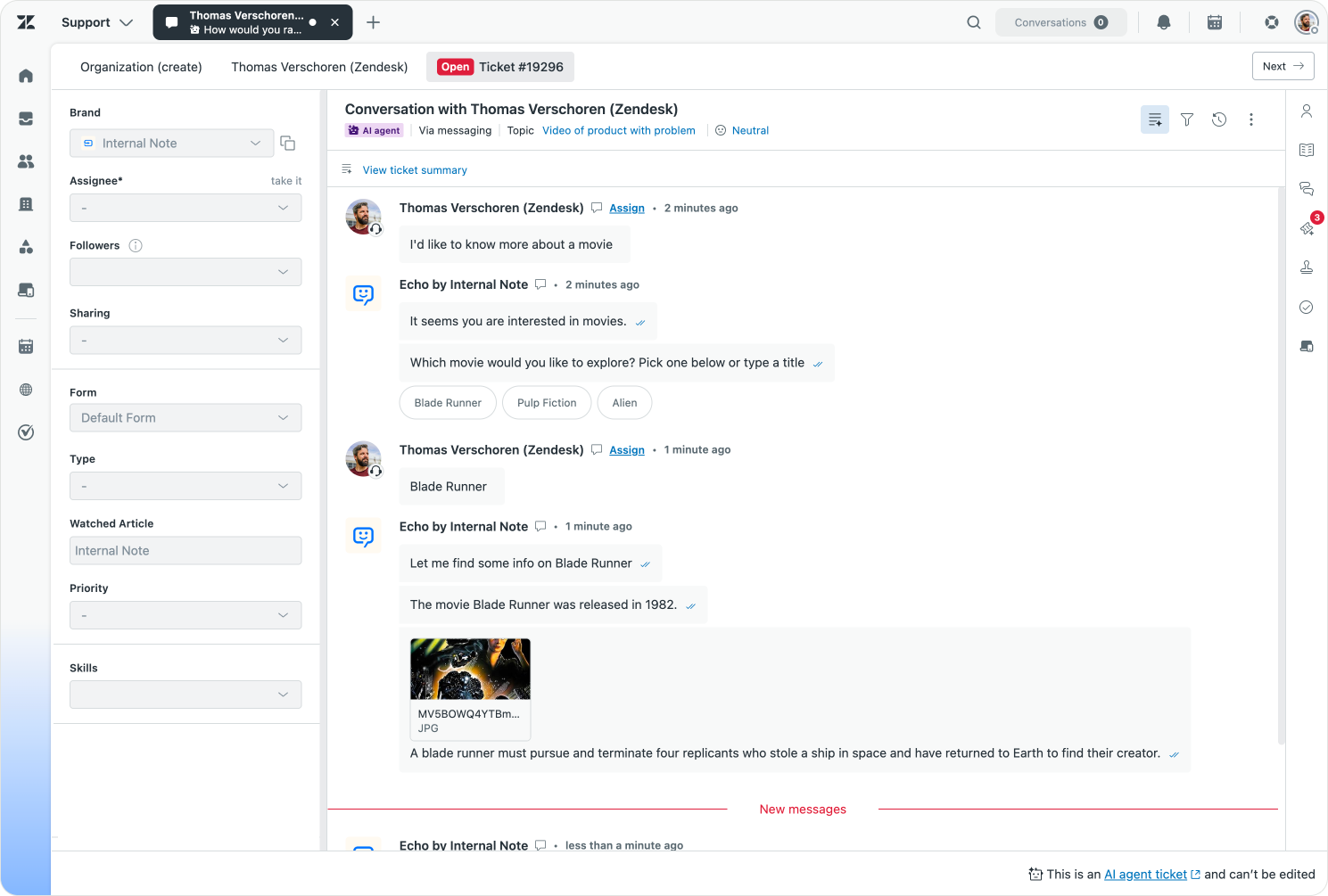
Every conversation is continuously synced between SunCo and Zendesk's core platform via the new AI Agents tickets feature, making every message and important metadata updates available to the platform. Agents can use it to get context after an escalation, the new Agentic Analytics can use it to give deep insights, while Admin Copilot can use it to recommend improvements to your knowledge and procedures.
Before we had AI Agent tickets, AI conversations that weren't escalated lived outside Agent Workspace and only escalated interactions became tickets. That left Analytics, QA and Admin Copilot working with an incomplete picture. Thanks to AI Agent tickets, every interaction is created and tracked as a ticket from the very beginning. The moment a customer starts talking to your AI Agent, a ticket exists. If the AI Agent resolves it, the ticket is marked solved. If escalation is needed, that same ticket is passed to a human.
One interaction equals one ticket. And SunCo is what follows that conversation from start to finish.
 Thomas Verschoren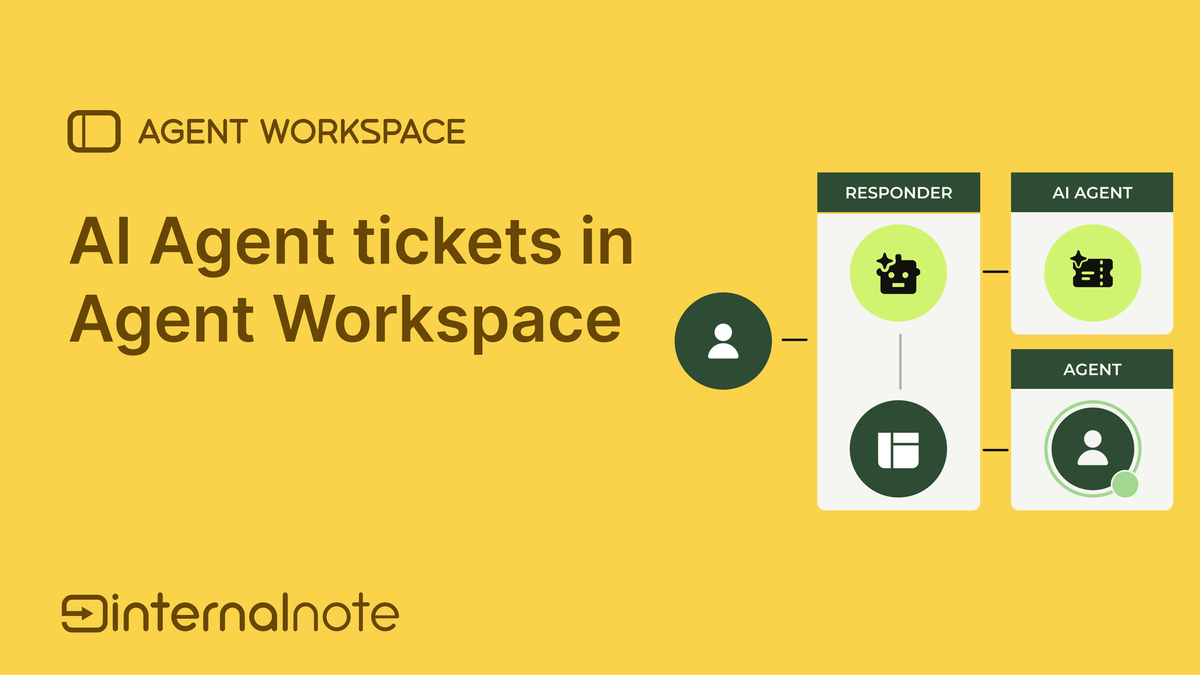
 Thomas Verschoren
Identity
Conversations are not just words. They are words said by someone. And SunCo tracks who that someone is.
This is the profile layer. If a customer contacts you over the web widget while signed in, and contacts you again later via your mobile app, SunCo knows it is the same person. So you can show their conversation history and they can resume their conversation. The whole experience is built on that continuity.
 Thomas Verschoren
Under this sign in process there's a lot of hidden complexity in play. Each channel has their own concept of a user: an Instagram handle, WhatsApp Number, a Slack or Teams profile. All of these get mapped to a SunCo user when they first interact.
Then there is the end-users in Zendesk. They are mostly based on email or phone numbers, or can be provisioned with external IDs via Enterprise SSO solutions. These two databases of users, the users in SunCo, and those in core Zendesk are linked. Each Zendesk user has one or more messaging identities. It points from the Zendesk profile to the SunCo user.
When a user is authenticated, both SunCo and core Zendesk know we're talking about the same user. And if your agent validates that the user reaching out over WhatsApp is the same user they talked to over email before, they can merge those profiles. And you end up with a single Zendesk user containing multiple SunCo profiles.
{
  "identities": [
    {
      "id": 17231393302930,
      "user_id": 17231378447250,
      "type": "email",
      "value": "[email protected]",
      "verified": true,
    },
    {
      "id": 35009468528402,
      "user_id": 17231378447250,
      "type": "messaging",
      "value": "69e8b8d873c619830a2622db",
      "verified": true
    }
  ]
}
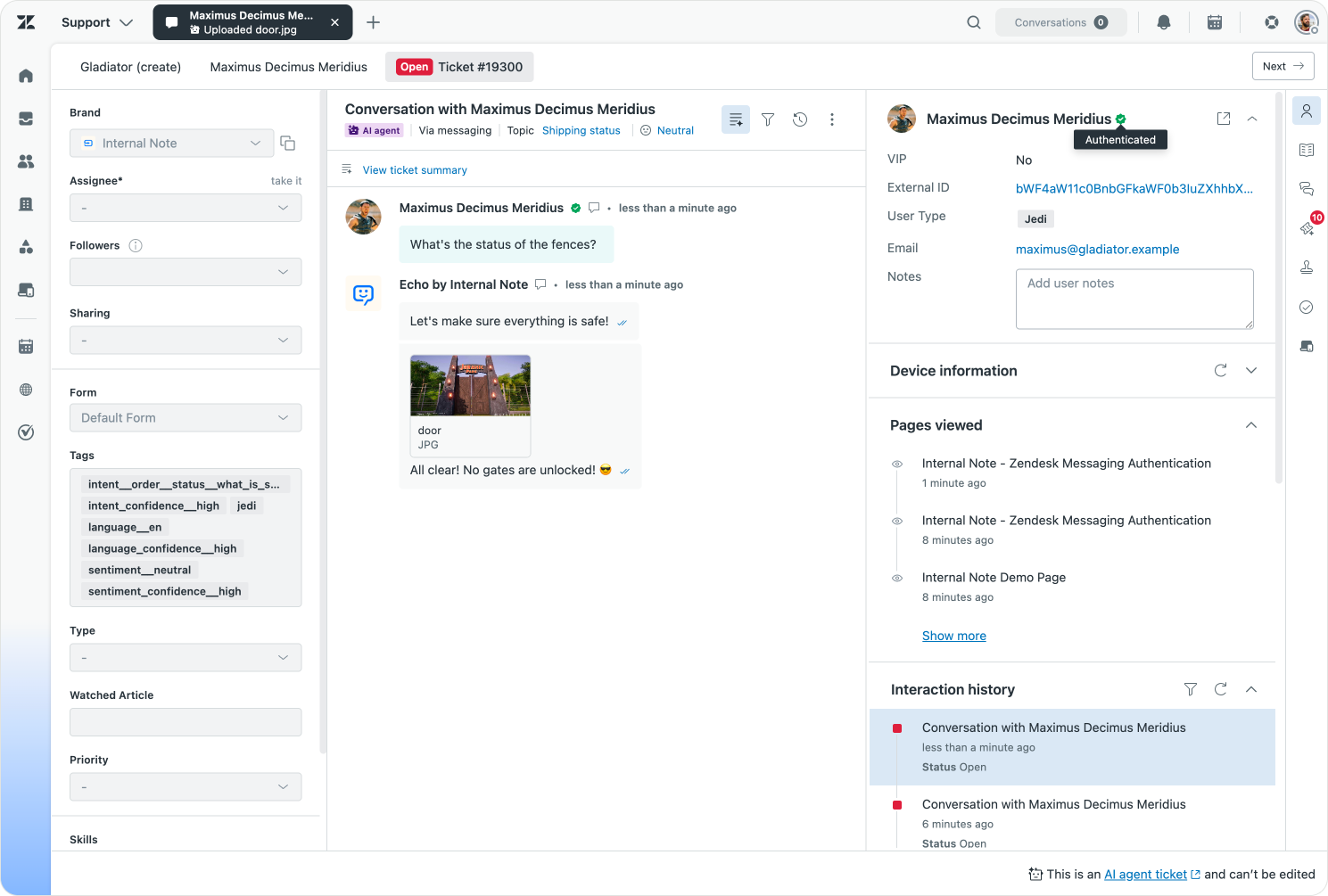
Even though there's a lot of technical complexity contained in this user management, the end result in the platform itself hides all that complexity. An authenticated user that reaches out renders as a rich profile in Agent Workspace, and all their user information and authentication state are clearly visible to the agent.
Context
Knowing who the customer is one side. Knowing what they're doing is the other.
When a customer is on your website looking at a product, you can store the product name. If they're looking at an order they want refunded, you can note down the order details. All of it lands on the conversation as metadata.
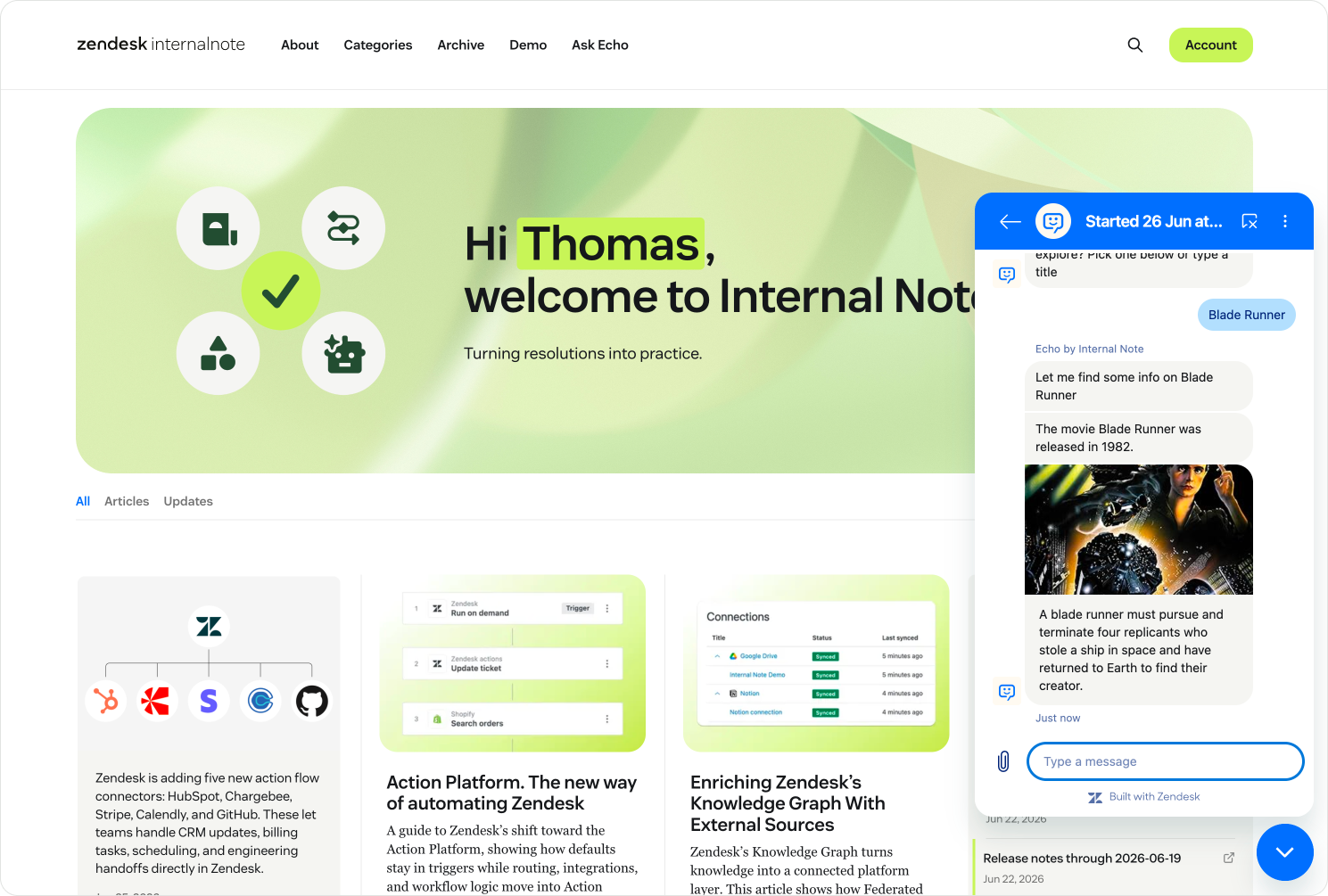
That metadata is then made available to your AI Agent. So it can open with a personalised, context aware welcome message. It can dive straight into the right use case or intent. It can resolve the request without asking the customer for information they've already given. Nobody enjoys typing their order number into a chat box that already knows their order number. If you open the web widget on this page you can see this in action. If logged in, your welcome with your name and the title of the article you're currently reading.
AI Agents have access to all metadata stored in a conversation, but you'll have to explicitly capture the data you need via Actions. And during a conversation the AI Agent can also retrieve new information from the customer it can store as conversation metadata.
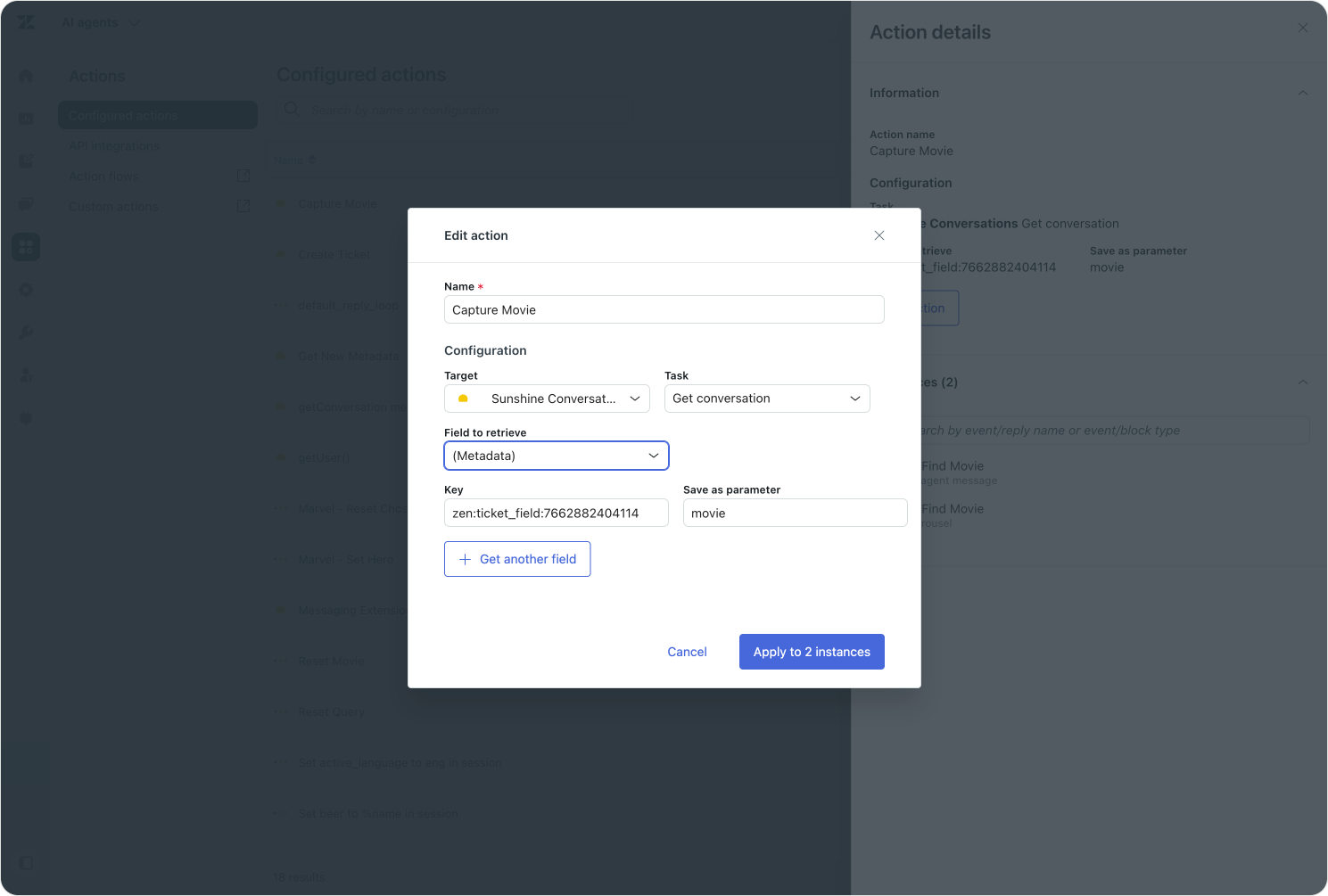
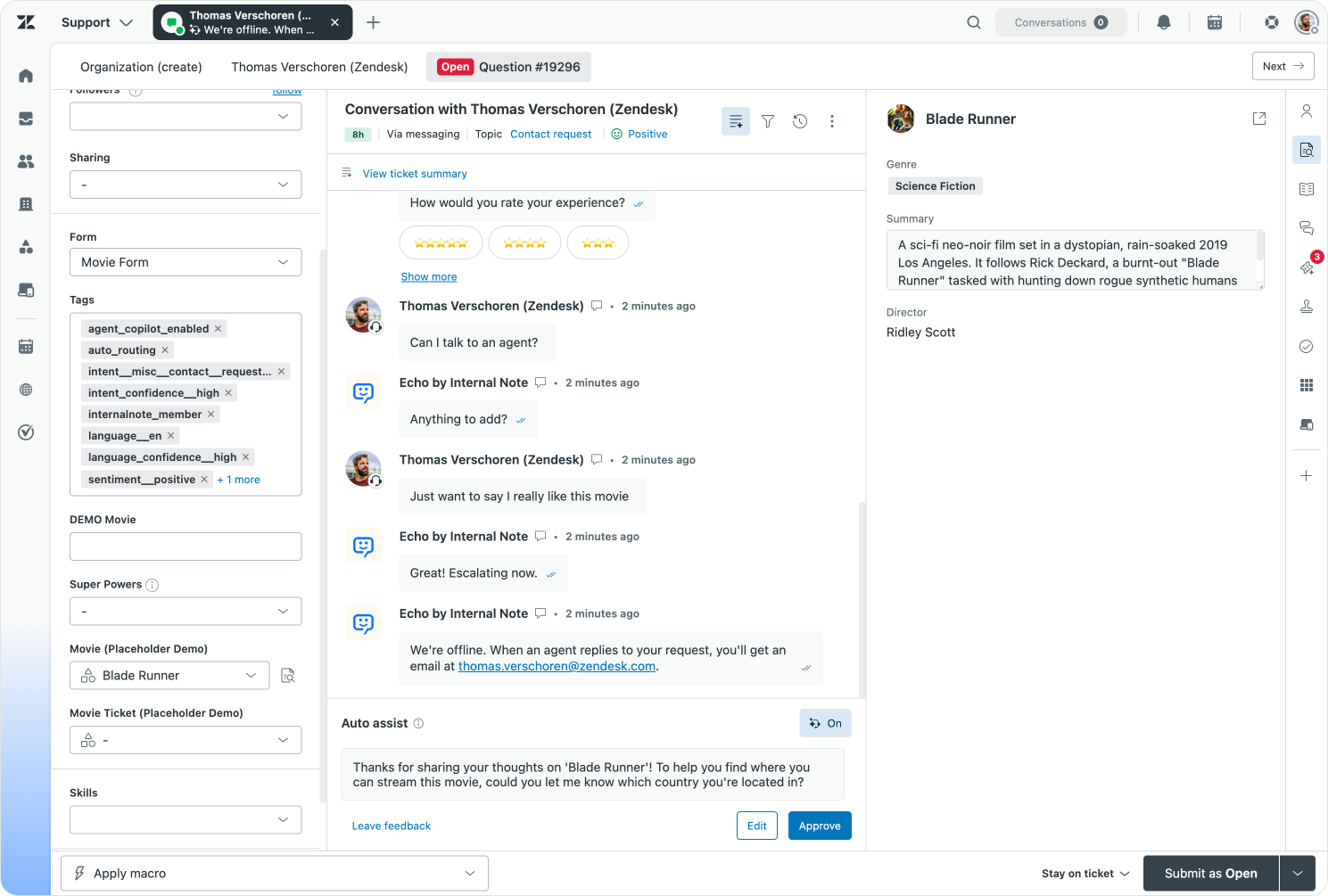
Some of that metadata syncs through to Agent Workspace as ticket field values. When a human agent opens a conversation, or Agent Copilot runs a procedure, the conversation, they see the same context the AI Agent saw.
In order to pass data to Agent Workspace and fill in ticket fields you need to use a specific format "zen:ticket_field:1234567890": "Blade Runner", where the number is the ticket field ID.
 Thomas Verschoren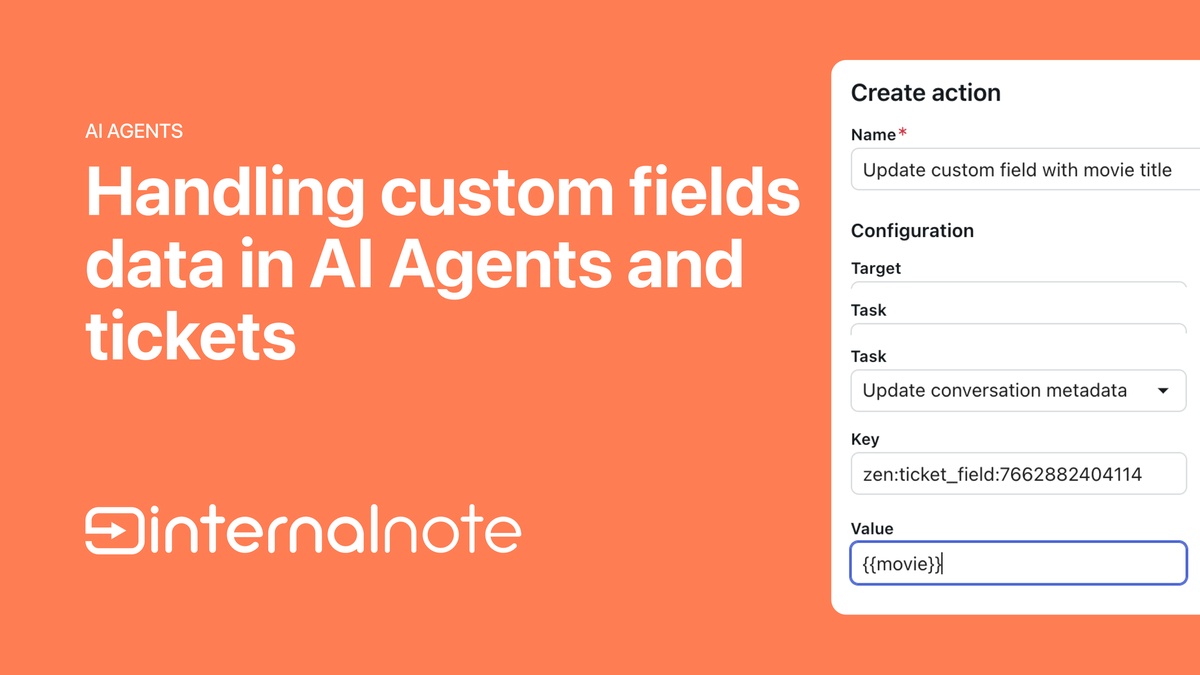
State management
Because SunCo sits between your customers and your channels, it knowns the state of the conversation.
A conversation can have three states. Active, where the customer is online and replying. Inactive, which shows up after roughly ten minutes of silence. And Ended, once the session is wrapped up and any new comment triggers a new conversation. For escalated conversations this means control is passed back to the AI Agent.

These states are not just labels. They drive real behaviour across the platform. An inactive conversation can stop counting against an agent's capacity, freeing them to take a live one. An active conversation shows a green dot in Agent Workspace, so the agent knows a reply will land. An ended conversation is also an indicator for the system to start checking if a conversation is an actual resolution, and can trigger things like autoQA analysis or Admin Copilot recommendations.
 Thomas Verschoren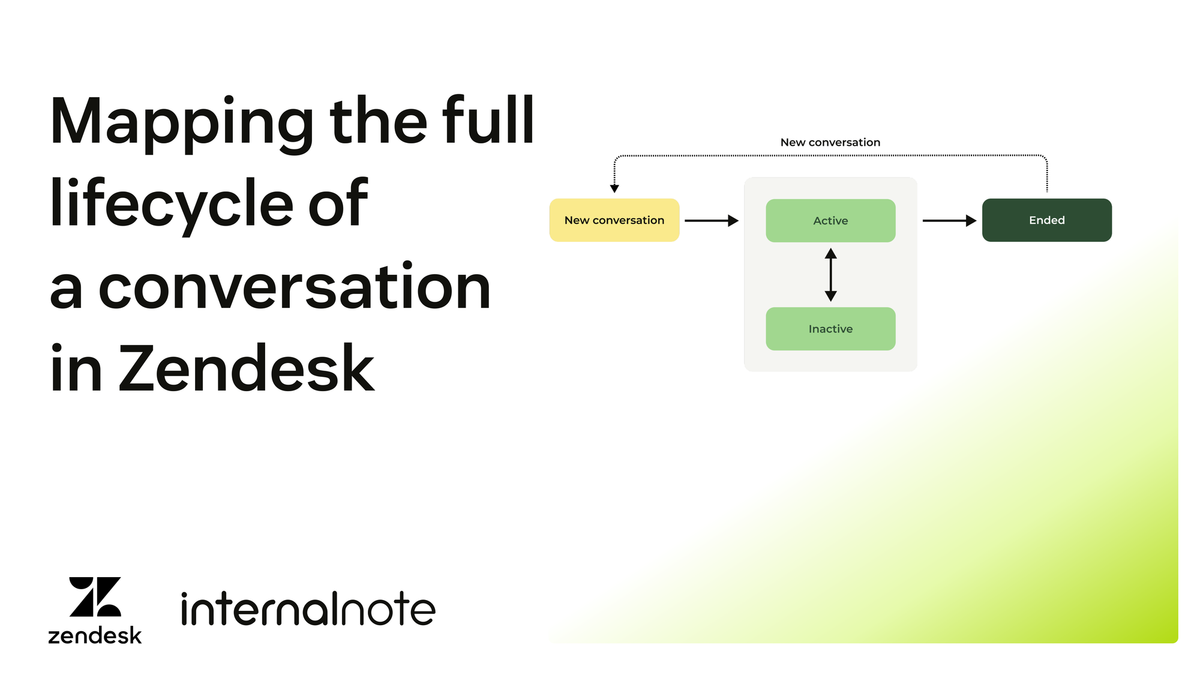
Managing sessions
For a while, ending a session was either a consequence of the customer abandoning the conversation, or an explicit agent action. They'd press End Session to stop the live portion of a conversation, which triggers SunCo and the switchboard to hand the conversation back to the AI Agent.
That same control now extends to the customer. End users can end their own sessions in the Messaging web widget. The feature gives customers more control, cuts down unnecessary follow-ups, and frees up agent capacity sooner. This feature is off by default, but admins can turn it on in Admin Center | Messaging.
When a conversation wraps up, users can now also download a transcript of their conversations.
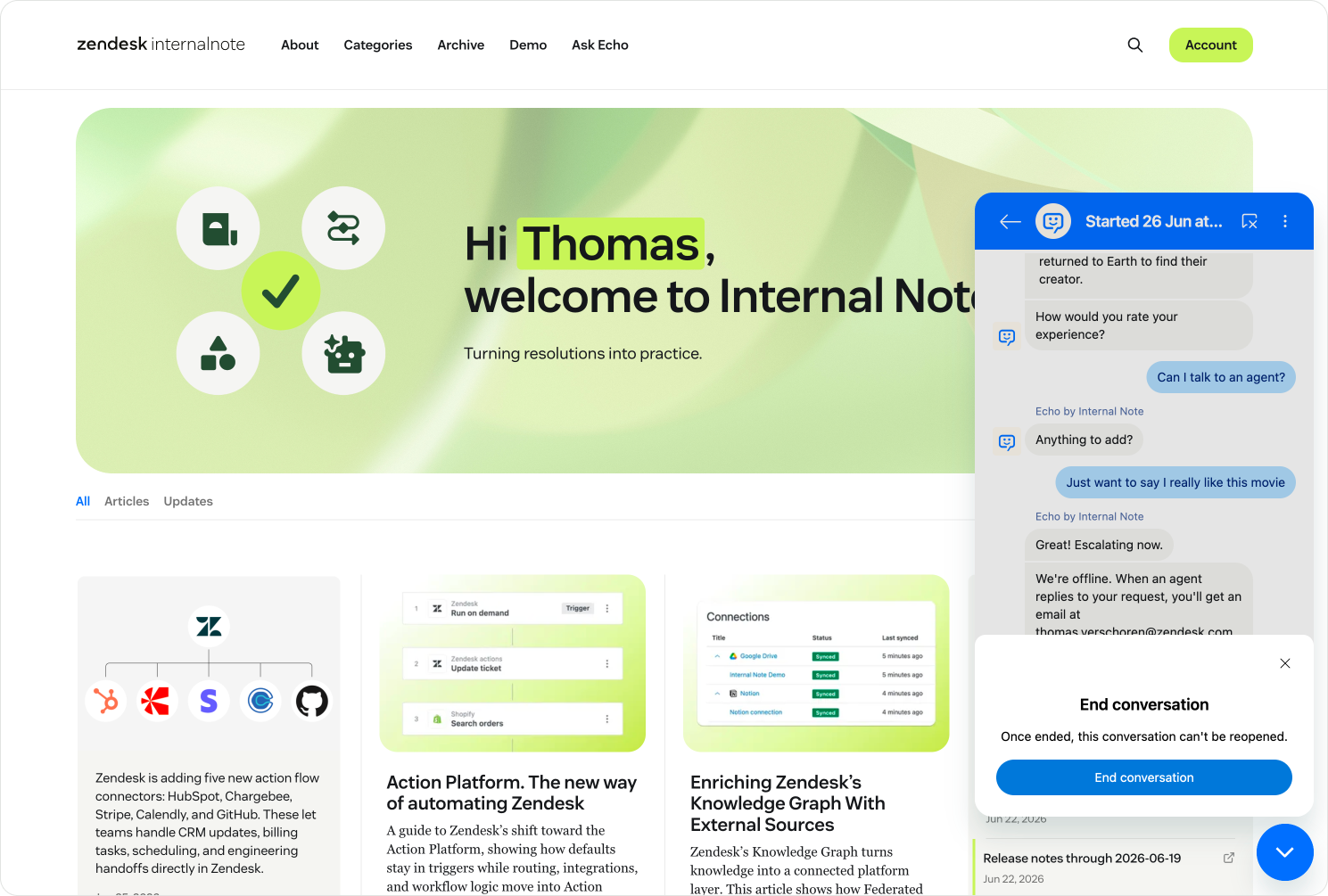
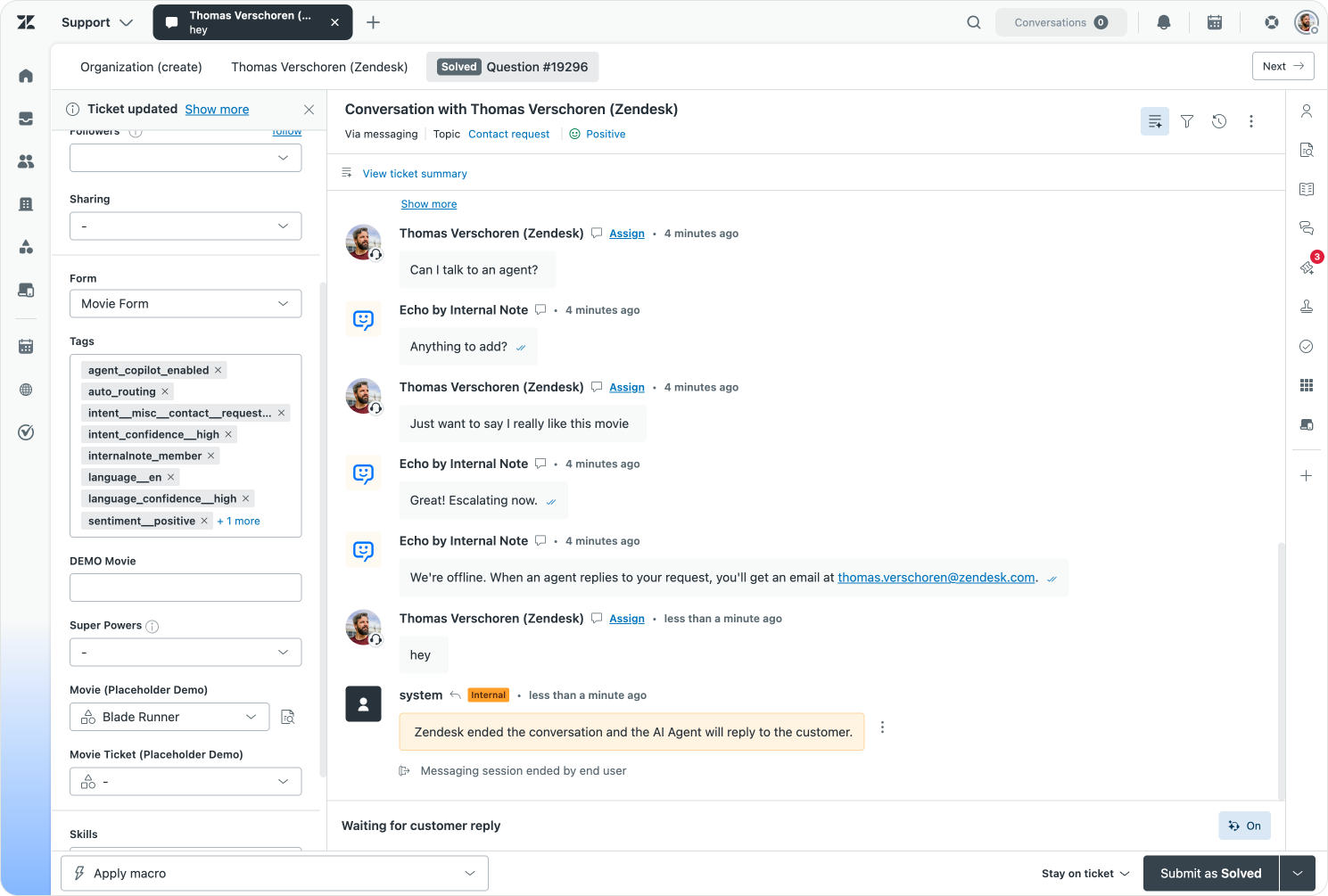
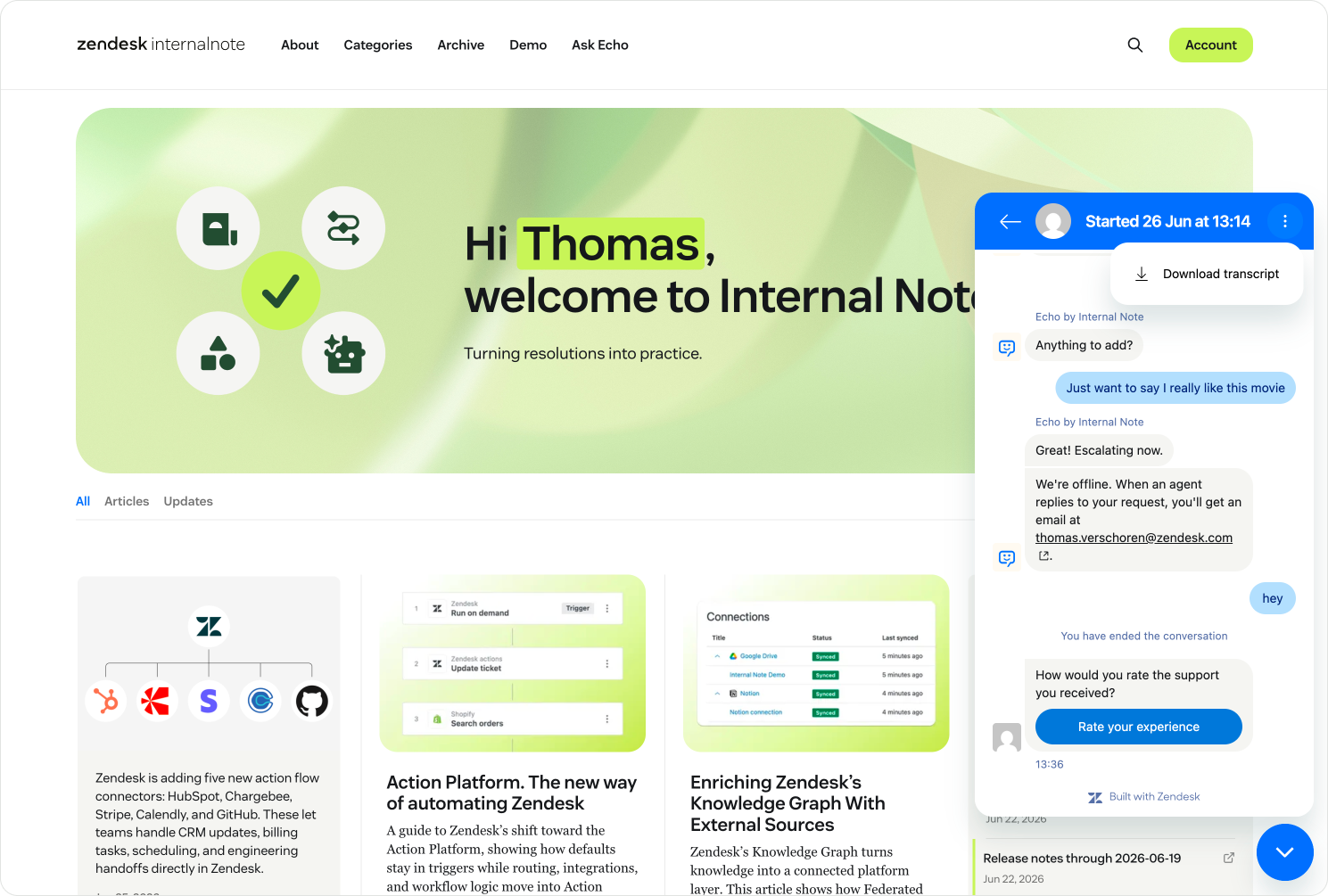
On top of being able to end sessions, we can now also monitor End user presence. Presence monitors whether the end user is still on the website, or whether they've abandoned the conversation by closing the page. If they leave the page, we can automatically turn the page to inactive, rather than waiting for a set period of time before the status changes.
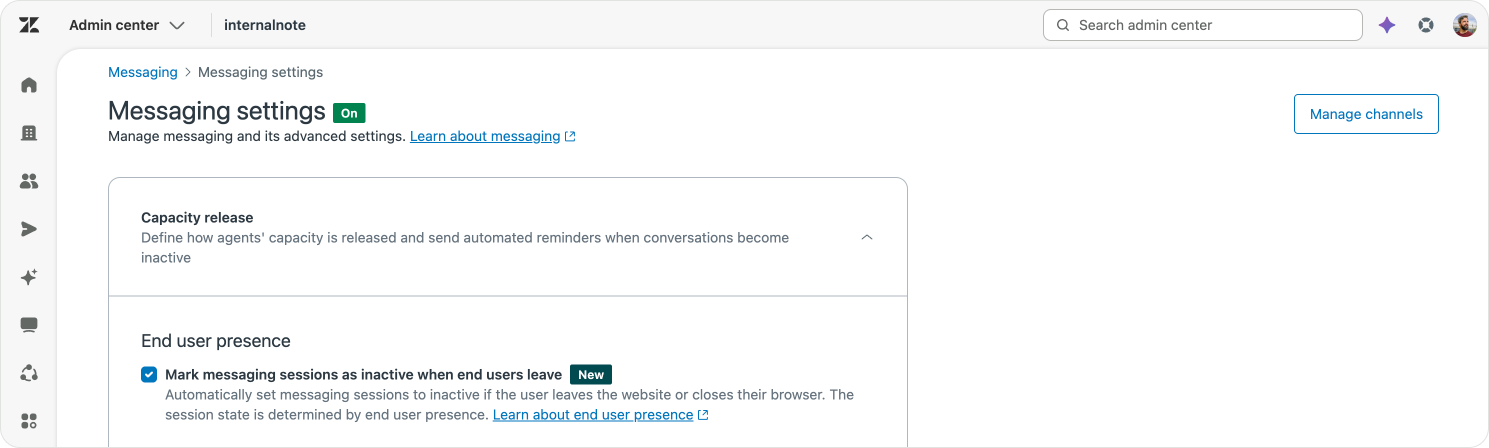
This has an impact on Omnichannel Queues and Capacity. A conversation where the customer is still on the page, waiting, is more urgent than an older one they walked away from. So you can prioritise live customers over abandoned threads, and release capacity when a customer has clearly gone.
Rich interfaces
We've mostly talked about SunCo as a layer to manage conversations and pass context to AI Agents and humans alike. But SunCo also offers us ways to render rich interfaces on top of conversations. These can be simple things like a button, a form or a carousel in the web widget. Or it can be rich elements like article previews or custom interfaces to get answers from the customer.
Within Zendesk's own Web Widget conversations now render Help Center links as rich previews, and these articles now open inside the widget itself instead of bouncing the customer out to a separate tab.
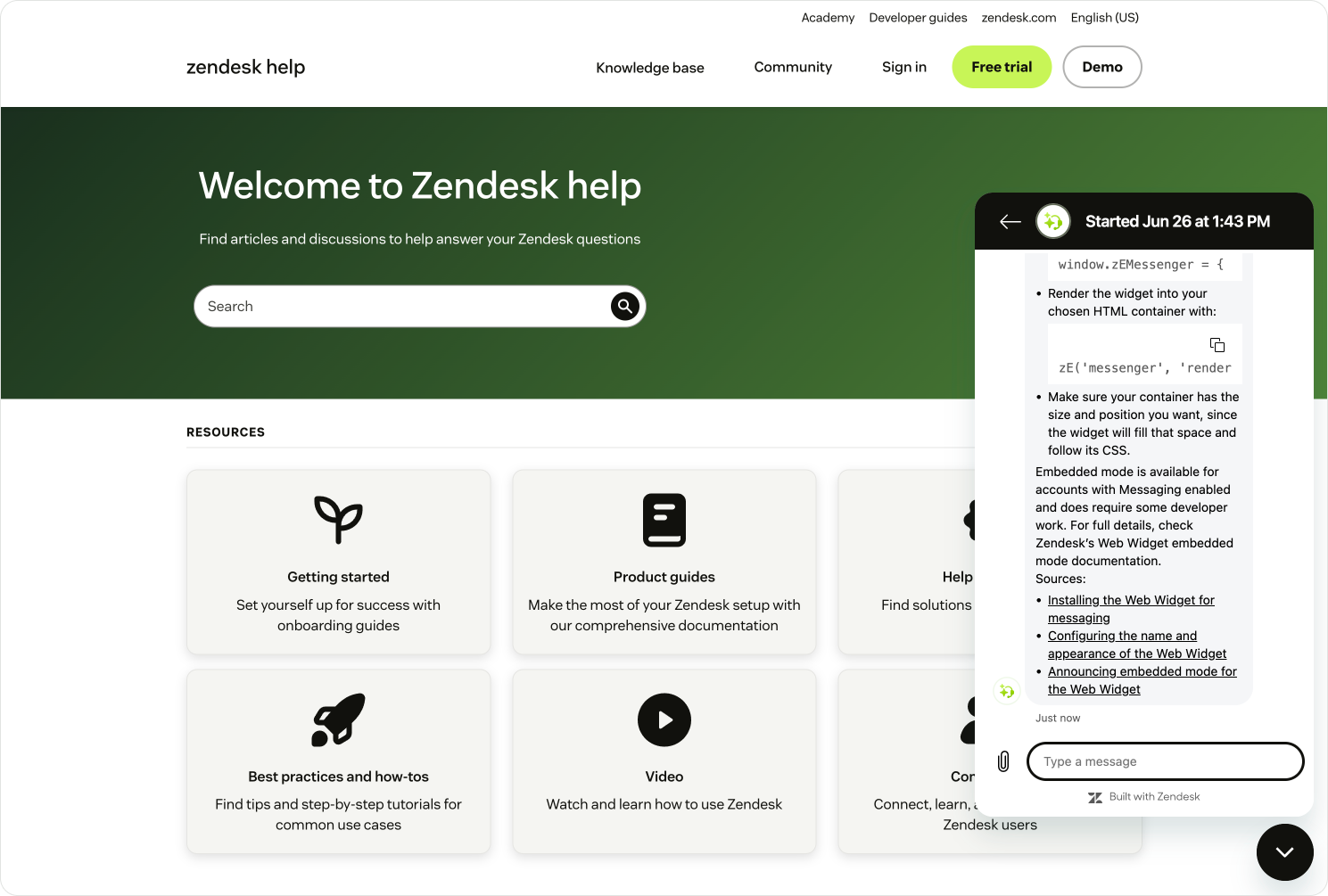
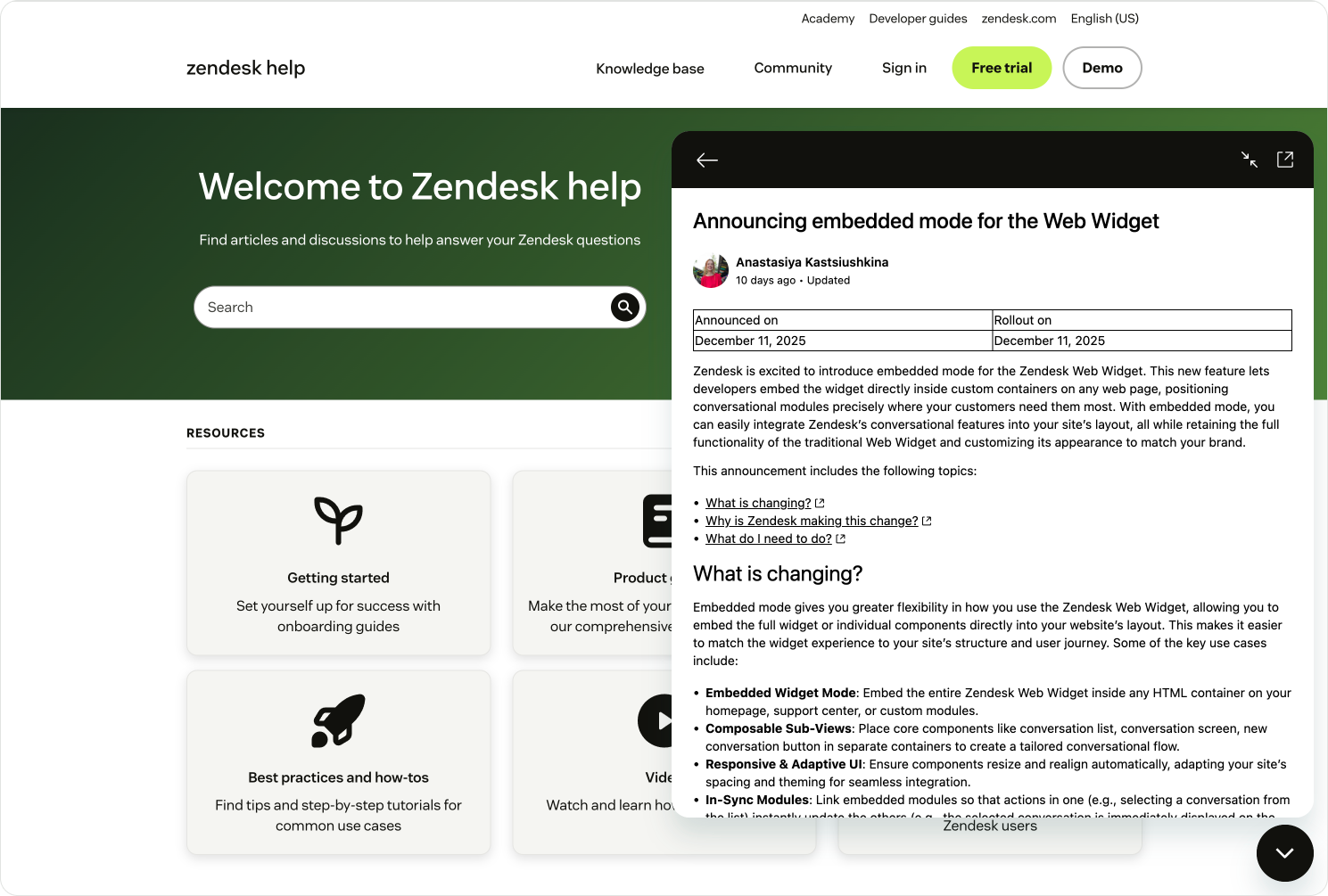
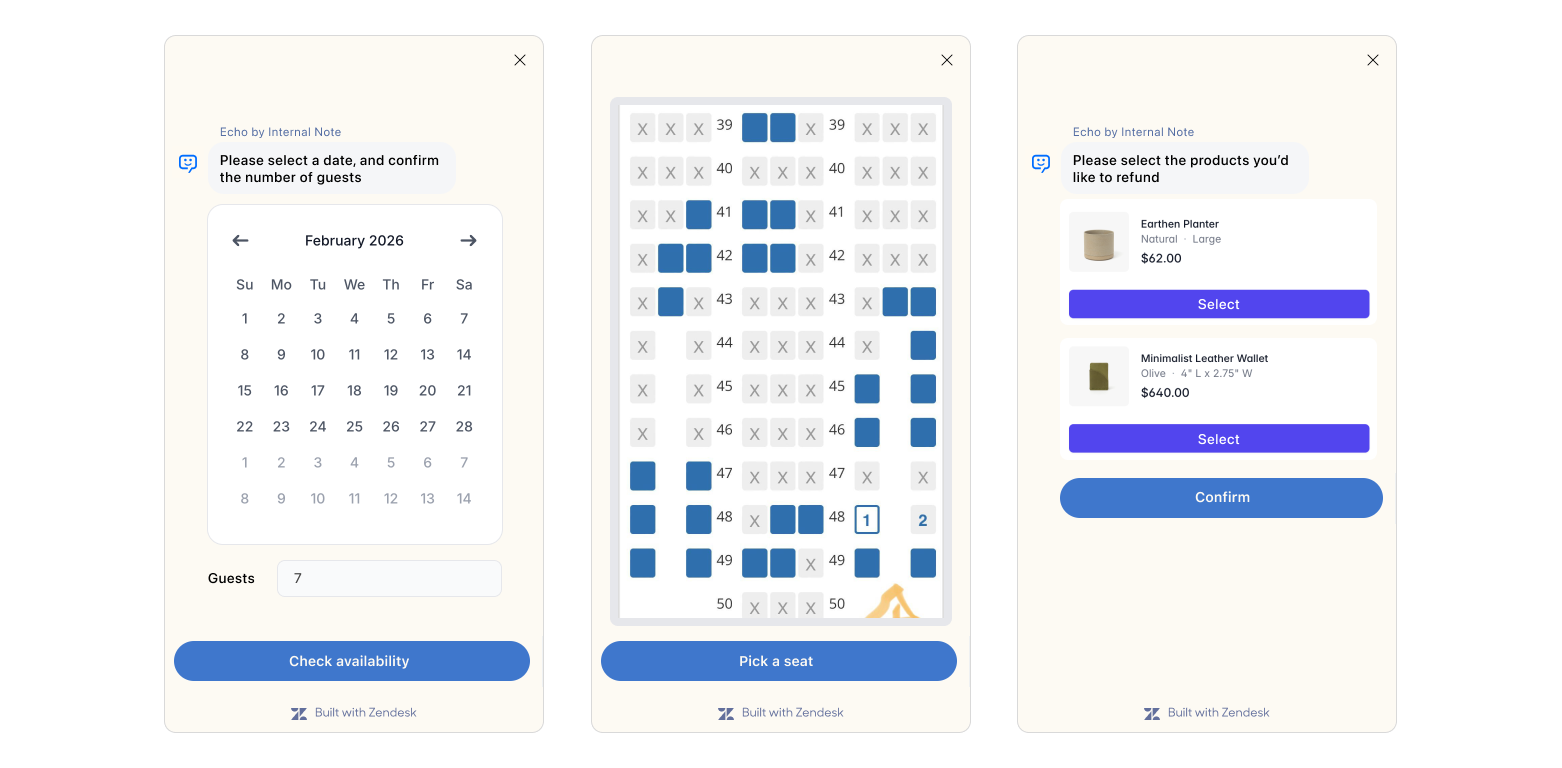
Resolving conversations with customers can be as simple as showing an article with the right content. But sometimes answering a question isn't enough. You need to do something for the customer. And while conversations are handy ways to interact with the customer, they're not the best fit to get all types of context. A date picker beats typing out "March 17th, 2026". A seat map beats writing "Seat A12". Picking three products from a grid beats describing them.
This is what Conversation Extensions are for. They are web views you invoke as part of an AI Agent flow and they're powered by SunCo. You can design them however you like and run any custom code inside them. And because they load inside an existing conversation, they have the same SunCo context available. So they can read and write metadata, and post messages back to the conversation.
Picture a flight rebooking. The procedure asks for the booking number and confirms what the customer wants to do. Then it hands off to a Conversation Extension that shows the seat map and handles the payment. When the customer finishes, control passes back to the AI Agent and the conversation resumes.
 Thomas Verschoren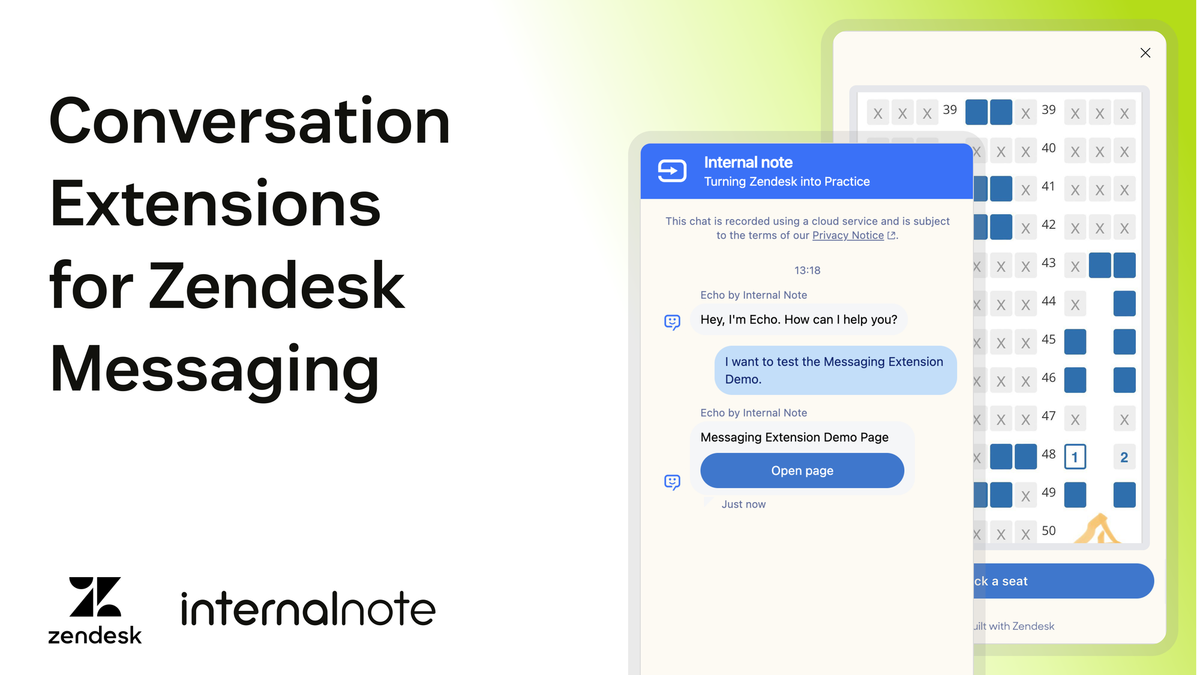
A word of restraint though. Extensions shouldn't be your default. Knowledge articles and agentic procedures deploy faster and handle most cases. Save extensions for the valuable interactions that genuinely need a richer interface.
Always two there are
Making things simple has always been one of Zendesk core visions when it comes to designing the product. And here too, the platform does a good job of hiding complexity. But beneath the surface, SunCo and core Zendesk are often handling the same data twice. The platform quietly keeps them in sync so that most users never notice.
Three times in this article we hit that duality. There's conversation and ticket. Conversation metadata and ticket fields. The SunCo user and the Zendesk user. Each pair is a translation between two systems speaking slightly different languages.
For most users, that complexity is hidden and things just work. But for those working at the API level, that duality can surface as confusion. Hopefully this article took some of that away.
The platform's trajectory suggests that these translations are slowly disappearing. Switchboard routing moved from API to Channel Manager. AI Agent tickets makes every conversation natively available in Agent Workspace. Help Center authentication made single sign on a single checkbox. Each step quietly folds a SunCo concept into the native platform and removes one more seam.
Sunshine Conversations remains the engine underneath all of it, silently empowering the entire messaging experience.